Best Selling Products

Adobe Photoshop Copyright - Full App
120 USD

Adobe Premiere Pro Account
99 USD

Freepik Premium Account
59 USD

Upgrade genuine Capture One account
120 USD

Copyright Adobe Lightroom Account
59 USD

Windows 10 & 11 Pro Key
36 USD

Upgrade Duolingo Super
29 USD

Upgrade Genuine Office 365
49 USD

Genuine Adobe Illustrator account
99 USD

ChatGPT Plus Account (GPT-4)
16 USD

Capcut Pro 1 Year
39 USD

Autodesk All App Account Copyright
120 USD

MidJourney Account
29 USD

Genuine Cheap Canva Pro
39 USD

Plugin Retouch4me
69 USD
Discover Figma Draw: A modern suite of illustration, vector editing, and graphic effects tools.
Nội dung
- 1. Learn about Figma Draw
- 2. A comprehensively upgraded vector editing toolset.
- 3. Expand your creative possibilities with Brush, Stroke, and visual effects.
- 4. Boost your creativity with typography, patterns, and layout tools.
- 5. Synchronize with the Design System and UI/UX design workflow.
- 6. Real-time collaboration and optimized team workflows.
- 7. Figma Draw and the future of creative design in the AI era.
- 8. Conclusion
Figma Draw offers a completely new design experience by integrating illustration tools, vector editing, and graphic effects directly within the Figma ecosystem.

1. Learn about Figma Draw
Previously, creating a complete interface often required many steps. Designers might build the layout in Figma but then have to switch to other illustration software to draw icons, create illustrations, or handle complex graphic details. After completion, all resources have to be exported and imported back into the design project, making the process cumbersome and difficult to manage.
Figma Draw was developed to eliminate this fragmentation. The new toolset brings vector illustration and editing capabilities directly within Figma, allowing users to handle the entire creative process without switching between multiple applications. This not only saves time but also ensures that all graphic elements are synchronized with the interface and design system.
A unified workspace also facilitates product development teams. Interface designers, illustrators, branding specialists, and programmers can all work on the same project, share resources directly, and track changes in real time. This is a key advantage that makes Figma Draw suitable for businesses building digital products on a large scale.
2. A comprehensively upgraded vector editing toolset.
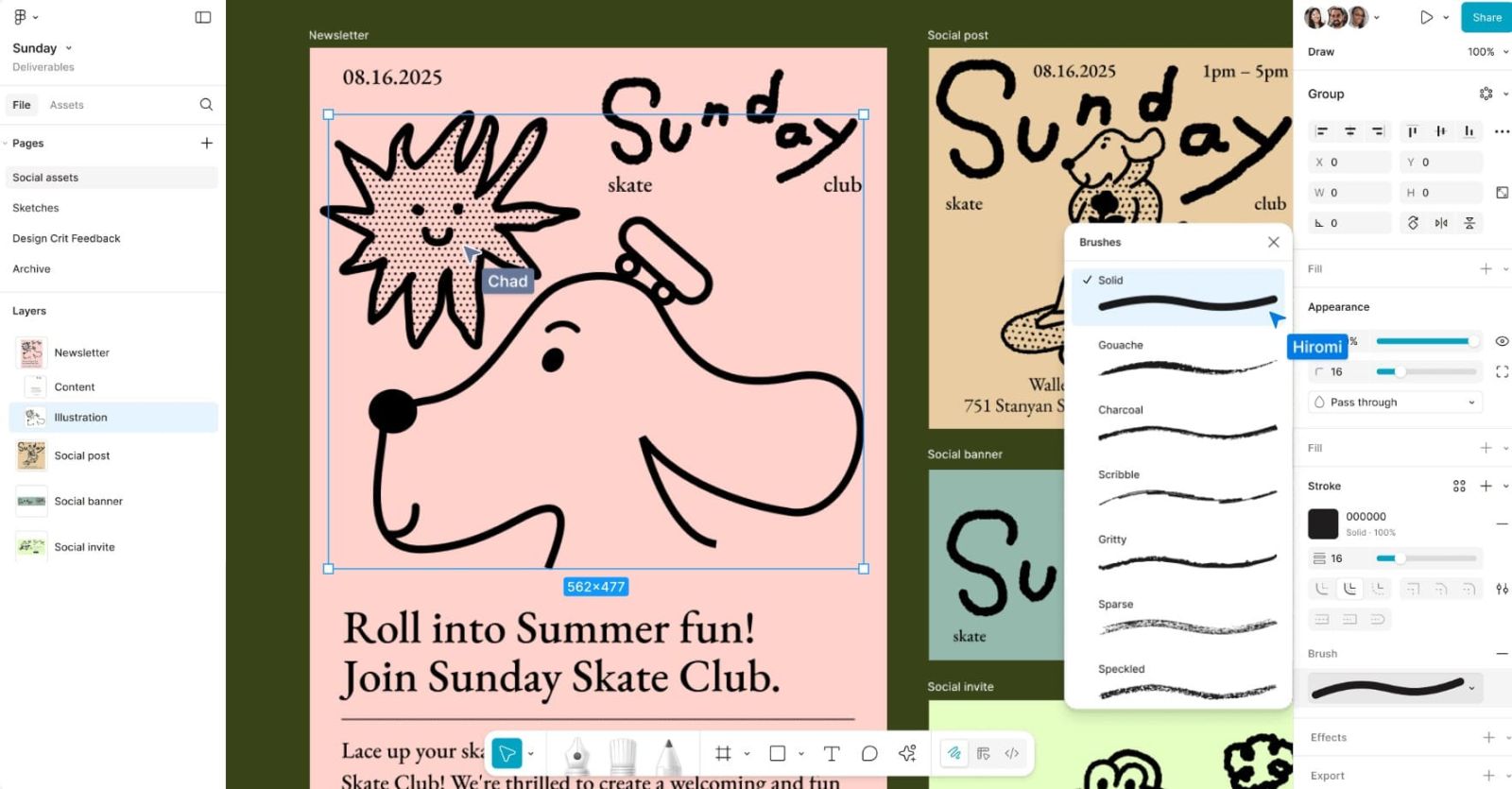
The most outstanding feature of Figma Draw is its powerful vector editing toolset, which effectively meets the needs of both interface design and professional illustration.
Users can utilize the Pen Tool to create precise curves, the Pencil Tool for freehand sketching, and the Node Editing tools to fine-tune even the smallest details of the drawing. Path control is also more flexible, allowing for quick cutting, joining, or shape adjustments.
Furthermore, Boolean operations such as Union, Subtract, Intersect, and Exclude continue to improve, allowing for precise merging or removal of vector objects. This is particularly useful when designing icons, logos, or UI elements that require high accuracy.
Figma Draw also supports Shape Builder and corner rounding tools, making it easier to create complex shapes. This allows designers to develop various graphic styles without needing additional specialized software.
3. Expand your creative possibilities with Brush, Stroke, and visual effects.
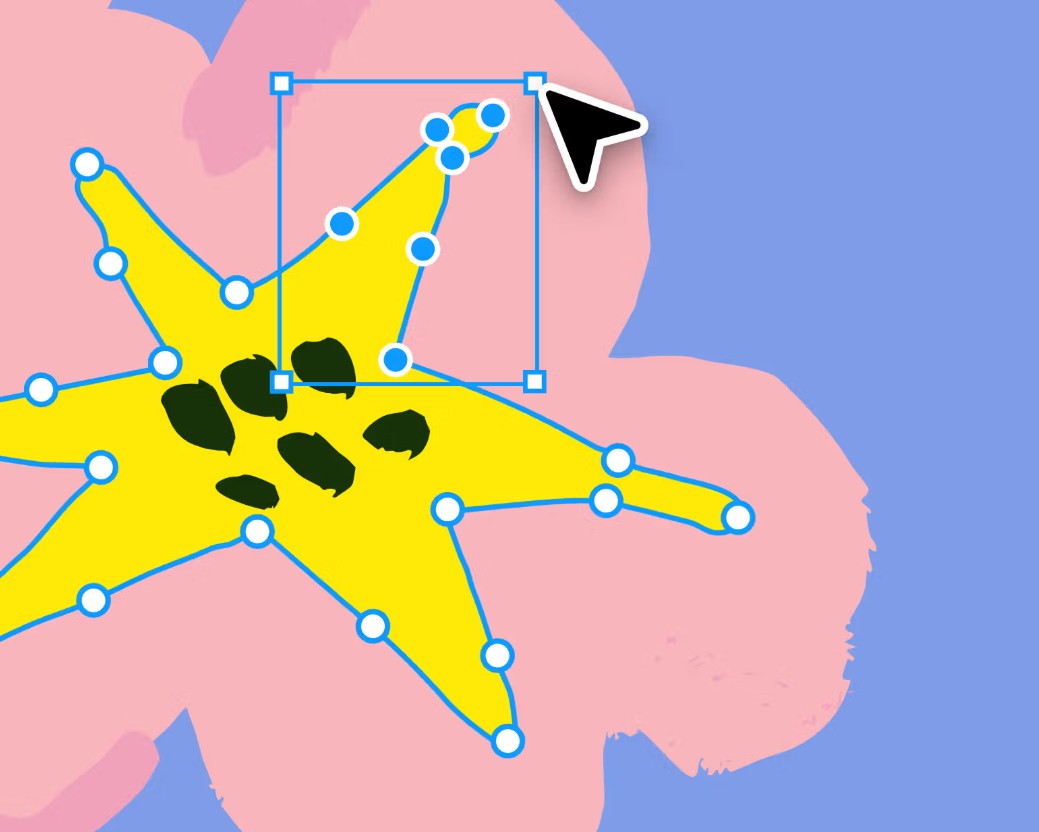
One of Figma Draw's most notable improvements is its completely new Brush and Stroke system. While previously the strokes in Figma were primarily for interface design, they are now more flexible and expressive.
Users can change the thickness of the brush strokes in segments, create variable outlines, or simulate the feel of natural hand-drawn animation. This makes illustrations softer and more vibrant, while expanding Figma's application possibilities in branding, posters, banners, and other media products.
In addition, Figma Draw adds many graphic effects such as Blur, Drop Shadow, Inner Shadow, Noise, and Texture. These effects help increase depth, create a realistic feel, and give the design a modern look.
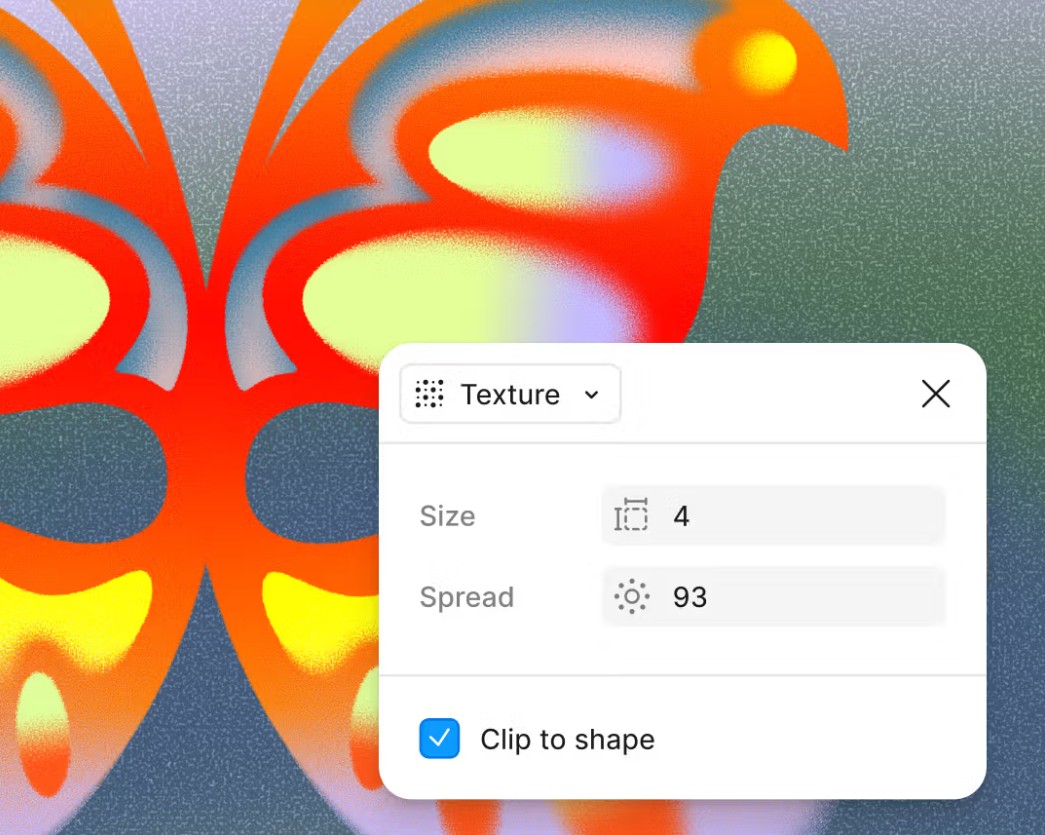
The ability to combine Brush, Stroke, and visual effects allows users to create emotionally rich images directly on Figma's canvas without the need for post-processing with other software.
4. Boost your creativity with typography, patterns, and layout tools.
Typography has always been a crucial element in modern design, and Figma Draw has significantly expanded text handling capabilities with its Text on Path feature. Users can position text to follow curves or custom shapes, creating unique logos, packaging, posters, or headlines.
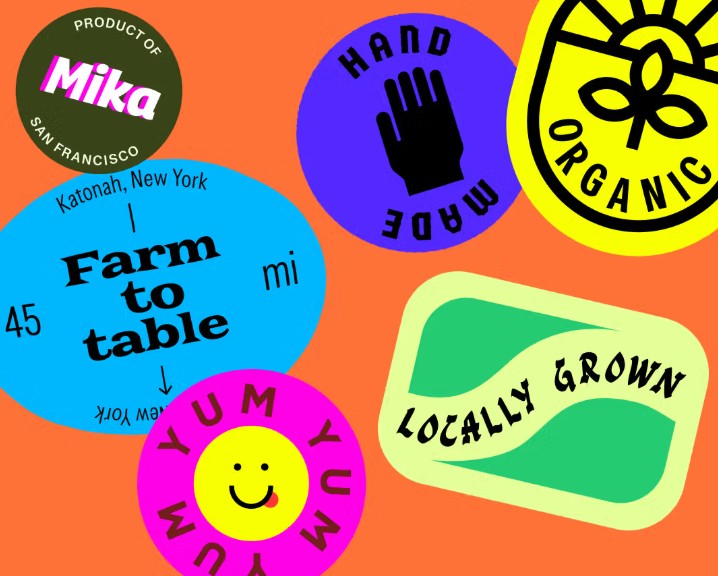
Furthermore, creating patterns and repeating objects is simplified. With just a few steps, designers can build repeating patterns, grid layouts, or arrange elements in a circle to create systematic and consistent designs.
Figma Draw's ability to organize Layers, Groups, and Components continues to be a strong point. All objects can be managed systematically, helping large projects maintain a clear structure and making updates easy when needed.
These features not only serve illustration design but also effectively support the creation of resources for websites, applications, social media, and brand identity.
5. Synchronize with the Design System and UI/UX design workflow.
Unlike many traditional illustration software programs, Figma Draw is developed as part of the Figma ecosystem. This means that any illustration, icon, or graphic element can be directly connected to the project's Design System.
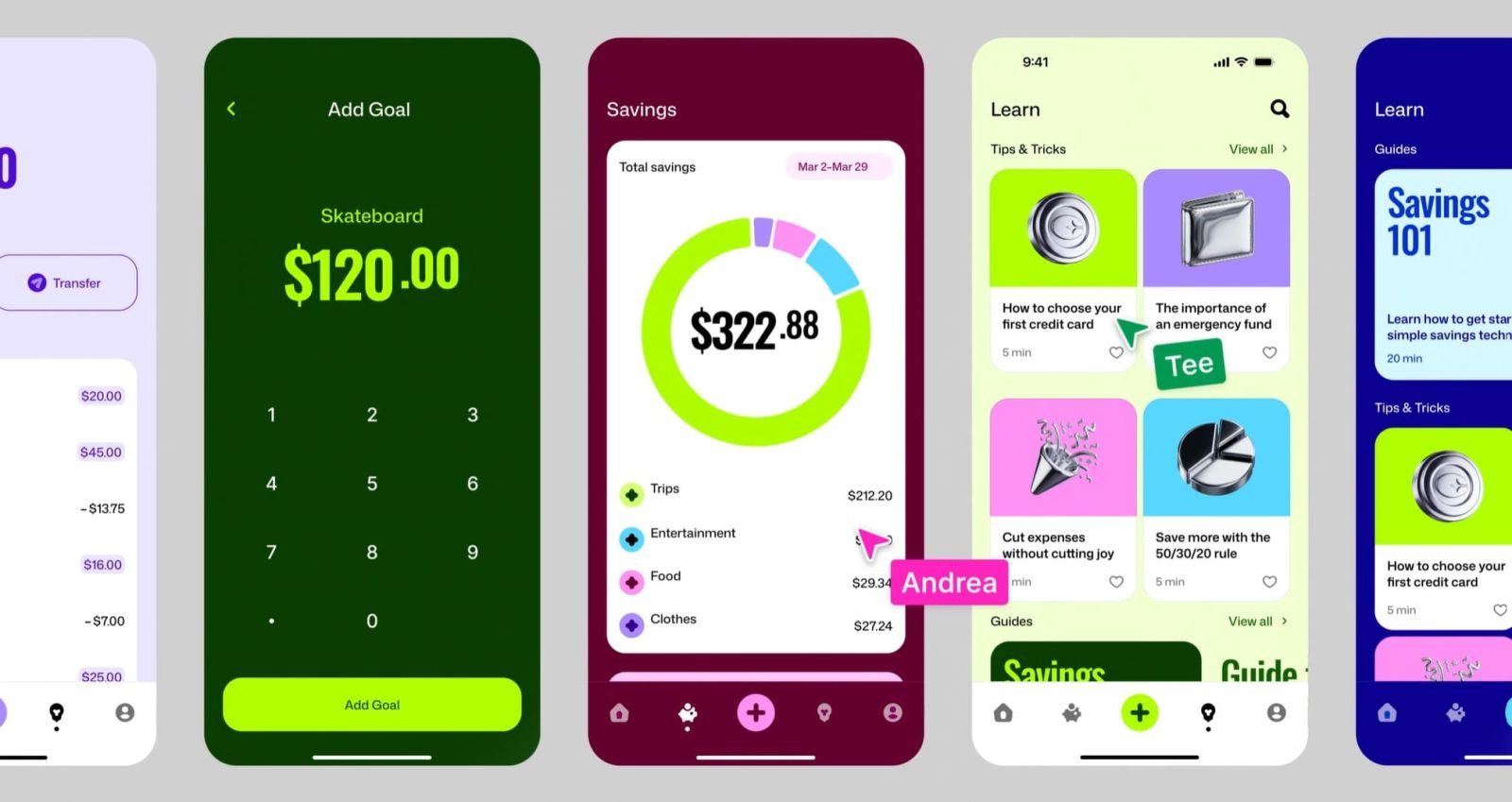
Once completed, vector objects can be converted into Components for reuse on multiple screens. When a component is updated, the entire related interface is synchronized, significantly saving editing time.
In addition, Figma Draw fully supports Auto Layout and Responsive Design, allowing graphic elements to adapt flexibly to various screen sizes. This is a major advantage for website and mobile application development teams, where visual elements need to maintain consistency across multiple devices.
Tight integration with the Design System also makes it easier for programmers to use graphic resources during implementation, reducing the risk of discrepancies between the design and the final product.
6. Real-time collaboration and optimized team workflows.
One of Figma Draw's core values remains its ability to collaborate in real time – a key element that has contributed to the success of the entire Figma ecosystem.
Multiple members can collaborate on an illustration or icon set within the same file without sending multiple versions back and forth. Comments are placed directly on each object, making the feedback process clearer and more efficient.
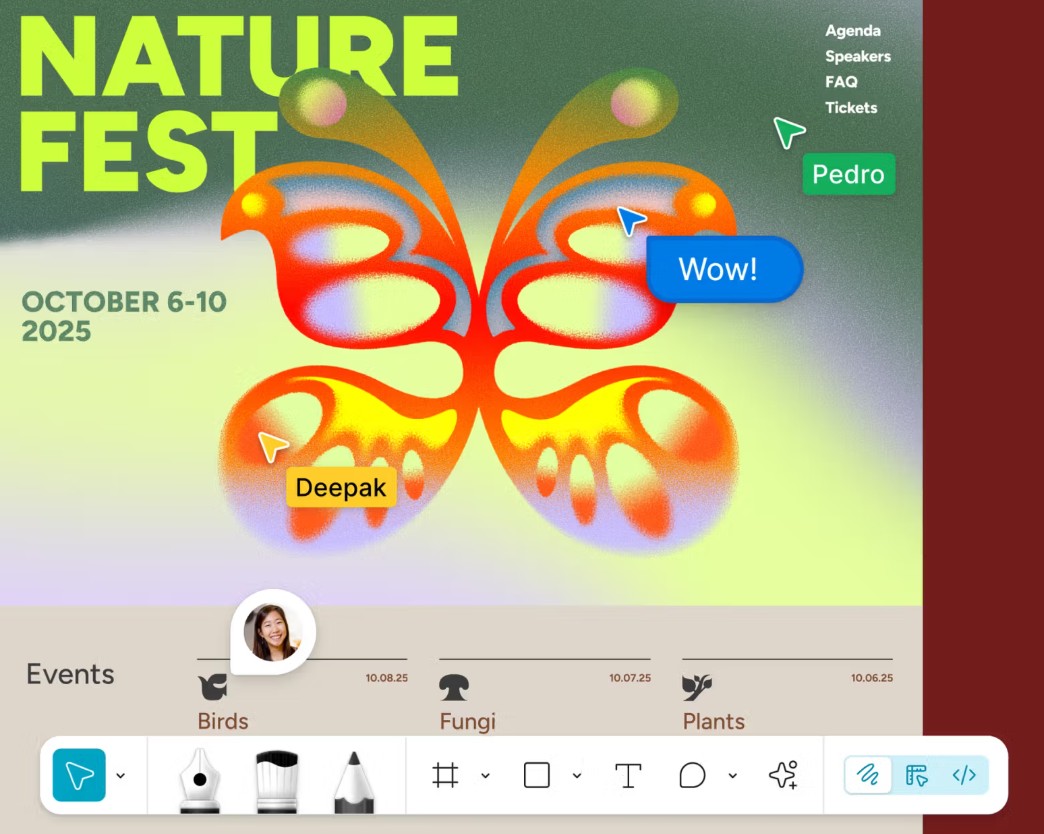
Edit history is automatically saved, making it easy for users to review or restore previous versions if needed. This feature is especially useful for projects with multiple feedback rounds or multiple teams involved.
Cloud-based collaboration also helps businesses implement remote work models more effectively. Designers, illustrators, product managers, and developers can all access the same data source, minimizing errors during the handover process.
7. Figma Draw and the future of creative design in the AI era.
With the development of Figma AI, Figma Draw is gradually becoming a smarter illustration tool. AI can assist in resource searching, layout suggestions, automating repetitive tasks, and supporting the handling of many technical tasks, allowing users to focus more on creative ideas.
In addition, Figma's rich plugin ecosystem further expands Draw's capabilities with thousands of utilities supporting icon creation, color management, accessibility testing, sample data creation, and connectivity with various platforms.
This makes Figma Draw not only useful for UI/UX designers but also a valuable tool for graphic designers, illustrators, brand designers, marketing designers, and anyone working in the field of visual creativity.
The combination of modern vector tools, AI, and collaboration capabilities has propelled Figma Draw beyond the confines of a typical vector editor to become an integral part of the digital product development process.
8. Conclusion
Figma Draw is clear evidence of Figma's development direction: building a unified creative platform where everything from interface design, illustration, vector editing to collaboration and product development is done in the same environment.
With its upgraded vector toolset, flexible brush and stroke system, numerous modern graphic effects, and the ability to synchronize with Design System and Auto Layout, Figma Draw delivers a seamless creative experience that previously often relied on multiple software programs.
In a landscape where design teams increasingly demand speed, flexibility, and collaboration, Figma Draw not only optimizes workflows but also expands creative boundaries for individuals and businesses. It's a worthwhile option for anyone looking to build visually appealing, professional, and consistent designs in the age of digital transformation and artificial intelligence.





















VIP Products








Best Selling Products
Adobe Photoshop Copyright - Full App
120 USD
Adobe Premiere Pro Account
99 USD
Freepik Premium Account
59 USD
Upgrade genuine Capture One account
120 USD
Copyright Adobe Lightroom Account
59 USD
Windows 10 & 11 Pro Key
36 USD
Upgrade Duolingo Super
29 USD
Upgrade Genuine Office 365
49 USD
Genuine Adobe Illustrator account
99 USD
ChatGPT Plus Account (GPT-4)
16 USD
Capcut Pro 1 Year
39 USD
Autodesk All App Account Copyright
120 USD
MidJourney Account
29 USD
Genuine Cheap Canva Pro
39 USD
Plugin Retouch4me
69 USD