Best Selling Products

ChatGPT Plus Account (GPT-4)
16 USD

Genuine Adobe Illustrator account
99 USD

Upgrade Duolingo Super
29 USD

Freepik Premium Account
59 USD

Upgrade Genuine Office 365
49 USD

Copyright Adobe Lightroom Account
59 USD

Autodesk All App Account Copyright
120 USD

Genuine Cheap Canva Pro
39 USD

Plugin Retouch4me
69 USD

Adobe Photoshop Copyright - Full App
120 USD

MidJourney Account
29 USD

Adobe Premiere Pro Account
99 USD

Windows 10 & 11 Pro Key
36 USD

Capcut Pro 1 Year
39 USD

Upgrade genuine Capture One account
120 USD
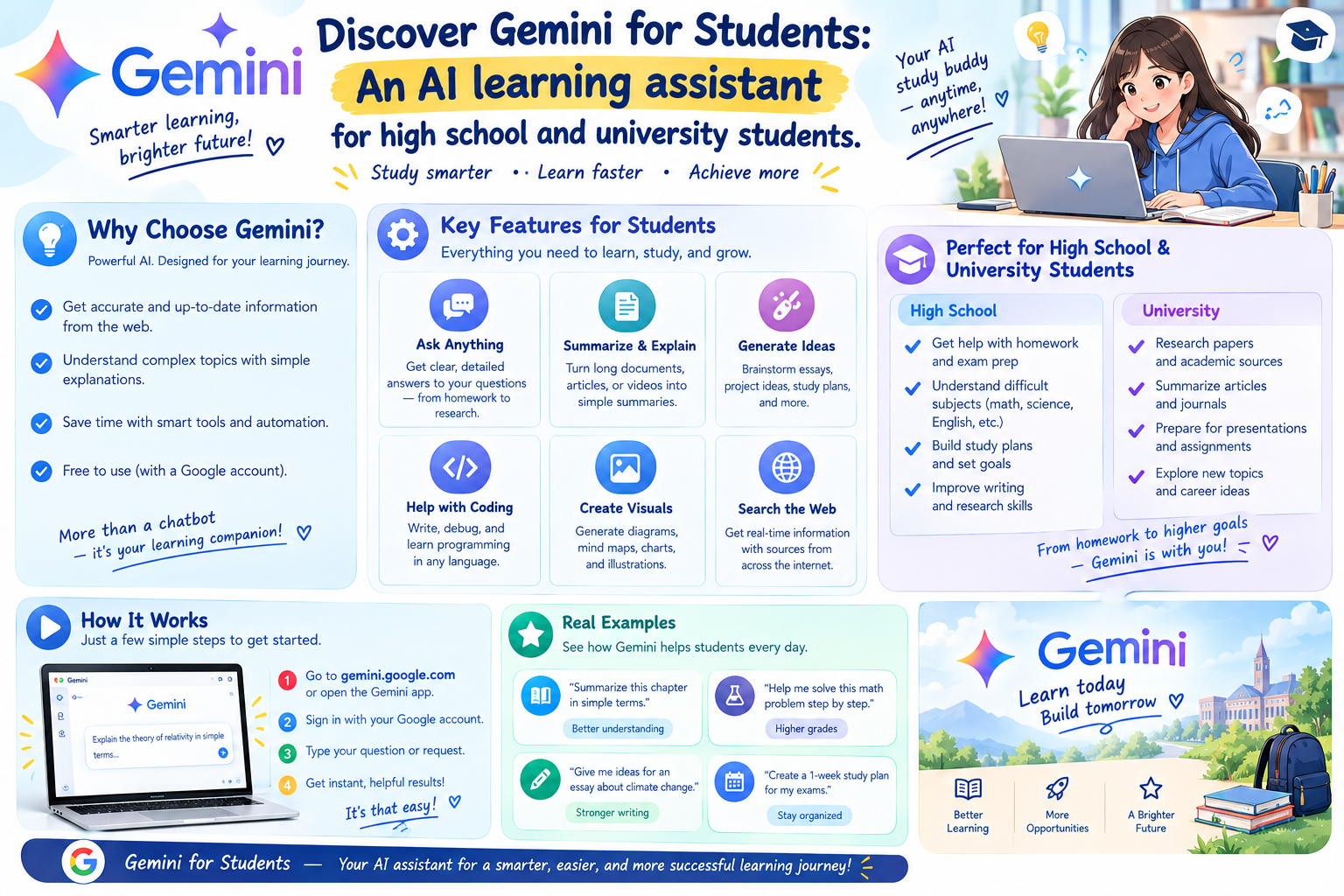
Discover Gemini for Students: An AI learning assistant for high school and university students.
Nội dung
- 1. What is Gemini for Students?
- 2. Useful features of Gemini for Students
- 2.1. Explaining difficult exercises step-by-step.
- 2.2. Prepare for exams in a more proactive way.
- 2.3. Summarizing lengthy materials and lectures
- 2.4. Support for foreign language learning
- 2.5. Support with writing articles and brainstorming.
- 3. How can Gemini for Students support learning?
- 4. How to use Gemini for Students effectively
- 4.1. Include sufficient context in the statement.
- 4.2. Breaking down the requirement
- 4.3. Specify the answer format
- 5. Information about the free Gemini program for students
- 6. Important notes when using Gemini for studying
- 7. Is Gemini for Students really helpful for learning?
- 8. Conclusion
In an era where AI is increasingly prevalent in education, students have a new way to access knowledge more quickly, intuitively, and proactively. Instead of spending hours searching for materials or struggling with a difficult assignment, learners can rely on Gemini for explanations, suggestions, and assistance in solving problems. Gemini for Students, developed by Google, supports the learning needs of students, from answering questions and preparing for exams to processing documents and practicing foreign languages. If used correctly and with the right commands, Gemini can become a convenient learning assistant, helping you manage your time and build more effective learning methods. Let''s explore it with Sadesign!
1. What is Gemini for Students?
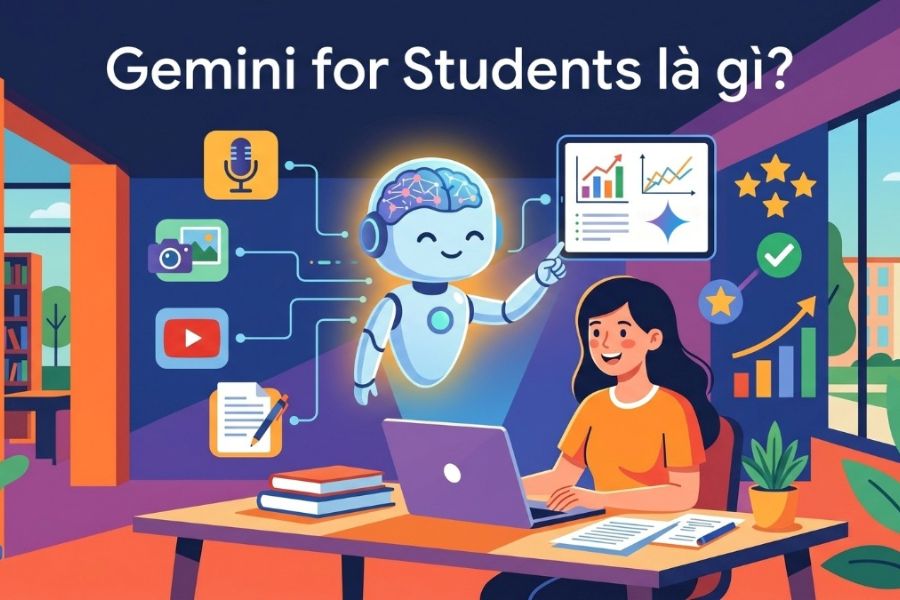
Gemini for Students is the name given to Gemini programs and experiences aimed at students. Depending on the time, Google may offer different incentives regarding usage time and AI benefits to eligible users. These programs often depend on the country, registration period, and Google's terms and conditions.
Beyond simply answering questions in text format, Gemini is capable of handling a wide variety of information types. This creates a more flexible learning approach, especially when working with images, documents, or lengthy academic content.
-
Answering questions: Directly ask about any parts of the knowledge you don't understand and request a simpler explanation.
-
Document analysis: Import relevant content into Gemini to find key ideas or systematize information.
-
Image support: Use exercise images, charts, or diagrams as input data for AI analysis.
-
Practice your knowledge: Create questions to test your understanding.
-
Research support: Suggesting research directions, outlining, and systematizing information for the lesson.
2. Useful features of Gemini for Students
What makes Gemini a noteworthy tool in an educational environment is its ability to meet a variety of needs within a single space. You can use AI to understand lessons, practice, process documents, or prepare for an exam, instead of just using it as an information search tool.
2.1. Explaining difficult exercises step-by-step.
When faced with a long problem or a complex concept, simply looking at the answer might not help you truly understand the material. Gemini might be asked to break the problem down into smaller parts, explain the reasoning behind each step, and provide illustrative examples to make it easier to grasp.
-
Please provide explanations ranging from basic to advanced knowledge .
-
We suggest that the AI should show us the step-by-step solution instead of providing the answer immediately.
-
Ask for clarification on any parts you don't understand, using simple language.
-
Please provide more similar examples for self-practice.
-
You could ask Gemini to play the role of a teacher and ask test questions after the explanation.
2.2. Prepare for exams in a more proactive way.
Exam preparation is more effective when learners know exactly where their weaknesses lie. Gemini can help create question sets by topic, provide simulated scenarios, or conduct knowledge tests after each section. This makes the review process less monotonous and makes it easier to identify knowledge gaps.
-
Create multiple-choice questions based on a chapter you have studied.
-
The requirement is to create tests in order of difficulty, from easy to hard.
-
Thanks to AI, it explains why an answer is right or wrong.
-
Create flashcards to quickly memorize important concepts.
-
Simulate interview situations or practice speaking a foreign language.
-
Gemini is required to review the material after each lesson.
2.3. Summarizing lengthy materials and lectures
Study materials that are dozens or hundreds of pages long often make revision time-consuming. When suitable materials are available to import into Gemini, learners can request the tool to summarize key content, categorize by topic, or create lists of main points for easier tracking.
-
Summarize lengthy content into key points.
-
Extract key concepts or information.
-
The requirement is to create a comparison table between multiple pieces of information.
-
Transform the knowledge into a question-and-answer format for review.
-
Create an outline from the material before you start studying the details.
-
Request a re-explaination of a document in simpler, more understandable language.

2.4. Support for foreign language learning
Learning a foreign language requires not only memorizing vocabulary but also the ability to use the language in real-life situations. Gemini can be a practice partner for learners to practice conversation, check grammar, or improve their expression.
-
Create dialogues according to your current level .
-
Practice answering questions by role-playing as an interviewer.
-
Correct the grammatical errors in the paragraph.
-
Suggestions for more natural-sounding expressions.
-
Explain the differences between words or structures that are easily confused.
-
Create vocabulary lists organized by topic.
-
Support for practicing before foreign language exams.
2.5. Support with writing articles and brainstorming.
When starting an essay, presentation, or group project, many people often spend a lot of time on the brainstorming stage. Gemini can help build an initial outline, allowing learners to visualize the structure before developing the content themselves.
-
Suggest a topic that matches the assignment requirements.
-
Create an outline section by section .
-
Propose research questions.
-
Suggestions on how to organize your arguments.
-
Check for errors in expression and grammar.
-
Suggest ways to present the content more clearly.
3. How can Gemini for Students support learning?
The most important aspect of using Gemini for learning isn't about asking as many questions as possible, but rather about turning AI into a tool to support your thinking process. You can use Gemini to ask questions, test your knowledge, identify areas for improvement, and practice after learning.
Some practical uses include:
-
Before the lesson: Ask Gemini to introduce the necessary background knowledge.
-
During the learning process: Ask questions about concepts that are unclear.
-
After the lesson: We asked the AI to summarize the main points.
-
Before the exam: Create question sets and practice tests.
-
After completing the assignment: Ask Gemini to check your presentation or find errors so you can correct them yourself.
-
When working on a project: Use AI to brainstorm ideas and build an outline.
-
When learning a foreign language: Maintain short conversations every day.
4. How to use Gemini for Students effectively
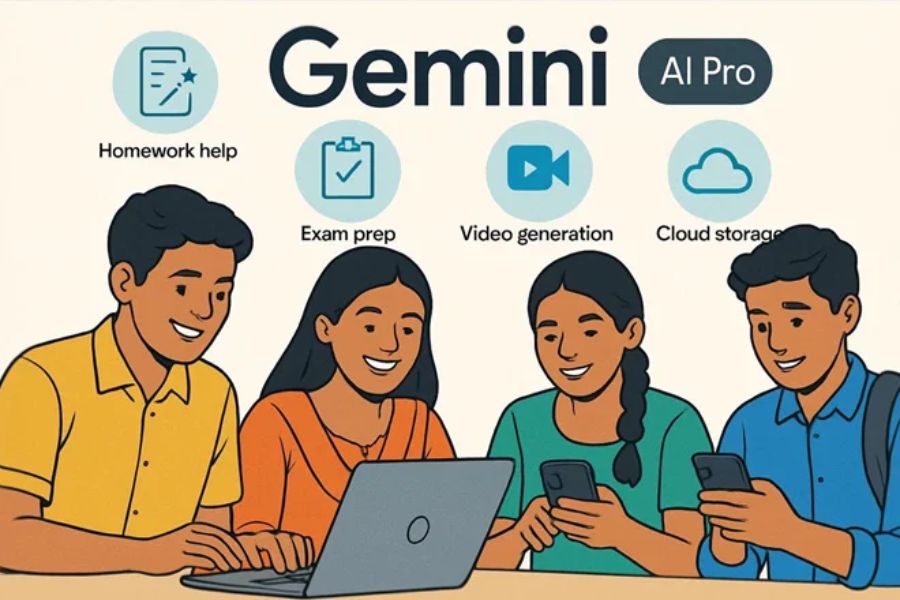
The clearer the command, the higher the chance Gemini will understand your objective correctly. Instead of asking vaguely like "Explain this problem," you should tell the AI what subject you are studying, your current level, what format you want the results in, and what level of explanation you need.
4.1. Include sufficient context in the statement.
Context helps Gemini understand exactly the problem you're facing. The more specific information you provide, the more likely the answer will be tailored to your actual needs.
-
Specify the subject or topic you are studying.
-
Indicate your current skill level.
-
Provide the problem statement or related data.
-
Please specify which part you don't understand.
-
Ask for explanations tailored to a new listener if necessary.
4.2. Breaking down the requirement
A single statement containing too many tasks can easily lead to disorganized results. Instead, break the learning process down into steps for Gemini to handle sequentially.
-
The first step requires an explanation of the knowledge .
-
Next, the request is for an example.
-
Then ask them to create a similar exercise.
-
Finally, have AI check your answer.
-
If you don't understand something, ask again about the specific part you're having trouble with.
4.3. Specify the answer format
You can absolutely ask Gemini to present the information in a way that's easiest for you to learn. This is a small tip, but it makes the results significantly more intuitive.
-
Please present your information in bullet point format .
-
Create a table comparing the concepts.
-
Break the content down into steps.
-
Create question-and-answer flashcards.
-
Summarize using a diagram or outline.
-
Please provide real-world examples after each concept.
5. Information about the free Gemini program for students
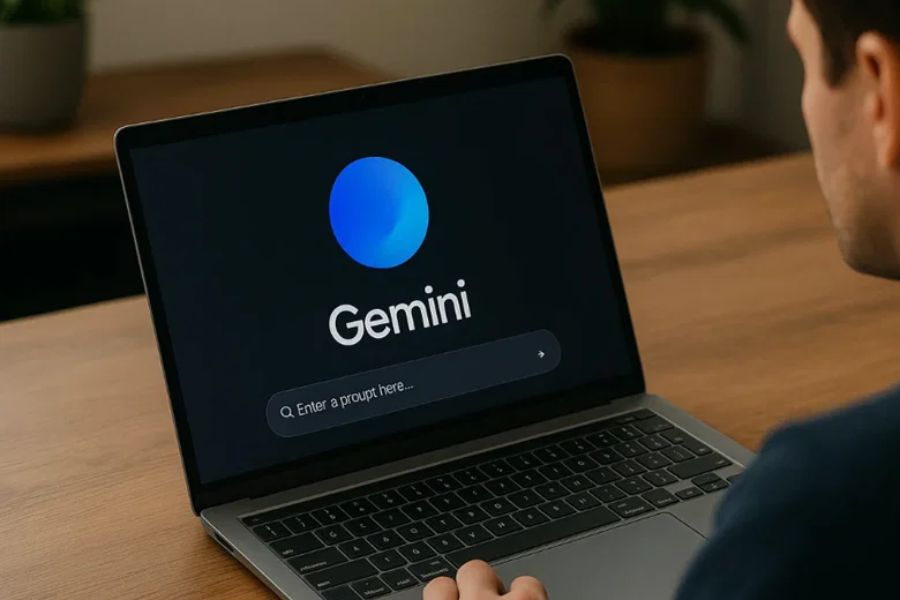
Google's Gemini scholarship programs for students are not always fixed. Registration periods, applicable countries, and benefits may change with each campaign. Therefore, students should check information directly from Google before registering instead of relying solely on outdated programs shared online.
Some points to note include:
-
Limited-time offer: Student programs may only be open for registration for a limited period.
-
Varies by region: Rights and benefits may differ from country to country.
-
Verification required: Some programs may require confirmation of student status.
-
Policies are subject to change: Google may adjust the duration, conditions, or benefits of the program.
-
You should check the official source: This is the surest way to know which program is actually being used.
6. Important notes when using Gemini for studying
AI can make learning faster and more convenient, but it shouldn't be your doer. Gemini can sometimes provide inaccurate information, misunderstand questions, or create answers that sound convincing but are incorrect. Therefore, the learner's ability to verify information and think independently remains crucial.
-
Do not copy verbatim: Use the answer as a reference and rewrite it using your own knowledge.
-
Verify information: For important knowledge, it's advisable to compare it with textbooks, official documents, or expert sources.
-
Don't rely entirely on AI: Think for yourself and try to solve the problem before asking Gemini for help.
-
Verify the data: Be especially careful with formulas, statistics, citations, and academic information.
-
Protecting personal data: Do not arbitrarily share sensitive information, personal data, or internal documents with chatbots.
-
Respect academic regulations: If the school or instructor has specific regulations regarding the use of AI, please adhere to them.
7. Is Gemini for Students really helpful for learning?
Gemini for Students can become a versatile learning assistant if used correctly. From explaining assignments and exam preparation to summarizing materials and practicing foreign languages, AI helps learners shorten many tasks and provides them with an additional way to access knowledge.
However, the greatest value lies not in how quickly Gemini provides answers, but in how learners utilize this tool. By knowing how to ask questions, verify information, and reason independently after each answer, you can turn AI into a useful companion in your learning process.
-
Learn faster: Reduce the time spent searching for and systematizing knowledge.
-
Learn more actively: Be able to ask questions whenever you encounter something you don't understand.
-
Flexible revision: Create questions, exercises, and revision materials according to your needs.
-
Personalize your learning: Request explanations tailored to your level and learning pace.
-
Save time: Helps process lengthy documents and learning materials.
8. Conclusion
Gemini for Students opens up a more flexible approach to knowledge acquisition for students. From challenging assignments and lengthy documents to language learning and exam preparation, Gemini can support learners at various stages. However, AI should still be viewed as a learning assistant , not a replacement for critical thinking. Knowing how to ask the right questions, verify information, and apply knowledge independently will help you utilize Gemini more effectively, while maintaining your reasoning and independent learning abilities.





















VIP Products








Best Selling Products
ChatGPT Plus Account (GPT-4)
16 USD
Genuine Adobe Illustrator account
99 USD
Upgrade Duolingo Super
29 USD
Freepik Premium Account
59 USD
Upgrade Genuine Office 365
49 USD
Copyright Adobe Lightroom Account
59 USD
Autodesk All App Account Copyright
120 USD
Genuine Cheap Canva Pro
39 USD
Plugin Retouch4me
69 USD
Adobe Photoshop Copyright - Full App
120 USD
MidJourney Account
29 USD
Adobe Premiere Pro Account
99 USD
Windows 10 & 11 Pro Key
36 USD
Capcut Pro 1 Year
39 USD
Upgrade genuine Capture One account
120 USD