Best Selling Products

Freepik Premium Account
59 USD

Autodesk All App Account Copyright
120 USD

Windows 10 & 11 Pro Key
36 USD

Capcut Pro 1 Year
39 USD

Genuine Cheap Canva Pro
39 USD

Copyright Adobe Lightroom Account
59 USD

Upgrade Duolingo Super
29 USD

MidJourney Account
29 USD

Adobe Premiere Pro Account
99 USD

Adobe Photoshop Copyright - Full App
120 USD

Genuine Adobe Illustrator account
99 USD

Plugin Retouch4me
69 USD

Upgrade genuine Capture One account
120 USD

Upgrade Genuine Office 365
49 USD

ChatGPT Plus Account (GPT-4)
16 USD
The best accounting software for Mac in 2026
Nội dung
- 1. QuickBooks: A familiar name for small and medium-sized businesses.
- 2. FreshBooks: A powerful tool for freelancers and solo entrepreneurs.
- 3. Xero: A cloud platform for remote teams.
- 4. Wave Accounting: A free starting point for modest budgets
- 5. Zoho Books: Maximum flexibility at your fingertips
- 6. Sage Accounting: Quiet stability across all Apple devices
- 7. Invoice Rex: Create invoices quickly and easily, no need for a cumbersome system.
- 8. Receipts: Transform a messy pile of receipts into organized data.
- 9. GreenBooks: A clear picture of income and expenses with just a few clicks.
- 10. Tips for choosing the best accounting software for your Mac
- 10.1. Identifying the actual needs of the business
- 10.2. Prioritize connectivity with your existing ecosystem.
- 10.3. Balancing the budget intelligently
- 11. Quick answers to frequently asked questions
For many years, most accounting software was built primarily for Windows. Mac users therefore often encountered sluggish interfaces, slow synchronization, or had to use emulators. The situation is now different. Thanks to the cloud computing trend and the development of applications specifically for the Apple ecosystem, you have many options, from full-featured platforms for businesses to compact applications for freelancers.
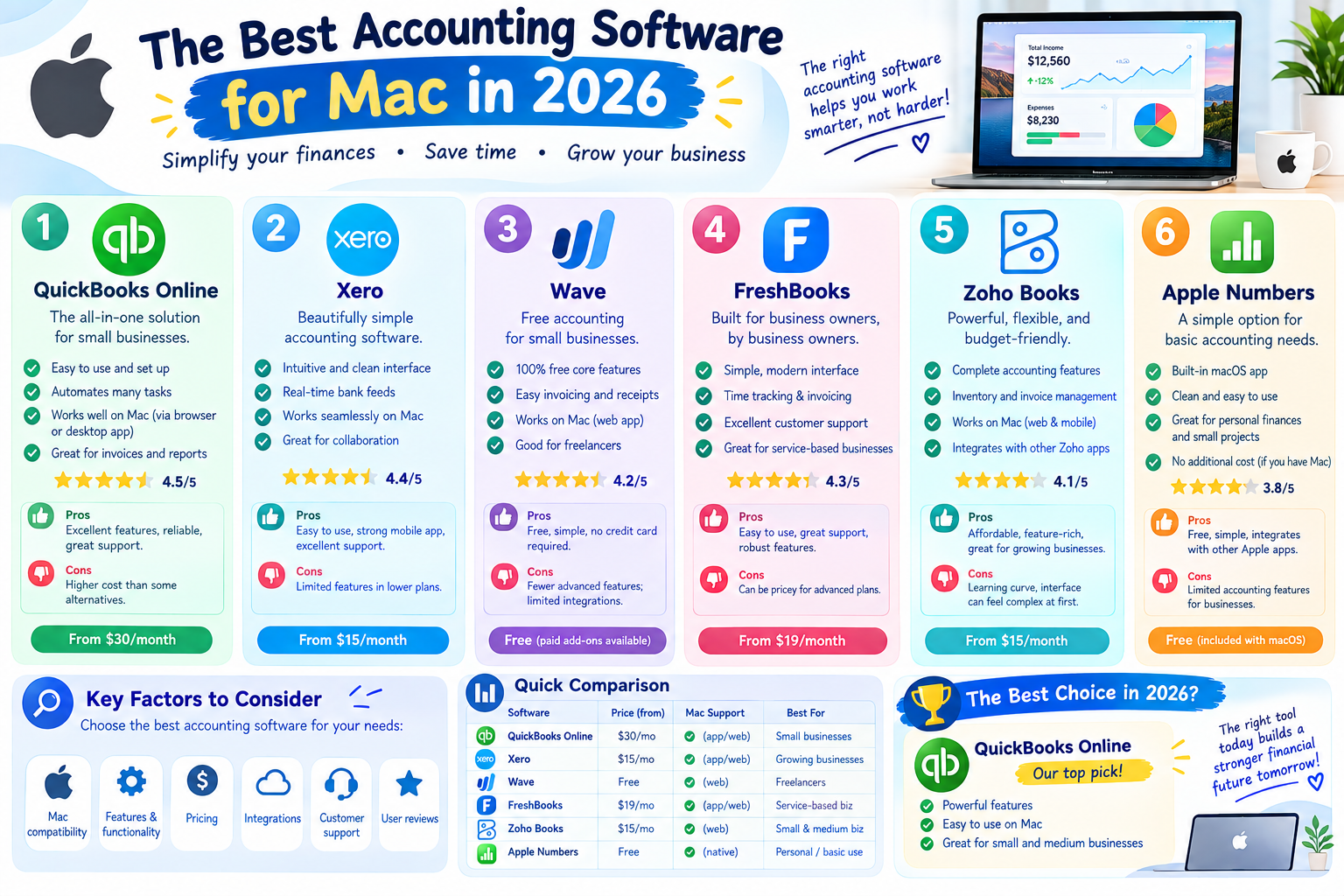
1. QuickBooks: A familiar name for small and medium-sized businesses.
Intuit's QuickBooks is almost always the first name that comes to mind when discussing accounting for small businesses. Mac users have two approaches. The first is to use QuickBooks Online directly in their browser. The second is to install the Mac version, which requires macOS 13 or later and an Apple M1 chip or newer, along with the iPhone app for iOS 16 or later.
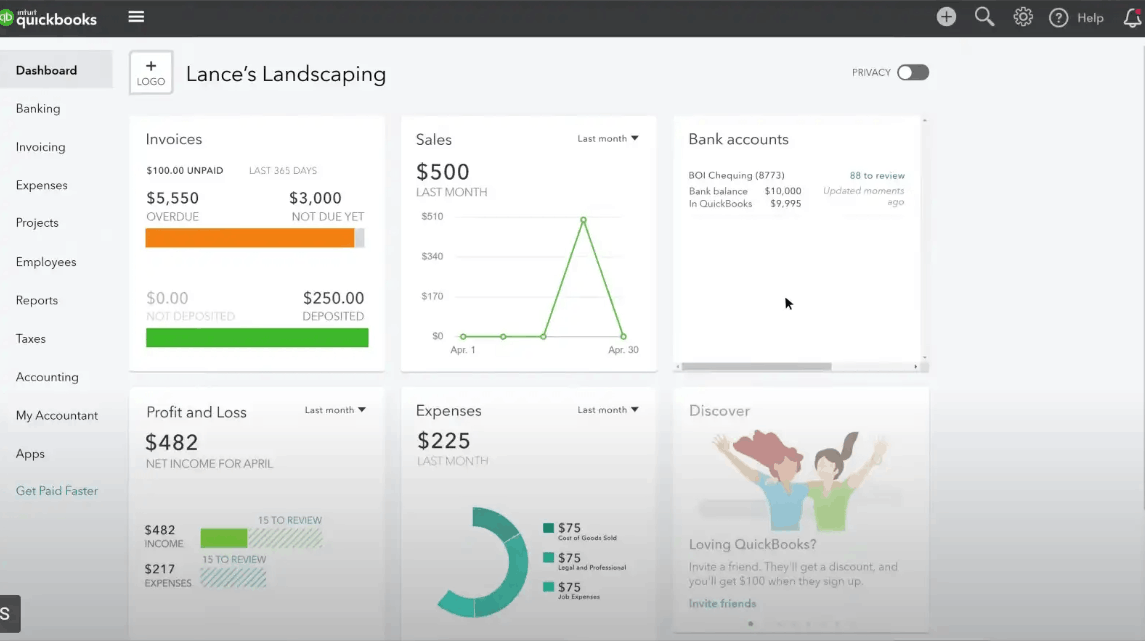
QuickBooks' biggest strength is its level of automation. The software synchronizes bank and credit card transactions, categorizes income and expenses by group for tax purposes, and allows you to create, send, and track invoices from your phone with online payment links. You can also track working hours, run payroll via QuickBooks Online Payroll (separate fee applies), and view income and expenses over time through intuitive widgets. Data is backed up in the background, allowing for restoration to any point in time when needed. Additionally, there is 24/7 support, on-demand training, and expert assistance.
It's worth noting that costs increase quite rapidly depending on the package and the number of users. In 2026, Intuit also adjusted the prices of some packages, and payroll and payment processing fees are charged separately. For newcomers, the number of features can be a bit overwhelming. QuickBooks is best suited for businesses with a large workforce that need payroll, accounts receivable and payable management, and frequent collaboration with external accounting firms.
2. FreshBooks: A powerful tool for freelancers and solo entrepreneurs.
FreshBooks is designed around a simple idea: to help freelancers consolidate all their financial tasks in one place. From invoicing and customer management to receiving payments, generating reports, and tracking project progress, everything is within a single interface. On Mac, you use FreshBooks via a browser, while the mobile app supports iPhone, iPad, and Apple Vision.
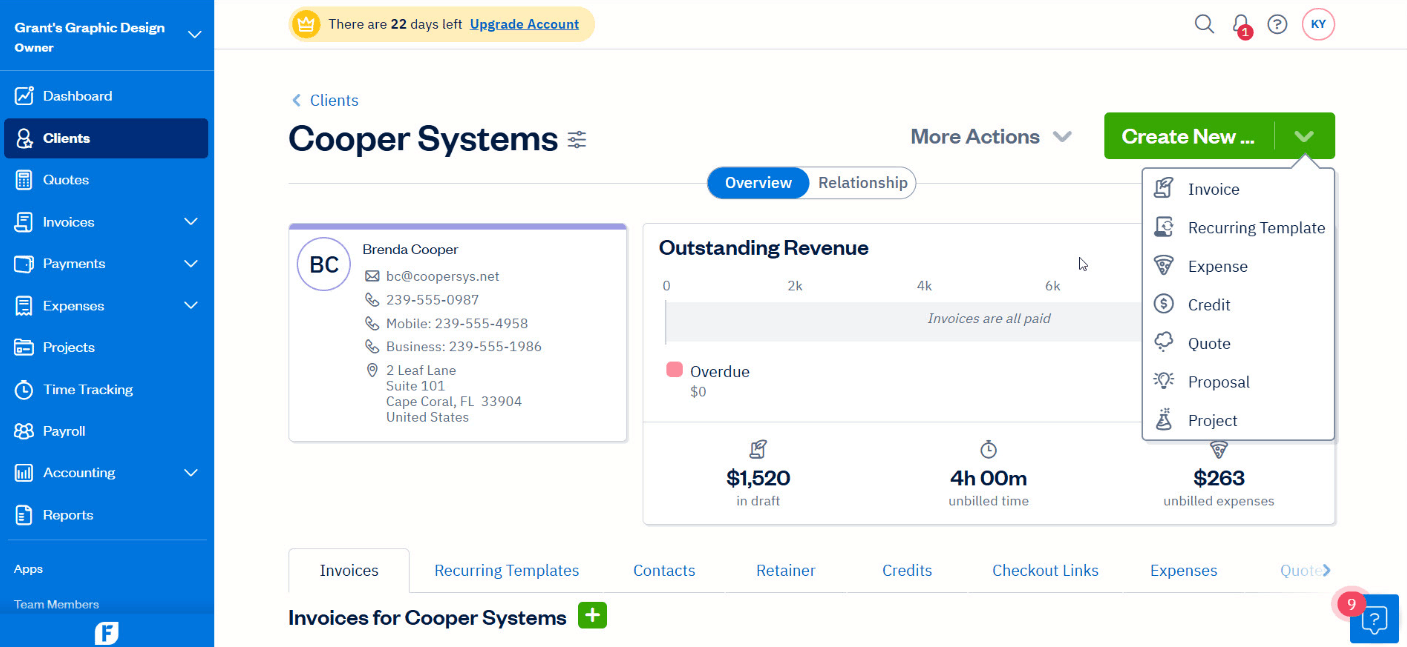
Professional invoices can be created in minutes, complete with automatic tax calculation and multiple payment methods. Regarding expenses, you can photograph receipts with your phone, import transactions from your bank, and let the software automatically categorize them. The reporting system is based on double-entry bookkeeping, ensuring data is always up-to-date and reliable enough to share with accountants. The travel tracking feature is also very useful for those needing tax deductions or travel expense refunds.
A point to consider is that some packages limit the number of customers that can be billed, so check that this aligns with your scale. FreshBooks is particularly suitable for consultants, designers, photographers, freelance programmers, and one-person business owners who need a streamlined solution rather than a host of in-depth accounting features.
3. Xero: A cloud platform for remote teams.
Xero is a noteworthy option for businesses with dispersed staff or those that frequently collaborate with external accounting firms. It's entirely cloud-based software, so your Mac only needs a browser, while the mobile app requires iOS 16 or iPadOS 16 or later.
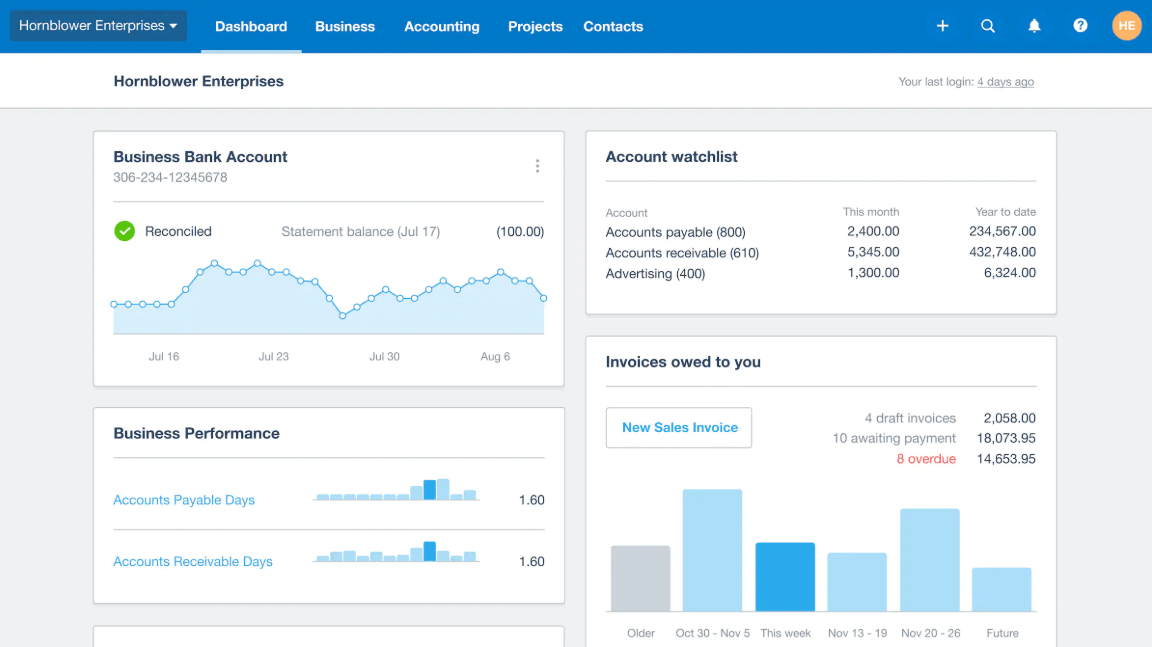
A key strength is its bank reconciliation capability. Transactions are automatically entered and suggested for matching with invoices and supporting documents, significantly reducing closing time. Xero also supports recurring invoices, automatically categorizes expenses, tracks time, calculates taxes, and displays cash flow and key reports directly on the dashboard. All financial documents are centrally stored and secure, along with a rich integrated application library for expansion into payroll, payments, and inventory management.
One valuable differentiator is Xero's user policy, which doesn't charge per account across many plans, making it convenient when you want to invite accountants, assistants, or partners to access it. Multi-currency support is typically found in higher plans, while the basic plan in some markets has a limit on the number of invoices per month. Payroll management varies by market and may require additional utilities or third-party partners.
4. Wave Accounting: A free starting point for modest budgets
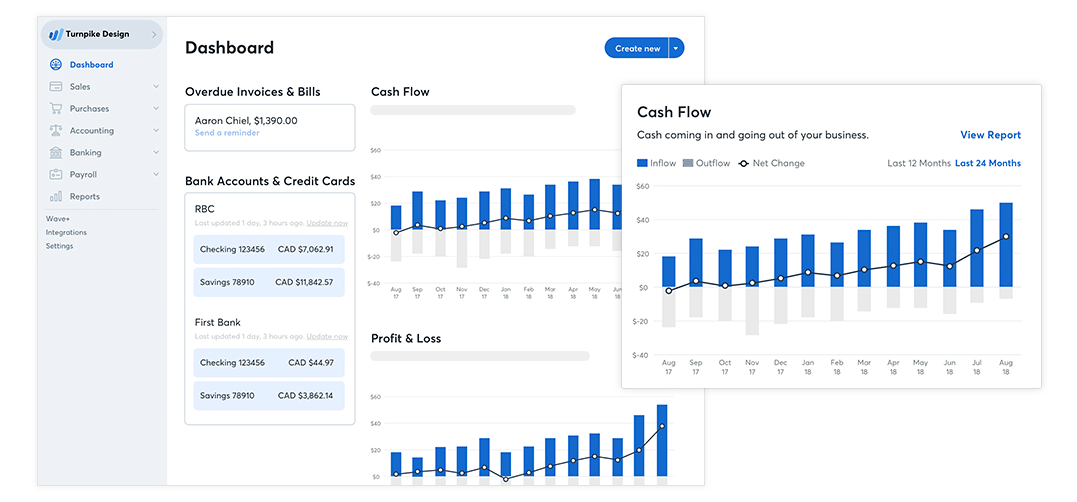
Wave has long been a familiar name for those looking to get started without paying for software. The free starter plan, with no time limit, allows you to create professional invoices and quotes, track revenue, manage expenses, and view basic reports. Customers can pay by card, bank transfer, or Apple Pay, helping you collect payments faster.
What you should know beforehand is that time-saving features like automatic bank transaction entry, receipt scanning, late payment reminders, and adding more collaborators are now included in the paid Pro plan. Wave also charges a percentage fee for payment processing along with a fixed fee per transaction, and payroll services are an add-on, primarily for the US and Canada markets. The mobile app requires iOS 14 or later.
Therefore, Wave is best suited for freelancers, small business owners, or side projects that need to get started quickly and at a low cost. As transaction volume increases, you should reconsider whether Wave's paid plan is still more cost-effective than its competitors.
5. Zoho Books: Maximum flexibility at your fingertips
If you prefer to customize your tools to your own workflow, Zoho Books is a strong contender. It boasts a clean interface, intelligent automation, and excellent connectivity with Apple devices, including apps for iPhone, iPad, Apple Watch, Apple TV, and Apple Vision.
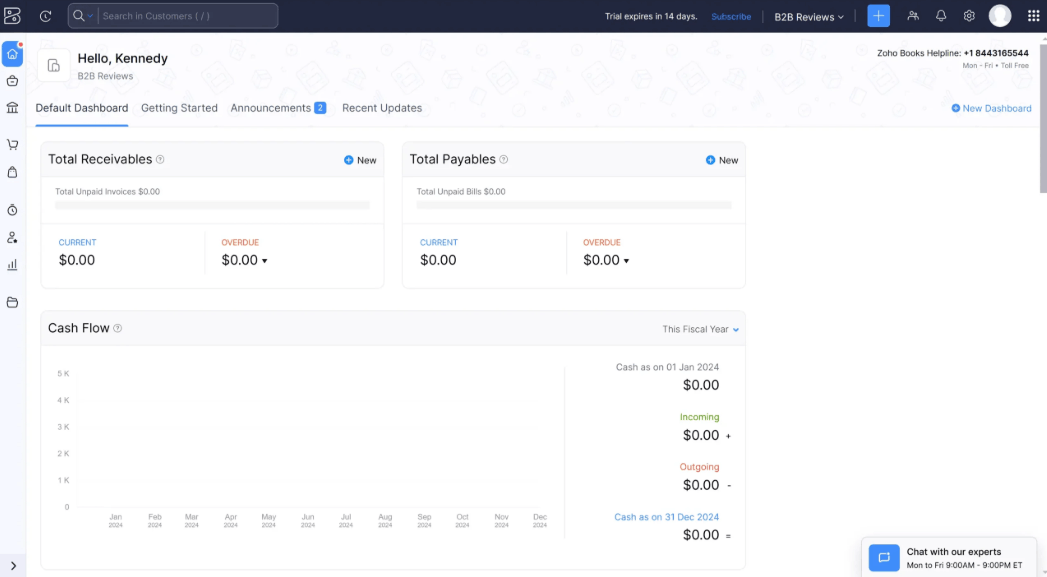
This platform integrates multiple functions into one place: invoicing, expense tracking, tax processing, and bank reconciliation. You can set up custom workflows, assign roles and permissions to each member, and create separate gateways for customers and suppliers. For international transactions, the software supports multiple currencies and applies exchange rates automatically or manually. Depending on the region, Zoho Books also supports automating tax and electronic invoicing functions according to local regulations.
A major plus is the free plan for businesses with revenue below a certain threshold, making it suitable for beginners. Additionally, if you already use other Zoho products such as CRM or inventory management, integration will be significantly improved. However, the deep customization options mean you'll need to invest some time in getting familiar with the system initially.
6. Sage Accounting: Quiet stability across all Apple devices
Sage Accounting is unpretentious, yet highly regarded for its stability and ease of use. The software runs smoothly on MacBooks, iPhones, and iPads, with the mobile app requiring iOS 16.6 or iPadOS 16.6 or later. Switching between devices is seamless, giving the impression of a product designed for Apple users.
In terms of functionality, Sage automates repetitive tasks such as invoicing, expense tracking, and reconciliation, while providing real-time financial updates and customizable reports. Multiple users can work together with role-based access, and data is backed up in the cloud for access from anywhere.
Note that Sage Accounting has different versions for each country, and features and pricing may vary, so please confirm the version for your market. Sage is suitable for those who want a reliable, easy-to-use tool for monitoring finances without complex configuration.
7. Invoice Rex: Create invoices quickly and easily, no need for a cumbersome system.
Not everyone needs full-featured accounting software. If your primary need is professional invoicing and customer management, Invoice Rex is a lightweight option worth considering. The application runs on Mac (macOS 14 and later), iPhone and iPad (iOS and iPadOS 17 and later), even Apple Vision, and integrates well with existing Apple device apps.
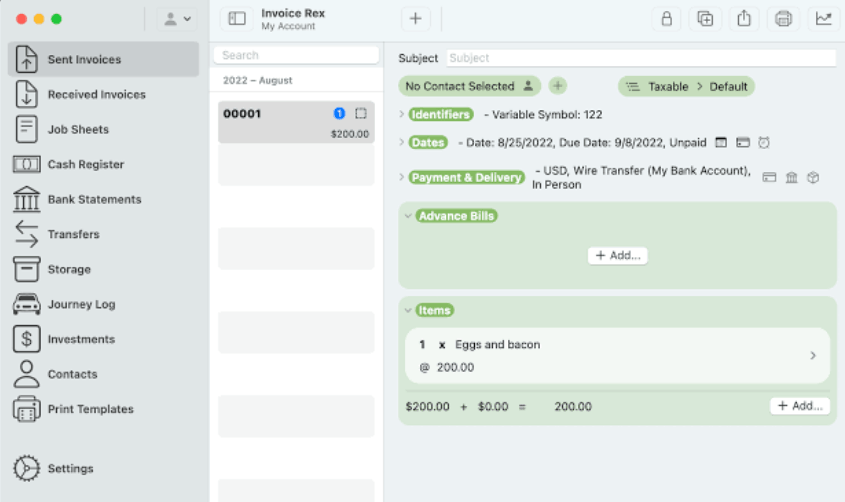
The simple interface keeps everything organized and easy to access. Users typically only need about one to two hours to get familiar with it. The billing and customer management process is seamless, without being cluttered by features you might never use.
Invoice Rex is especially suitable for freelancers, artists, and small business owners who simply need a fast, beautiful, and uncluttered tool. The app is included in the Setapp subscription plan, where you can try it free for seven days before deciding.
8. Receipts: Transform a messy pile of receipts into organized data.
Receipts are a familiar nuisance for anyone in business. Receipts solves this problem in a very direct way. You upload an image of the receipt, and the application automatically extracts important information such as the amount and supplier, then saves everything in one central location instead of having them scattered across your inbox, photo folder, or desk drawer.
This application is specifically designed for Mac and is compatible with macOS 10.13 and later, so it can be used on older machines as well. Thanks to its structured data, tracking expenses and preparing tax returns becomes much easier, especially during tax season when you need to compile documentation quickly.
It's important to understand that Receipts is not a full-featured accounting software. It specializes in managing receipts and expenses, so it works best when combined with another invoicing or bookkeeping tool. For those who want to maintain organized financial habits with minimal effort, this is a very valuable addition.
9. GreenBooks: A clear picture of income and expenses with just a few clicks.
GreenBooks aims to help you visually track your daily income and expenses. The app is available on Mac and iPhone, allowing for manual or automatic transaction recording. If you use a bank account in the US or Canada, you can connect to enter transactions without manually typing each amount.
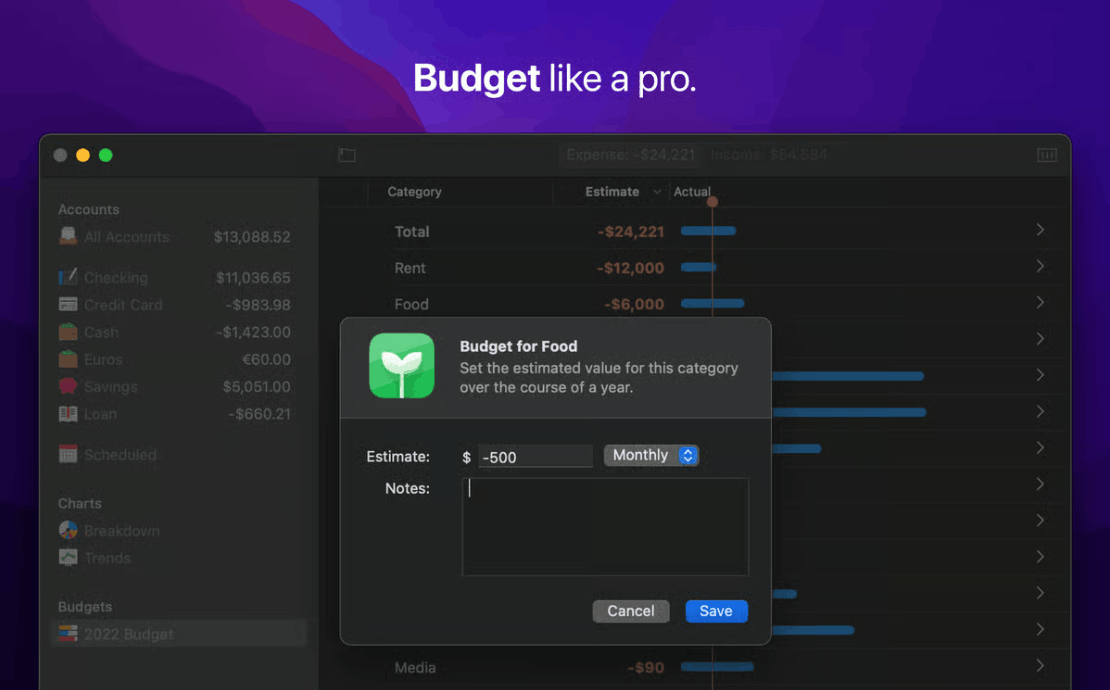
The Breakdown feature is a highlight of GreenBooks. It visualizes spending trends across all accounts, helping you see immediately where your money is going, which expenses are significant, and where you can cut back. The app also supports budgeting, suitable for managing cash flow for individual entrepreneurs and very small businesses.
Because the automatic bank entry feature is limited to the US and Canada, users in other regions will likely have to enter data manually. Even so, GreenBooks remains a lightweight option for anyone wanting to track income and expenses without needing a complex accounting system.
10. Tips for choosing the best accounting software for your Mac
Before choosing, remember that the best software isn't the one with the most features, but the one that best fits your workflow. A tool that's too simple will quickly hold you back, while one that's too complex will make you give up halfway. The three questions below will help you narrow down your options quickly.
10.1. Identifying the actual needs of the business
Start by listing how you handle money each week. Freelancers typically only need to create invoices, collect payments, and track expenses, so lightweight tools like FreshBooks, Wave, or Invoice Rex are sufficient. Small businesses with employees need payroll, invoice management, and possibly inventory tracking, so QuickBooks, Xero, or Zoho Books are more suitable. If you work with international clients, multi-currency capability should be a top priority.
Don't forget the growth factor. Think about your scale in a year or two, because transferring accounting data to a different platform midway is always time-consuming and prone to errors. Additionally, if you operate outside the US, UK, Canada, or Australia, you need to check your compliance with tax regulations, electronic invoicing, and accounting standards in your country of business, as many international platforms are designed primarily for those markets.
10.2. Prioritize connectivity with your existing ecosystem.
Accounting software rarely stands alone. It needs to exchange data with banks, payment gateways, project management tools, spreadsheets, calendars, and email. Consider whether the software connects with the applications you use daily, because every manual data entry step saved adds time to core tasks.
For Mac users, pay attention to the overall Apple ecosystem experience. Data needs to sync smoothly between your MacBook, iPhone, and iPad, and the software should have a stable mobile app so you can capture receipts or send invoices on the go. Regarding security, prioritize platforms with data encryption, two-factor authentication, and reliable backup mechanisms, as you're storing highly sensitive financial information.
10.3. Balancing the budget intelligently
Free software like Wave's starter pack or Zoho Books' free plan is attractive when you're just starting out. There are no subscription fees, and it's easy to use for basic tasks like invoicing, expenses, and simple reporting. However, automation, customization, payroll, and customer support are often limited.
Paid software like QuickBooks, FreshBooks, or Xero offers more powerful automation, deeper reporting, better security, and better support, but it comes with subscription fees and a higher learning curve. When comparing, don't just look at the listed price. Consider payroll fees, payment processing fees, user or invoice limits, and additional features. The safest approach is to try at least two tools for free with your real data before making a decision.
11. Quick answers to frequently asked questions
What are the best free accounting software for Mac?
Wave Accounting is often mentioned most frequently thanks to its unlimited starter plan, ease of use, and sufficient for basic billing and expense tracking. Zoho Books also has a free plan worth considering, especially if your revenue is low. Keep in mind that many automated features like bank transaction entry may be available on paid plans.
Can I use QuickBooks on a Mac?
Yes. You can use QuickBooks Online via your browser, or install the Mac version if your machine meets the system requirements, including macOS 13 or later and an Apple M1 chip or newer. Both methods allow you to manage invoices, expenses, and payroll directly on your Apple machine.
Are there any Mac accounting software programs that support multiple currencies?
Yes, Xero and Zoho Books both support multi-currency transactions and are very suitable for businesses with international operations. However, this feature is usually only available in higher-tier plans, so be sure to check the plan details carefully before subscribing.
Can I integrate my accounting software with Apple Pay or iCloud?
The level of integration varies depending on the software and region. Some platforms allow customers to pay bills using Apple Pay, while native Mac applications often take better advantage of the Apple ecosystem. Data from cloud services like QuickBooks or Xero is primarily stored and backed up on their own systems, so you should check the official documentation for the integrations you need.
What features should I look for in accounting software for a small business?
Prioritize features like invoicing, expense management, bank reconciliation, payroll (if you have employees), and clear financial reporting. Additionally, seamless synchronization across multiple devices, a user-friendly interface, strong security, and integration with your existing applications are also crucial factors.
Should I choose free or paid software?
If you're a freelancer or a startup with simple needs, free software is a reasonable starting point. As transaction volume increases and you require payroll, in-depth reporting, or faster support, upgrading to a paid plan is often worthwhile, as the time saved will outweigh the cost.





















VIP Products








Best Selling Products
Freepik Premium Account
59 USD
Autodesk All App Account Copyright
120 USD
Windows 10 & 11 Pro Key
36 USD
Capcut Pro 1 Year
39 USD
Genuine Cheap Canva Pro
39 USD
Copyright Adobe Lightroom Account
59 USD
Upgrade Duolingo Super
29 USD
MidJourney Account
29 USD
Adobe Premiere Pro Account
99 USD
Adobe Photoshop Copyright - Full App
120 USD
Genuine Adobe Illustrator account
99 USD
Plugin Retouch4me
69 USD
Upgrade genuine Capture One account
120 USD
Upgrade Genuine Office 365
49 USD
ChatGPT Plus Account (GPT-4)
16 USD