Best Selling Products

MidJourney Account
29 USD

ChatGPT Plus Account (GPT-4)
16 USD

Plugin Retouch4me
69 USD

Upgrade Duolingo Super
29 USD

Genuine Cheap Canva Pro
39 USD

Autodesk All App Account Copyright
120 USD

Adobe Photoshop Copyright - Full App
120 USD

Genuine Adobe Illustrator account
99 USD

Adobe Premiere Pro Account
99 USD

Freepik Premium Account
59 USD

Upgrade genuine Capture One account
120 USD

Windows 10 & 11 Pro Key
36 USD

Copyright Adobe Lightroom Account
59 USD

Upgrade Genuine Office 365
49 USD

Capcut Pro 1 Year
39 USD
Easy-to-use, professional video editing software for mobile phones.
Nội dung
- 1. Why should you use video editing software on your phone?
- 2. Video editing apps for mobile phones worth trying
- 2.1. CapCut
- 2.2. InShot
- 2.3. VN Video Editor
- 2.4. KineMaster
- 2.5. YouCut
- 3. Tips for choosing the right video editing software
- 4. Tips to make your video look more beautiful and professional after editing.
- 5. Conclusion
Video editing software on smartphones is a convenient solution for those who want to edit and create content without using a computer or complex specialized software. With just a smartphone, you can cut out unnecessary video segments, combine multiple videos into a complete piece, add background music, effects, and dynamic scrolling text. Currently, there are many video editing apps on Android and iOS with intuitive interfaces and diverse features, suitable for both beginners and content creators. Let''s explore some outstanding software and detailed usage instructions in the article below!

1. Why should you use video editing software on your phone?
The rise of TikTok, YouTube Shorts, Facebook Reels, and Instagram has fueled a growing demand for short video production. Instead of transferring videos to a computer for editing, users can perform most tasks directly on their phones. This saves time, is convenient for travel, and makes uploading content easy once completed.
Besides basic editing capabilities, many applications now integrate advanced tools such as speed adjustment, subtitle addition, color filtering, background removal, voiceovers, and audio processing. Some software even provides pre-made video templates, allowing users to quickly create eye-catching videos without needing extensive editing experience.
In particular, mobile applications often have free versions, suitable for students, online sellers, and anyone who frequently creates content on social media.
2. Video editing apps for mobile phones worth trying
2.1. CapCut
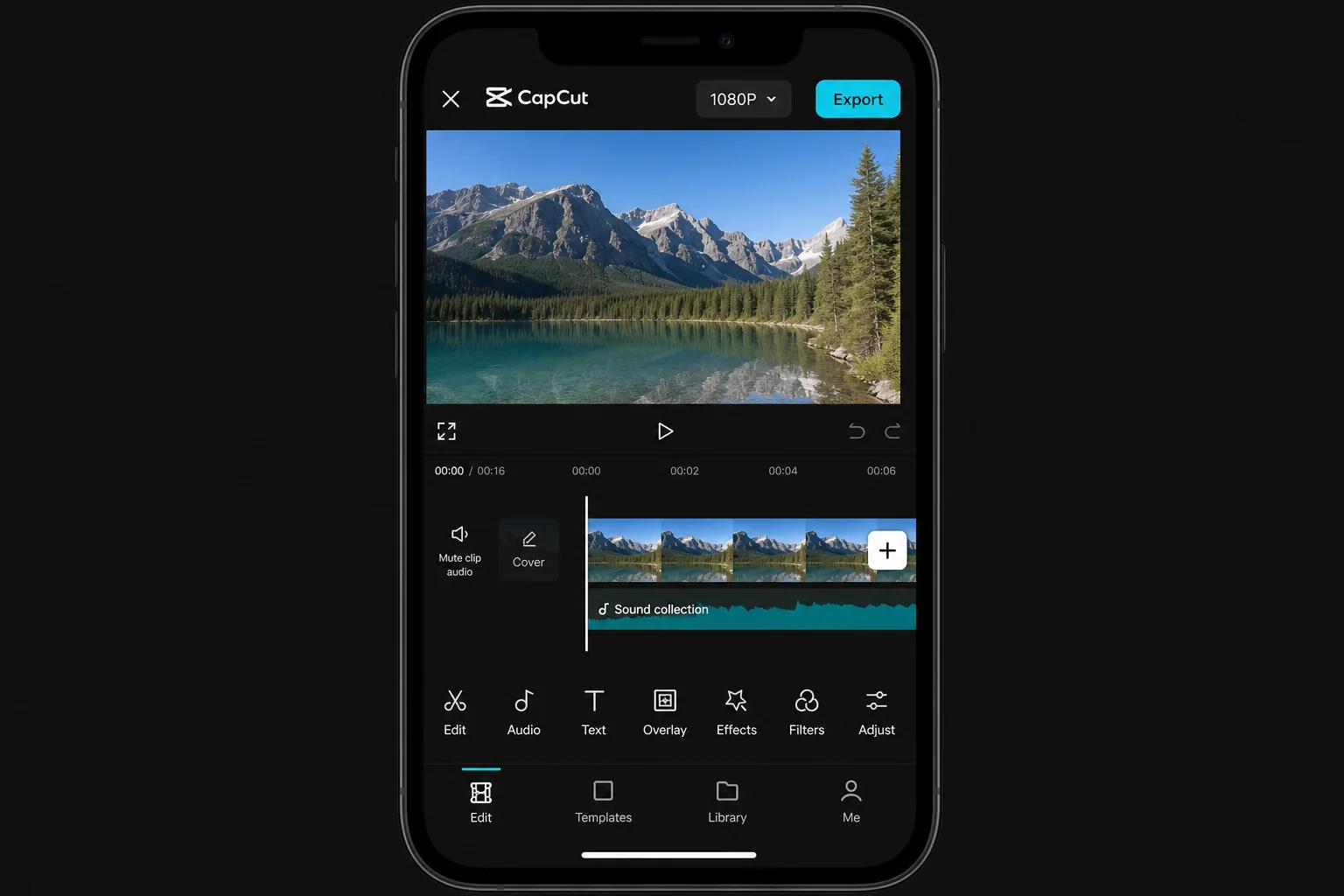
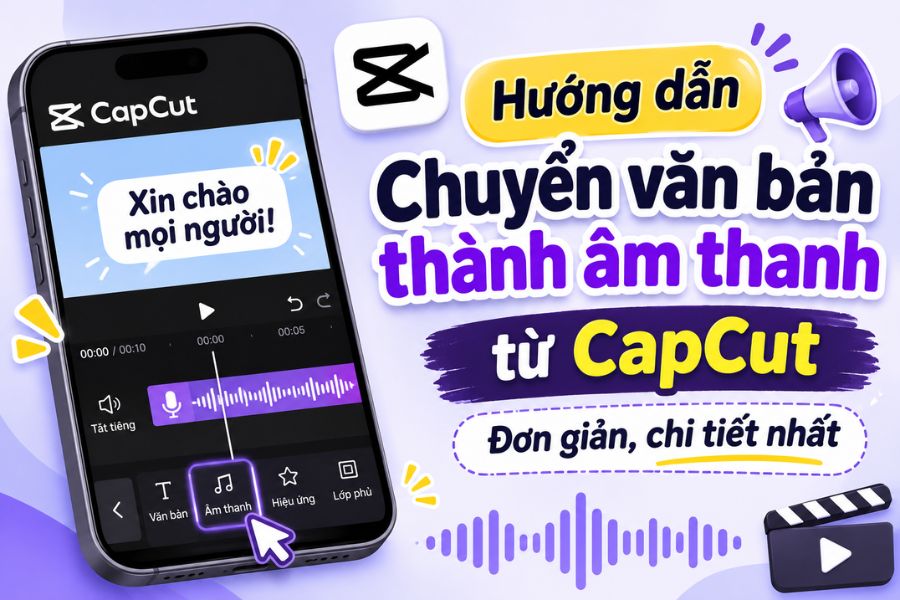
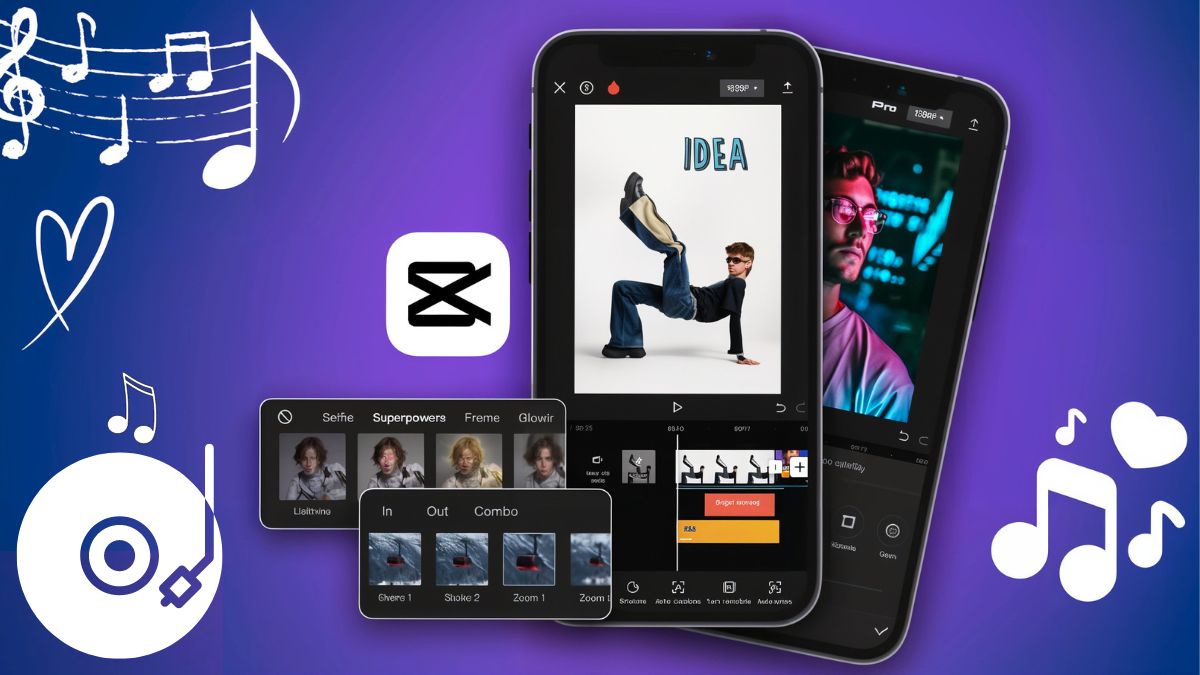
CapCut is one of the most popular video editing apps currently available, especially suitable for those who frequently create TikTok content and short videos. The app boasts an intuitive interface and easy-to-understand tool arrangement, allowing users to cut, merge, split, and rearrange video segments as desired. Thanks to this, even beginners can quickly create a complete product.
In addition to basic features, CapCut offers a diverse library of effects, color filters, background music, stickers, and fonts. Users can add automatic subtitles, adjust playback speed, create transitions, or use pre-made video editing templates. However, some features and resources are only available with the paid version or depend on the region and app version.
2.2. InShot
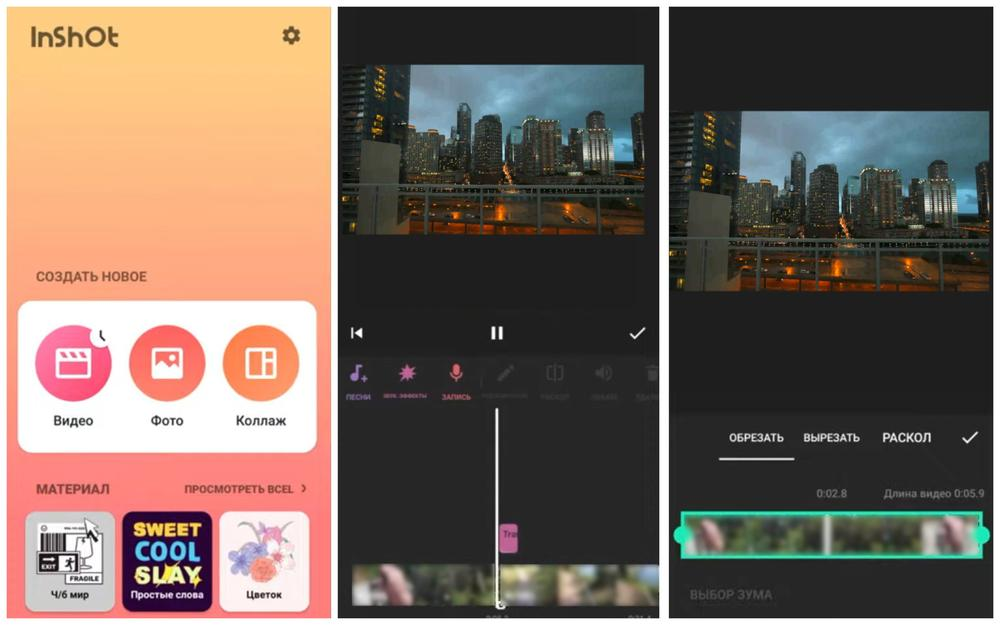
InShot is a suitable choice for those who appreciate simplicity and want to edit videos quickly. The application supports trimming unnecessary segments, merging multiple videos, changing aspect ratios, and adjusting playback speed. The operations are clearly organized, making it easy for users to find the necessary tools without spending too much time getting used to it.
One advantage of InShot is its ability to combine video, images, audio, and text in a single project. You can add background music, record voiceovers, insert stickers, or adjust colors to make your video more vibrant. The app is especially useful for creating product introductions, travel videos, personal diaries, or content for social media.
2.3. VN Video Editor
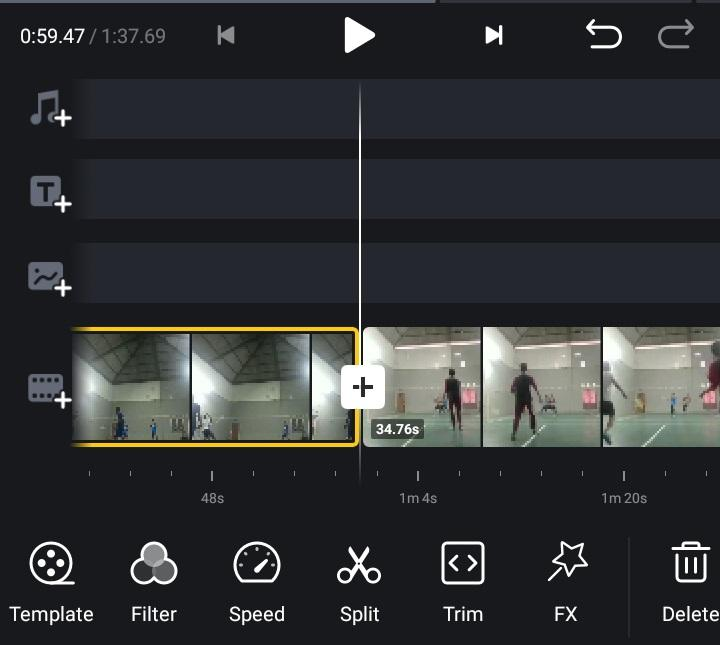
VN Video Editor is a popular choice due to its flexible editing capabilities and numerous useful tools. The application supports cutting and merging videos on the timeline, arranging multiple video clips, adding music, text, and transition effects. Its layered workflow allows users better control over content, especially when combining multiple images and audio in a single video.
Additionally, VN offers tools for adjusting speed, creating motion effects, and controlling the timing of each element's appearance. It's a worthwhile option if you want to build videos with a clear structure and coherent content, but still need a relatively user-friendly interface.
2.4. KineMaster
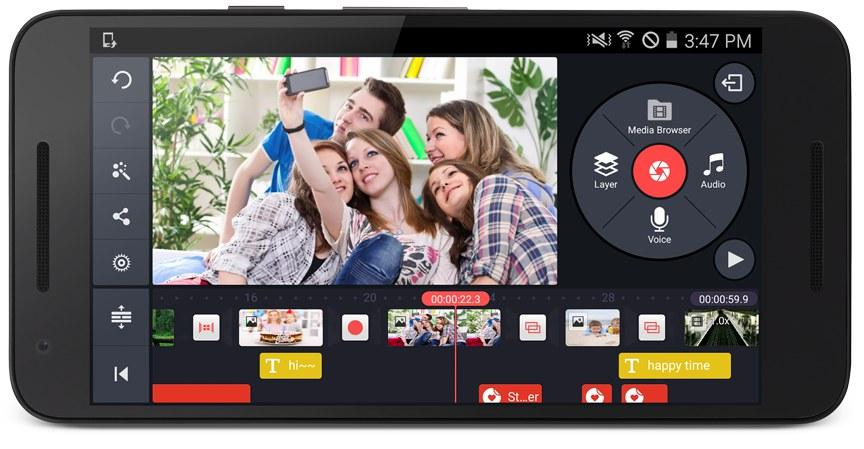
KineMaster is software suitable for users who want to perform advanced editing tasks directly on their smartphones. The app's highlight lies in its ability to edit multiple layers of content, allowing you to insert video, images, text, and audio into a single project. This enables you to create videos with richer layouts and more dynamic effects.
KineMaster also supports adjusting color, playback speed, volume, and transition effects. The tools are designed to give users flexible control over each element in the video. However, if you're a beginner, you may need some time to get used to the interface and how to manage the editing layers.
2.5. YouCut
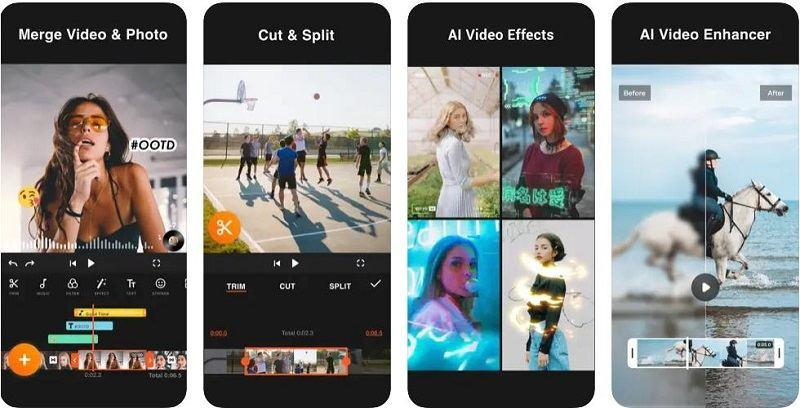
YouCut is an application geared towards quick and easy video editing. Features such as cutting, merging, splitting, rotating, and changing the aspect ratio are relatively easy to find. Users can combine multiple video clips, add background music, text, and color filters to complete their content in their own style.
This app is suitable for those who frequently shoot videos with their phones and want to edit them immediately after recording. Instead of having to manipulate many complex tools, you can perform the necessary editing steps in a single interface. It's also a worthwhile option when you need to create short videos to share with friends or post on social media.
3. Tips for choosing the right video editing software
The app with the most features isn't necessarily the best choice. To avoid wasting time downloading and trying out too many apps, you should clearly define your needs before making a decision.
-
Determine your editing goals: If you frequently create TikTok videos, short videos, or sales content, prioritize apps with diverse editing templates, subtitles, and effects. If you only need to combine video clips, trim unnecessary parts, and add background music, simpler apps will suffice.
-
Check compatibility: See if the app supports your operating system and phone version. Some software may require relatively high specifications when processing long videos or videos with many effects. Limited storage capacity should also be considered before installation.
-
Pay attention to video output quality: A good application should allow you to choose the resolution suitable for your uploading purposes. You should prioritize software that supports Full HD or 4K video output if your device and usage needs allow it.
-
Understand the pricing: Many apps allow free downloads and use but limit certain effects, templates, or advanced tools. Therefore, check the free features, ads, watermarks, and subscription costs before choosing a paid version.
4. Tips to make your video look more beautiful and professional after editing.
To ensure high-quality videos, in addition to choosing the right software, you should also pay attention to content editing. The following tips will help make your final product more appealing and polished.
-
Create a compelling opening: The first few seconds are crucial for keeping viewers engaged. Start with a striking visual, an intriguing question, or the main content to pique curiosity.
-
Cut out unnecessary footage: Avoid keeping too much footage that doesn't convey a message. Eliminate hesitations, shaky shots, or unnecessary blank spaces.
-
Use effects judiciously: Transitions and color filters can make videos more dynamic, but don't overuse them. Prioritize consistency so viewers can focus on the main content.
-
Pay attention to the sound: The background music should be at an appropriate volume, not overpowering the speech. If the video has dialogue, you should carefully check the audio quality before publishing.
-
Choose the appropriate aspect ratio: TikTok, Reels, and Shorts videos typically use a 9:16 vertical aspect ratio. Meanwhile, regular YouTube videos are usually best suited to a 16:9 horizontal aspect ratio.
-
Review your video before posting: Take a look at the entire finished product to check for spelling errors, audio issues, image quality problems, or any awkward transitions.
5. Conclusion
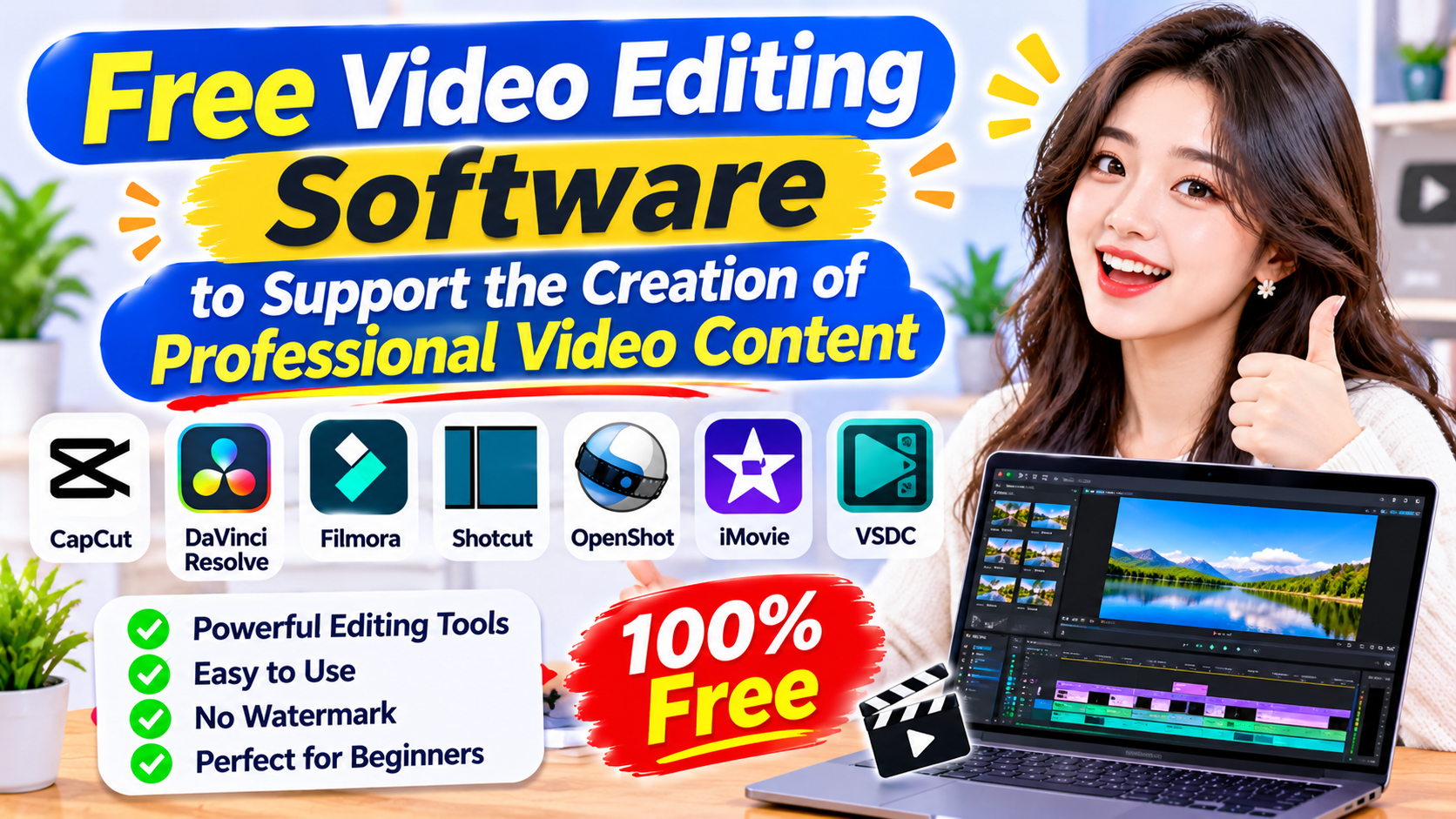
Video editing software on mobile phones is becoming increasingly diverse, offering users many options from basic editing to advanced content creation. Depending on your needs, you can try CapCut, InShot, VN Video Editor, KineMaster, YouCut, or Filmora to create visually appealing videos with your own unique style. Hopefully, the information and instructions above will help you choose the right application, confidently create content, and complete your videos right on your phone.





















VIP Products








Best Selling Products
MidJourney Account
29 USD
ChatGPT Plus Account (GPT-4)
16 USD
Plugin Retouch4me
69 USD
Upgrade Duolingo Super
29 USD
Genuine Cheap Canva Pro
39 USD
Autodesk All App Account Copyright
120 USD
Adobe Photoshop Copyright - Full App
120 USD
Genuine Adobe Illustrator account
99 USD
Adobe Premiere Pro Account
99 USD
Freepik Premium Account
59 USD
Upgrade genuine Capture One account
120 USD
Windows 10 & 11 Pro Key
36 USD
Copyright Adobe Lightroom Account
59 USD
Upgrade Genuine Office 365
49 USD
Capcut Pro 1 Year
39 USD