Best Selling Products

Windows 10 & 11 Pro Key
36 USD

Adobe Premiere Pro Account
99 USD

Plugin Retouch4me
69 USD

Copyright Adobe Lightroom Account
59 USD

Adobe Photoshop Copyright - Full App
120 USD

Genuine Cheap Canva Pro
39 USD

MidJourney Account
29 USD

Genuine Adobe Illustrator account
99 USD

Upgrade Duolingo Super
29 USD

Capcut Pro 1 Year
39 USD

ChatGPT Plus Account (GPT-4)
16 USD

Upgrade Genuine Office 365
49 USD

Freepik Premium Account
59 USD

Upgrade genuine Capture One account
120 USD

Autodesk All App Account Copyright
120 USD
Edit photos creatively with Lightroom: Adobe's powerful online photo editing tool.
Nội dung
- 1. What is Lightroom and why has it become so popular?
- 2. Edit photos quickly with smart tools.
- 3. The power of artificial intelligence in photo editing
- 4. Effective management and organization of the photo library.
- 5. Edit photos anywhere with a cloud-based platform.
- 6. Enhance image quality with modern technologies.
- 7. The creative community and inspiration from Lightroom
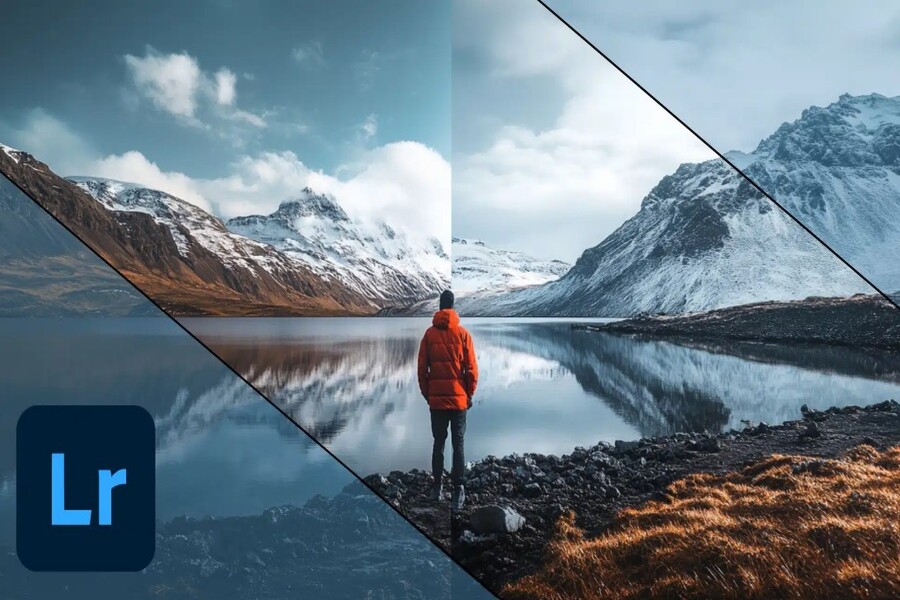
With Lightroom, you can edit photos quickly and creatively right in your browser. Intelligent tools help optimize color, lighting, and image detail professionally. A perfect solution for all your image editing needs.
1. What is Lightroom and why has it become so popular?
Lightroom is a photo editing and management platform designed to help users process images professionally yet simply and easily. Unlike many traditional photo editing software programs that focus solely on editing, Lightroom is built as a complete ecosystem encompassing image editing, management, storage, and sharing.
One of the reasons Lightroom has become so popular is its cloud-based functionality. Instead of just storing data on a personal computer, Lightroom allows users to store their entire photo library in the cloud. This enables users to access and edit photos from various devices without having to manually copy data.
Data synchronization is one of Lightroom's biggest strengths. When a user edits a photo on their phone, all changes are automatically updated on their computer or web browser. This makes the workflow more seamless and convenient, especially for those who frequently travel or work on multiple devices.

Furthermore, Lightroom supports many different image formats, including RAW images, which are commonly used in professional photography. RAW images contain more data than regular JPEG images, allowing users to edit in greater detail without compromising image quality. Thanks to its powerful RAW image processing capabilities, Lightroom becomes an ideal tool for photographers who want maximum control over their image quality.
Another key factor contributing to Lightroom's high rating is its non-destructive editing method. This means that any edits made to an image do not alter the original file. Instead, the software only saves the editing parameters. This allows users to revert to the original state of the image at any time or experiment with different editing styles without worrying about damaging the original image.
Lightroom is also designed with an intuitive interface, making it easy for users to get acquainted with it even if they have never used photo editing software before. The tools are logically arranged and come with simple adjustment sliders, allowing users to control image parameters quickly and accurately.
2. Edit photos quickly with smart tools.
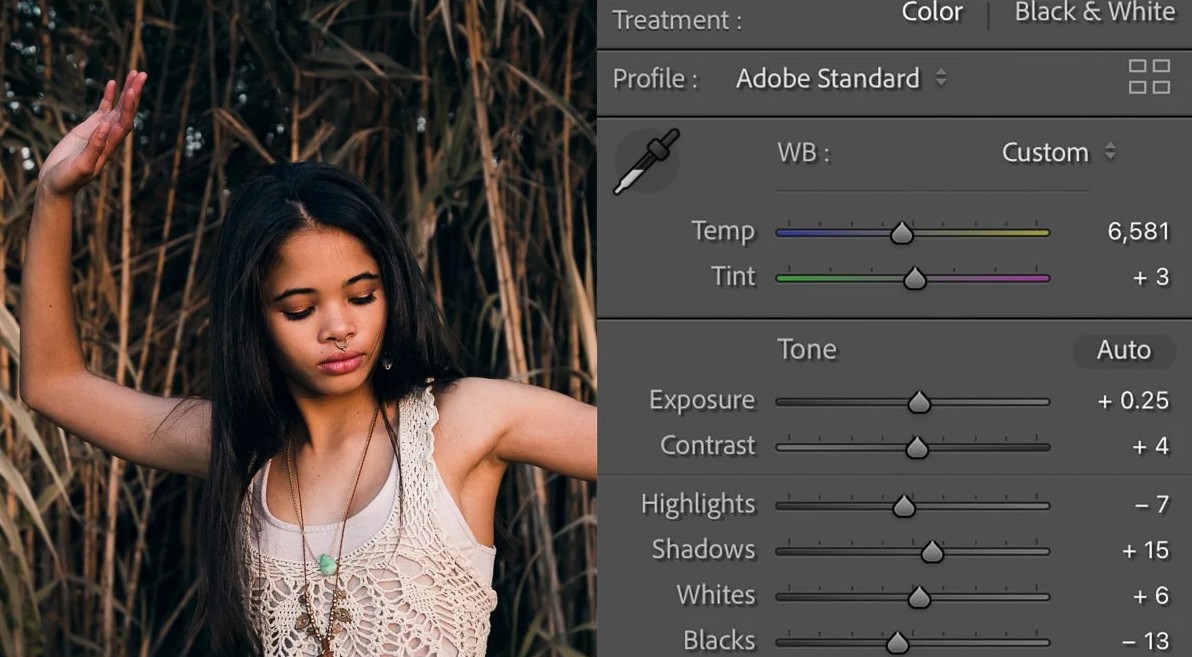
One of the reasons Lightroom is so popular is its powerful yet user-friendly editing toolset. Instead of performing complex operations, users can edit photos using intuitive sliders to adjust parameters such as brightness, contrast, white balance, and color saturation.
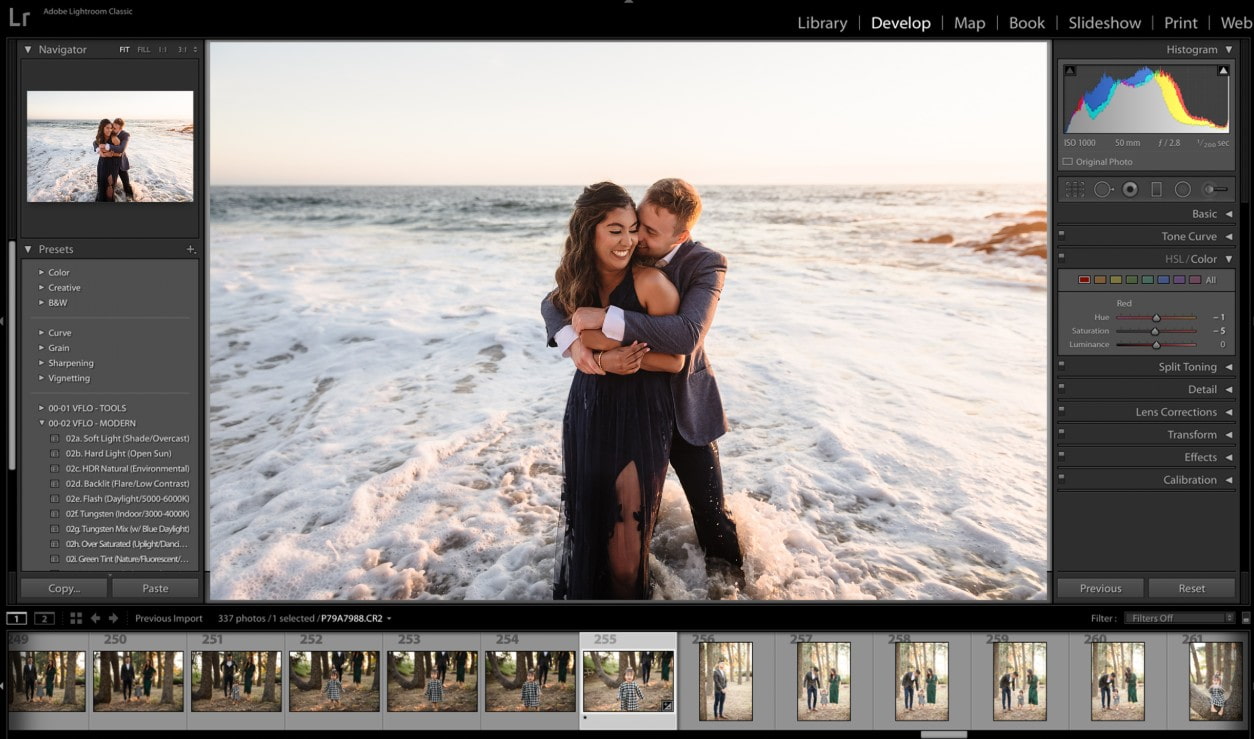
The basic tools in Lightroom allow users to control the entire lighting and color of a photograph. For example, you can increase brightness to highlight the subject, adjust contrast to add depth to the image, or change the color temperature to create warmer or cooler tones. These operations can be done in just seconds but bring about a noticeable change to the photograph.
One of Lightroom's standout features is its preset system. Presets are pre-saved editing settings that can be applied to multiple photos with just one click. This saves users a significant amount of time during the editing process, especially when dealing with a large number of images.
Presets also help maintain consistency in visual style. For example, if you're a social media content creator, using the same preset for multiple photos will give your profile a more consistent and professional color scheme.
In addition to presets, Lightroom also offers selective editing tools that allow users to edit specific areas of an image. This helps you brighten a subject's face without affecting the background or increase the saturation of the sky without altering the colors of other details.
Lightroom's ability to edit details is further demonstrated through advanced tools such as adjusting the color curve, controlling the saturation of individual colors, and fine-tuning the brightness of specific areas of the image. These tools allow users to create unique and personalized color effects.
3. The power of artificial intelligence in photo editing
The development of artificial intelligence has brought significant improvements to photo editing tools, and Lightroom is one of the platforms that effectively applies this technology. Thanks to the integration of intelligent algorithms, Lightroom can automatically analyze the content of a photo and offer appropriate editing suggestions.
For example, when the software recognizes a portrait photo, the system can suggest settings to smooth skin, brighten the face, or increase contrast to highlight the subject. If the photo is a landscape, Lightroom can suggest adjustments to increase the color saturation of the sky or improve the detail of the scenery.
Another notable feature is the ability to identify and edit specific areas within an image. Artificial intelligence technology can automatically separate the sky from the rest of the image, allowing users to adjust the color or brightness of the sky without affecting other details.
Lightroom also supports tools for removing unwanted details from photos. Users simply select the area to be removed, and the system will automatically fill in the background with appropriate details to make the photo look more natural. This tool is very useful when you want to remove unsightly objects such as trash, wires, or people who accidentally appear in the frame.

Furthermore, artificial intelligence can improve the quality of photos taken in low-light conditions. Image processing algorithms can reduce noise, enhance detail, and make photos sharper without losing important details.
4. Effective management and organization of the photo library.
When working with hundreds or even thousands of photos, managing and organizing your photo library becomes a challenging task. Lightroom offers many tools to help users organize and manage their photos scientifically and efficiently.
Users can create albums or collections to categorize photos by subject, project, or event. For example, you could create a separate album for travel, another for work projects, or a collection of portraits. This organizational method makes finding and managing photos much easier.
Lightroom also allows you to tag and mark photos to categorize them according to various criteria. This enables users to quickly find important photos without having to view each file individually.
Another highlight is the intelligent search feature. The system can recognize the content in images and allow users to search by keywords such as "sea," "mountains," "city," or "people." This significantly saves time when needing to find a specific image within a large library.
5. Edit photos anywhere with a cloud-based platform.
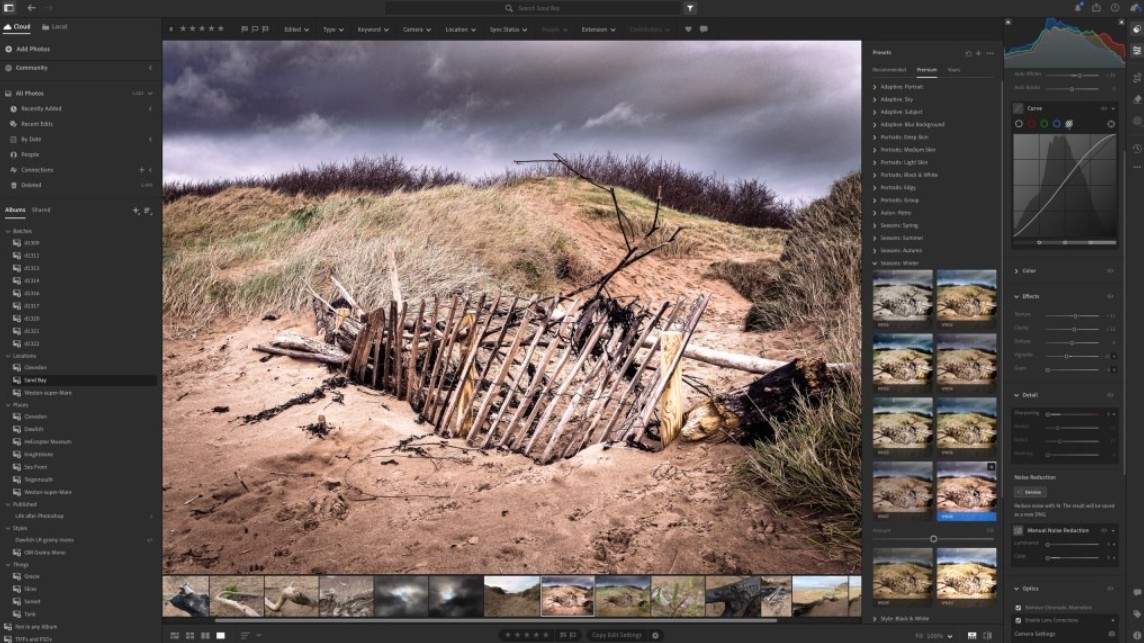
One of Lightroom's biggest advantages is its ability to edit photos across multiple devices. Thanks to its cloud storage platform, users can access their photo library from their computer, phone, or web browser.
This offers tremendous flexibility in the workflow. For example, you can take a photo with your phone, quickly edit it on your mobile device, and then continue refining the details on your computer. All edits are automatically synchronized, saving time and effort.
Furthermore, storing photos in the cloud helps protect data from incidents such as hard drive failure or computer loss. Users can rest assured that their photos are always stored securely and can be accessed at any time.
6. Enhance image quality with modern technologies.
Lightroom not only helps with photo editing but also offers many technologies to enhance image quality. One of its standout features is the ability to improve image detail through advanced image processing algorithms.
The software can enhance image sharpness, reduce noise, and improve contrast to make photos appear sharper. This is especially useful for photos taken in low light conditions or with cameras of lower quality.

Lightroom also supports HDR technology, which increases the dynamic range of images. As a result, details in both bright and dark areas are displayed more clearly, creating a realistic and vibrant feel to the photograph.
Additionally, tools for creating depth effects and blurring the background help users create professional-looking photos without needing expensive equipment.
7. The creative community and inspiration from Lightroom
Another key factor that makes Lightroom so appealing is its large and active user community. The platform is not just a photo editing tool, but also a place for photographers and content creators to share experiences and inspiration.
Users can explore the work of other photographers, learn how they edit photos, and apply new techniques to their own work. Many presets and editing styles are also widely shared within the community, making it easy for beginners to access professional editing styles.
The connection between users and creative tools makes Lightroom a learning environment for developing photography skills. It's not just photo editing software, but also a platform that fosters creativity and knowledge exchange among photography enthusiasts.
Whether you're a beginner or a professional photographer, Lightroom can meet your photo editing needs. With its versatile functionality across multiple devices, intelligent photo management system, and large creative community, Lightroom is not just a photo editing tool but also a platform to help users develop their creative abilities.





















VIP Products








Best Selling Products
Windows 10 & 11 Pro Key
36 USD
Adobe Premiere Pro Account
99 USD
Plugin Retouch4me
69 USD
Copyright Adobe Lightroom Account
59 USD
Adobe Photoshop Copyright - Full App
120 USD
Genuine Cheap Canva Pro
39 USD
MidJourney Account
29 USD
Genuine Adobe Illustrator account
99 USD
Upgrade Duolingo Super
29 USD
Capcut Pro 1 Year
39 USD
ChatGPT Plus Account (GPT-4)
16 USD
Upgrade Genuine Office 365
49 USD
Freepik Premium Account
59 USD
Upgrade genuine Capture One account
120 USD
Autodesk All App Account Copyright
120 USD