Best Selling Products

Adobe Photoshop Copyright - Full App
120 USD

Upgrade Genuine Office 365
49 USD

MidJourney Account
29 USD

Genuine Cheap Canva Pro
39 USD

Genuine Adobe Illustrator account
99 USD

Windows 10 & 11 Pro Key
36 USD

Upgrade Duolingo Super
29 USD

Upgrade genuine Capture One account
120 USD

Freepik Premium Account
59 USD

ChatGPT Plus Account (GPT-4)
16 USD

Adobe Premiere Pro Account
99 USD

Autodesk All App Account Copyright
120 USD

Plugin Retouch4me
69 USD

Capcut Pro 1 Year
39 USD

Copyright Adobe Lightroom Account
59 USD
Free PSD File Editing: The Best Photoshop Alternatives
Nội dung
- 1. What is a PSD Editor?
- 2. Why You Should Consider Using a Free PSD Editor
- 3. Core Features Commonly Found in Free Editing Tools
- 4. Listing the 4 Most Reliable Names in the Free PSD Toolkit World
- 4.1 GIMP: Flexibility and Professional Power at Your Fingertips
- 4.2 Photopea: Simple Web-Based Application with Professional Features
- 5. Conclusion
- 6. Answering Some Frequently Asked Questions
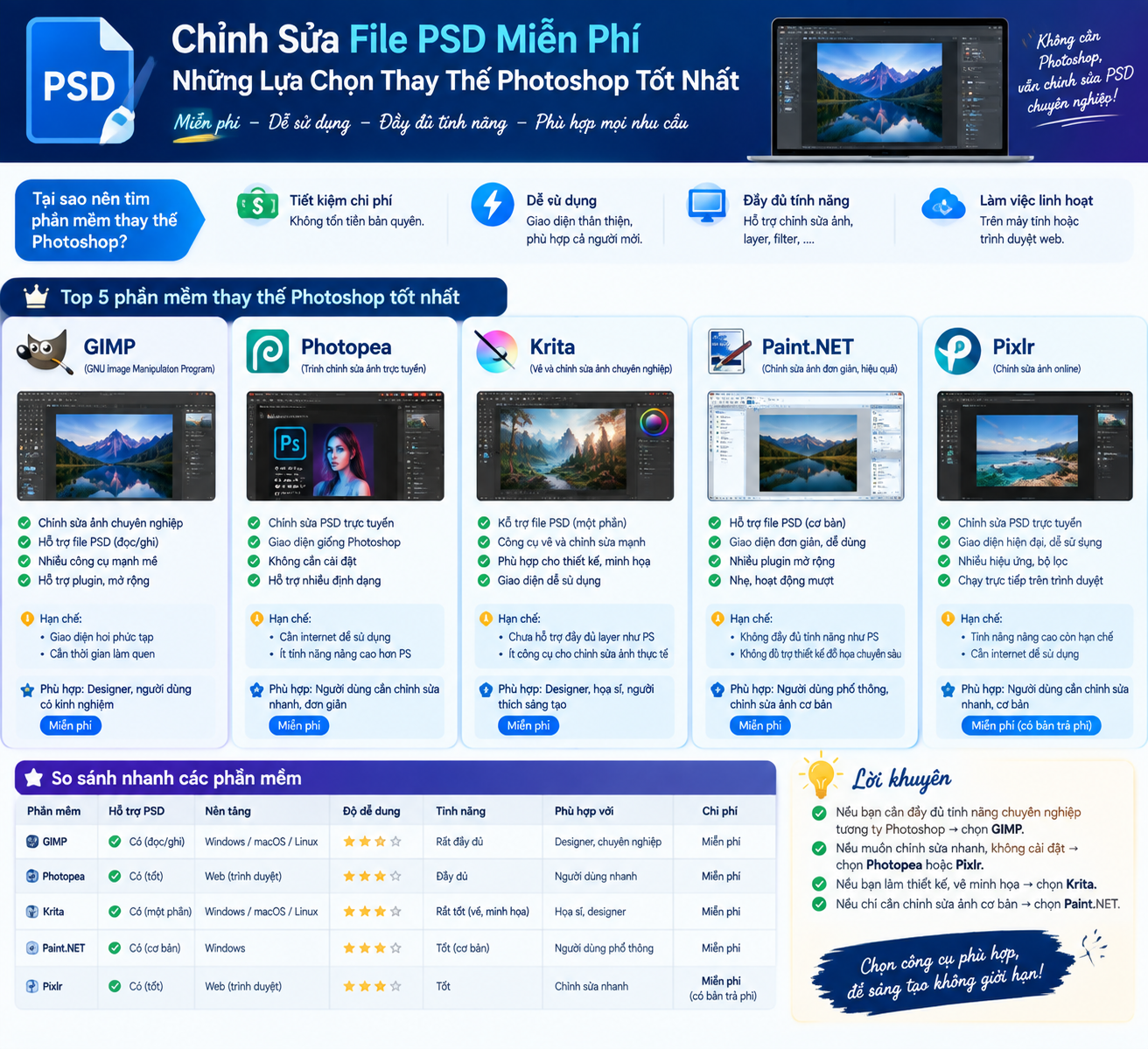
If Photoshop is too expensive or has too many unnecessary features, you still have many alternatives. The free software on this list is capable of handling PSD files to varying degrees. Some tools even support layers, filters, text, and advanced editing operations. These are worthwhile options for basic design work.
1. What is a PSD Editor?
A PSD editor is a software or tool designed to open, edit, and manipulate files in PSD format, short for Photoshop Document, which is the default file format associated with the professional graphic design software Adobe Photoshop. The special feature of this format lies in its ability to preserve the structure of image layers, effects, and many other design elements intact, allowing users to continue editing and customizing seamlessly without losing the inherent flexibility of the original file.
Thanks to this layer-based storage mechanism, users can open PSD files and make necessary changes such as adjusting colors, manipulating individual layers, adding or removing elements, and applying various effects to achieve the desired design results. Currently, PSD editors exist in both free and paid versions, each offering different features and levels of functionality to suit the specific needs of each user.
Because of their flexibility and ability to meet diverse needs, these tools have become a familiar choice for graphic designers, web designers, and digital artists who frequently create and edit visually stunning products. Whether you're a beginner or have years of experience, a suitable PSD editor will be a powerful tool to help you freely express your creative ideas and turn your visions into tangible products.
2. Why You Should Consider Using a Free PSD Editor
Choosing a free PSD editor offers many practical benefits, making them indispensable tools for designers of all levels. First and foremost, the most obvious benefit is cost savings, as users don't have to spend any money on expensive software, which is especially significant for beginners or freelancers with limited budgets.
Furthermore, accessibility and convenience are also major advantages. Most of these tools are accessible directly through web browsers or can be downloaded as apps for both computers and mobile devices, allowing designers to work anytime, anywhere, without being restricted to a specific computer. This is complemented by a wide range of editing features, from manipulating image layers and adjusting colors to applying effects and customizing individual elements, giving users complete control over their designs.
Another equally important advantage is the user-friendly interface, easily accessible to both beginners and experienced users, making the learning and usage process much smoother. These free tools also unleash users' creativity, allowing them to freely experiment with new ideas without financial pressure. Finally, despite being free, the output quality of these tools still meets professional standards, ensuring designers can create impressive visual products without compromising quality.
3. Core Features Commonly Found in Free Editing Tools
For a free PSD editor to truly be valuable, it needs to be equipped with several core features capable of meeting the demands of everyday design work. First and foremost is the ability to manage image layers, allowing users to manipulate each layer individually, making the organization and adjustment of design elements much easier and more systematic.
Next is the ability to adjust color, with editing tools that allow precise control over each parameter such as hue, saturation, brightness, and contrast, helping designers achieve the desired visual effect. Along with that, the text editing feature also plays a crucial role, allowing users to add and customize text content with a full range of font, size, style, and alignment options.
Besides the basic features mentioned above, a variety of effects and filters also contribute significantly to enhancing the design product, adding artistic touches and attractive visual elements. Selection tools such as the lasso tool, magic wand, and shape tool are also integrated, supporting precise editing and manipulation of specific areas of the design. Furthermore, transformation tools like zoom, rotate, and tilt help designers easily reshape elements as desired. Finally, a quality PSD editor should provide various file export options, allowing the finished product to be saved in popular formats such as PSD, JPG, PNG, or SVG, depending on the specific purpose of each project.
4. Listing the 4 Most Reliable Names in the Free PSD Toolkit World
4.1 GIMP: Flexibility and Professional Power at Your Fingertips
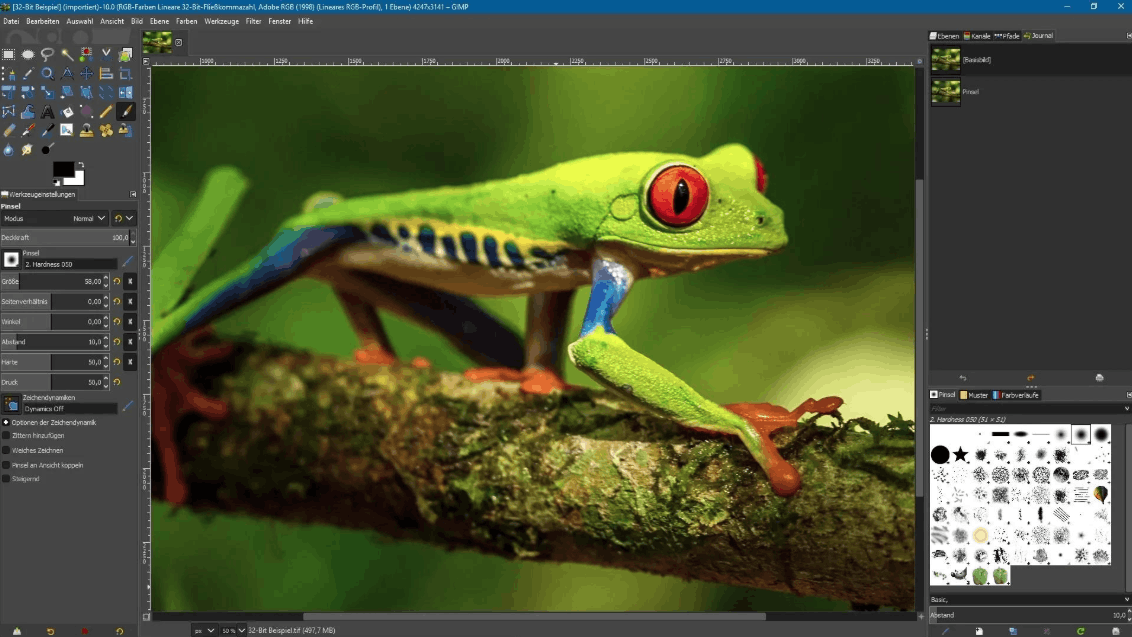
GIMP is an open-source image editing software that runs on all three popular platforms: Linux, Windows, and macOS. It's considered one of the most popular and powerful free PSD editors currently available, with a feature set comparable to Photoshop in many aspects. Notably, GIMP can handle files up to 30,000 pixels in both width and height, facilitating work with images that have rich color depth and a wide color gamut.
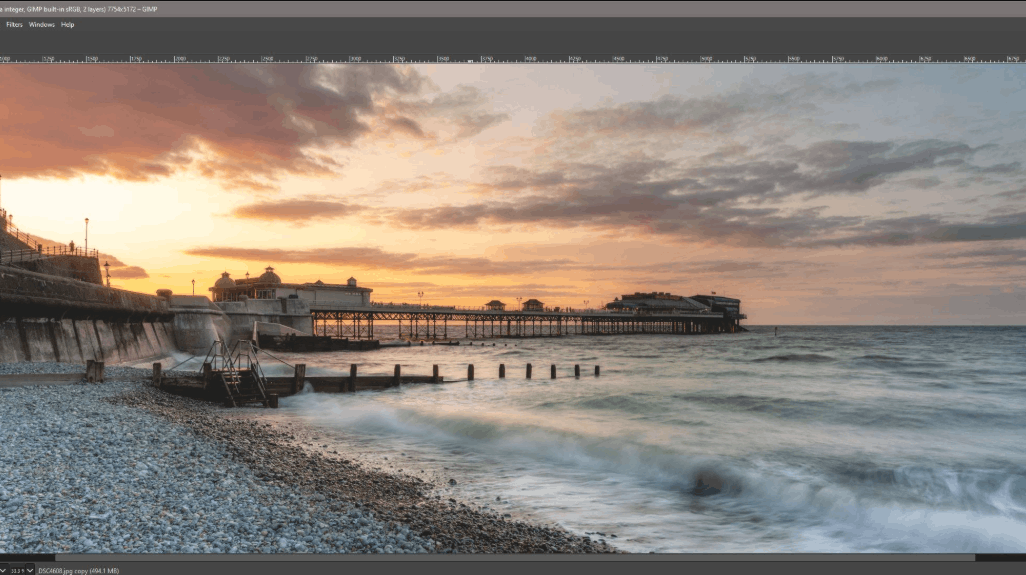
This software stands out with its diverse set of tools and functions, allowing users to easily manipulate PSD files, from color correction and filter application to working with image layers and adding text. You can preview the results during editing and save the final product in its original PSD format, or convert it to other formats such as JPG, PNG, or SVG.
To begin using GIMP, you need to download and install the software from the official website. After installation, simply go to File, select Open, and locate the PSD file on your computer to open it. The entire image and its layers will then be displayed in the main working window. You can use the tools in the left-hand panel to edit the image, add new layers via Layers and select New Layer, or delete unnecessary layers using Delete Layer. Changing the order and visibility of each layer is easily done through the Layers control panel on the right side of the screen. After completing the editing process, simply go to File, select Save As or Export As to save your work.
4.2 Photopea: Simple Web-Based Application with Professional Features
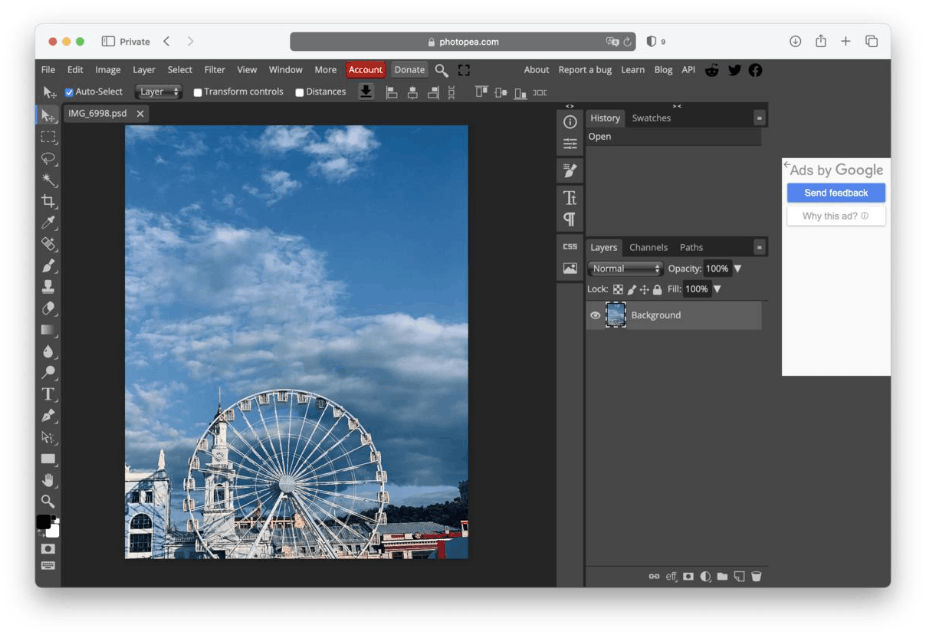
Photopea is an online photo editor that supports various file formats including PSD, XCF, Sketch, XD, and CDR. It's a quick and convenient solution for those who need to edit PSD files without installing any software or registering an account.
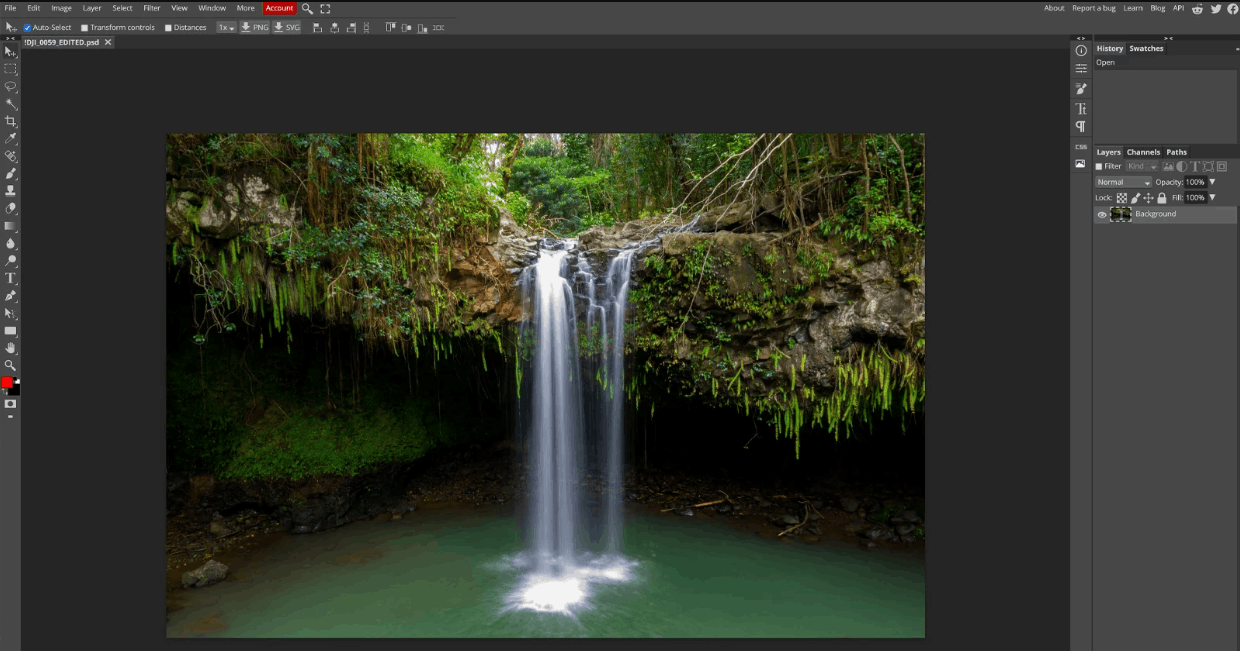
For those seeking a user-friendly, easy-to-use solution that works directly in the browser, Photopea is definitely worth exploring. With an interface designed to closely resemble Adobe Photoshop, this tool offers a smooth editing experience, allowing you to open and work directly with PSD files in your web browser, enabling you to work on design projects anywhere with an internet connection.
Photopea is fully equipped with the necessary features to enhance your editing experience, allowing you to easily work with multiple image layers simultaneously, import and manipulate various graphics and high-resolution images, apply dynamic filters, fine-tune colors, add impressive text content, and crop and resize designs as desired. You can also preview changes in real time to ensure the results meet your expectations before saving as a PSD file or exporting to other formats such as JPG, PNG, or SVG.
To use Photopea, simply visit its official website. Then, you can open a PSD file by going to File, selecting Open, or simply dragging and dropping the file directly from your computer into the workspace. The entire image and its layers will be displayed in the main window, allowing you to use the tools in the left-hand panel to edit as desired. Adding or removing layers is done similarly through the Layers section, while adjusting the order and visibility of each layer is managed through the Layers panel on the right. When finished, simply go to File and select Save As or Export As to save your work.
4.3 Pixlr: Quick and Easy Editing Anywhere
Pixlr is another online photo editor that also supports PSD file formats, offering a quick and convenient solution without requiring software installation or account registration. Pixlr's interface and functions are very similar to Photoshop, making it easy for those already familiar with Adobe software to get started when switching to this tool.
If you're a frequent traveler and need a PSD editing tool that fits your busy lifestyle, Pixlr is the ideal choice. This software combines convenience and full functionality, providing a range of editing tools at your fingertips, from basic adjustments to advanced editing operations, allowing you to easily work with PSD files even while on the go.
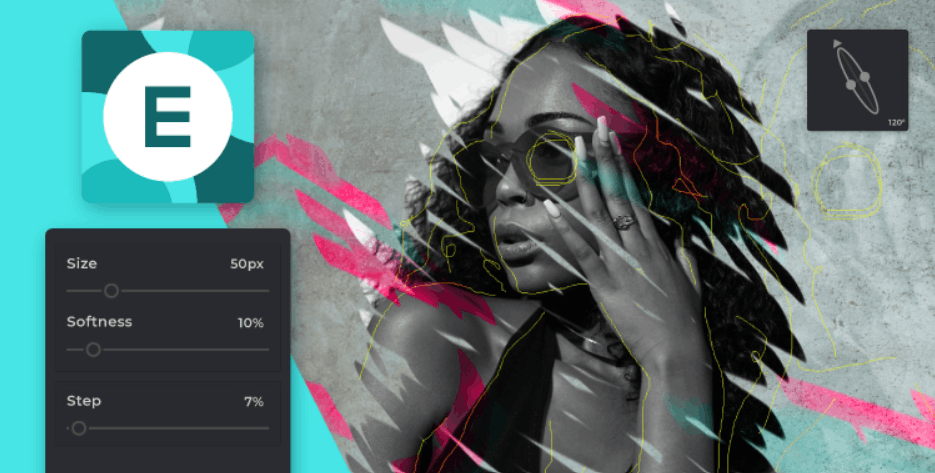
Pixlr allows you to work seamlessly with image layers, import and edit various high-quality graphics and images, apply filters, adjust color palettes, insert text elements, crop and resize artwork, and perform many other editing operations. This tool also offers flexibility by allowing you to save your work in various formats such as PSD, JPG, PNG, or SVG depending on your needs.
To get started with Pixlr, you first need to access the tool's official website. Then, you can open a PSD file by clicking on "Open Image" and uploading it from your computer. The entire image and its layers will be displayed in the main working window, allowing you to use the tools in the left-hand panel to edit. You can add new layers via the "Layer" option and select the plus icon, or delete unnecessary layers using "Delete Layer," while changing the order and visibility of each layer is done through the "Layers" panel on the right. Once finished, simply go to File, select "Save As" or "Export" to save your work.
4.4 Krita: An Inspiring World of Digital Technology
Krita is a completely free, open-source drawing software that works well on Linux, Windows, and macOS. It's a versatile and powerful tool capable of creating and editing PSD files, as well as many other formats such as XCF, Sketch, XD, and CDR. Krita is designed specifically for artists who want to create conceptual art, paint textures, and backgrounds for animation, illustration, and comics.
This is a great choice if your creative journey is tied to digital painting and art illustration. Although primarily known as painting software, Krita also provides excellent support for editing PSD files, allowing you to freely express your artistic vision. With its extensive brush collection, detailed layer management capabilities, and customizable interface, Krita helps you fully realize your illustration ideas.
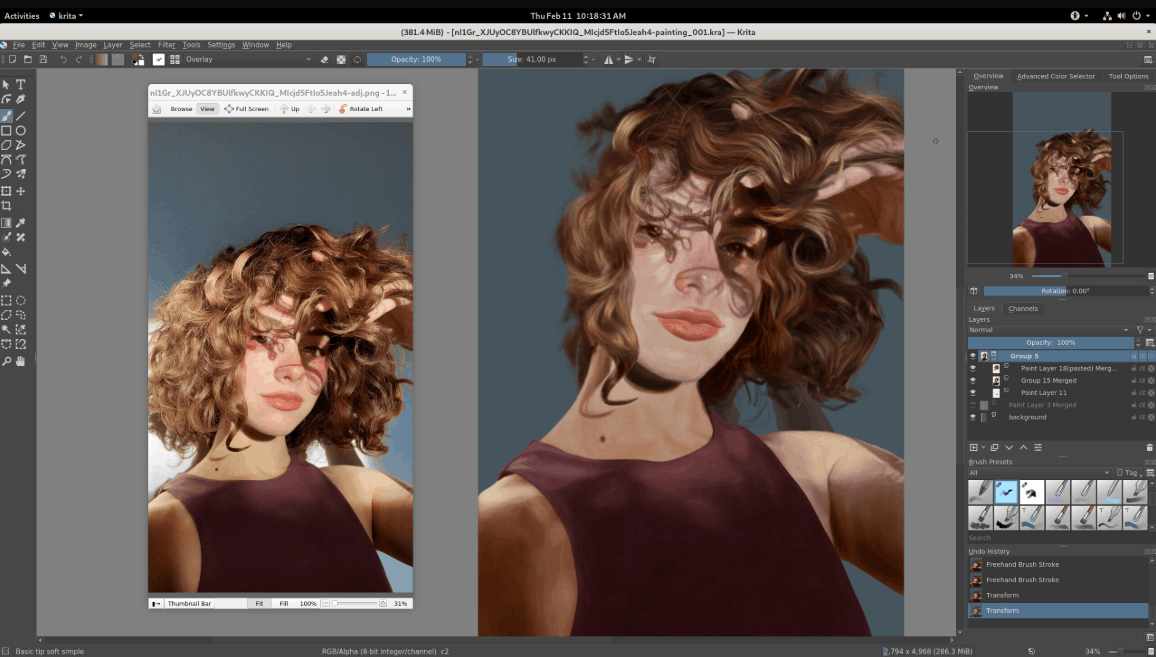
Krita also allows you to work on multiple image layers simultaneously, import and edit various types of high-quality graphics and images, apply filters, adjust colors, add text, crop and resize your work, and perform many other operations. You can preview the results while working and save the finished product in PSD format or export it as JPG, PNG, or SVG.
To use Krita, you need to download and install the software from the official website. After installation is complete, you can open a PSD file by going to File, selecting Open, and then choosing the file you want to edit on your computer. The entire image and its layers will be displayed in the main working window, allowing you to use the tools in the left-hand panel to edit as desired. You can add new layers through the Layers menu and select New Layer, or delete unnecessary layers by dragging and dropping them to the trash. Adjusting the order and visibility of each layer is done through the Layers control panel on the right side of the screen. After completing your work, simply go to File and select Save As or Export to save your work.
5. Conclusion
Overall, free PSD editors are truly excellent creative companions for designers seeking unlimited expression of their ideas without the burden of software costs. Thanks to their user-friendly interfaces and accessibility across multiple platforms, both beginners and experienced designers can easily enter this colorful world of graphic design.
Whether you prioritize the power and flexibility of GIMP, the web-based convenience of Photopea, the ability to quickly edit anytime, anywhere with Pixlr, or the passion for digital painting with Krita, each tool offers unique value, suited to different needs and work styles. The most important thing is that you dare to experiment, explore, and continuously hone your skills, gradually realizing your own design ideas.
6. Answering Some Frequently Asked Questions
Are free PSD editors suitable for beginners?
The answer is absolutely right, because these tools are designed to meet the needs of both beginners and experienced users, often featuring user-friendly interfaces and intuitive tools, making the editing process accessible and enjoyable for users of all skill levels.
Is it possible to open and edit PSD files created using Adobe Photoshop?
The answer is absolutely yes, because free PSD editors are compatible with PSD files created in Photoshop, allowing you to open, view, and edit them while preserving the layers, effects, and design elements originally created.
What are some of the most popular free PSD editors currently in use?
Some prominent and widely used design tools include GIMP, Photopea, Pixlr, and Krita, each offering unique features and strengths to suit different design needs.
Can users export the edited design to various file formats?
This is entirely possible, as most free PSD editors allow exporting the final product to various formats such as PSD, JPG, PNG, or SVG, providing the necessary flexibility to store your design in a format suitable for each platform or device.
Do free PSD editors have any limitations compared to paid software?
In reality, there are still some limitations, because although they offer powerful editing capabilities, free tools sometimes lack some advanced features or specialized tools that are only available in premium paid versions of the software. However, for most typical design projects, these free editors are still perfectly adequate.





















VIP Products








Best Selling Products
Adobe Photoshop Copyright - Full App
120 USD
Upgrade Genuine Office 365
49 USD
MidJourney Account
29 USD
Genuine Cheap Canva Pro
39 USD
Genuine Adobe Illustrator account
99 USD
Windows 10 & 11 Pro Key
36 USD
Upgrade Duolingo Super
29 USD
Upgrade genuine Capture One account
120 USD
Freepik Premium Account
59 USD
ChatGPT Plus Account (GPT-4)
16 USD
Adobe Premiere Pro Account
99 USD
Autodesk All App Account Copyright
120 USD
Plugin Retouch4me
69 USD
Capcut Pro 1 Year
39 USD
Copyright Adobe Lightroom Account
59 USD