Best Selling Products

Windows 10 & 11 Pro Key
36 USD

Adobe Premiere Pro Account
99 USD

Autodesk All App Account Copyright
120 USD

Plugin Retouch4me
69 USD

Freepik Premium Account
59 USD

Adobe Photoshop Copyright - Full App
120 USD

Upgrade Duolingo Super
29 USD

Capcut Pro 1 Year
39 USD

Upgrade Genuine Office 365
49 USD

Copyright Adobe Lightroom Account
59 USD

Upgrade genuine Capture One account
120 USD

Genuine Adobe Illustrator account
99 USD

MidJourney Account
29 USD

ChatGPT Plus Account (GPT-4)
16 USD

Genuine Cheap Canva Pro
39 USD
Guide to Beautiful Photo Editing and Recommended Supporting Software
Nội dung
- 1. How to Take Stunningly Beautiful Photos
- 2. Photo Editing Formulas on Android You Should Know
- 2.1. Photo Editing Formula on Samsung, Android with Gray-White Tone
- 2.2. Photo Editing Formula on Android with Western-Style Luxury Tone
- 2.3. Modern Western Orange-Tone Photo Editing Formula
- 2.4. Beautiful Photo Color Editing Formula on Android for Backlit Photos
- 2.5. Beautiful Sparkling Photo Editing Formula with a Sweet Style
- 3. Trending Photo Editing Apps Today
- 3.1 VSCO Cam
- 3.2 Adobe Lightroom
- 3.3 Foodie
- 3.4 Xingtu
- 3.5 SNOW
- 4. Conclusion
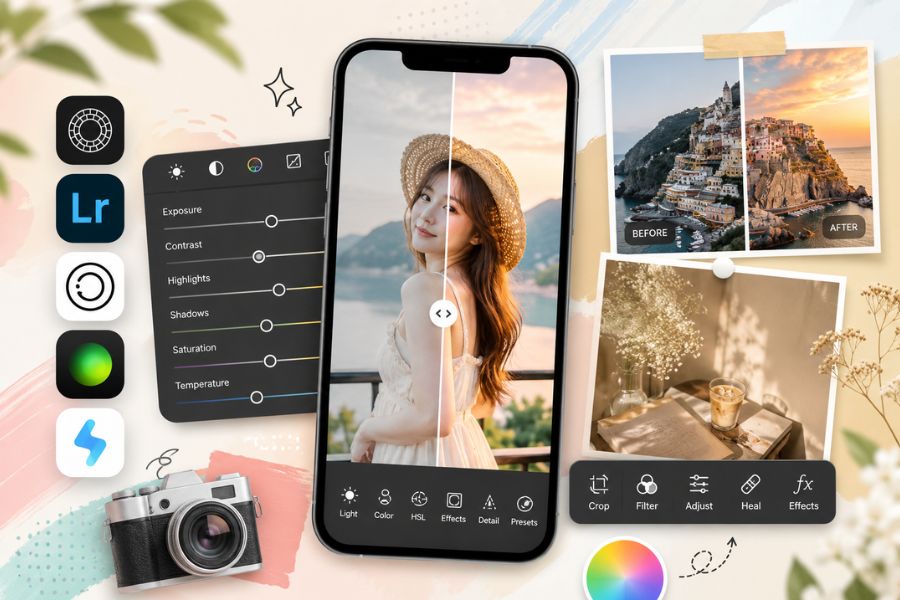
After trips with family and friends, people often save memorable photos and share them on social media.
1. How to Take Stunningly Beautiful Photos
If you want a beautiful photo after editing, the initial shooting step plays an extremely important role. A frame with good lighting, harmonious composition, and the right angle will make your photo look more professional without requiring too much editing. By knowing how to take advantage of natural light, choosing suitable backgrounds, and applying a few small photography tips, you can easily create gorgeous photos to post on social media or preserve memorable moments.
Prioritize taking photos in natural light such as early morning or sunset so the image looks clearer and has more depth.
Take advantage of light sources such as sunlight, yellow lights, firelight, or windows to create natural sparkling effects.
Apply the rule of thirds by enabling the camera grid and placing the subject at intersection points for a more balanced and attractive composition.
Try multiple angles to find the most flattering face angle and suitable background.
Use HDR mode to balance brightness better, especially when shooting outdoors or against the light.
Always tap to focus on the subject before shooting so the image stays sharp and avoids blur.
Keep your hands steady or use a tripod to prevent shaking in low-light conditions.
Prioritize cameras with high resolution to preserve details during editing.
Combine with photo editing apps afterward to create consistent colors, better skin tones, and a more eye-catching overall result.
2. Photo Editing Formulas on Android You Should Know
Nowadays, there are many beautiful color editing formulas widely used by young people on Android phones to create more sparkling and eye-catching images for social media posting. Depending on the style—soft, luxurious, vintage, or modern—you can choose suitable parameters for editing. If you are looking for simple but trendy ways to edit beautiful photos, check out the formulas below loved by many TikTokers and creators.
2.1. Photo Editing Formula on Samsung, Android with Gray-White Tone
The gray-white tone is a minimalist yet extremely modern and refined style. This editing style makes the overall photo cleaner, brighter, and gives a more premium feeling. It is especially suitable for travel photos, outfits, cafés, or frames that require elegance and softness. If you love Korean style or minimalist lifestyle aesthetics, this is definitely a beautiful editing style worth trying.
Structure: +50
Contrast: -30
Saturation: -50
Environment: +30
Highlights: +20
2.2. Photo Editing Formula on Android with Western-Style Luxury Tone
Western-style photo editing usually focuses on highlighting charisma, makeup layers, and facial features to create a sharper and more personalized look. This tone adds depth and gives off an extremely captivating fashion vibe. It is suitable for selfies, portraits, or OOTD photos with a modern style. If you want to elevate your personal photos and create a more luxurious social media look, do not miss this beautiful photo editing style.
Brightness: +30
Sharpen: +20
Highlights: -100
Shadows: -100
Saturation: -35
Contrast: -50
.jpg)
2.3. Modern Western Orange-Tone Photo Editing Formula
The Western orange tone is a color style loved by many young people for its warm, artistic, and trendy feeling. Edited photos often gain more depth, make backgrounds stand out, and give healthier-looking skin. This formula is especially suitable for outdoor, café, street, or naturally sunlit photos. It is also one of the most effective ways to make your Instagram or TikTok feed look more cohesive and attractive.
Contrast: -50
Texture: +12
Saturation: -16
Exposure: +1
2.4. Beautiful Photo Color Editing Formula on Android for Backlit Photos
Photos taken during sunset, sunrise, or against the light often feel artistic but can easily make the subject dark and lose detail. Therefore, adjusting brightness, shadows, and colors is extremely important to create a more harmonious result. With the formula below, you can brighten the image, preserve beautiful sky colors, and still highlight the subject. This is a very useful tip for those learning beautiful photo editing on Android.
Exposure: +50
Brilliance: +80
Highlights: -80
Shadows: +40
Contrast: -30
Brightness: +10
Black Point: +15
Saturation: +10
Vibrance: +10
Warmth: -10
.jpg)
2.5. Beautiful Sparkling Photo Editing Formula with a Sweet Style
If you love clear, soft, and dreamy photos, pastel sweet tones are definitely the perfect choice. This style often uses natural light to highlight skin tones and make the overall photo softer and brighter. It is very suitable for café shots, picnics, travel photos, or lovely daily moments. Among current beautiful editing styles, pastel tones remain a timeless favorite among young people because they are easy to apply and never go out of trend.
-
Tab Light:
-
Exposure: +0.5
-
Contrast: -25
-
Highlights: -50
-
Darkness: +50
-
Whites: +25
-
Black: -25
-
-
Tab Color:
-
Temperature: +10
-
Shade: +10
-
Vibration level: +20
-
Saturation: -10
-
-
Tab Effect:
-
Water clarity: -20
-
Smoke removal: -20
-
Pattern: -20
-
-
Tab Detail:
-
Sharpness: +50
-
Noise reduction: +25
-
.jpg)
3. Trending Photo Editing Apps Today
There are currently many apps that support beautiful photo editing directly on your phone, helping users easily create sparkling images without needing advanced professional skills. From color correction and skin retouching to artistic filters, each app has its own strengths for different styles. If you are looking for quick and convenient ways to edit beautiful photos, do not miss these extremely popular apps below.
3.1 VSCO Cam
VSCO Cam is one of the most loved photo editing apps among young people thanks to its diverse and artistic filter collection. The app offers soft, modern color styles suitable for those who love Korean tones or minimalist vintage aesthetics. Besides built-in presets, users can adjust brightness, contrast, film grain, and colors to create their own signature style. This is a perfect choice for beginners learning beautiful photo editing while still wanting professional-looking results.
.jpg)
3.2 Adobe Lightroom
Adobe Lightroom is a professional photo editing app widely used by photographers, TikTokers, and creators today. It offers detailed color editing with advanced tools such as light balancing, color mixing, skin tone blending, and custom preset creation. Lightroom stands out for preserving image sharpness and natural colors after editing. If you want to improve your professional photo editing skills, this app is definitely worth trying.
3.3 Foodie
Foodie is famous for making food photos look extremely delicious, enhancing colors to appear vivid and appetizing. However, beyond food photography, it also supports selfies, landscapes, and daily-life photos with bright youthful filters. Its simple and user-friendly interface is another reason why many young people love it. This is ideal for those looking for quick editing methods that still create standout social media effects.
.jpg)
3.4 Xingtu
Xingtu is a super popular Chinese editing app widely used on TikTok thanks to its impressive beauty retouching and color editing capabilities. It supports skin smoothing, face reshaping, makeup enhancement, leg stretching, and artistic filters with just a few simple steps. In addition, Xingtu makes photos sharper and deeper while still keeping a natural appearance. If you love trendy, glowing social media hot-girl aesthetics, this app is highly worth experiencing.
3.5 SNOW
SNOW is a standout app with countless cute filters and smart beauty features loved by many young users. It supports skin smoothing, whitening, slimming facial features, and natural makeup effects that make selfies stand out. Besides that, SNOW constantly updates trendy stickers and filters suitable for various styles. This is a great choice for those who love youthful, adorable, and modern photo editing styles.
4. Conclusion
Owning beautiful photos is no longer difficult if you know how to choose the right tools and apply suitable editing techniques. From adjusting light and colors to using presets or smart filters, every step contributes to making images more attractive and full of depth. Hopefully, the sharing in this article has helped you better understand beautiful photo editing methods and choose the right supporting software for your personal needs. With just a little time practicing, you can absolutely create impressive photos to preserve memories and share on social media.





















VIP Products








Best Selling Products
Windows 10 & 11 Pro Key
36 USD
Adobe Premiere Pro Account
99 USD
Autodesk All App Account Copyright
120 USD
Plugin Retouch4me
69 USD
Freepik Premium Account
59 USD
Adobe Photoshop Copyright - Full App
120 USD
Upgrade Duolingo Super
29 USD
Capcut Pro 1 Year
39 USD
Upgrade Genuine Office 365
49 USD
Copyright Adobe Lightroom Account
59 USD
Upgrade genuine Capture One account
120 USD
Genuine Adobe Illustrator account
99 USD
MidJourney Account
29 USD
ChatGPT Plus Account (GPT-4)
16 USD
Genuine Cheap Canva Pro
39 USD