Best Selling Products

MidJourney Account
29 USD

Windows 10 & 11 Pro Key
36 USD

ChatGPT Plus Account (GPT-4)
16 USD

Upgrade Duolingo Super
29 USD

Upgrade genuine Capture One account
120 USD

Plugin Retouch4me
69 USD

Capcut Pro 1 Year
39 USD

Adobe Premiere Pro Account
99 USD

Upgrade Genuine Office 365
49 USD

Adobe Photoshop Copyright - Full App
120 USD

Genuine Cheap Canva Pro
39 USD

Autodesk All App Account Copyright
120 USD

Freepik Premium Account
59 USD

Genuine Adobe Illustrator account
99 USD

Copyright Adobe Lightroom Account
59 USD
Guide to creating creative and impressive 20/11 (Vietnamese Teachers'' Day) photos using AI.
Nội dung
- 1. What is AI-powered creation of 20/11 (Teachers' Day) greeting images?
- 2. What preparations are needed before creating a 20/11 (Vietnamese Teachers' Day) photo using AI?
- 3. Instructions on creating 20/11 greeting images using AI on ChatGPT
- 4. Tips to make your 20/11 greeting photos using AI look more beautiful and natural.
- 5. Conclusion
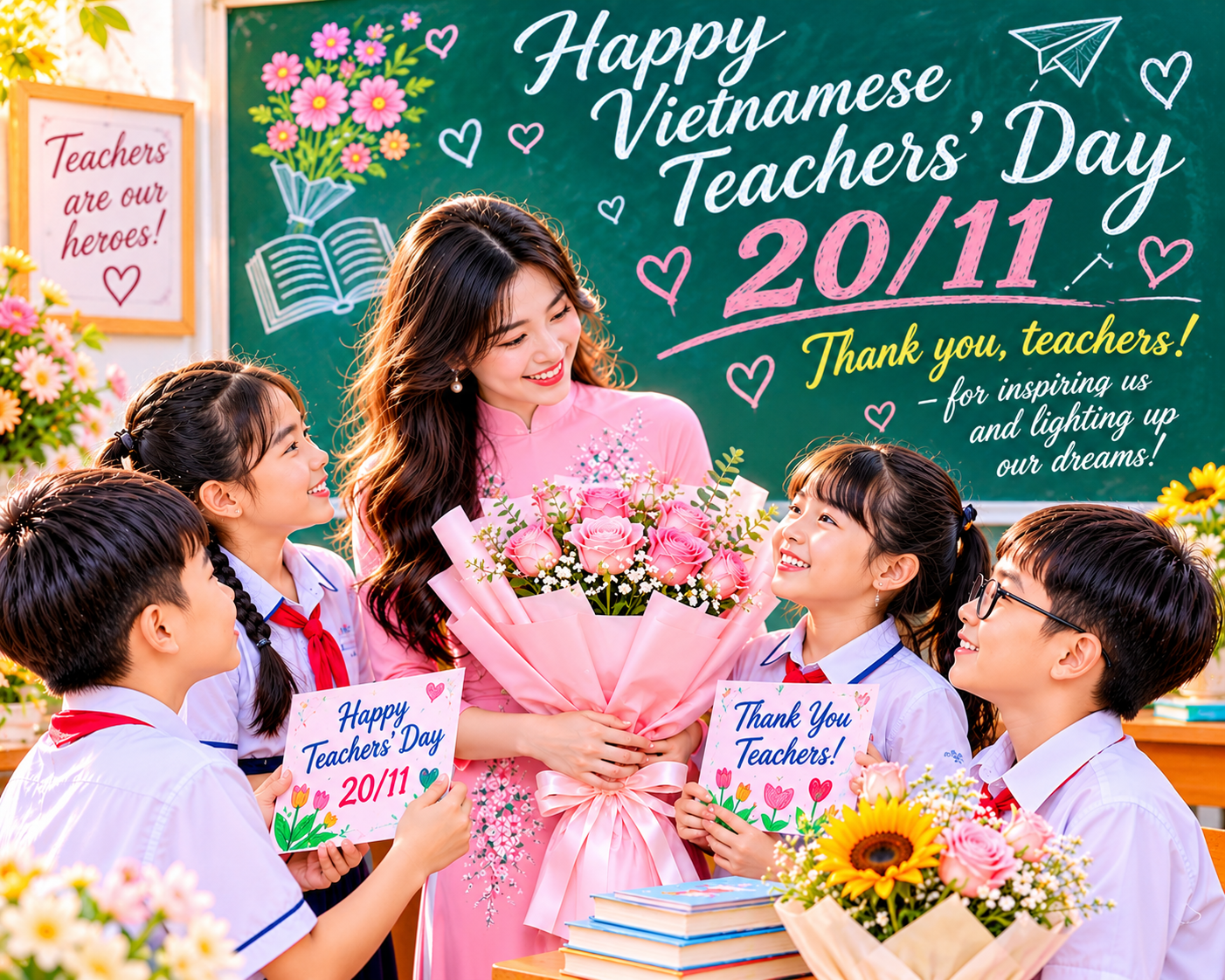
Vietnamese Teachers'' Day on November 20th is a special occasion for every student, parent, and guardian to express gratitude to those who have dedicated themselves to guiding them. Instead of using pre-made greeting card templates, you can design your own congratulatory images using AI with your own style, beautiful colors, and meaningful messages. With just a few descriptive commands, AI tools can help you create personalized cards, from illustrations of fresh flowers, blackboards, and chalk to adorable images of teachers and students. In this article, let''s explore with Sadesign how to easily create 20/11 images using AI, with sample prompts and detailed instructions on ChatGPT.
1. What is AI-powered creation of 20/11 (Teachers' Day) greeting images?
Creating 20/11 (Teachers' Day) greeting images using AI is a way to use artificial intelligence technology to transform written descriptions into complete images. Instead of having to manually find backgrounds, choose patterns, and arrange each detail, you simply input your requirements for the desired theme, colors, style, and layout. The AI will use that information to create a suitable illustration. For example, you could request a card featuring a bouquet of sunflowers, an open book, a blackboard, and a message of gratitude to teachers, all in a gentle watercolor style. The interesting thing is that each person can create a different design, not limited by generic card templates.
Some image ideas for November 20th that can be created using AI include:
-
Traditional greeting cards: Use fresh flowers, books, ink pens, and elegant colors to express respect for teachers.
-
Cartoon illustration: A cute cartoon-style depiction of a teacher and students, perfect for posting on the class page.
-
3D-style cards: Design bouquets, gift boxes, and embossed lettering with eye-catching depth effects.
-
Vintage-style photos: Combine old paper, dried flowers, and nostalgic colors to create a warm feeling.
-
Personalized portraits: Use reference images to create illustrations of the teacher, classroom, or student group.
2. What preparations are needed before creating a 20/11 (Vietnamese Teachers' Day) photo using AI?
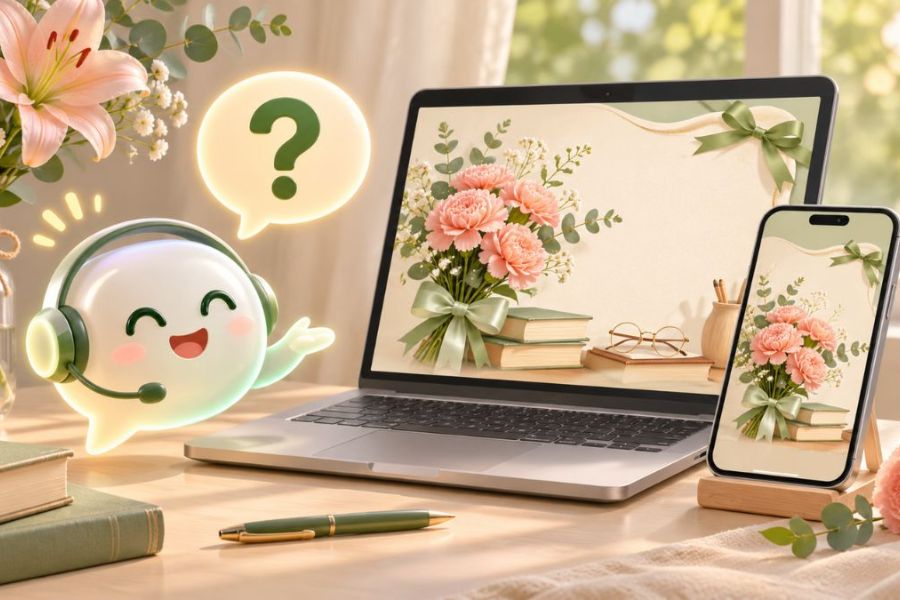
Before you begin, you should prepare some basic information to ensure the image creation process goes smoothly. Clearly defining your idea from the start helps the AI understand your intentions correctly, preventing the image from being off-topic or containing too many unnecessary details.
-
Identify the recipient: Clarify whether the image is intended for the homeroom teacher, subject teachers, or all teachers in the school. If it's for a specific person, you can add their name and a thank-you note related to a shared memory.
-
Choose a design style: Prioritize a dominant style such as soft watercolor, playful illustration, modern 3D, or formal minimalism. Avoid combining too many styles in a single image.
-
Prepare your message in advance: Get the title ready, a short thank-you note, and a signature. Double-check the teacher's name, class name, and appropriate form of address before incorporating them into the design.
-
Choose the appropriate aspect ratio: Determine whether the image should be horizontal, square, or vertical depending on where it's intended to be used. For example, a 16:9 horizontal image is suitable for illustrating articles, a square image is ideal for social media posts, and a vertical image can be used for e-cards.
-
Prepare reference images: If you want to create an image that includes the teacher or the class, you can prepare suitable images and have permission to use them for the AI to refer to.
3. Instructions on creating 20/11 greeting images using AI on ChatGPT
ChatGPT is a convenient option for creating 20/11 greeting cards right in your chat. You can describe your ideas in Vietnamese, request illustrations, and continue editing until you're satisfied. Below are 6 detailed steps.
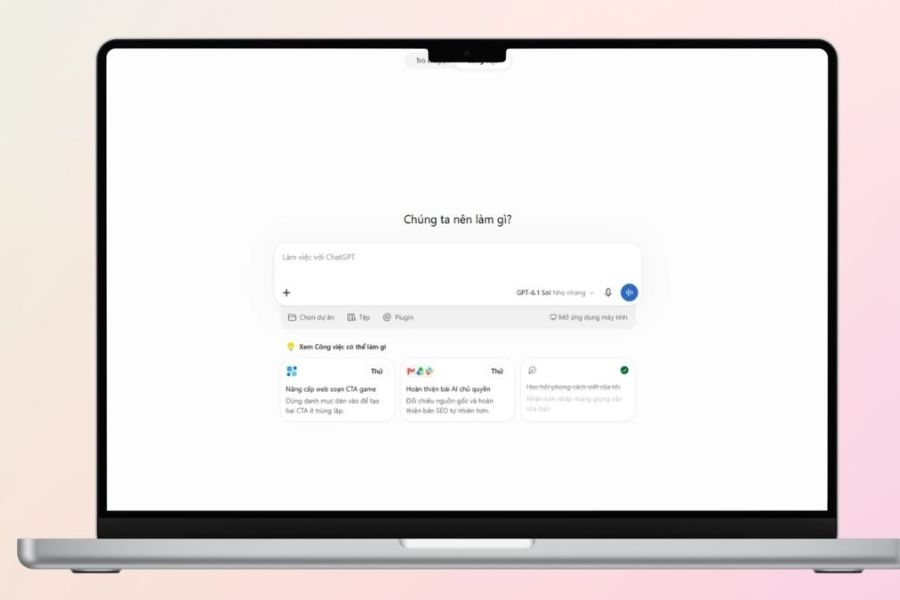
Step 1: Access ChatGPT and open the chat.
First, access the ChatGPT website or open the official app on your phone, then log in to your personal account. On the main interface, select "Create New Chat" to begin. Check if your account and the interface you are using support the image creation feature. When ready, you can directly enter your request into the chat box for the AI to help build ideas for your November 20th greeting card.
Step 2: Describe the image and your desired message.
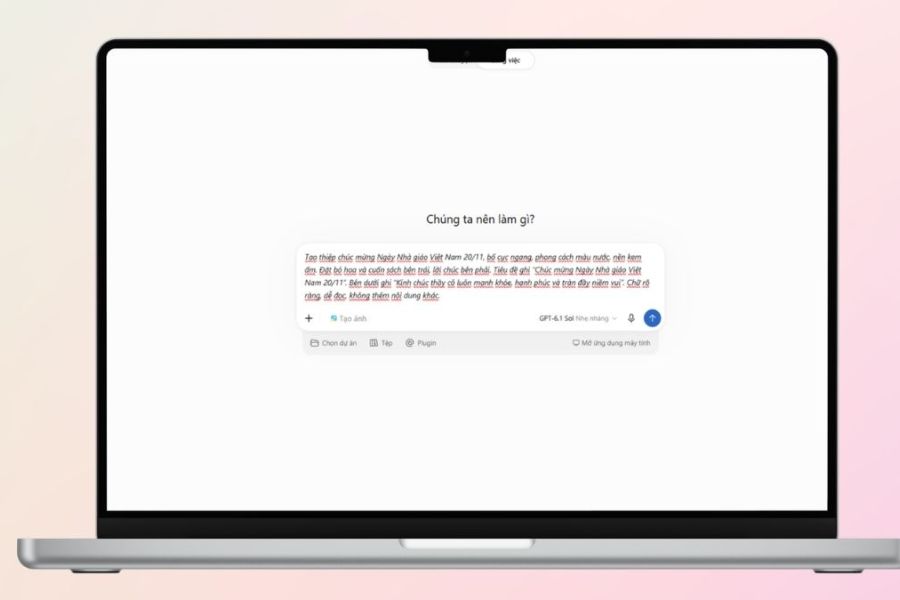
Next, enter a command that is as specific as possible so that the AI understands the design style you want. You should clearly mention the 20/11 theme, the main colors, the illustrative details, the placement of text, and the image aspect ratio. For example, if you want to create a gentle greeting card for your teacher, you can use the following prompt:
Create a greeting card for Vietnamese Teachers' Day (November 20th) with a horizontal layout and a delicate watercolor illustration style. Use a warm cream background, incorporating sunflowers, hydrangeas, an open book, and a pen. Place the bouquet on the left, leaving space on the right for the message. The prominent title should accurately read: "Happy Vietnamese Teachers' Day, November 20th." Below, write: "Wishing all teachers good health, happiness, and joy. Thank you for your dedication in guiding us." The design is elegant, warm, with harmonious colors, clear Vietnamese text, a balanced layout, and no additional content.
Step 3: Attach reference photos if needed.
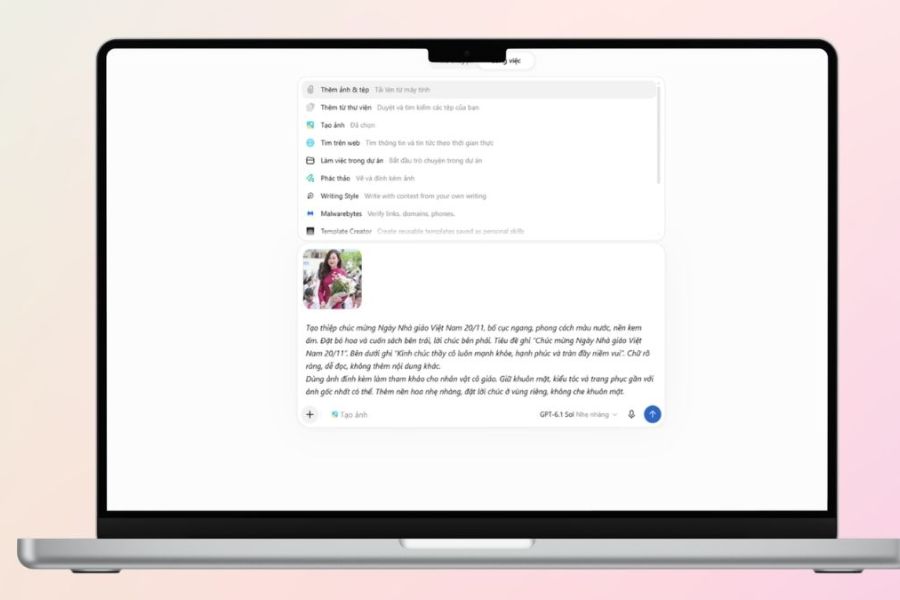
If you want your card to have a personal touch, you can upload an image of your teacher, classroom, or a favorite design for the AI to use as a reference. After attaching it, clearly explain which features you want to retain and which details need changing. For example, you could request to keep the teacher's hairstyle, clothing, and key identifying features, while changing the background to a classroom filled with fresh flowers. For images with real people, use images that are allowed to be shared and carefully check the results to avoid unwanted changes to their faces.
Step 4: Check the generated image
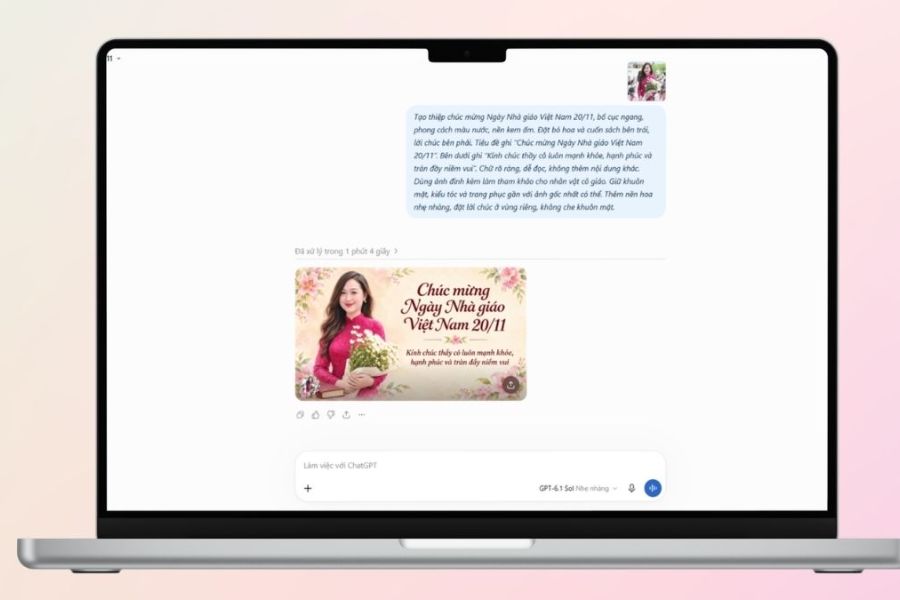
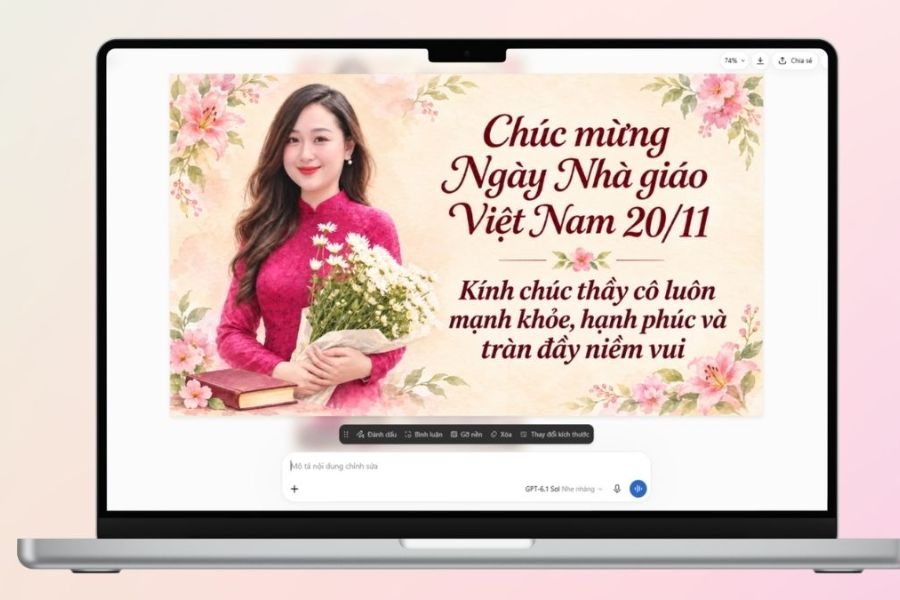
After ChatGPT finishes creating the image, take some time to review the overall design before using it. You should check the arrangement of details, the harmony of colors, and the readability of the text. Important elements such as the date November 20th, teacher names, class names, and greetings should be carefully checked. If the image includes people, observe their faces, hands, clothing, and postures to detect any distortions. Don't rush to save the first version if the layout isn't quite right.
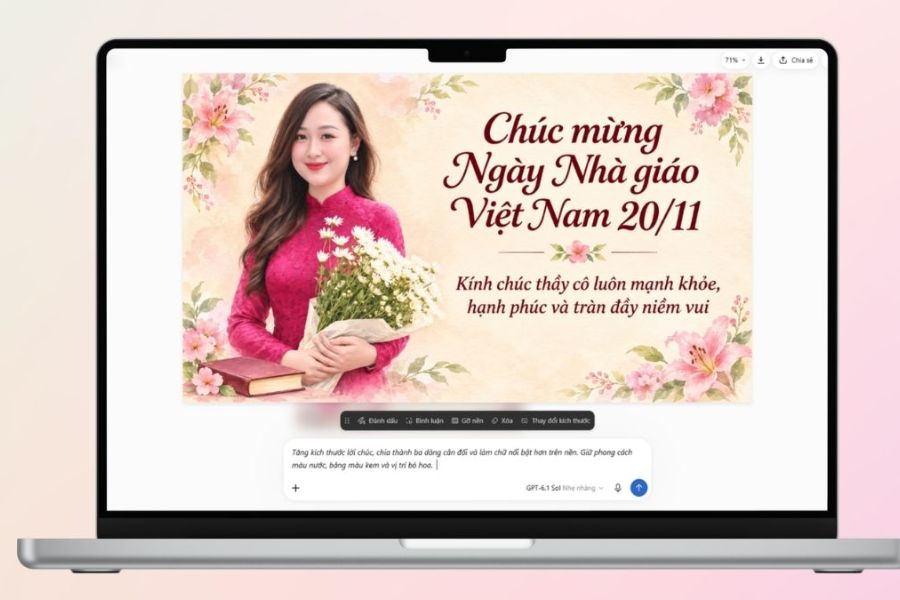
Step 5: Request image editing
If you're not satisfied with the result, you can continue the conversation to ask the AI to change specific details. Instead of re-entering the entire prompt, specify the parts that need editing and the elements you want to keep. For example, if the greeting is too small, you can request an increase in font size, splitting the content into three lines, and creating better contrast with the background. If the bouquet takes up too much space, suggest shrinking the illustration and leaving more room for the message. Editing each part gradually helps refine the design without losing the original style.
Step 6: Save the completed image.
Once you have a satisfactory version, open the image and choose to download or save it using the options displayed on the ChatGPT interface. It's recommended to save the image directly as a file instead of taking a screenshot to minimize quality loss. After downloading, reopen the image to check the sharpness, size, and content one last time. If you plan to print it as a paper card, consider the appropriate resolution and print size. For images posted on Facebook, Zalo, or sent to class groups, choose a format and aspect ratio that ensures important details are not cropped.
4. Tips to make your 20/11 greeting photos using AI look more beautiful and natural.
To ensure your final image is aesthetically pleasing and conveys the right message, you should pay attention to how you write your prompt and the final product review process. A few small adjustments can sometimes make a significant difference.
-
Be specific instead of vague: Instead of just typing a command to create a beautiful 20/11 image, clearly describe the style, colors, characters, and decorative details.
-
Keep the layout simple: Avoid including too many flowers, books, boards, balloons, and patterns in one design. Choose a few focal points to give the image space to breathe.
-
Prioritize suitable colors: Cream, light yellow, pastel blue, and soft pink often create a gentle feeling. If you want a formal design, you can combine dark blue with champagne gold.
-
Check the text content: AI sometimes generates inaccurate Vietnamese text, especially for long greetings. You can create the illustration first and then use Canva or another image editing tool to add the text later.
-
Personalize the design: Add the teacher's name, class name, year, or a quote related to a shared memory to make the card even more special.
-
Choose the right image quality: If you're going to print, check the resolution and file size. If you're only sharing online, prioritize images that are clear and easy to view on your phone.
5. Conclusion
Creating 20/11 (Vietnamese Teachers' Day) images using AI is a fun way to express your feelings and gratitude to your teachers on Vietnamese Teachers' Day. With just a few simple commands, you can create greeting cards in your own style, from gentle and cute to elegant and modern. Hopefully, with the detailed instructions and prompts shared in this article, you will easily create beautiful, impressive images that convey sincere messages of gratitude to those who silently guide you on your educational journey.





















VIP Products








Best Selling Products
MidJourney Account
29 USD
Windows 10 & 11 Pro Key
36 USD
ChatGPT Plus Account (GPT-4)
16 USD
Upgrade Duolingo Super
29 USD
Upgrade genuine Capture One account
120 USD
Plugin Retouch4me
69 USD
Capcut Pro 1 Year
39 USD
Adobe Premiere Pro Account
99 USD
Upgrade Genuine Office 365
49 USD
Adobe Photoshop Copyright - Full App
120 USD
Genuine Cheap Canva Pro
39 USD
Autodesk All App Account Copyright
120 USD
Freepik Premium Account
59 USD
Genuine Adobe Illustrator account
99 USD
Copyright Adobe Lightroom Account
59 USD