Best Selling Products

Adobe Premiere Pro Account
99 USD

Capcut Pro 1 Year
39 USD

Upgrade Duolingo Super
29 USD

Freepik Premium Account
59 USD

Copyright Adobe Lightroom Account
59 USD

Adobe Photoshop Copyright - Full App
120 USD

Upgrade Genuine Office 365
49 USD

Genuine Cheap Canva Pro
39 USD

ChatGPT Plus Account (GPT-4)
16 USD

Autodesk All App Account Copyright
120 USD

MidJourney Account
29 USD

Genuine Adobe Illustrator account
99 USD

Plugin Retouch4me
69 USD

Windows 10 & 11 Pro Key
36 USD

Upgrade genuine Capture One account
120 USD
How to Buy Kling AI Android at a Good Price, High Quality, and Maximize Features
Nội dung
- 1. What is Kling AI?
- 2. Latest Kling AI Android Pricing Table 2026
- 3. Outstanding features of the Kling AI application
- 3.1 Text-to-Video – Create videos from text
- 3.2 Image-to-Video – Create videos from images
- 3.3 Flexible editing with Multi-Elements
- 3.4 Camera Motion Control
- 3.5 Support for high-quality video export
- 4. Simple guide to buying Kling AI Android
- 4.1 Method 1: Buy directly on the Android app
- 4.2 Method 2: Buy via the official website
- 4.3 Method 3: Buy via Appvip.ai
- 5. Some notes when using Kling AI
- 6. Why should you buy Kling AI Android via Appvip.ai?
- 7. Conclusion
In the context of the AI boom, buying Kling AI Android is no longer a luxury but has become an essential solution for content creators, marketers, and even general users who want to optimize work efficiency.
1. What is Kling AI?
Kling AI is an artificial intelligence (AI) video creation platform that is currently “trending” in the content creation community thanks to its ability to turn ideas into videos within minutes. Instead of requiring complex video editing skills, users only need to input text descriptions or provide reference images, and the system will automatically generate a complete video with smooth motion, logical composition, and vivid visuals. Thanks to this convenience and efficiency, the demand to buy Kling AI Android is increasing, especially among those who want to create content quickly on mobile devices.
The strength of Kling AI lies in its application of large language models (LLM) combined with advanced rendering technology, enabling videos to achieve high quality, even up to 4K. The tool also integrates many standout features such as Master Shot for professional scenes, Video Extension to lengthen content, flexible camera angle control, and diverse video style customization. As a result, when buying Kling AI Android, users not only save production time but also improve content quality, serving marketing, creative, or personal branding purposes effectively.
.jpg)
2. Latest Kling AI Android Pricing Table 2026
| Service package | Price (USD/month) | Number of credits/month | Maximum resolution | Key features |
| Free | 0 | ~66 credits/day → ~1,980 credits/month | 720p (with watermark) | Basic trial use, suitable for short videos (~5–10 seconds), with some processing lag. |
| Standard | $10/month (≈ $79.20/year) | 660 credits | 1080p (no watermark) | Faster processing speed, higher quality, support for Master Shot & Video Extension |
| Pro | $37/month | 3,000 credits | 1080p (4K test) | Prioritize processing and controlling advanced camera angles. |
| Premier | $92/month | 8,000 credits | 4K | Highest speed, priority support, suitable for high-volume video production. |
| Enterprise | Custom pricing | Depending on needs | 4K+ | API integration, personalized training, and in-depth solutions for businesses. |
3. Outstanding features of the Kling AI application
3.1 Text-to-Video – Create videos from text
One of the main reasons many users choose to buy Kling AI Android is its ability to turn text descriptions into complete videos in just a few simple steps. You only need to input your idea, and the system will automatically build scenes with suitable motion, lighting, and colors, creating a realistic cinematic feel. This feature is especially useful for content creators, marketers, or short video producers as it saves production time while maintaining impressive output quality.
3.2 Image-to-Video – Create videos from images
In addition to text, Kling AI allows users to convert static images into dynamic videos with smooth transitions. When buying Kling AI Android, you can use this feature to transform product images, personal photos, or illustrations into professional videos for advertising or social media. The AI automatically handles effects such as zooming, panning, and subject highlighting, making videos engaging without requiring editing skills.
3.3 Flexible editing with Multi-Elements
The Multi-Elements feature enables users to edit specific details within a video flexibly without starting over. This is a major advantage when buying Kling AI Android, especially for those who need continuous content optimization. You can add characters, change backgrounds, or insert brand logos in just a few simple steps. As a result, video production becomes faster while still maintaining professionalism and personalization.
3.4 Camera Motion Control
Kling AI provides flexible camera motion control, making videos more dynamic and realistic. When buying Kling AI Android, you can easily customize effects such as panning, zooming in/out, or changing camera angles as desired. This is especially important for advertising or product showcase videos, where camera angles directly impact viewer experience.
3.5 Support for high-quality video export
Beyond fast video creation, Kling AI allows exporting videos in high resolution from Full HD to 4K depending on the plan. This is a key factor driving many users to buy Kling AI Android for professional purposes. Exported videos are sharp, smooth, and ready for platforms like TikTok, YouTube, or Facebook without additional editing.
.jpg)
4. Simple guide to buying Kling AI Android
4.1 Method 1: Buy directly on the Android app
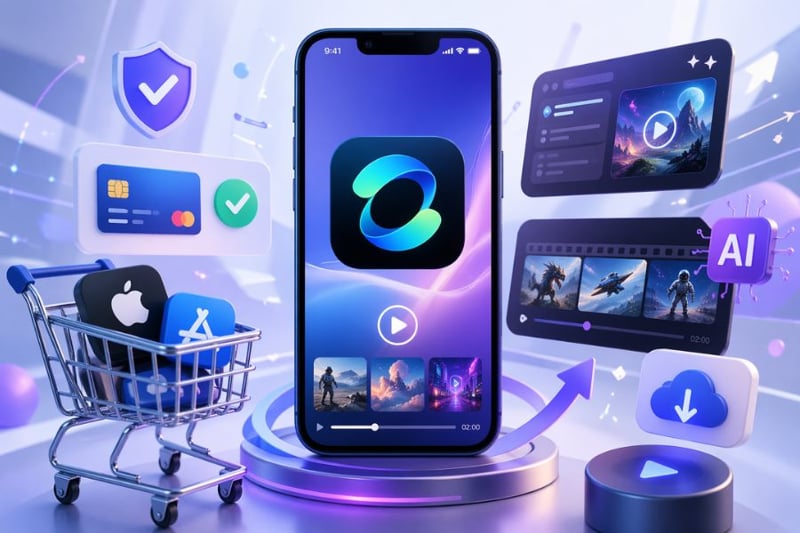
This is the fastest way if you want to buy Kling AI Android and start using it immediately without complicated steps. Payment is processed directly via Google Play Store, making it safe and convenient for beginners.
Step 1: Download the Kling AI app from Google Play and open it after installation.
Step 2: Log in or create a new account using Gmail in just a few seconds.
Step 3: Go to Profile or select Credits / Upgrade to upgrade your account.
Step 4: Choose a suitable plan such as Standard, Pro, or Premier.
Step 5: Confirm payment via Google Play (bank card, linked e-wallet, etc.).
.jpg)
4.2 Method 2: Buy via the official website
If you want to buy Kling AI Android with better stability and potential promotions, purchasing via the official website is a good option. It also makes account management and international payment easier.
Step 1: Access the official Kling AI website via your browser.
Step 2: Log in to your existing account.
Step 3: Select Pricing or the Credit/Diamond icon on the interface.
Step 4: Choose a suitable plan and click Subscribe / Buy Now.
Step 5: Pay using an international card such as Visa or Mastercard.
4.3 Method 3: Buy via Appvip.ai
In addition to the above methods, many users in Vietnam choose to buy Kling AI Android through intermediary platforms like Appvip.ai due to convenience and quick support. This is suitable if you do not have an international card or need step-by-step guidance.
Step 1: Visit the Appvip.ai website and search for Kling AI.
Step 2: Choose a suitable plan (Standard, Pro, or Premier).
Step 3: Enter the Kling AI account information to upgrade (login email).
Step 4: Proceed with payment via bank transfer or local payment methods.
Step 5: Receive the upgraded account or get fast activation support from the technical team.
.png)
5. Some notes when using Kling AI
When deciding to buy Kling AI Android, you should not only consider price but also understand how to use it effectively to avoid risks and maximize long-term efficiency. Choosing the right plan, ensuring data security, and understanding platform policies will help you fully utilize AI capabilities without interruptions.
Determine your needs before purchasing: Choose a plan that matches your purpose (personal, marketing, or professional production) to avoid unnecessary costs.
Prioritize reputable and legitimate accounts: When buying Kling AI Android, choose reliable providers to ensure stable long-term access.
Protect personal information: Avoid sharing accounts, regularly update passwords, and check access permissions to prevent data leaks.
Understand credit limits: Each plan has different credit amounts, so use them wisely to avoid interruptions.
Read terms of use carefully: Understand content policies, copyright rules, and user rights to avoid violations.
Maximize feature usage: Utilize tools like Text-to-Video, Image-to-Video, and Camera Control to improve output quality.
6. Why should you buy Kling AI Android via Appvip.ai?
One of the main reasons many users choose to buy Kling AI Android via Appvip.ai is its convenience and suitability for users in Vietnam. Instead of needing international cards like when purchasing directly, you can use local payment methods and receive quick support during the upgrade process. In addition, service packages here are often legitimate account upgrades, ensuring stable access and minimizing the risk of account loss during use.
Moreover, Appvip.ai offers strong technical support and fast issue resolution. In reality, some users report problems when paying directly, such as being charged without receiving full credits or difficulty contacting support. Therefore, buying through a reputable intermediary platform provides peace of mind, with detailed guidance from A–Z and timely issue handling. This is an ideal choice if you want to save time, reduce risks, and optimize your experience using Kling AI on Android.
.jpg)
7. Conclusion
In summary, to buy Kling AI Android cost-effectively while ensuring a good experience, you should prioritize reputable sources, legitimate accounts, and clearly understand your usage needs before choosing a plan. Do not focus only on low prices while ignoring security and full access, as these directly impact long-term efficiency. When you have the right high-quality account, you can fully leverage powerful AI features, enhance content quality, save time, and gain a clear competitive advantage in the digital era.





















VIP Products








Best Selling Products
Adobe Premiere Pro Account
99 USD
Capcut Pro 1 Year
39 USD
Upgrade Duolingo Super
29 USD
Freepik Premium Account
59 USD
Copyright Adobe Lightroom Account
59 USD
Adobe Photoshop Copyright - Full App
120 USD
Upgrade Genuine Office 365
49 USD
Genuine Cheap Canva Pro
39 USD
ChatGPT Plus Account (GPT-4)
16 USD
Autodesk All App Account Copyright
120 USD
MidJourney Account
29 USD
Genuine Adobe Illustrator account
99 USD
Plugin Retouch4me
69 USD
Windows 10 & 11 Pro Key
36 USD
Upgrade genuine Capture One account
120 USD