Best Selling Products

Genuine Cheap Canva Pro
39 USD

Adobe Premiere Pro Account
99 USD

Upgrade genuine Capture One account
120 USD

Genuine Adobe Illustrator account
99 USD

Freepik Premium Account
59 USD

Windows 10 & 11 Pro Key
36 USD

Upgrade Duolingo Super
29 USD

Copyright Adobe Lightroom Account
59 USD

Upgrade Genuine Office 365
49 USD

Autodesk All App Account Copyright
120 USD

ChatGPT Plus Account (GPT-4)
16 USD

Plugin Retouch4me
69 USD

Capcut Pro 1 Year
39 USD

MidJourney Account
29 USD

Adobe Photoshop Copyright - Full App
120 USD
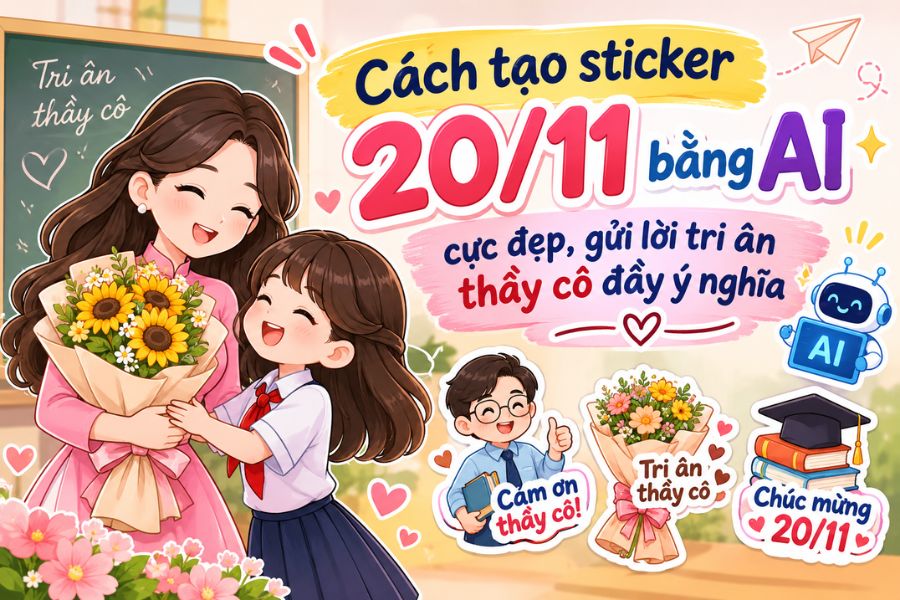
How to create stunning 20/11 stickers using AI to send meaningful messages of gratitude to your teachers.
Nội dung
- 1. What is AI-powered sticker creation for November 20th?
- 2. Preparation before creating 20/11 stickers using AI
- 3. How to create 20/11 stickers using AI on ChatGPT
- 4. Suggested prompt for creating beautiful and unique 20/11 stickers using AI.
- 5. Tips to make your 20/11 stickers using AI more beautiful and impressive.
- 6. Conclusion
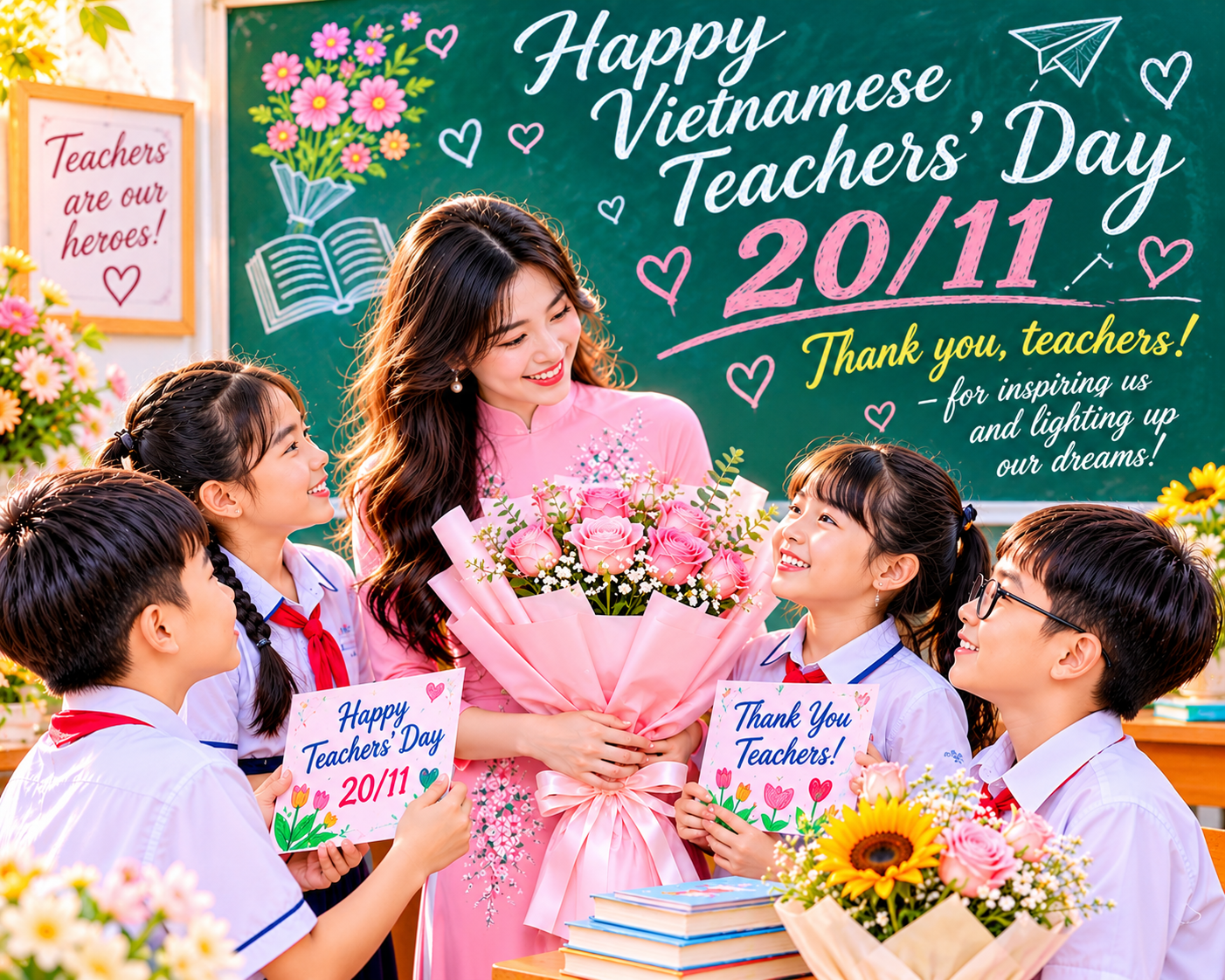
Vietnamese Teachers'' Day on November 20th is an occasion for everyone to express their gratitude and appreciation to the dedicated teachers who have guided them. Besides greeting cards and familiar gifts, AI-designed stickers are a fresh and fun way to show your appreciation. You can create images of a teacher in an ao dai (traditional Vietnamese dress), a male teacher holding a book, a student giving flowers, or adorable chibi characters with just a few descriptive words. You don''t need to know how to draw or have professional design skills; you can still create your own unique sticker set. Let Sadesign guide you through creating simple and beautiful 20/11 stickers using AI!
1. What is AI-powered sticker creation for November 20th?
Creating 20/11 stickers using AI involves using artificial intelligence tools to design themed stickers for Vietnamese Teachers' Day. Instead of manually sketching each detail, you simply input a description of the character, clothing, expression, colors, and desired style. The AI will then use this information to create a corresponding image.
Unlike pre-designed stickers, AI-powered designs allow you to actively create content according to your preferences. Some popular ideas include:
-
Chibi teacher stickers: Featuring adorable teachers with charming faces, elegant attire, and friendly expressions.
-
Flower and book stickers: Combine a bouquet of flowers, a book, a pen, or a blackboard to express respect for teachers.
-
20/11 Greeting Stickers: Use cartoon images along with messages like "Thank you, teachers," "I will always love you," or "Gratitude to those who impart knowledge."
-
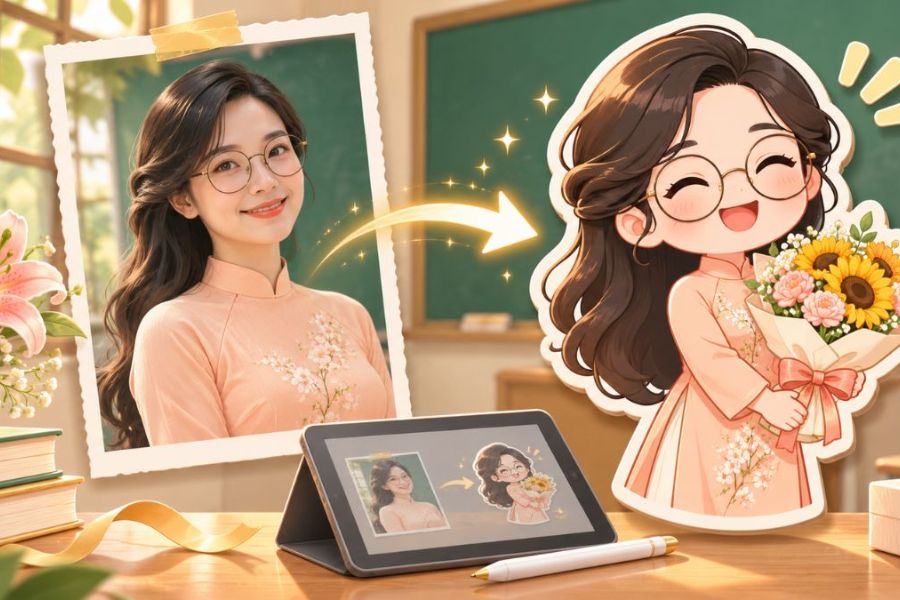
Stickers made from real photos: Transform images of teachers or the entire class into a fun, relatable cartoon version.
Thanks to its flexible customization options, you can create many sticker designs with different expressions and actions. This is also a fun way to turn familiar greetings into unique and thoughtful gifts.
2. Preparation before creating 20/11 stickers using AI
Before you begin, you should define your design concept and style to ensure a smoother image creation process. Thorough preparation will help the AI understand your requirements correctly, minimizing the risk of images being off-topic or requiring multiple edits.
-
Choose a design theme: Prioritize images associated with November 20th, such as a teacher wearing an ao dai (traditional Vietnamese dress), a male teacher standing at the podium, students giving flowers, or the class sending greetings.
-
Determine the visual style: You can choose chibi, 2D animation, 3D animation, or watercolor style. Maintaining a consistent style throughout is recommended if you want to create a sticker set.
-
Color choices: Pastel shades, such as light pink, mint green, creamy yellow, or pale red, often evoke a feeling of gentleness and warmth, fitting the theme of gratitude.
-
Prepare your greetings: Prioritize short, easy-to-read messages such as "Thank you, teacher," "Wishing you good health and happiness, teacher," or "Gratitude to the ferryman."
-
Prepare reference images: If you want to create stickers from real photos, choose clear, well-lit images with easily recognizable faces. Also, ask permission from the person in the photo before uploading it to the AI tool.
3. How to create 20/11 stickers using AI on ChatGPT
ChatGPT is a convenient tool for creating stickers thanks to its ability to accept natural language commands and support image creation based on descriptions. You don't need professional design skills to create beautiful stickers suitable for the theme of showing appreciation to teachers. Below are 5 detailed steps.
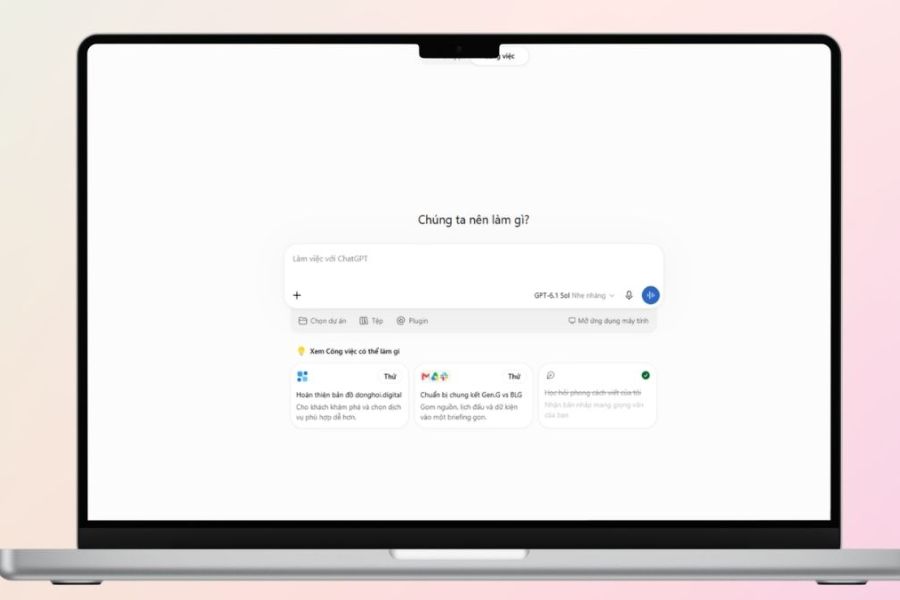
Step 1: Access ChatGPT and enable the image creation feature.
First, access ChatGPT on your computer browser or mobile app, then log in to your account. In the chat interface, you can enable the image creation feature if provided, or directly enter your image creation request into the chat box. It's recommended to create a separate chat for the November 20th theme to easily track sticker templates, save commands, and continue editing as needed.
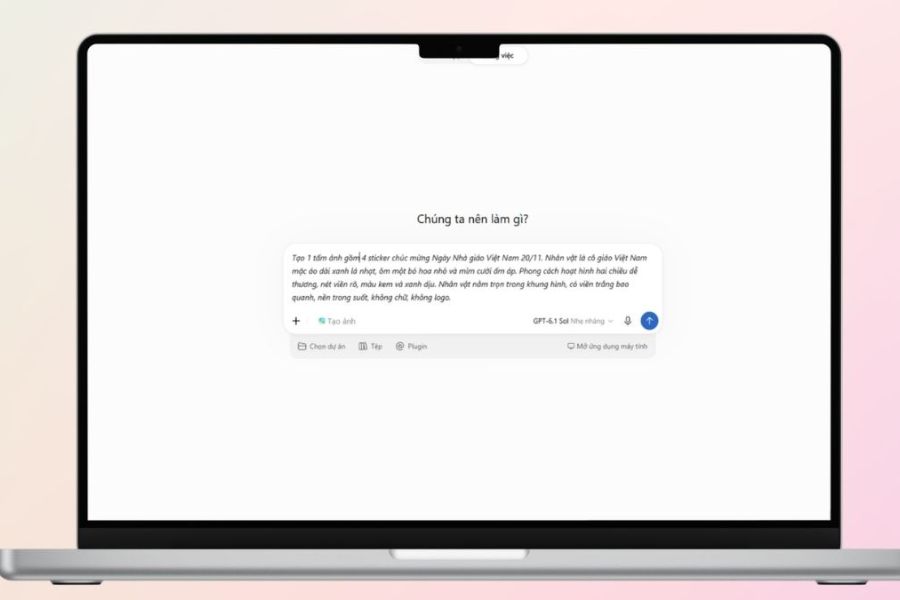
Step 2: Enter the command to create stickers based on the November 20th theme.
After opening the image creation feature, you proceed to enter a prompt describing the desired image. An effective command should clearly state the character, clothing, action, illustration style, colors, and background requirements. You can refer to the command below to create a chibi teacher sticker set:
Prompt:
Create a set of 4 stickers to celebrate Vietnamese Teachers' Day on November 20th. The main character is a Vietnamese teacher wearing a pastel blue ao dai (traditional Vietnamese dress), with long black hair, a friendly face, and a warm smile. Each sticker has a different action, such as holding a bouquet of flowers, hugging a book, waving, and making a heart shape. The style is cute chibi, with soft pastel colors, clear lines, sharp images, a white border around each character, a balanced composition, a transparent background, and no logo.
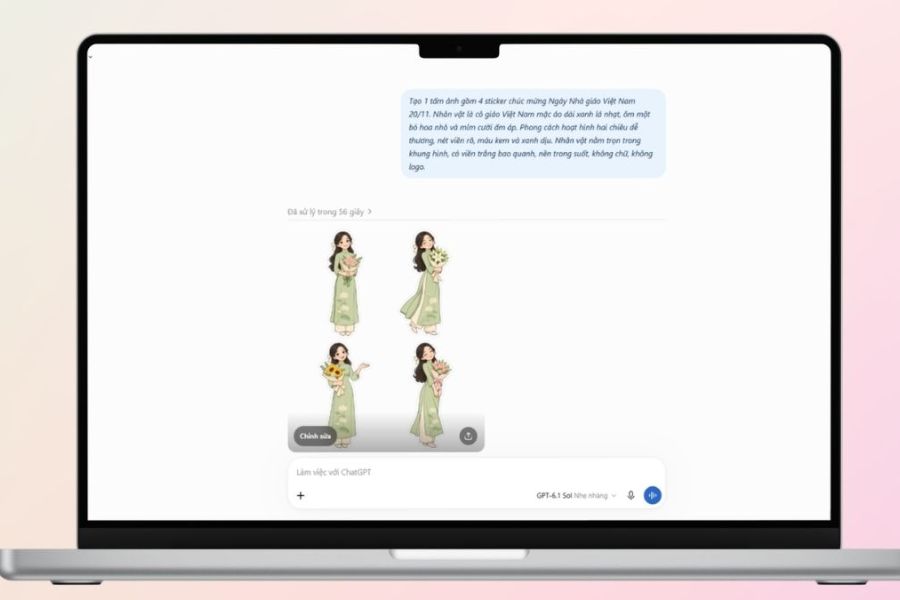
Step 3: Review the images and request edits.
Once the AI has completed the image, check details such as the face, hands, clothing, bouquet, and sticker outlines. If the result isn't what you wanted, you can continue to request edits directly in the chat without having to recreate it from scratch. For example, you can request to keep the character the same, change the color of the dress, make the expression more cheerful, or remove unnecessary details in the background. Clearly describing what needs changing will help improve the image and minimize impact on details you already like.
Step 4: Create more stickers with a consistent design.
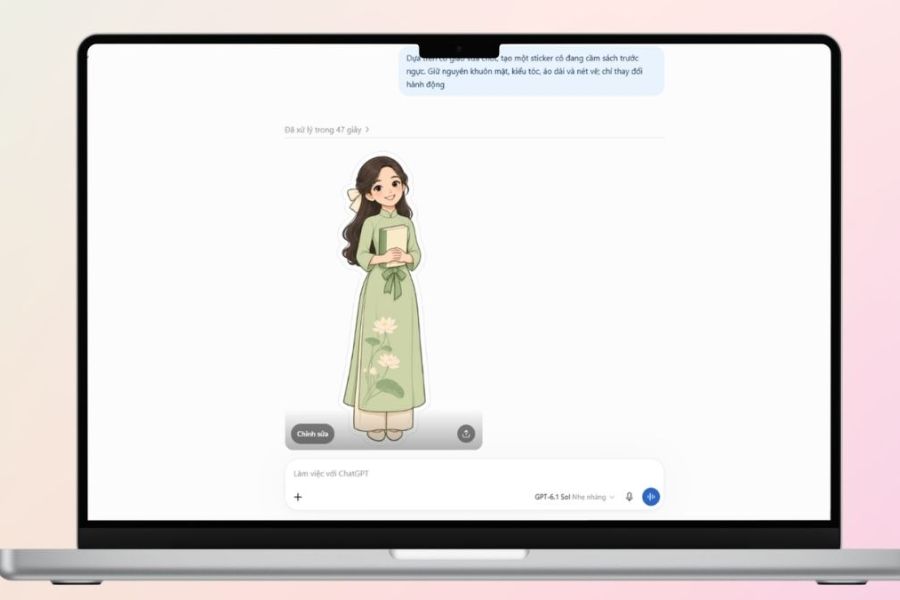
After selecting a suitable sticker design, you can further develop it into a sticker set with various poses and expressions. Ask ChatGPT to use the previous image as a reference, keeping the hairstyle, face, clothing, and color palette the same, only changing the character's actions. For example, the teacher could alternately hold a bouquet of flowers, read a book, wave, or send a heart. This approach helps the stickers maintain stylistic consistency, creating a more professional and visually appealing look.
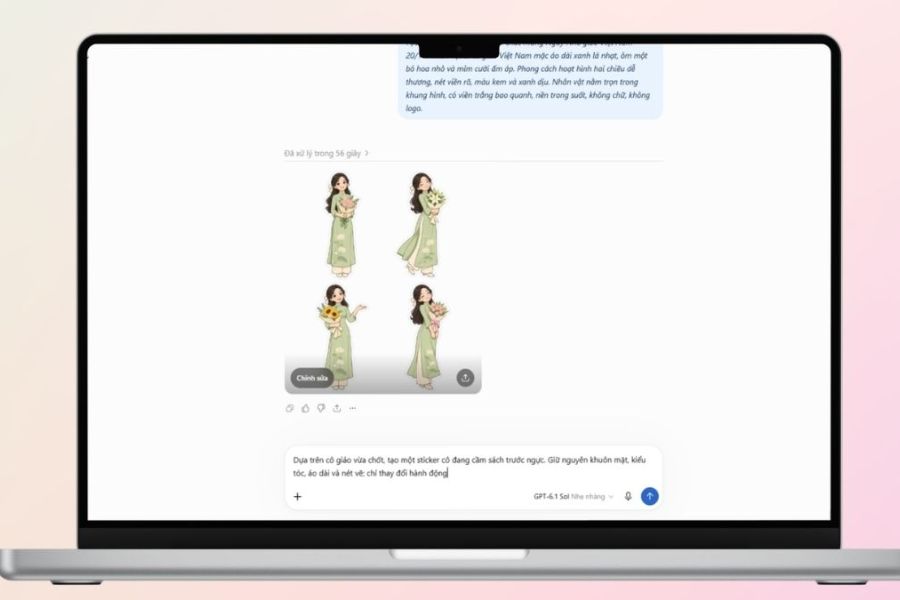
Step 5: Add a message and save the sticker to your device.
Finally, you can ask the AI to add short greetings like "Thank you, teachers," "Wishing you always happiness," or "Gratitude to the ferryman." However, the Vietnamese text generated by the AI is sometimes inaccurate in terms of diacritics or font style. Therefore, if you want the sticker to have clear content, you should download the image and use editing tools to manually add the text. After completion, save the image in suitable quality to send via message, post on social media, or use in greetings for Teachers' Day (November 20th).
4. Suggested prompt for creating beautiful and unique 20/11 stickers using AI.
If you're short on ideas, you can refer to the commands below to create sticker designs in a variety of styles. Each prompt focuses on a separate image, suitable for use independently or combined into a sticker set.
Prompt 1: Create a chibi teacher sticker
Create a sticker of a Vietnamese teacher wearing a pastel pink ao dai (traditional Vietnamese dress), with long black hair, holding a bouquet of sunflowers, and a smiling face. The style is adorable chibi, with soft lines, harmonious colors, a clear white outline, and a transparent background.
Prompt 2: Create a friendly teacher sticker
The image depicts a Vietnamese teacher wearing glasses and a white shirt, holding a book in one hand and waving with the other, with a cheerful expression. The 3D animation style is cute, with bright colors, clear lines, and a balanced composition.
Prompt 3: Create a sticker of a student giving flowers.
Create a sticker of a student in uniform giving a bouquet of flowers to their teacher, both smiling. The chibi cartoon style, soft pastel colors, and natural expressions convey the warm atmosphere and significance of November 20th (Teachers' Day).
Prompt 4: Create book and flower stickers
Create a sticker of an open book, next to a small bouquet of flowers, a pen, and pink hearts. The illustration style is cute, with soft colors, a neat layout, and a white border.
Prompt 5: Create a sticker with a 20/11 greeting.
Create a sticker set with a teacher appreciation theme, featuring sunflower, heart, book, and blackboard icons. The design is adorable, with pastel colors and short Vietnamese greetings like "Thank you, teachers," and "Happy Teachers' Day 20/11." The design is clear and easy to use.
You can change the colors, expressions, outfits, or message content in each command to create new versions. If you want to personalize the sticker set, add the teacher's name, class name, or a familiar phrase that your teacher often uses.
5. Tips to make your 20/11 stickers using AI more beautiful and impressive.
A beautiful sticker set doesn't necessarily need to be overly detailed. The important thing is that the images are easily recognizable, the colors are harmonious, and it conveys a message of gratitude. To improve the design quality, you can apply some of the following tips:
-
Provide a detailed character description: Instead of just writing "create a teacher sticker," include details like hairstyle, clothing, expressions, and actions so the AI understands your idea correctly.
-
Maintain a consistent style: If you've chosen chibi or 2D animation, stick to that style throughout the entire sticker set so the images don't look disjointed.
-
Prioritize a simple composition: The subject should fit perfectly within the frame, with no limbs or other important details cut off.
-
Note the sticker's border: A white border helps the sticker stand out more when placed on a light or dark background.
-
Check your greetings carefully: Pay special attention to Vietnamese diacritics, the teacher's name, and the content of the greeting to avoid unnecessary errors.
-
Save images at a suitable quality: Choose images with good resolution so that the stickers don't appear blurry when shared or used.
Additionally, if using real photos to create stickers, you should choose appropriate images and respect the privacy of the person featured in the photo. This helps make the gift more meaningful and thoughtful.
6. Conclusion
With the help of artificial intelligence, creating 20/11 stickers has become much simpler and more enjoyable. Just prepare your idea, enter the appropriate prompt, and edit a few details, and you can have a set of personalized stickers to send to your teachers. Hopefully, the instructions and commands above will help you create beautiful, lovely stickers that convey sincere feelings on Vietnamese Teachers' Day. Sometimes, a small image along with a simple message is enough to express your gratitude to those who have dedicated themselves to guiding you on your learning journey.





















VIP Products








Best Selling Products
Genuine Cheap Canva Pro
39 USD
Adobe Premiere Pro Account
99 USD
Upgrade genuine Capture One account
120 USD
Genuine Adobe Illustrator account
99 USD
Freepik Premium Account
59 USD
Windows 10 & 11 Pro Key
36 USD
Upgrade Duolingo Super
29 USD
Copyright Adobe Lightroom Account
59 USD
Upgrade Genuine Office 365
49 USD
Autodesk All App Account Copyright
120 USD
ChatGPT Plus Account (GPT-4)
16 USD
Plugin Retouch4me
69 USD
Capcut Pro 1 Year
39 USD
MidJourney Account
29 USD
Adobe Photoshop Copyright - Full App
120 USD