Best Selling Products

Capcut Pro 1 Year
39 USD

Genuine Cheap Canva Pro
39 USD

Adobe Photoshop Copyright - Full App
120 USD

Freepik Premium Account
59 USD

Upgrade genuine Capture One account
120 USD

Genuine Adobe Illustrator account
99 USD

Adobe Premiere Pro Account
99 USD

Windows 10 & 11 Pro Key
36 USD

Upgrade Duolingo Super
29 USD

ChatGPT Plus Account (GPT-4)
16 USD

Autodesk All App Account Copyright
120 USD

Copyright Adobe Lightroom Account
59 USD

Plugin Retouch4me
69 USD

MidJourney Account
29 USD

Upgrade Genuine Office 365
49 USD
How to easily create AI memes using your own face, following the TikTok trend.
Nội dung
- 1. What are the AI memes on TikTok that use your own face?
- 2. How to create AI memes using your own face on TikTok
- 2.1. Step 1: Open TikTok and access the Stickers section.
- 2.2. Step 2: Select AI Self to start creating memes
- 2.3. Step 3: Take a selfie so the AI can recognize your face.
- 2.4. Step 4: Test and use the AI meme set
- 3. Tips for creating more beautiful and funny AI memes using your own face.
- 4. How can you make your AI meme collection look funnier and more on-trend?
- 5. Why is the trend of AI memes featuring personal faces so popular?
- 6. Some things to keep in mind when creating AI memes using faces.
- 7. Conclusion
Instead of using pre-made stickers, you can completely transform your own face into a series of funny expressions to use when texting. The interesting thing about this trend is that you don''t need to know how to edit photos or use complicated software. TikTok has integrated AI tools directly into the messaging area, making the meme creation process quick and easy to do right on your phone.
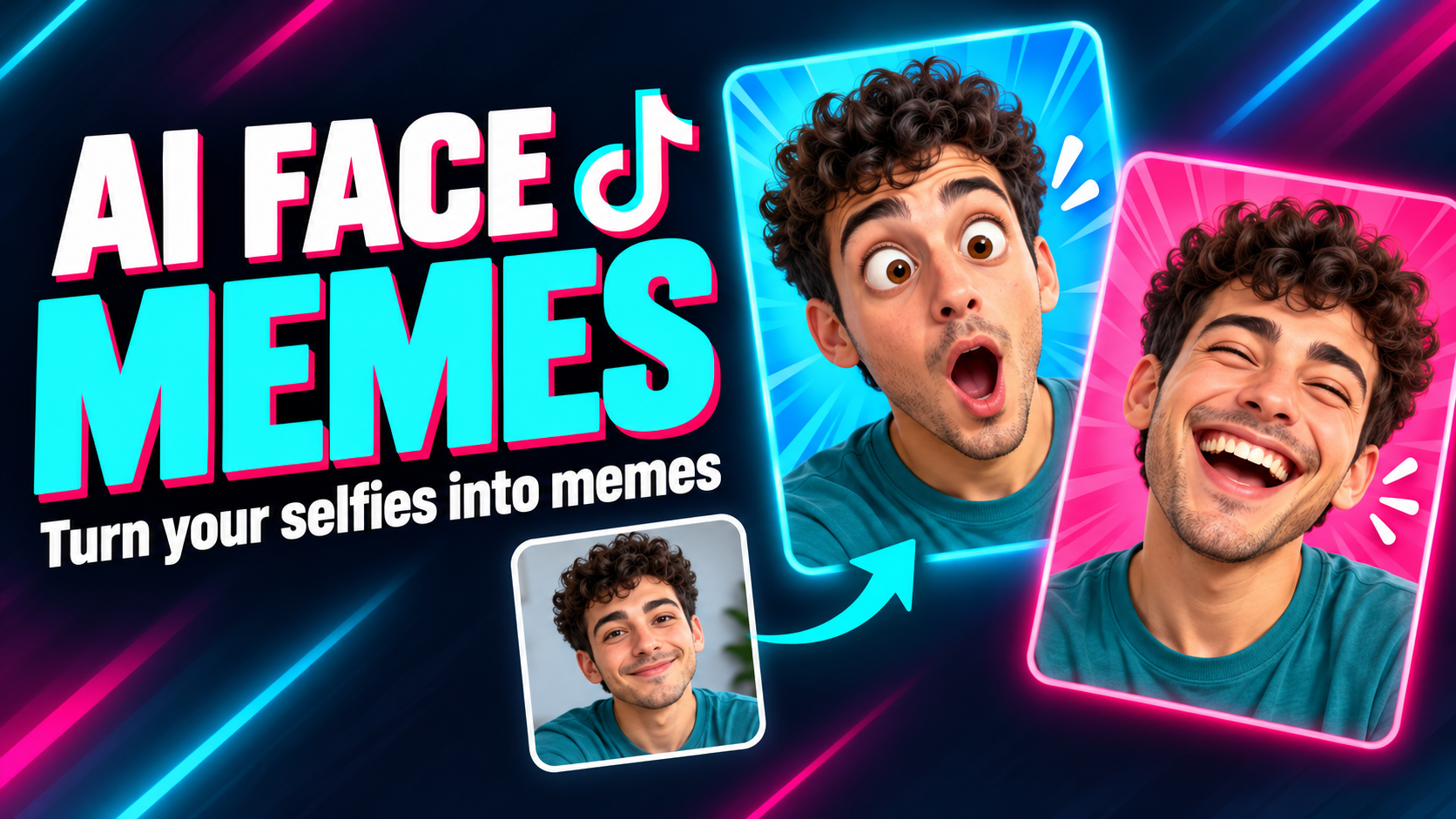
1. What are the AI memes on TikTok that use your own face?
Simply put, AI-generated meme sets using your own face are a collection of stickers created by AI based on your facial images. The system recognizes your facial features and transforms them into various expressive, cartoon-style versions. This allows you to express your emotions using your own face instead of familiar emojis when messaging. What makes this feature interesting is that each meme set is personalized. An expression like a smile, surprise, crying, anger, or "helplessness," when reinterpreted by the AI, can become a unique sticker for you to use in your TikTok conversations.
Some of the highlights of the AI meme set include:
-
Highly personalized: Use your own face as the reference image.
-
Easy to do: All operations are performed directly on TikTok.
-
No need for manual photo editing: AI handles the processing and expression creation.
-
Create a wide range of expressions: You can use memes with many different emotional states.
-
Convenient for texting: The meme set can be used directly in conversations.
-
Quickly catch trends: Perfect for creating fun content and interacting with friends.
2. How to create AI memes using your own face on TikTok
2.1. Step 1: Open TikTok and access the Stickers section.
First, open the TikTok app on your phone and go to the Inbox . Here, select any conversation with a friend to open the messaging interface. It's not necessary to send a message beforehand; just access the chat window.
When the chat interface appears, look for the text input area at the bottom of the screen. Tap the Stickers icon to open the sticker library. Depending on the TikTok version, the location or display of the icon may vary slightly, but generally you can find this section right next to the message input area.
2.2. Step 2: Select AI Self to start creating memes
In the sticker list, look for the AI Self option . This is where TikTok uses AI to create personalized images based on the user's face. When the feature introduction appears, select Create to begin the meme creation process.
Next, TikTok may display instructions or request permissions needed to use the camera. Select Start and grant the permissions requested by the app. If you haven't previously allowed TikTok to use your camera, the system may ask you to confirm access before proceeding to the photo-taking step.
2.3. Step 3: Take a selfie so the AI can recognize your face.
After completing the steps above, the camera interface will open for you to take a photo. At this point, position your face correctly as instructed on the screen. A helpful tip is to choose a location with natural light or relatively even white light so that your facial features are clearly visible.
You should also hold your phone steady, look directly at the camera, and avoid letting hair, a mask, or accessories obscure important facial features. Once you have a satisfactory photo, select Create to let TikTok begin processing. The AI system will need a short time to analyze the image and create a meme for you.
2.4. Step 4: Test and use the AI meme set
Once the processing is complete, TikTok will display a set of memes created from your face. At this point, you can browse through the expressions and choose the sticker that best suits each conversation situation. A "helpless" expression can be used when you don't know what to say, while a laughing or winking meme is perfect for teasing your friends.
Once completed, you can use these stickers directly in your TikTok conversations. This is also a great time to experiment with different combinations of messages and memes to make your conversations more natural and humorous.
3. Tips for creating more beautiful and funny AI memes using your own face.
The quality of the input photo significantly impacts how the AI recognizes and reconstructs faces. A bright, clear selfie with no obstructions will provide the system with more information to process. However, clarity alone isn't enough; you should also pay attention to your expression and the shooting angle to make your memes more unique. If you want your memes to look both natural and hilarious, you can try some simple tips below:
-
Prioritize a well-lit area: The face should be illuminated relatively evenly, avoiding shadows or harsh light.
-
Keep your face clear: Avoid letting hair, hands, masks, or sunglasses obscure large parts of your face.
-
Shoot from a near-frontal angle: A balanced shooting angle makes it easier for the AI to recognize facial features.
-
Try different expressions: Laughing loudly, frowning, pouting, or widening your eyes can create some really fun memes.
-
Avoid over-editing the photo: The original photo should retain a relatively natural appearance so that the result resembles you.
-
Choose high-quality photos: Avoid blurry, shaky images or those with very low resolution.
-
Maintain your unique style: The more authentic your expression, the easier it is for the meme to become your exclusive sticker.
4. How can you make your AI meme collection look funnier and more on-trend?
A beautiful meme isn't necessarily a fun meme. What makes personalized stickers memorable often lies in the expression. Instead of always showing a smiling face, you can boldly try slightly exaggerated expressions. This exaggeration is what creates the humor in a meme. You can also think ahead to common texting situations to choose the appropriate expression. For example, when friends invite you out but you don't want to go, a meme with a "helpless" face will be much more interesting than a regular emoji.
-
Smiling broadly: Used when agreeing, feeling happy, or responding to a joke.
-
Confused expression: Suitable for moments when you don't understand what's happening.
-
Frowning: Used to express doubt or "something's not right."
-
Open your eyes wide: Perfect for unexpected situations.
-
Pouting: Can be used when acting cute or teasing friends.
-
Helpless face: One of the easiest expressions to make people laugh during a conversation.
-
A mischievous grin: Suitable for teasing or responding to jokes.
5. Why is the trend of AI memes featuring personal faces so popular?
The most appealing aspect of this trend is its personalization. Pre-made emojis or stickers are used by millions of people, while AI meme sets feel like your own "personalized sticker pack." At a glance, your friends can instantly recognize who's sending the message. Furthermore, creating memes is relatively simple. Users don't need to learn Photoshop, cut and paste faces, or design individual stickers. The AI handles most of the work, and you just need to prepare a suitable photo and perform a few actions on TikTok.
This trend also has many aspects that make it appealing to users:
-
It offers a fresh and unique feel compared to regular emojis and stickers.
-
Easy to share with friends in chats.
-
Create your own personal style without needing design skills.
-
Suitable for a variety of situations , from casual conversation to playful teasing.
-
Quickly catching the trend as personalized AI content becomes increasingly popular.
6. Some things to keep in mind when creating AI memes using faces.
Although the process is quite simple, you should still pay attention to the images used. It's best to choose your own photos and think carefully before using other people's images to create AI content. In particular, you should not use other people's photos for purposes that could mislead them or infringe on their privacy. Additionally, the features TikTok offers may vary depending on the app version, device, or region. So, if you don't see the AI Self option , don't assume your phone is faulty. Try updating TikTok to the latest version and check again.
-
Only use images that you have the right to use.
-
You shouldn't use other people's photos to create misleading memes.
-
Check camera access permissions before you begin.
-
Update TikTok if the interface doesn't have AI Self.
-
Choose a clear photo with good lighting.
-
Do not share AI-generated images that could negatively impact others.
7. Conclusion
From a familiar selfie, AI can transform your face into a whole set of funny expressions to use in TikTok chats. This is also why this trend quickly gained attention: the process is simple, but the results are novel enough to make conversations more interesting. If your account already supports AI Self , try starting with a frontal photo, well-lit, and with a natural expression. You can try many different expressions to find the sticker set that best suits your personality. Who knows, after a few minutes of experimentation, you might own a meme set featuring your own face and become the "main character" in every conversation with your best friends!





















VIP Products








Best Selling Products
Capcut Pro 1 Year
39 USD
Genuine Cheap Canva Pro
39 USD
Adobe Photoshop Copyright - Full App
120 USD
Freepik Premium Account
59 USD
Upgrade genuine Capture One account
120 USD
Genuine Adobe Illustrator account
99 USD
Adobe Premiere Pro Account
99 USD
Windows 10 & 11 Pro Key
36 USD
Upgrade Duolingo Super
29 USD
ChatGPT Plus Account (GPT-4)
16 USD
Autodesk All App Account Copyright
120 USD
Copyright Adobe Lightroom Account
59 USD
Plugin Retouch4me
69 USD
MidJourney Account
29 USD
Upgrade Genuine Office 365
49 USD