Best Selling Products

ChatGPT Plus Account (GPT-4)
16 USD

Upgrade Duolingo Super
29 USD

Adobe Photoshop Copyright - Full App
120 USD

Freepik Premium Account
59 USD

Adobe Premiere Pro Account
99 USD

Plugin Retouch4me
69 USD

Capcut Pro 1 Year
39 USD

Genuine Adobe Illustrator account
99 USD

Genuine Cheap Canva Pro
39 USD

MidJourney Account
29 USD

Upgrade Genuine Office 365
49 USD

Autodesk All App Account Copyright
120 USD

Windows 10 & 11 Pro Key
36 USD

Copyright Adobe Lightroom Account
59 USD

Upgrade genuine Capture One account
120 USD
How to Integrate Branding into Social Media Graphics Using Canva
Nội dung
- 1. Start with a Clear Brand Style
- 2. Setting Up a Branding Toolkit in Canva
- 3. Use a Pre-Made Template or Customize Your Own Style
- 4. Place the Brand Color Palette at the Center
- 5. Add a Logo or Watermark to the Design
- 6. Use visual elements that align with the brand.
- 7. Stay True to Your Brand Font
- 8. Combine text and images in multiple layers to create depth.
- 9. Inspire Trends While Maintaining Authenticity
- 10. Organize and Store Design Templates in a Systematic Way
- 11. Conclusion
With its user-friendly interface and extensive toolset, Canva has become a powerful tool for even those without a background in design. Below are ten steps to help you effectively utilize Canva to build a consistent brand identity across all social media platforms.
1. Start with a Clear Brand Style
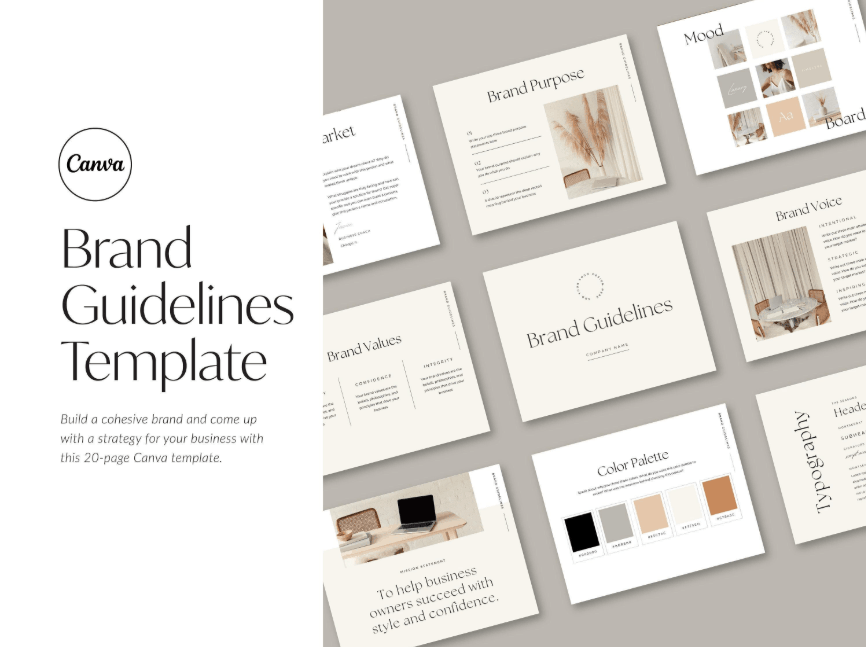
Before opening Canva and starting to design, the most important thing is to clearly understand what your brand looks like and what you want to convey to your customers. If your business doesn't already have an official brand guideline, now is the time to build the foundational elements. First and foremost is the logo, the symbol that customers will immediately associate with your brand whenever they see it.
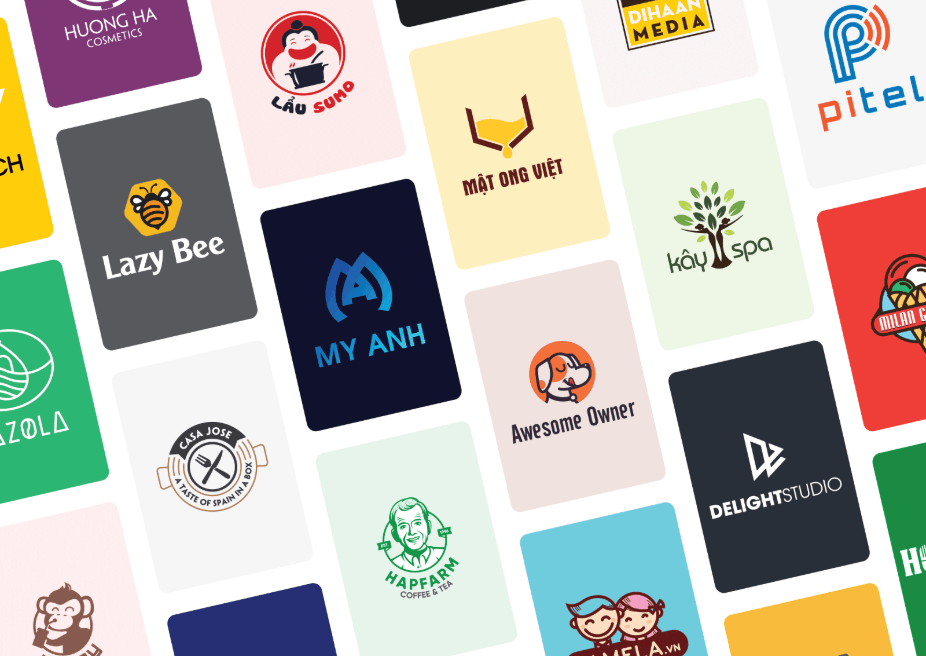
Next is the color palette, typically comprising three to five colors that represent the brand's spirit and personality. In addition, selecting one or two primary fonts that are both easy to read and consistent with the brand's character—whether youthful, professional, or edgy—is equally important. Finally, the visual style, such as bright and vibrant tones or minimalist and subdued ones, needs to be clearly defined from the outset to ensure consistency across all social media pages. Once these foundational elements are firmly established, any subsequent design becomes much easier and more focused.
2. Setting Up a Branding Toolkit in Canva
For Canva Pro users, the Brand Kit feature is a game-changer. You can upload your brand logo, color palette, and fonts directly into the system so they're always ready whenever you start a new project.
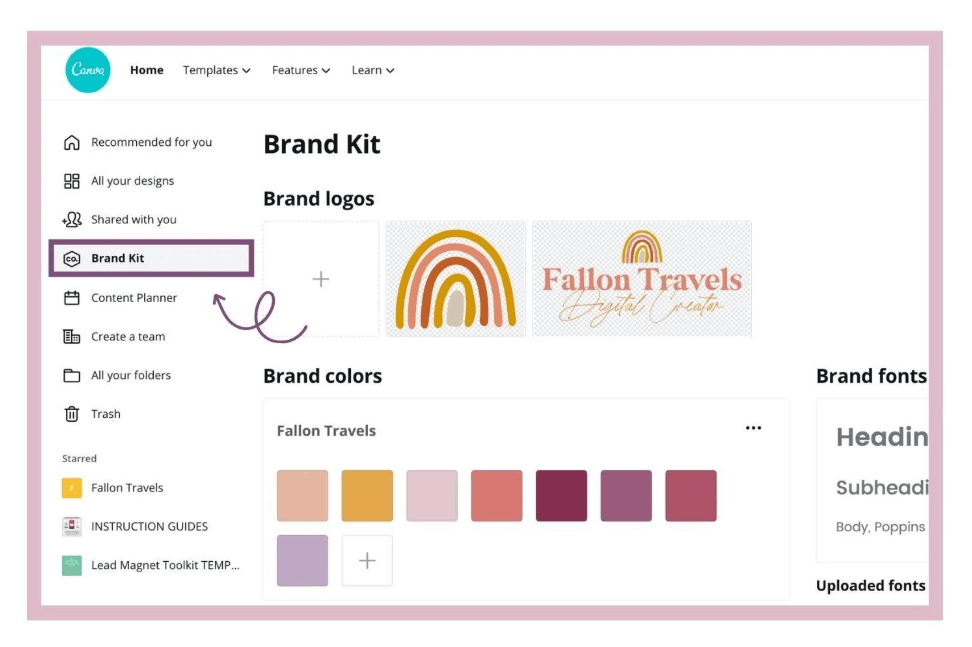
Having these elements pre-set means colors and fonts are just a click away, significantly saving time and effort compared to manually searching for or re-entering them each time you design. Furthermore, this feature allows multiple members of the marketing team to access and use the same brand identity, ensuring consistency regardless of who is directly involved in the design. This is a fundamental step in helping brands maintain professionalism and consistency in the long term.
3. Use a Pre-Made Template or Customize Your Own Style
Canva boasts a massive library of design templates with thousands of options; however, using a template without adjustments can easily make your brand look identical to countless other accounts using the same template. The solution is to find a template with a layout and spirit that aligns with your brand, then adjust the colors, fonts, and arrangement to reflect your unique personality. Once you've created a design you're happy with and feel it truly embodies your brand's spirit, save it as a custom template so you can reuse or make minor adjustments for subsequent posts. This not only saves time but also creates visual consistency across posts, making it easy for viewers to recognize your brand's content even at a glance.
4. Place the Brand Color Palette at the Center
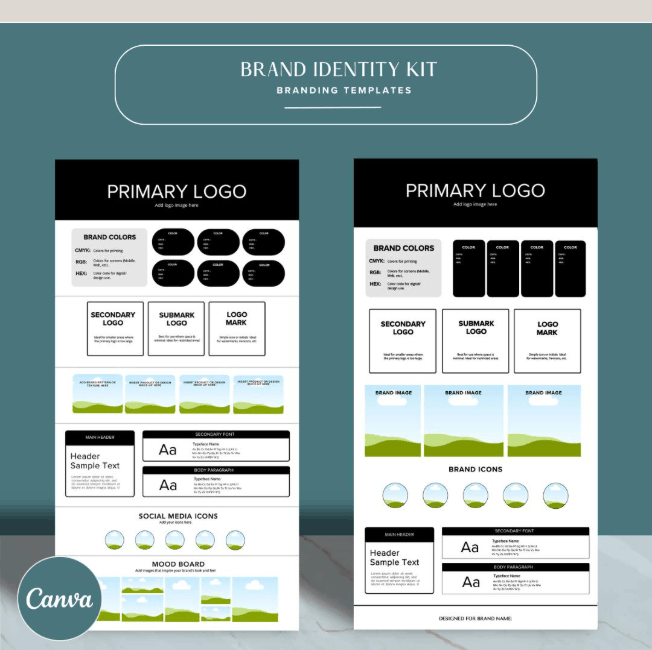
Brand colors are one of the most powerful tools for making your posts instantly recognizable. To maximize their effectiveness, use them purposefully rather than randomly. The primary color should be used as the main background or for the headline, creating a strong visual impact at first glance. Meanwhile, secondary colors should be used more sparingly, such as in borders, small icons, or emphasized text, to avoid visual clutter and maintain overall balance. When the color palette is applied consistently across posts, audiences will gradually develop the habit of recognizing your content at a glance, even without seeing the brand name or logo. This is the power of building lasting color recognition over time.
5. Add a Logo or Watermark to the Design
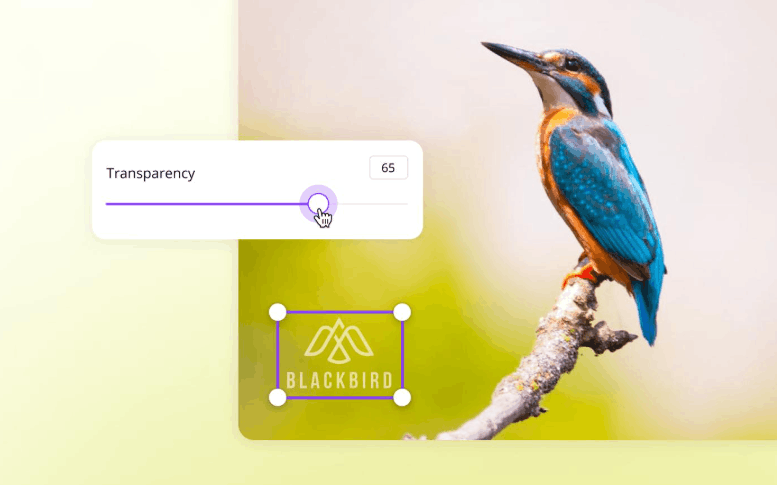
Incorporating your logo into each design is a subtle yet effective way to build brand recognition while preventing content from being shared without attribution. You should place the logo in an inconspicuous location, such as a corner of the design, or use it as a faint watermark so it doesn't detract from the overall image. Canva allows for flexible adjustment of logo transparency, enabling you to maintain brand presence without making the design cluttered or overshadowing the main content. This small habit, if consistently maintained across all posts, will gradually build a unique visual identity, helping your audience immediately associate your brand with similar images on other platforms.
6. Use visual elements that align with the brand.
Besides color and font, details such as icons, borders, and other decorative elements also play a crucial role in reinforcing brand identity. Canva offers a diverse library of icons and shapes in various styles, from modern and classic to youthful and free-spirited, making it easy to find elements that match your brand's aesthetic. It's important to use these elements consistently across all posts, rather than constantly changing styles based on fleeting inspiration. This deliberate repetition is what creates a unique personality, helping your audience gradually form a distinct impression and association each time they encounter your content.
7. Stay True to Your Brand Font
Fonts are one of the key elements in conveying a brand's tone and personality, sometimes even more important than the text itself. To maintain consistency, you should stick to the fonts defined in your Brand Kit instead of experimenting with new typefaces every time you design. Canva allows for flexible customization of size, boldness, and spacing, ensuring your text is always easy to read and has a balanced layout across all post formats.
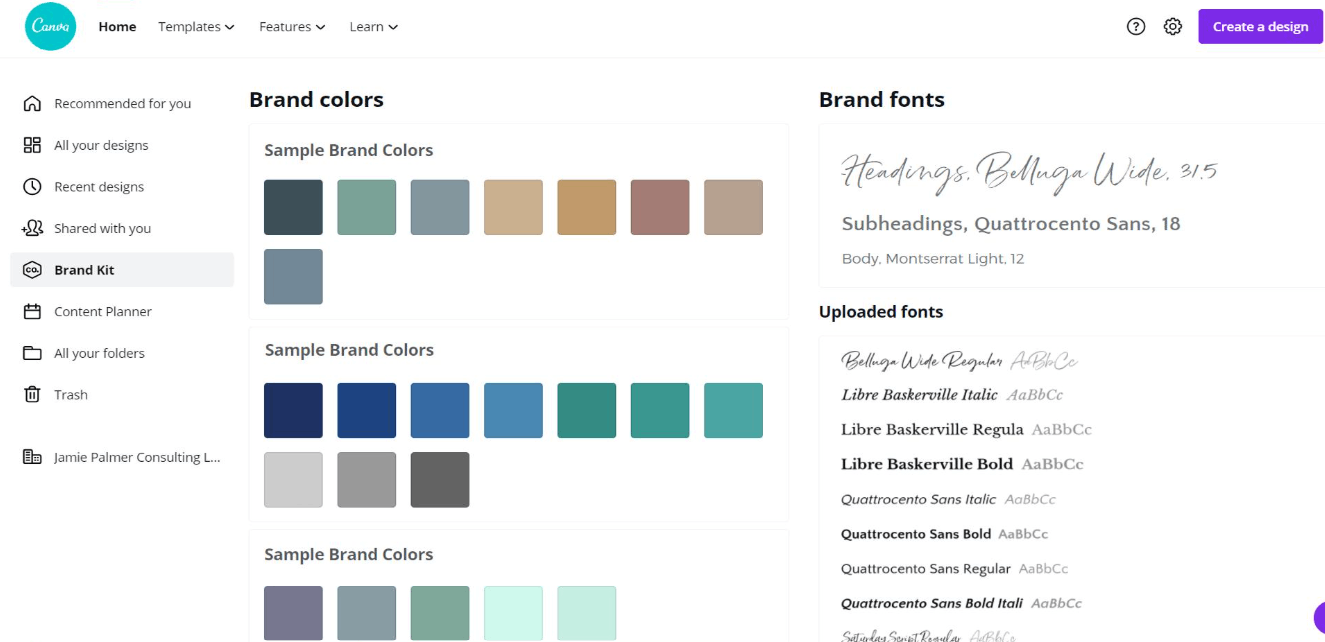
As a general rule, you should use a maximum of two fonts in a design to keep the overall look clean and professional. Overusing different typefaces is not only visually distracting but also dilutes the unique identity that the brand has worked so hard to build.
8. Combine text and images in multiple layers to create depth.
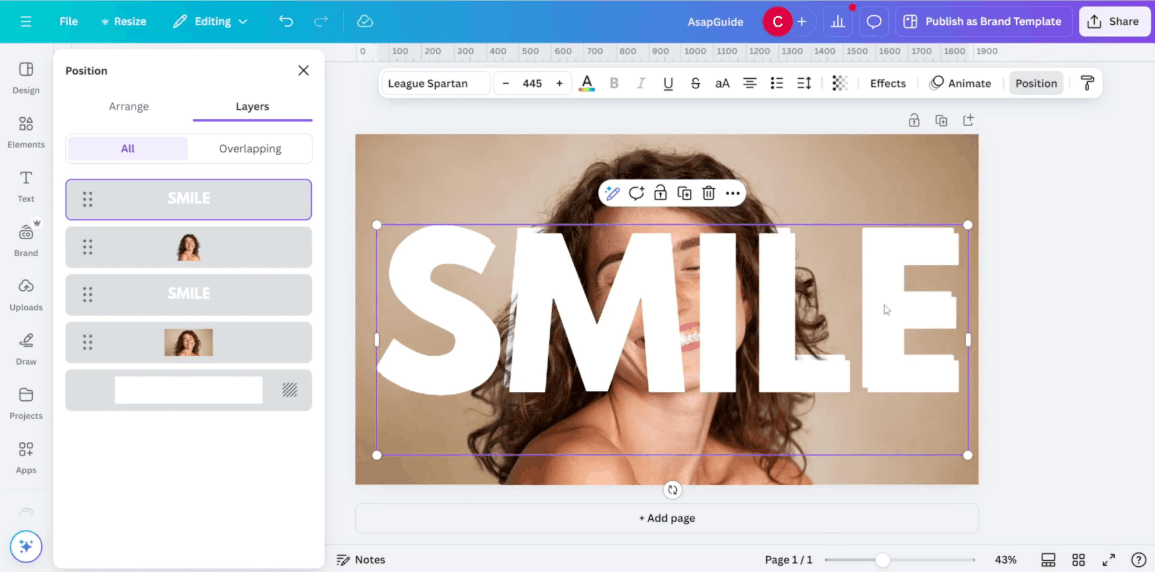
To elevate the quality of your design, you can experiment with layering techniques to create depth and visual appeal. Canva makes layering text, shapes, and images simpler than ever. A common method is to overlay a semi-transparent shape over a background image to create a unique backdrop for the text, making the text stand out without altering the entire original image. You can also try placing small icons or patterns behind or around the text to create a more polished and personalized feel. Additionally, slightly overlapping text and images is a small but effective trick that makes the design look more sophisticated and professional than traditional layered layouts. When skillfully applied, layering techniques create unexpected highlights, making your posts stand out among other content on the feed while maintaining consistency with your brand identity.
9. Inspire Trends While Maintaining Authenticity
Following new design trends is a great way to refresh your ideas, but you shouldn't blindly follow them and lose your brand's unique identity. Instead, selectively choose trending elements that truly fit and complement your existing style, such as a subtle shadow effect or a popular border style. This approach keeps your content fresh and up-to-date without looking like every other account trying to follow a trend. The balance between relevance and originality is key to maintaining lasting appeal over time, rather than creating a fleeting impression that's quickly forgotten.
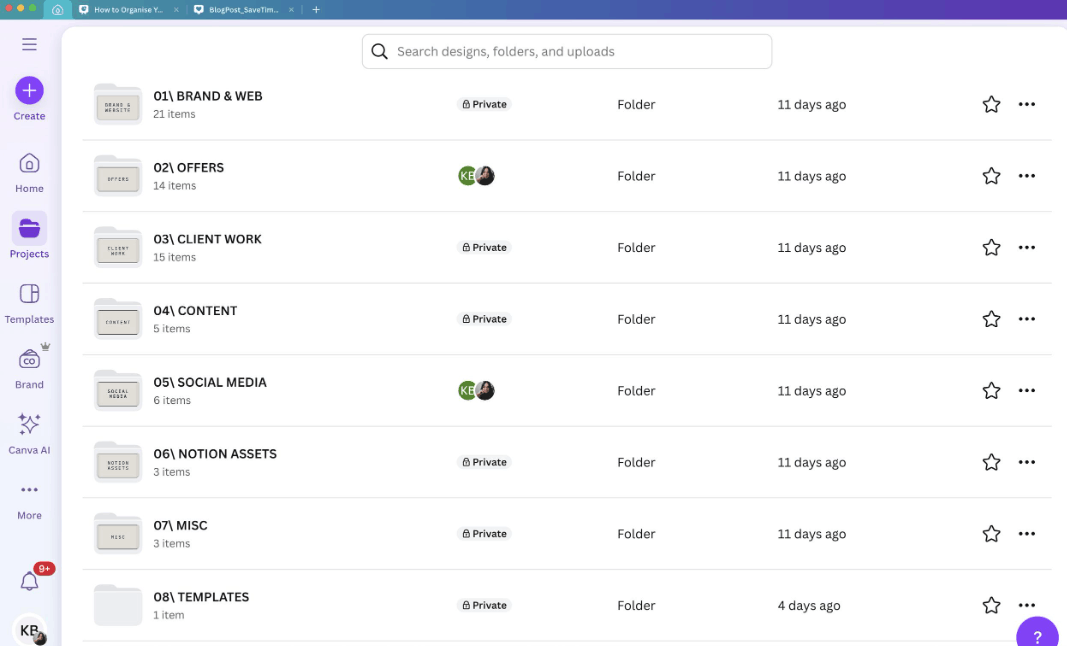
10. Organize and Store Design Templates in a Systematic Way
After creating design templates that strongly reflect your brand identity, the next equally important step is to systematically organize and store them in Canva. You can create separate folders for each type of content, such as a folder for inspirational quotes, a folder for event announcements, or a folder for customer feedback posts, making it much faster and more convenient to find and reuse templates. This organized approach is especially useful when multiple people are involved in managing the brand's social media channels, as every team member can easily find the necessary template while maintaining consistency across all posted content. A well-organized storage system not only saves time but also helps maintain quality and professionalism in the long term.
11. Conclusion
Creating branded designs on Canva isn't difficult once you've established the necessary foundational elements and committed to consistently adhering to your own unique style. With just a little initial investment in planning and attention to detail, you can build a highly aesthetic, visually consistent social media page that's easily recognizable at first glance. This is the solid foundation that helps your brand build trust and long-term engagement with your followers across all social media platforms.





















VIP Products








Best Selling Products
ChatGPT Plus Account (GPT-4)
16 USD
Upgrade Duolingo Super
29 USD
Adobe Photoshop Copyright - Full App
120 USD
Freepik Premium Account
59 USD
Adobe Premiere Pro Account
99 USD
Plugin Retouch4me
69 USD
Capcut Pro 1 Year
39 USD
Genuine Adobe Illustrator account
99 USD
Genuine Cheap Canva Pro
39 USD
MidJourney Account
29 USD
Upgrade Genuine Office 365
49 USD
Autodesk All App Account Copyright
120 USD
Windows 10 & 11 Pro Key
36 USD
Copyright Adobe Lightroom Account
59 USD
Upgrade genuine Capture One account
120 USD