Best Selling Products

Capcut Pro 1 Year
39 USD

MidJourney Account
29 USD

Copyright Adobe Lightroom Account
59 USD

ChatGPT Plus Account (GPT-4)
16 USD

Autodesk All App Account Copyright
120 USD

Adobe Photoshop Copyright - Full App
120 USD

Upgrade genuine Capture One account
120 USD

Genuine Cheap Canva Pro
39 USD

Plugin Retouch4me
69 USD

Genuine Adobe Illustrator account
99 USD

Upgrade Duolingo Super
29 USD

Upgrade Genuine Office 365
49 USD

Windows 10 & 11 Pro Key
36 USD

Freepik Premium Account
59 USD

Adobe Premiere Pro Account
99 USD
How to Make Animated Videos Using AI Without Any Design Experience
Nội dung
- 1. Opportunities to earn money from animated videos on YouTube & TikTok
- 2. Tools for turning videos into animations
- 2.1. Lensgo.AI and service pricing
- 2.2. Key features of Lensgo.AI
- 3. Convert video into animation using Lensgo.AI
- 4. Limitations of the free Lensgo.AI
- 5. Other AI tools that turn video into animation
Even if you've never done animation before, AI can help you create visually stunning works. This article outlines the easiest-to-use tools and provides step-by-step instructions.
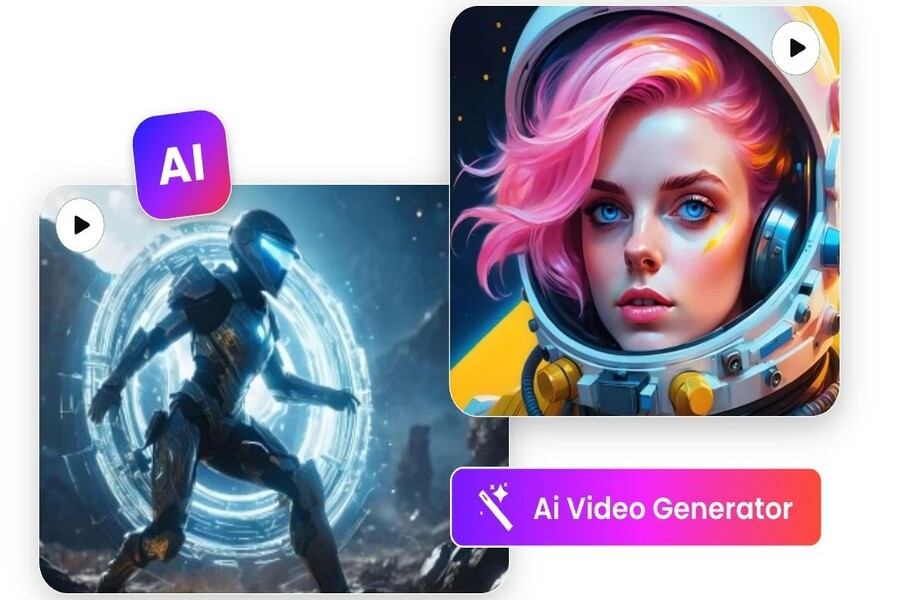
Animated content is gradually taking over the minds of users, especially the younger generation. The most exciting part is: you don't need to be a professional artist or animator to create high-quality animated videos like before. Thanks to AI tools that automatically convert video into animation, you can transform real-life footage into unique animated films in just minutes. This opens up huge opportunities for content creators, designers, marketers, teachers, businesses, and anyone who wants to create distinctive visual products without spending dozens of hours on manual editing. In this article, you will be guided through everything from monetization potential to the most powerful tools and how to use Lensgo.AI, the leading platform today, to turn videos into animation.
1. Opportunities to earn money from animated videos on YouTube & TikTok
The explosion of short videos has revolutionized how viewers consume content. On TikTok and YouTube Shorts, videos as short as 10-30 seconds can still achieve millions of views in a short time if the content is creative and unique enough. Animated videos have an even greater advantage due to their entertainment value, ability to tell stories quickly, and their ease of going viral.
In this competitive environment, animated content is often favored by algorithms due to its eye-catching colors and flexibility in conveying messages. Creators can build simple animated series such as telling jokes, sharing messages, recreating real-life stories, or creating virtual influencers to maintain long-term engagement.
In terms of profitability, animated videos are opening up many attractive income streams. On YouTube, creators can earn money from YouTube Ads through the YouTube Partner Program. With Shorts, YouTube has implemented a revenue-sharing mechanism based on views. TikTok also offers revenue streams such as the TikTok Creator Rewards Program, giveaways during livestreams, or brand collaborations.
Additionally, animated videos allow you to earn money through affiliate marketing, selling digital products, or securing content production contracts for businesses. Because it doesn't require appearing in front of the camera, this model is particularly suitable for those who want to create content but are shy about showing their faces or don't have access to professional filming and editing equipment.
2. Tools for turning videos into animations
2.1. Lensgo.AI and service pricing
Among the AI tools available on the market, Lensgo.AI stands out for its ability to quickly and easily convert real-life videos into animated videos with sharp, customizable results. Its strengths lie not only in the output quality but also in its intuitive user experience, suitable for both beginners and professional creators.
Lensgo.AI offers two main service packages: a free version and advanced paid plans. The free version allows users to familiarize themselves with the tool but still has limitations on video length, export quality, and the number of videos that can be created per month. Some features, especially high-end animation styles or high resolutions like 1080p and 4K, are only available in the paid version.
The paid package expands creative possibilities with more advanced options, faster processing speeds, no watermarks, and higher resolution. For creators who want to produce content regularly or make professional videos, upgrading is a worthwhile consideration to ensure quality and performance.
2.2. Key features of Lensgo.AI
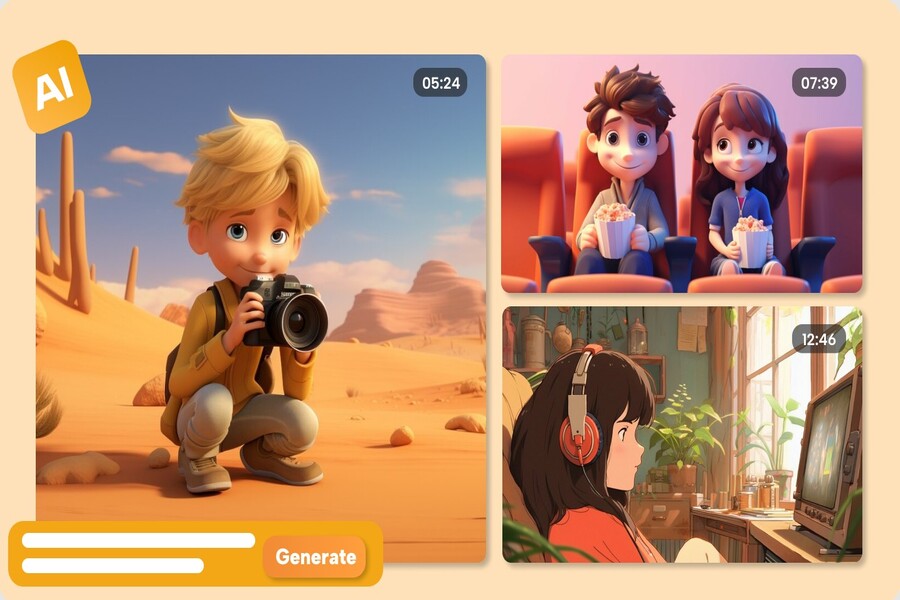
Lensgo.AI's highlight lies in its advanced AI image and video processing technology, which transforms videos into animations in various styles. Users can choose from bright anime, classic Disney style, modern cartoon animation, or create unique styles based on AI prompts.
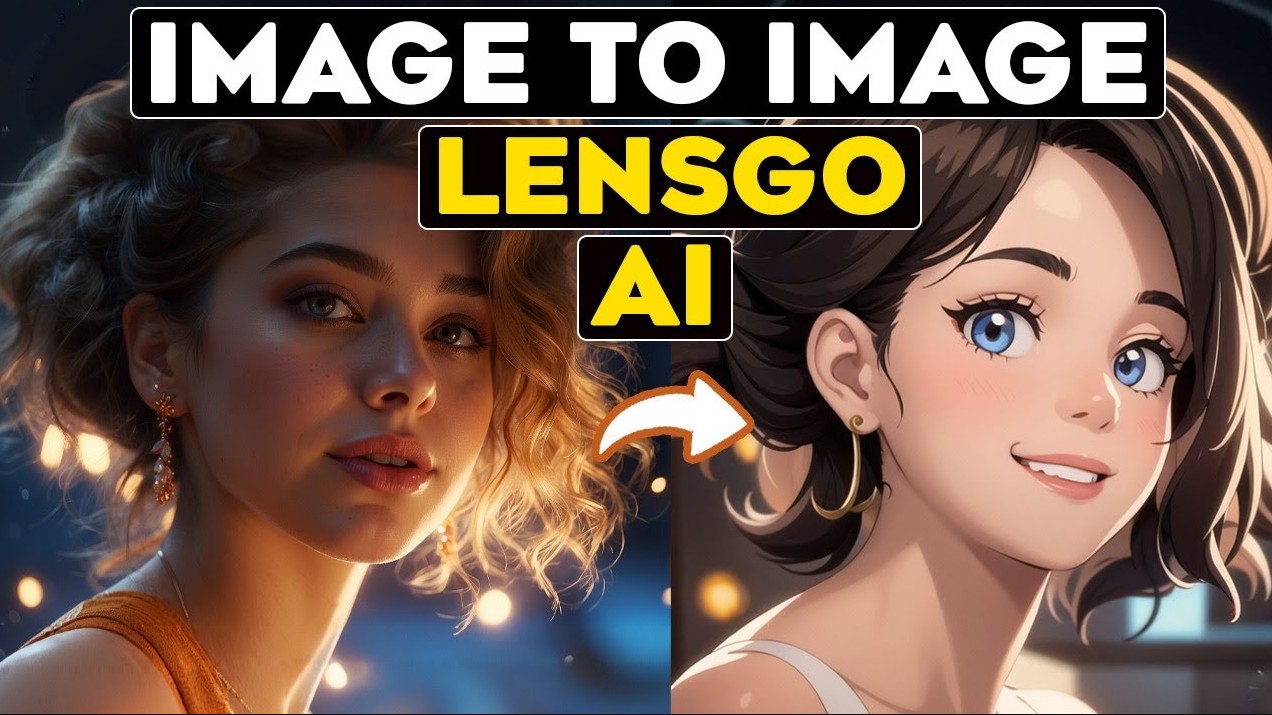
This tool supports converting videos into 3D animation, smoothing motion while retaining subject sharpness. Thanks to AI, each frame is automatically converted, ensuring consistency throughout the entire video. Users can even fine-tune the background, details, color saturation, and effects to create a personalized product.
Prompts play a crucial role when you want to achieve a customized style. Lensgo.AI allows you to import prompts in descriptive form to control animation style, lighting, color tone, or special effects. The tool also supports a combination of AI video and AI style, allowing you to create high-quality animated videos that are very close to the style of a professional studio.
3. Convert video into animation using Lensgo.AI
To transform a real video into an animation using Lensgo.AI, you can follow these steps. This process is optimized so that even beginners can easily operate it from the first time.
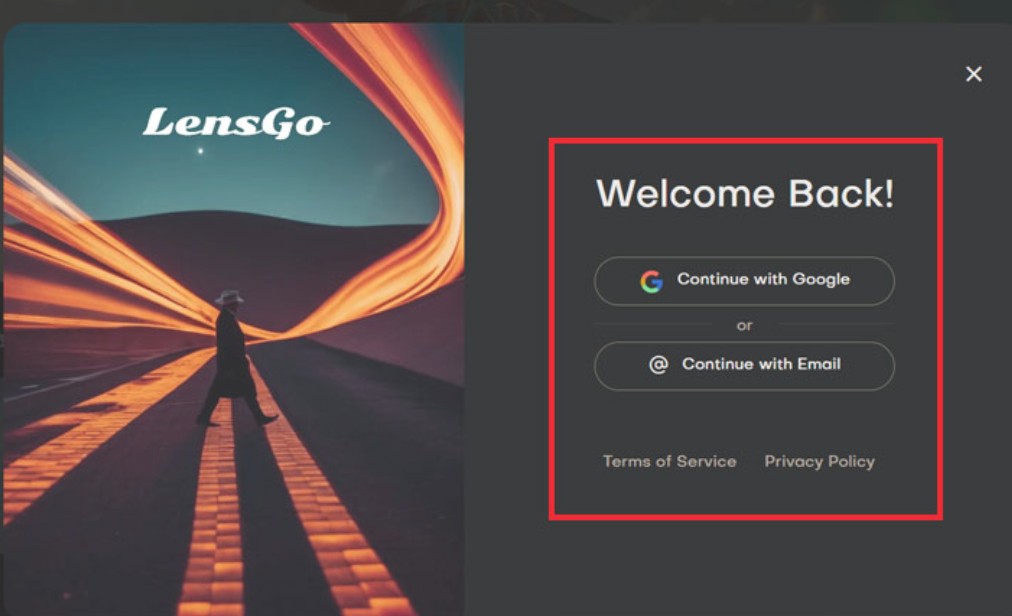
First, visit the Lensgo.AI homepage and register an account. Creating an account allows you to store and manage videos and access necessary features. After logging in, the system will display an interface that lets you start a new project.
You continue by uploading the original video to the system. Lensgo.AI supports a variety of popular video formats and automatically compresses and processes them to ensure fast conversion speeds. The video should have clear brightness, contrast, and composition for better AI recognition during conversion.
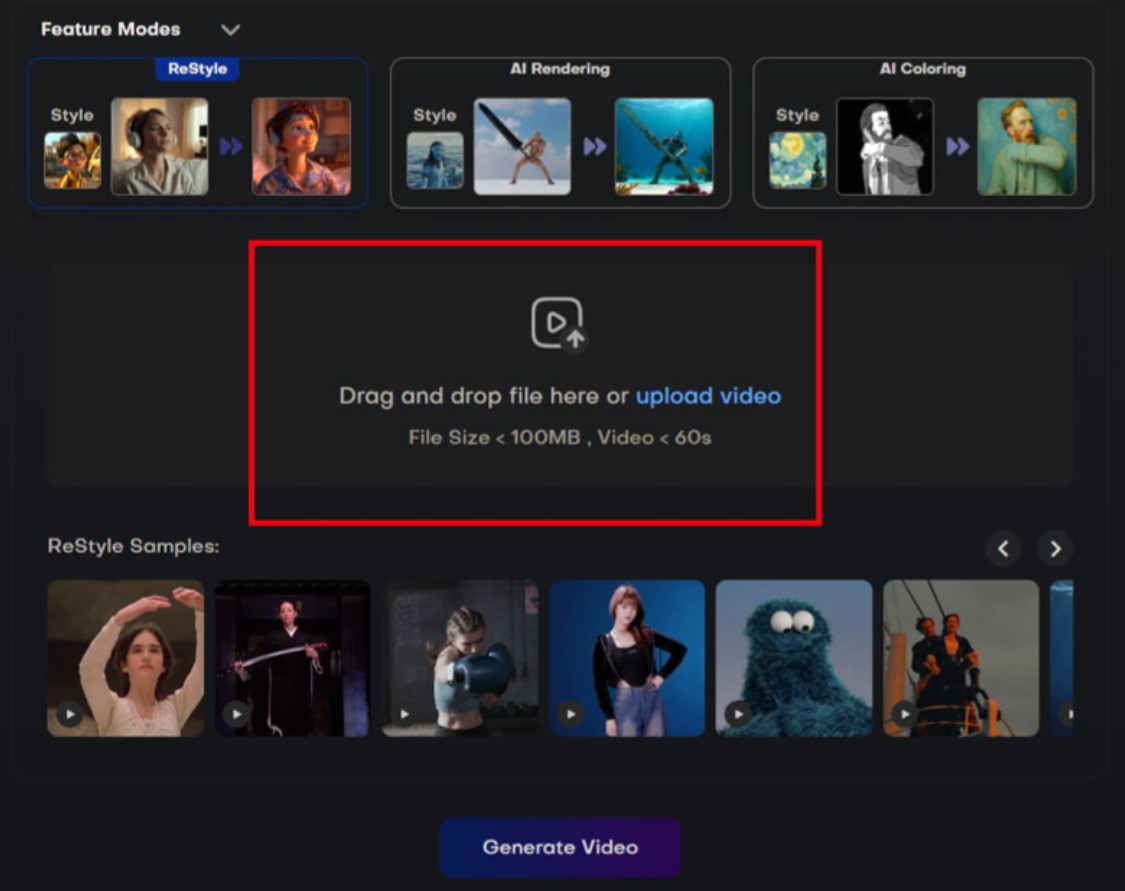
Next, you choose the animation style you want to apply. This is a crucial step that affects the overall visual feel of the product. With a diverse range of styles, from anime to classic animation, you can find an option that suits the story's content.
After choosing a style, you use the AI prompt to refine it. The prompt can guide you through color, lighting, detail, or artistic effects. If you want a Disney-like style, you can describe it with soft lighting, sweet lines, and bright tones. If you want an anime style, you can describe it with drawing styles that emphasize emotion and higher contrast.
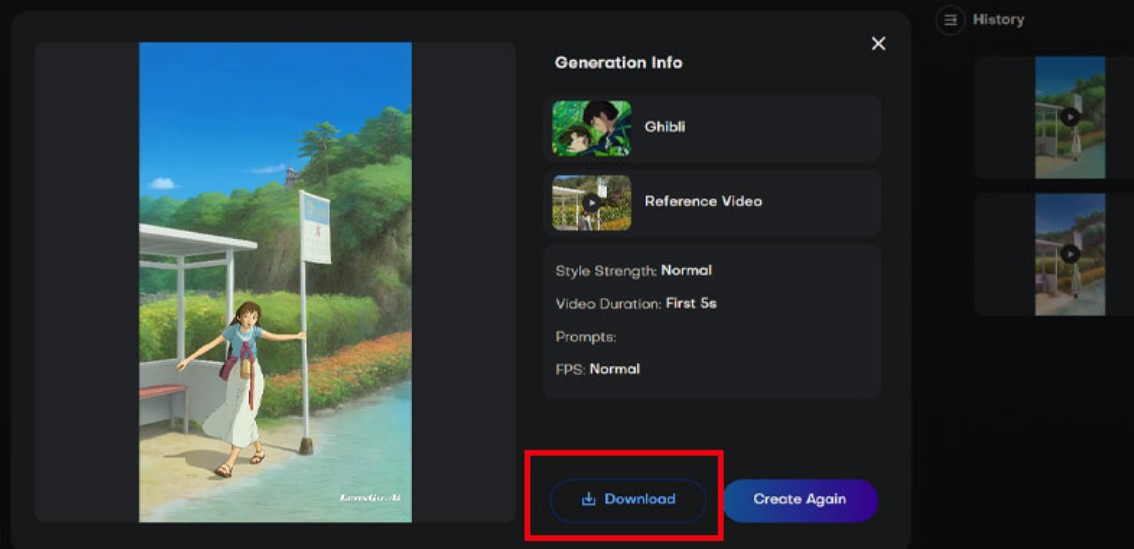
After completing all the elements, you press export video. The system processes and returns the converted animated video. You can preview, edit, or download it immediately afterward.
4. Limitations of the free Lensgo.AI
The free version of Lensgo.AI offers an attractive opportunity to experiment but still has many limitations. The limited maximum video length and resolution mean the output quality isn't optimal for platforms like YouTube or TikTok. Additionally, the watermark in the free version negatively impacts the viewer experience and the professionalism of the video.
Some advanced animation styles are only unlocked in the paid plan. Customization via the prompt is also limited, restricting creative possibilities. Additionally, video export speeds are often slower, and the number of videos allowed to be created per month is restricted.
To give you a more complete picture of the differences between the service packages, here is a detailed comparison table of Lensgo.AI's packages:
Comparison table of Lensgo.AI service packages:
5. Other AI tools that turn video into animation
Besides Lensgo.AI, there are many other notable AI tools that can assist in the process of converting video into animation.
Runway ML is one of the most powerful tools in the field of AI video. Thanks to its advanced motion tracking technology, Runway ML allows you to create smooth animated videos with rich motion depth. This is the ideal tool for professional creators who want to achieve high quality in every project.
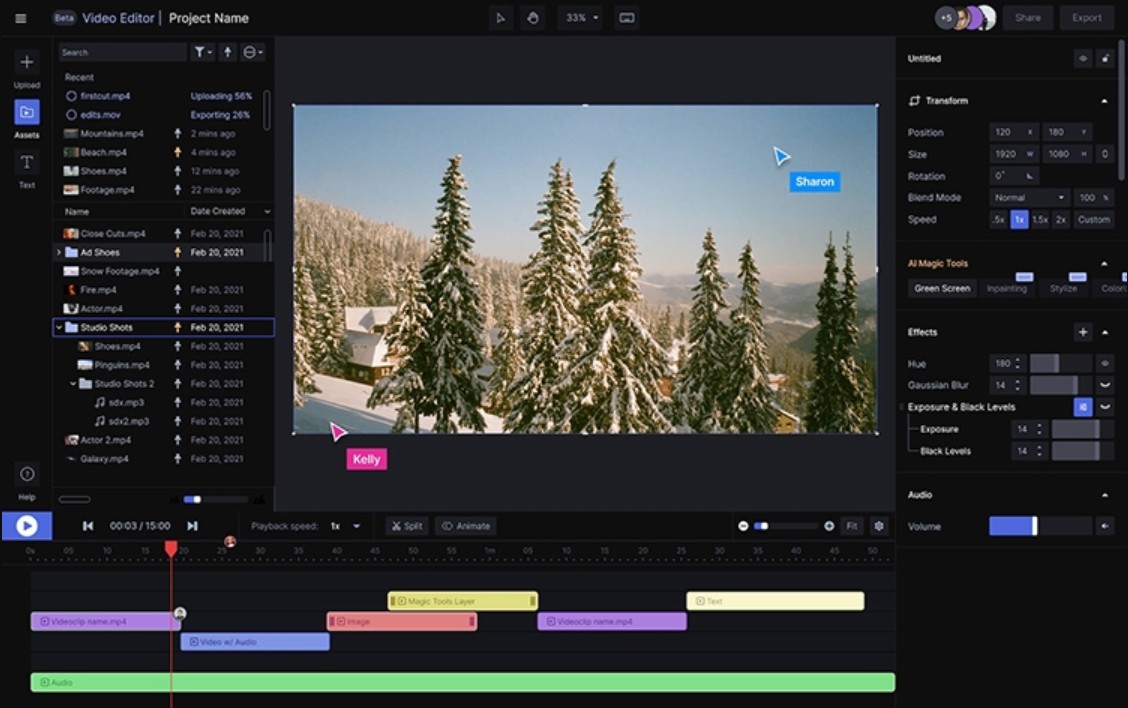
Deep Dream Generator is a great choice for those who love unique and artistic animation styles. With its ability to create abstract styles and striking visual effects, this tool transforms videos into works of art with a strong personal creative imprint.
Toonify is also a familiar name, notable for its Pixar-style animation. This tool gives videos a whimsical and lively look, suitable for entertainment content, storytelling videos, or creating cute animated characters.
With the rapid development of AI, transforming videos into animation has become easier than ever. Lensgo.AI and other modern AI tools not only save creators time but also unlock countless new creative possibilities. Whether you're a beginner or looking to upgrade your content quality, leveraging AI will undoubtedly give you a significant competitive advantage.





















VIP Products








Best Selling Products
Capcut Pro 1 Year
39 USD
MidJourney Account
29 USD
Copyright Adobe Lightroom Account
59 USD
ChatGPT Plus Account (GPT-4)
16 USD
Autodesk All App Account Copyright
120 USD
Adobe Photoshop Copyright - Full App
120 USD
Upgrade genuine Capture One account
120 USD
Genuine Cheap Canva Pro
39 USD
Plugin Retouch4me
69 USD
Genuine Adobe Illustrator account
99 USD
Upgrade Duolingo Super
29 USD
Upgrade Genuine Office 365
49 USD
Windows 10 & 11 Pro Key
36 USD
Freepik Premium Account
59 USD
Adobe Premiere Pro Account
99 USD