Best Selling Products

MidJourney Account
29 USD

Copyright Adobe Lightroom Account
59 USD

Freepik Premium Account
59 USD

ChatGPT Plus Account (GPT-4)
16 USD

Capcut Pro 1 Year
39 USD

Upgrade Duolingo Super
29 USD

Upgrade genuine Capture One account
120 USD

Genuine Cheap Canva Pro
39 USD

Genuine Adobe Illustrator account
99 USD

Adobe Photoshop Copyright - Full App
120 USD

Adobe Premiere Pro Account
99 USD

Autodesk All App Account Copyright
120 USD

Windows 10 & 11 Pro Key
36 USD

Upgrade Genuine Office 365
49 USD

Plugin Retouch4me
69 USD
Making AI Animations Isn't Difficult: Tools, Processes, and Tips for Beginners
Nội dung
- 1. How can AI help in making animated films?
- 1.1. Creating animated characters using AI
- 1.2. Converting text to animation
- 1.3. Creating automatic motion effects
- 1.4. Voice acting using AI
- 2. Benefits of using AI in animation
- 3. Detailed guide on using AI to create animated films.
- 3.1. Create scenarios and ideas with ChatGPT or Gemini
- 3.2. Creating characters and environments with Leonardo AI
- 3.3. Creating character animations with Runway ML
- 3.4. Finalize the video with CapCut
- 4. Things to note when making animated films using AI.
Discover a powerful toolset that lets you create characters, environments, and animations using AI.
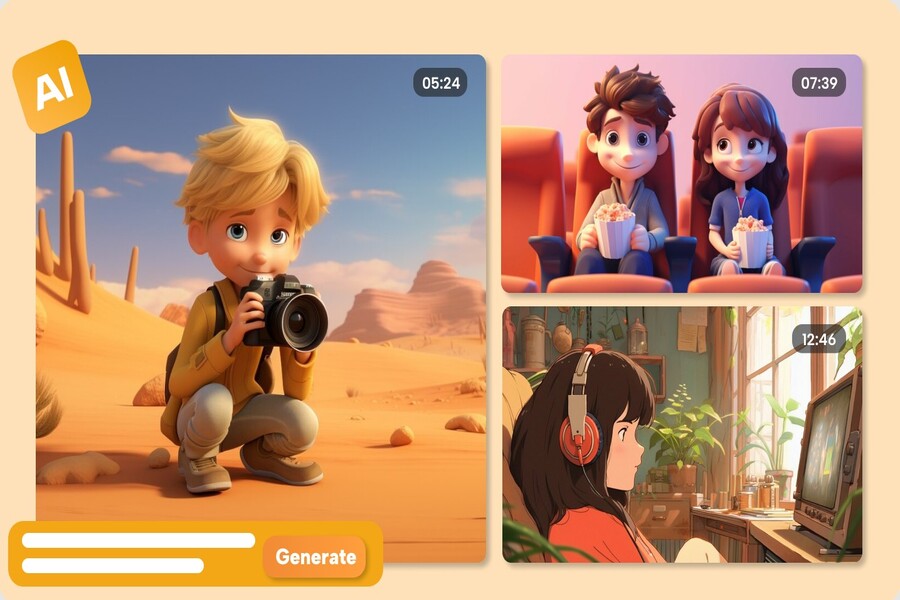
Artificial intelligence (AI) technology is reshaping the entire creative industry, from graphic design to video and animation production. Previously, animation was the work of a team of artists, animators, voice actors, and technicians. Today, an individual can create a professional-grade animated film with just a few AI tools. This opens up opportunities for many creative individuals who lack specialized training. This article will guide you from A to Z on how to use AI to create animation. Even if you're a beginner with no prior experience in graphic design or video editing, you can still master the process.
1. How can AI help in making animated films?
The advent of AI has dramatically changed the way animation is produced. While traditional processes required hand-drawn frames, discrete animation, and manual sound mixing, AI automates more than half of this workload. Current tools can transform text into images, convert images into animated characters, create lip movements, capture motion from real people, and generate character voices.
AI simplifies entire processes, transforming tasks that were previously difficult and time-consuming into easy and quick ones. Therefore, even beginners can create quality products without needing to be professional artists or technicians.
1.1. Creating animated characters using AI
In traditional methods, designing an animated character often takes days or even weeks, depending on the complexity. Artists must sketch every detail, create colors, build 3D models, or draw from multiple angles. AI has now streamlined this process to just a few minutes.
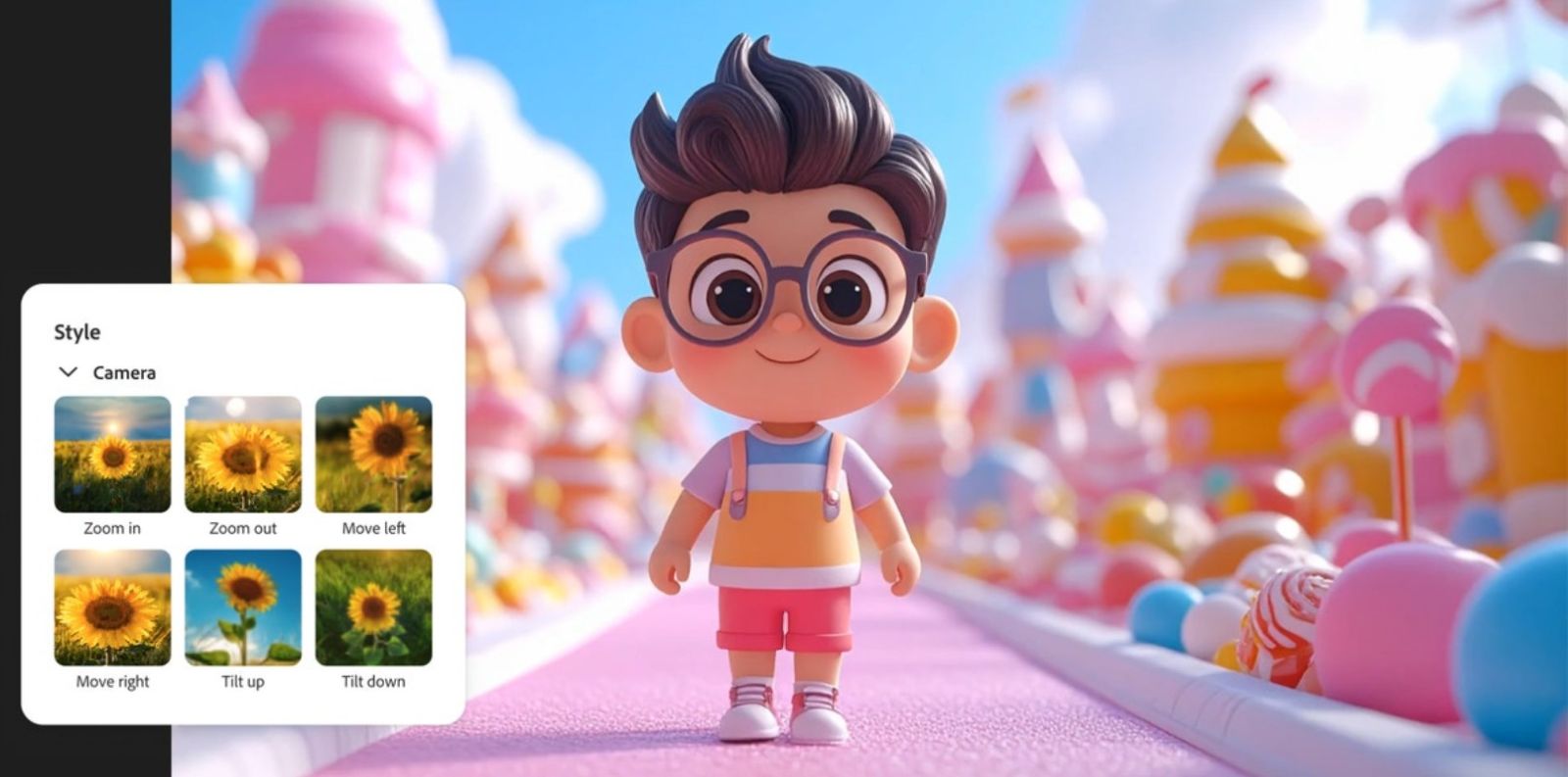
You can enter a text description of the character's appearance. For example, "Blonde boy, wearing a red backpack, anime style." The AI will immediately create a suitable character. If you have a real photo, the AI can convert it into an anime version in the style you want. Some tools even support creating 3D models from 2D images, saving a significant amount of manual modeling time.
This allows you to experiment with different styles and choose the version that best suits your film without too much effort.
1.2. Converting text to animation
One of AI's impressive features is its ability to convert text into animation. Simply provide a description of the scene, and the AI will automatically create the imagery, characters within that context, and even generate basic movements.
Many AI tools can also synchronize character mouth movements based on the dialogue you provide. Additionally, actions such as walking, jumping, running, and turning are automatically set up by the AI, eliminating the need to draw each frame individually as before.
Thanks to text-to-animation, the production process has become many times faster, making it suitable even for beginners in filmmaking.
1.3. Creating automatic motion effects
Animation often requires natural movement to create a realistic feel. With AI motion capture, you simply film a video of a real person performing an action. The AI will capture the movement and apply it to your character, giving them lifelike behavior.
AI also helps to smooth out motion, correct unnatural movements, and add effects when needed. This creates flexibility, allowing you to create many complex scenes without needing in-depth animation knowledge.
1.4. Voice acting using AI
Text-to-speech (TTS) technology in AI allows you to easily create character voices using only text. You can choose male, female, child, elderly voices, or even emotional styles such as happy, worried, angry… AI voices are now quite well optimized, highly natural, and suitable for animation projects.
Furthermore, the AI also automatically synchronizes the character's mouth movements with the dialogue. What previously required manual work in 2D animation now only takes a few minutes of automated processing.
2. Benefits of using AI in animation
Using AI to create animated films not only optimizes time but also makes the creative field more accessible to a wider audience. In the past, animation production required large teams, high costs, and extensive experience. Now, you can do it all by yourself, from start to finish, with just a computer or phone.
AI saves time and effort by eliminating the need to draw each frame or manually voice over text. AI tools are also suitable for beginners as most have intuitive interfaces. Furthermore, AI expands creativity, allowing you to quickly realize your ideas. Without manual sketching, AI can generate dozens of versions for you to choose from.
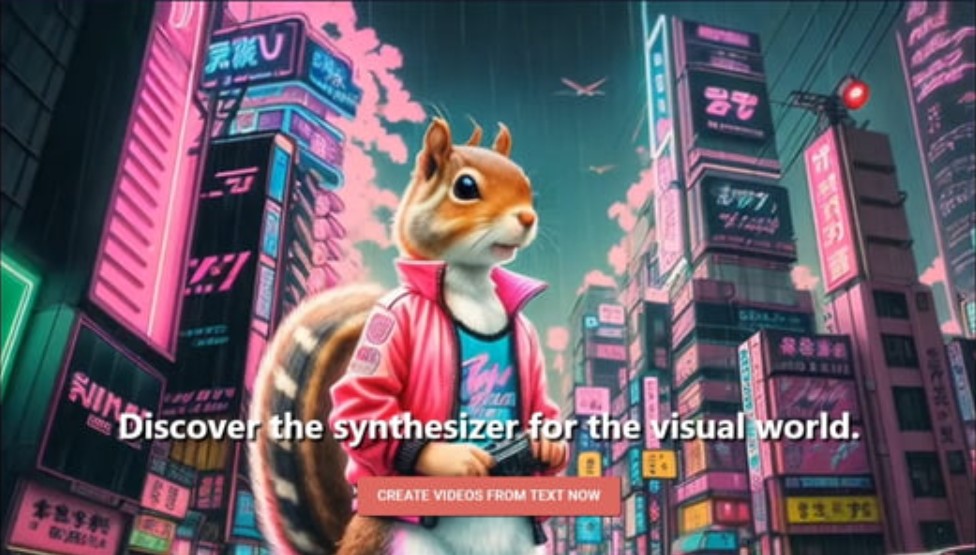
Production costs have also decreased significantly as AI assists with many tasks that previously required hiring freelancers or small studios. This makes it easier for individuals, students, or content creators with small budgets to start their own animation projects.
3. Detailed guide on using AI to create animated films.
In this section, we'll delve into the entire AI animation process, from ideation and character creation to animation, voiceovers, and final video editing. This process is suitable for beginners but still meets the needs of professional creators.
3.1. Create scenarios and ideas with ChatGPT or Gemini
The script is the most important step because it shapes the entire content. To create a script quickly and professionally, you can use ChatGPT or Google Gemini.
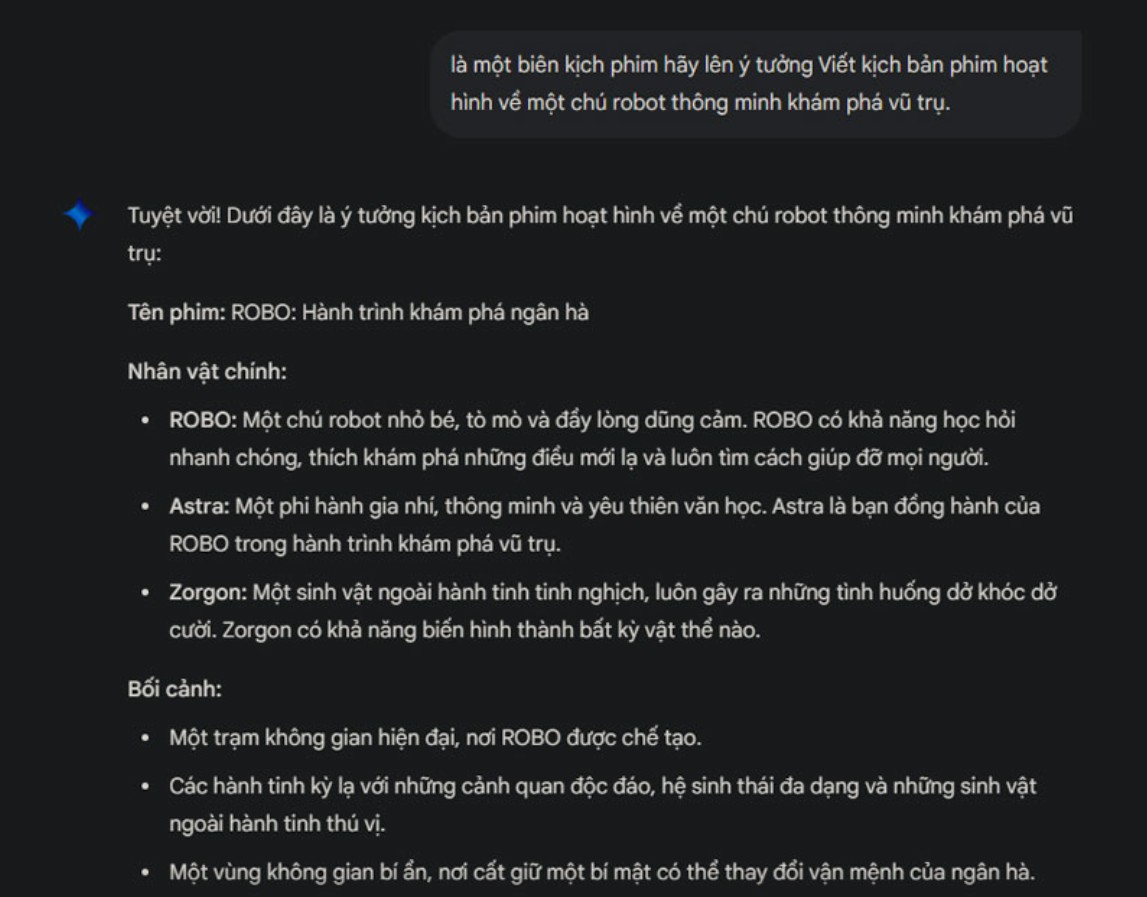
You just need to state your initial idea. For example: "Write a short script for an animated film about an intelligent robot exploring space." The AI will immediately suggest a story structure including a beginning, a climax, and an ending. The AI can also write dialogue, describe scenes, and suggest appropriate plot developments.
If you want your film to have a humorous, touching, mysterious, or adventurous feel, the AI can also customize it to your desired style. However, the key is to edit what the AI suggests. Adding your personal touch will make the story more interesting and branded.
3.2. Creating characters and environments with Leonardo AI
Leonardo AI is one of the leading tools for creating high-quality animation. You can input character descriptions in text, and the AI will generate sharp images in your preferred anime, cartoon, manga, or 3D style.
You can create multiple versions of the character to choose the most suitable one. Besides characters, the AI can also render background imagery such as fairytale forests, futuristic cities, spaceship control rooms, or any environment that fits the scenario.
If you want to optimize the images, you can further edit them using Photoshop. This helps to make the images sharper, the colors more harmonious, and more in line with the overall aesthetic of the film.
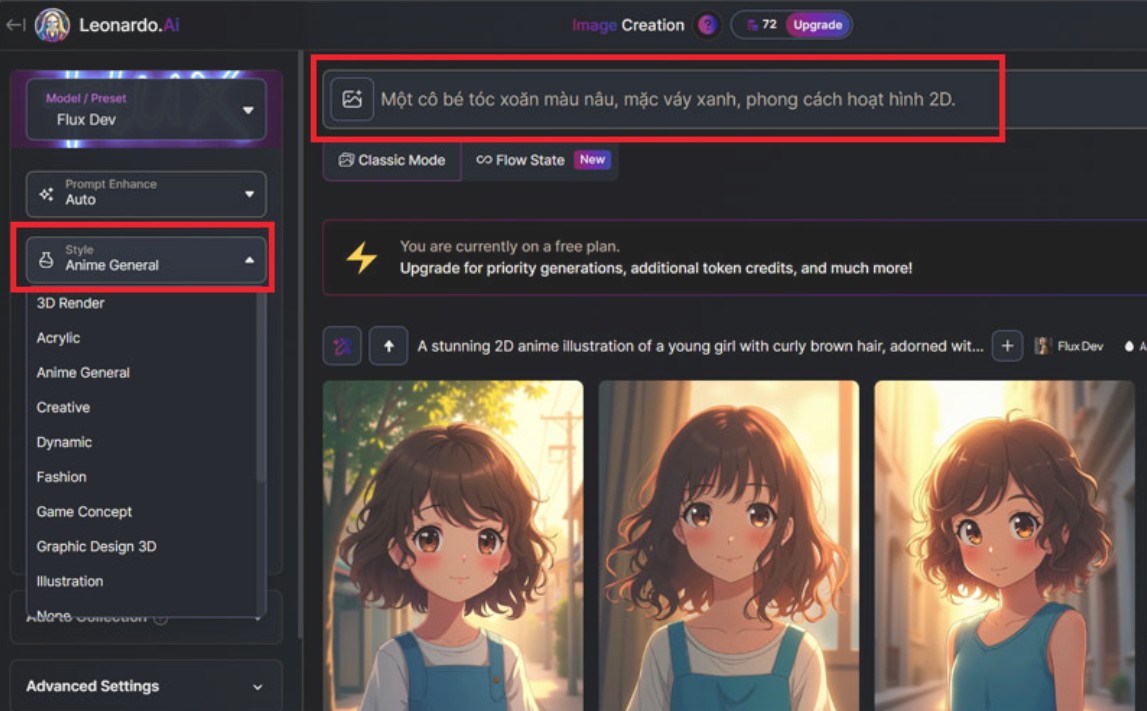
3.3. Creating character animations with Runway ML
After creating the character and background, the next step is to add movement. Runway ML is AI software that integrates motion capture technology, helping you create natural-looking character movements.
You can record videos of yourself or others to use as a model. Runway ML will recognize the movement and apply it to the character. With its ability to smooth the movement, the character will feel more lively and realistic.
You can also create many different scenes, such as running and jumping scenes, expressions of joy and sadness, complex actions… All are easily customizable. By combining multiple scenes, you will get a complete animation.
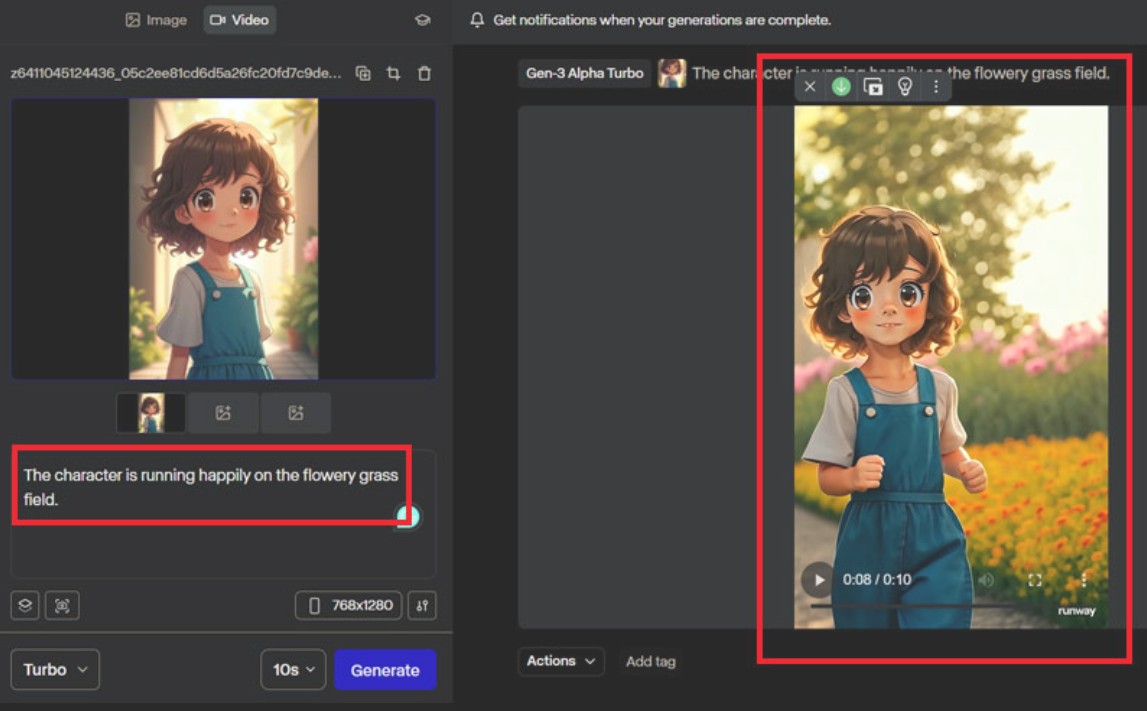
3.4. Finalize the video with CapCut
CapCut is an ideal choice for post-production due to its user-friendly interface and modern features. You can import previously created scenes, rearrange them according to the script, and add background music or dialogue.
If you want a natural-sounding character voice, CapCut can create an AI voice based on the text you provide. You can also add visual effects, adjust lighting, and color to ensure the entire film is consistent.
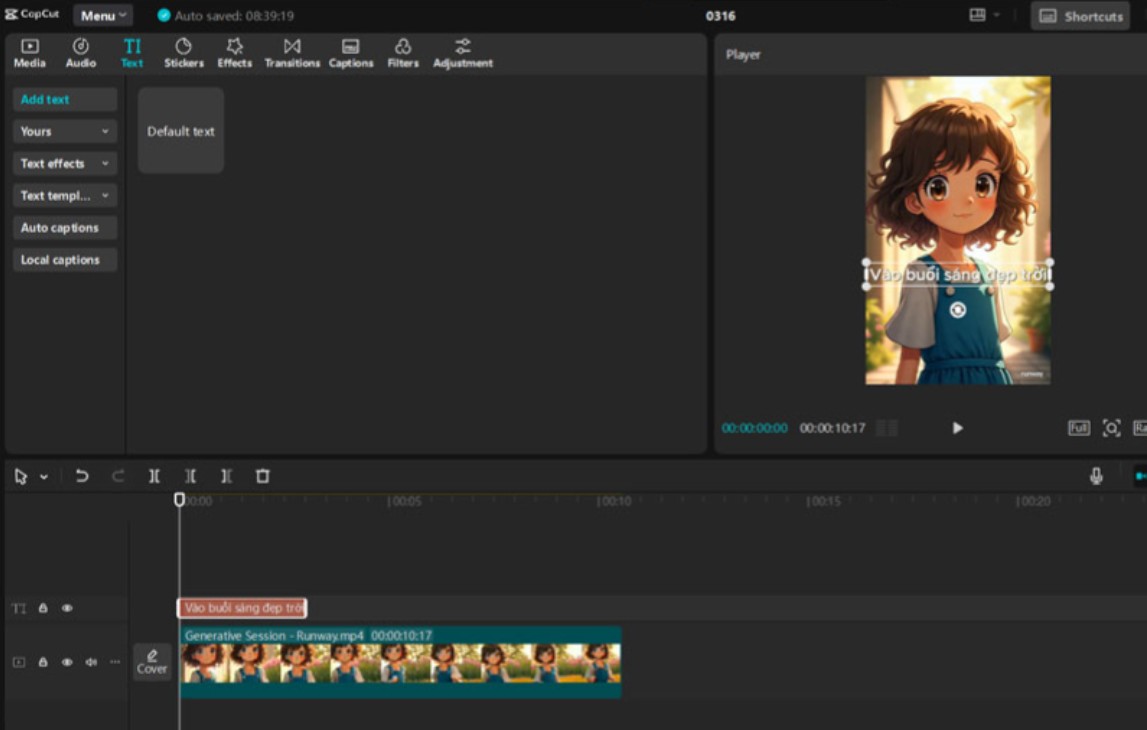
Once finished, simply export the video. CapCut supports high-quality exports suitable for YouTube, TikTok, or other platforms.
4. Things to note when making animated films using AI.
Even though AI is very powerful, you still need to keep a few important points in mind. AI cannot perfectly handle complex movements or scenes requiring detailed physical interaction. Therefore, you sometimes need to make additional manual edits to ensure a natural look.
Additionally, always check the terms of use for each tool. Some tools have regulations regarding image copyright or require attribution when using the free version. You also need to ensure that any additional audio, background music, or images do not infringe on copyright.
The combination of AI and manual editing will produce the best quality product. Take the time to fine-tune every small detail to deliver a smooth and engaging viewing experience.
AI has opened vast doors for anyone wanting to enter the world of animation production. From scriptwriting, character creation, modeling, animation, voice acting, and post-production editing, every step has tools to help you easily complete your project. Even if you've never studied design or video production, as long as you have an idea, AI will help turn it into a complete animated film





















VIP Products








Best Selling Products
MidJourney Account
29 USD
Copyright Adobe Lightroom Account
59 USD
Freepik Premium Account
59 USD
ChatGPT Plus Account (GPT-4)
16 USD
Capcut Pro 1 Year
39 USD
Upgrade Duolingo Super
29 USD
Upgrade genuine Capture One account
120 USD
Genuine Cheap Canva Pro
39 USD
Genuine Adobe Illustrator account
99 USD
Adobe Photoshop Copyright - Full App
120 USD
Adobe Premiere Pro Account
99 USD
Autodesk All App Account Copyright
120 USD
Windows 10 & 11 Pro Key
36 USD
Upgrade Genuine Office 365
49 USD
Plugin Retouch4me
69 USD