Best Selling Products

Genuine Adobe Illustrator account
99 USD

MidJourney Account
29 USD

Copyright Adobe Lightroom Account
59 USD

Genuine Cheap Canva Pro
39 USD

ChatGPT Plus Account (GPT-4)
16 USD

Autodesk All App Account Copyright
120 USD

Plugin Retouch4me
69 USD

Upgrade genuine Capture One account
120 USD

Upgrade Genuine Office 365
49 USD

Adobe Photoshop Copyright - Full App
120 USD

Freepik Premium Account
59 USD

Windows 10 & 11 Pro Key
36 USD

Adobe Premiere Pro Account
99 USD

Capcut Pro 1 Year
39 USD

Upgrade Duolingo Super
29 USD
How to make ChatGPT more accurate? Techniques that anyone can apply.
Nội dung
- 1. Many users have not yet fully utilized the power of ChatGPT.
- 1.1 Activate deep thinking using the command "Think hard about this"
- 1.2 Control the length of the results
- 1.3 Statement Structure (Prompt)
- 2. Incorporate advanced techniques to increase accuracy.
- 3. Common mistakes when using ChatGPT and how to avoid them.
If you feel the answers aren't detailed enough or are off-topic, the problem lies in how you phrased the question. This article shares clear techniques to optimize your prompts. Even if you're new to ChatGPT, you can improve accuracy immediately.

Are you treating ChatGPT like a simple search engine—typing a question, getting an answer, and then leaving it at that? If so, you're missing out on much of this AI chatbot's power. ChatGPT isn't just for asking questions; it's an interactive tool that can think at multiple levels, adjust its style, test hypotheses, and generate more accurate, practical, and insightful responses if you know how to give the right commands. Here are three small adjustments to your commands that can completely change the quality of your answers without requiring you to be an AI expert.
1. Many users have not yet fully utilized the power of ChatGPT.
In reality, ChatGPT works much more effectively when users grasp specific interaction techniques. No complex formulas or coding knowledge are needed; simply changing the mindset behind asking questions will transform AI into a powerful assistant, providing insightful analyses instead of generic answers. Many people still approach ChatGPT like a black box: type a question, receive an answer. This approach misses two key capabilities: the ability to adjust the model's "thinking style" through prompts and the ability to control the language and format of the output to achieve work objectives.
Efficient users know that output quality largely depends on input quality. A good prompt isn't just a "problem + question" but a structured, clear guide outlining the context, task, requirements, constraints, and desired outcome format. When you invest a few lines in providing context and detailed expectations, you typically get a more in-depth, applicable answer that requires less editing time.
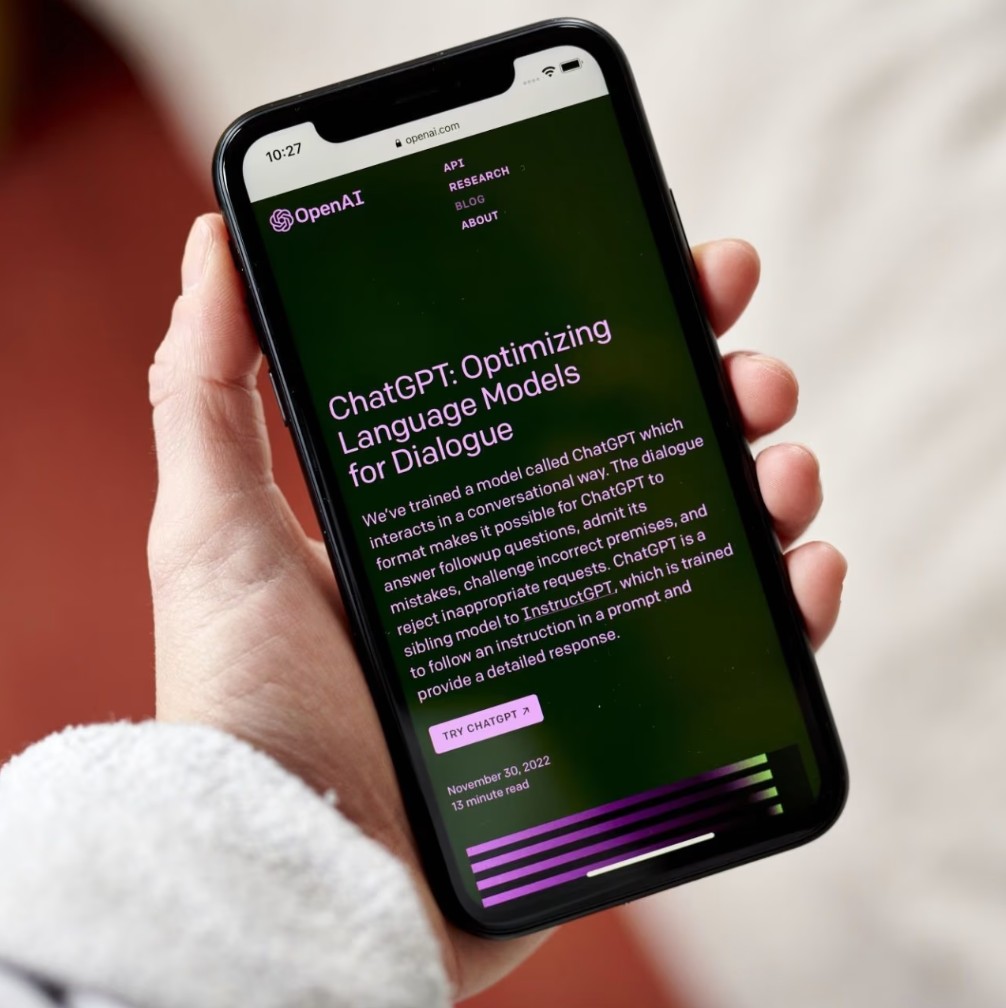
Below are three proven techniques that will instantly improve your work results with ChatGPT. Each technique is presented in detail with explanations of the reasoning, practical examples, and how to apply them immediately in your daily work life.
1.1 Activate deep thinking using the command "Think hard about this"
ChatGPT operates using various models running in the background. However, to save resources and time, it often doesn't use the most powerful model for common queries. There are some language tricks in the prompt that "encourage" the model to allocate more processing resources, think more deeply, and provide more analytical results.
One simple but effective trick is to add the English phrase "Think hard about this" or "Think deeply about this" to the end of the command. This way of writing forces the AI router to switch to using a model capable of more complex logical thinking. Intuitively, by using this type of command, you are "requesting" the model to spend more time processing the problem, thereby increasing the accuracy of its reasoning, judgment, and recommendations.
You'll know this trick is successful when you see the phrase "Thought for..." appear before the answer. This is a sign that the AI is analyzing the problem instead of just responding quickly. In platform versions that display internal status, this is usually accompanied by a more detailed output, coherent paragraph logic, and less unnecessary repetition.
However, it's important to note that "forcing" deep thinking isn't always necessary. If you only need a short answer, a simple tip, or a basic definition, using "Think hard about this" will waste resources and time. Use it when the task is complex, requires analysis, comparison, or when you need to explain a decision. Specific examples will illustrate this.
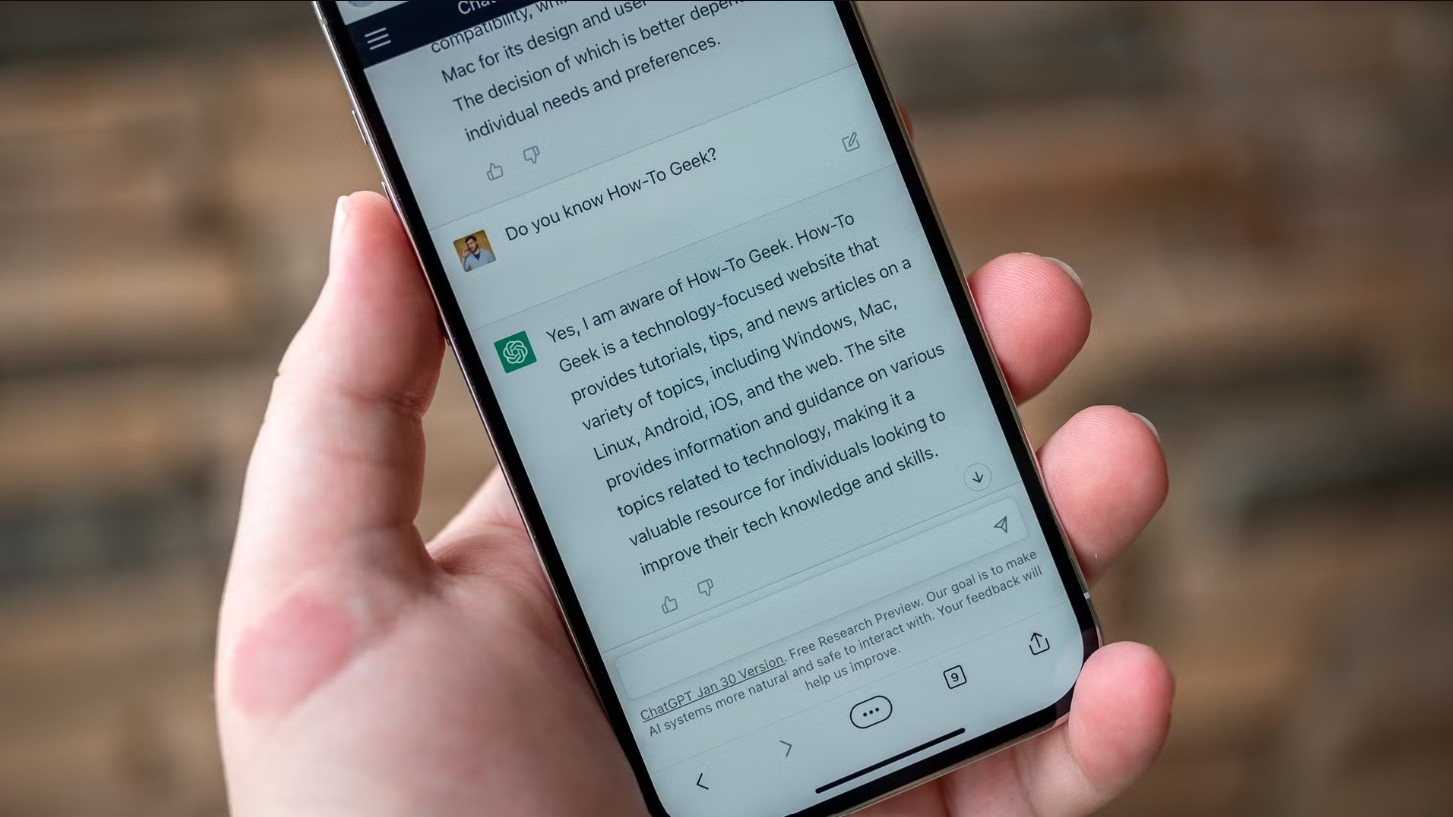
Example 1: Analyzing a website's content strategy.
If you ask ChatGPT, "Suggest a content strategy for a graphic design blog for the next 6 months," you'll get a general outline. But if you ask, "Suggest a content strategy for a graphic design blog for the next 6 months. Think hard about this and provide a prioritized plan with reasons for each priority," the model will present a prioritized plan, analyze why each topic was chosen first, and provide hypothetical data along with distribution tactics.
Example 2: Testing a scientific hypothesis.
When you want ChatGPT to assess the validity of a research hypothesis, adding "Think deeply about this" will prompt the model to offer counterarguments, highlighting strengths, weaknesses, and suggesting appropriate testing.
This method is particularly useful when you need to compare multiple options, assess risks, plan complex projects, or prepare in-depth presentations. It transforms ChatGPT from a simple answering machine into a critical thinking consultant.
1.2 Control the length of the results
By default, ChatGPT tends to be overly wordy, providing lengthy responses to give context. This can sometimes be annoying if you just need concise information. Many people waste time sifting through a long text to extract the main points, while a short, structured answer is exactly what they need to take action immediately.
The solution is simple: give specific length instructions. For example, "Keep content under 200 words" or "Summarize the three main reasons in three sentences." ChatGPT's ability to adhere to length instructions is surprisingly accurate. This technique is especially useful when drafting emails, creating presentation slides, or writing quick reports, completely eliminating the need for editing and trimming unnecessary text.
When specifying length, it's crucial to be clear about the desired format. The statement should clearly state the purpose of the output: an introduction, a three-sentence summary, a short five-item list, or a three-column table. Clarity will help the model adhere to your guidelines.
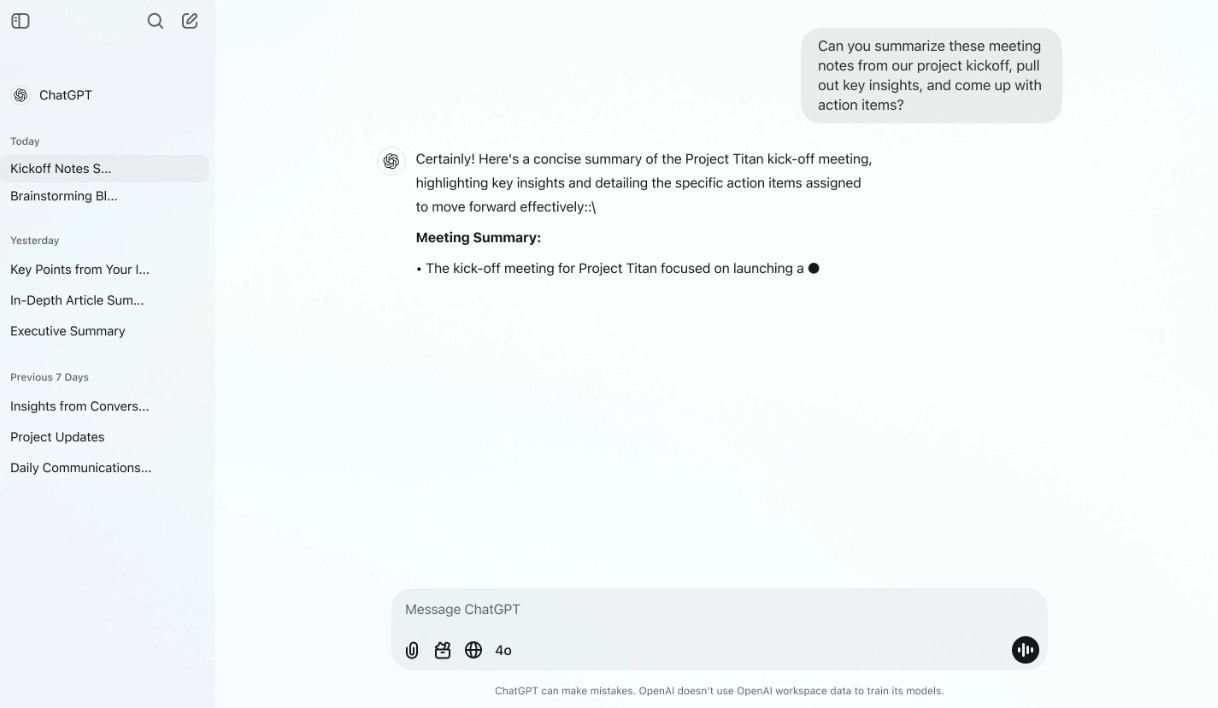
Examples for daily work:
If you need a concise meeting invitation email, write: “Compose a meeting invitation email of 2–3 sentences, stating the main objective and meeting time, keeping it under 80 words.” ChatGPT will return a ready-to-use email, requiring no further editing. If you are preparing slides, requesting “Create 5 slide titles, each with a summary sentence of no more than 15 words” will give you a neat and easy-to-present slide structure.
An extra tip: if you need multiple concise versions with different styles, be specific: “100-word summary in professional style”, “50-word summary in informal style”... ChatGPT will adhere to each length and style constraint.
1.3 Statement Structure (Prompt)
The most common mistake when assigning complex tasks to ChatGPT is cramming everything into one long, rambling paragraph. Instead, break your request down into clear sections with headings or short paragraphs. A standard prompt structure recommended by experts includes:
Context: Specify the background situation.
Task: The specific task you want the AI to perform.
Requirements: The necessary elements of the answer.
Constraints: Things to avoid (e.g., no jargon, not too long).
Output Format: Desired presentation style (tables, lists, etc.).
Providing a coherent structure helps the AI 'understand' your intent, thereby prioritizing processing the correct information and delivering results that best meet expectations. When the prompt is well-structured, you increase the likelihood of receiving usable output that requires minimal modification.

To clarify how to apply this, we will implement some prompt templates for real-world scenarios.
Template 1: Competitive analysis request for a design product.
Context: “I am the product lead for a small graphic design application, currently preparing a new feature set.”
Task: “Analyze three main competitors in 2–3 paragraphs, highlighting the strengths and weaknesses of each competitor.”
Requirements: “Focus on features, price, UX, and community strategy.”
Constraints: “Do not include fabricated data, and keep the article to 300 words.”
Output Format: “A three-paragraph article, with three sentences per paragraph.”
Template 2: Short Marketing Content
Context: “The product is a brush set for Illustrator, focusing on hand-drawn style.”
Task: “Write a marketing email introducing the product.”
Requirements: “List 3 benefits, include a CTA and a download link.”
Constraints: “Keep under 150 words, be friendly, and avoid jargon.”
Output Format: “Complete email with subject line.”
When you use this structure, ChatGPT has a template to "place" information into, reducing the risk of giving off-topic or missing important points in your responses. Additionally, the prompt structure makes it easy to reuse: save it as a template, modify a few parameters, and use it for other tasks.
2. Incorporate advanced techniques to increase accuracy.
The three basic techniques above will significantly improve the quality of your answers in most cases. However, when you need a high degree of accuracy for complex tasks such as preparing financial proposals, in-depth reports, or compiling technical manuals, you may need some advanced techniques to optimize results.
First, learn how to test and critically question ChatGPT's answers. Don't accept the output immediately; ask the model to prove or list its hypotheses. For example: "List the hypotheses you used to arrive at this conclusion" or "Indicate the data source or steps you used to infer." When ChatGPT states its hypotheses, you can check the validity of each hypothesis and request revisions.
Secondly, use the "chain of thought" method indirectly. Although the model internally contains a chain of thought that isn't always visible, you can request a description of the thought process: "Explain each step of how you arrived at the conclusion" or "Give each argument and supporting evidence." By doing so, you force the model to present the logic step-by-step, making it easier to spot logical errors or data gaps.

Third, combine multiple rounds of questioning to gather better output. Start with a general question, then use the results to delve deeper into specific areas. This process is similar to an interview: round 1 gathers the main idea, round 2 delves deeper, round 3 verifies and optimizes. Each round should have a clear objective: for example, round 1 gathers 5 main ideas; round 2 requires detailed development of each idea; round 3 verifies the hypothesis and corrects errors.
Fourth, format the output for convenient automated testing or import into other tools. If you intend to use the results for reporting or code, require the output to be in JSON, CSV, or table format. A structured format not only saves you post-processing time but also encourages the model to respond in a more logical framework.
Fifth, use “temperature” and “top-p” when technical options are available. In a customizable environment (API or some interface), lowering the temperature parameter will result in a less creative but more stable and repetitive response; increasing the temperature makes the model more flexible but risks over-creativeness. For tasks requiring high precision, setting a low temperature is a sensible choice.
Finally, ask ChatGPT to state any limitations and uncertain sources. A simple statement like, "State the assumptions and limitations of this answer," will help you identify areas where further verification with real data is needed.
3. Common mistakes when using ChatGPT and how to avoid them.
In practice, many people make recurring mistakes when interacting with ChatGPT, leading to unexpected results. Below are some common mistakes and practical solutions that can be applied immediately.
Error 1: Asking too general questions. When questions lack context, the model tends to give generic answers. Fix this by adding brief context: specify the industry, target audience, goals, and time or length constraints.
Error 2: Lack of control over output formatting. Users often receive a long paragraph and waste time editing it. This can be fixed by clearly defining the formatting: “write 3 paragraphs, each with 5 sentences”, “return JSON including title, summary, and action_items”.
Error 3: Skipping the validation round. Many users accept the answer without checking the hypothesis. This can be fixed by requiring the model to list the hypothesis, sources, or inference steps.
Error 4: Overestimating expectations regarding real-time data. ChatGPT has limitations in terms of data updates. If you need the most up-to-date metrics, combine verification with reliable sources or ask the model for guidance on how to collect data.
Error 5: Using a long but cluttered prompt. Stuffing information without structure often causes the model to miss requirements. Fix this with a template prompt: clearly separate context, task, requirements, constraints, and output format.
Error 6: Not utilizing the proofreading or partial editing mode. ChatGPT can edit the output according to your requirements. If a result is unsatisfactory, request "Rewrite in style A, reduce by 30%, and add a real-world example."
In summary, avoiding these basic mistakes will save you time and improve the accuracy of your results.





















VIP Products








Best Selling Products
Genuine Adobe Illustrator account
99 USD
MidJourney Account
29 USD
Copyright Adobe Lightroom Account
59 USD
Genuine Cheap Canva Pro
39 USD
ChatGPT Plus Account (GPT-4)
16 USD
Autodesk All App Account Copyright
120 USD
Plugin Retouch4me
69 USD
Upgrade genuine Capture One account
120 USD
Upgrade Genuine Office 365
49 USD
Adobe Photoshop Copyright - Full App
120 USD
Freepik Premium Account
59 USD
Windows 10 & 11 Pro Key
36 USD
Adobe Premiere Pro Account
99 USD
Capcut Pro 1 Year
39 USD
Upgrade Duolingo Super
29 USD