Best Selling Products

Genuine Cheap Canva Pro
39 USD

Genuine Adobe Illustrator account
99 USD

Adobe Photoshop Copyright - Full App
120 USD

Adobe Premiere Pro Account
99 USD

Upgrade Duolingo Super
29 USD

Windows 10 & 11 Pro Key
36 USD

ChatGPT Plus Account (GPT-4)
16 USD

Autodesk All App Account Copyright
120 USD

Plugin Retouch4me
69 USD

Copyright Adobe Lightroom Account
59 USD

Capcut Pro 1 Year
39 USD

MidJourney Account
29 USD

Upgrade Genuine Office 365
49 USD

Freepik Premium Account
59 USD

Upgrade genuine Capture One account
120 USD
Is your Android phone slow? 4 easy steps to revive its performance.
Nội dung
- 1. Utilize virtual RAM to improve multitasking.
- 2. Free up memory and remove unnecessary applications.
- 3. Control background applications and optimize the system.
- 4. Update your software to optimize performance.
- 5. Understanding the true meaning of "smoothness" in smartphones.
- 6. Mistakes to avoid when optimizing your phone.
- 7. When should you upgrade your equipment?
Lagging and slow app loading are common problems after prolonged use. With just four simple steps, you can significantly improve speed and stability.
1. Utilize virtual RAM to improve multitasking.
One of the biggest reasons older Android phones become slow is due to limited RAM. When a device is shipped, the amount of RAM may be sufficient for immediate use. However, over time, applications become heavier and more resource-intensive, quickly overloading the RAM.
When RAM is full, the system is forced to close background applications or reload data constantly. This is the main reason for lag when switching between applications. To overcome this problem, many manufacturers have integrated virtual RAM, allowing a portion of the internal memory to be used as temporary memory.
In essence, virtual RAM cannot completely replace physical RAM because the access speed of physical memory is slower. However, it still offers significant benefits in keeping multiple applications running simultaneously without sudden crashes. When properly activated, virtual RAM helps the system allocate resources more efficiently, reduces application reloads, and provides a smoother experience.
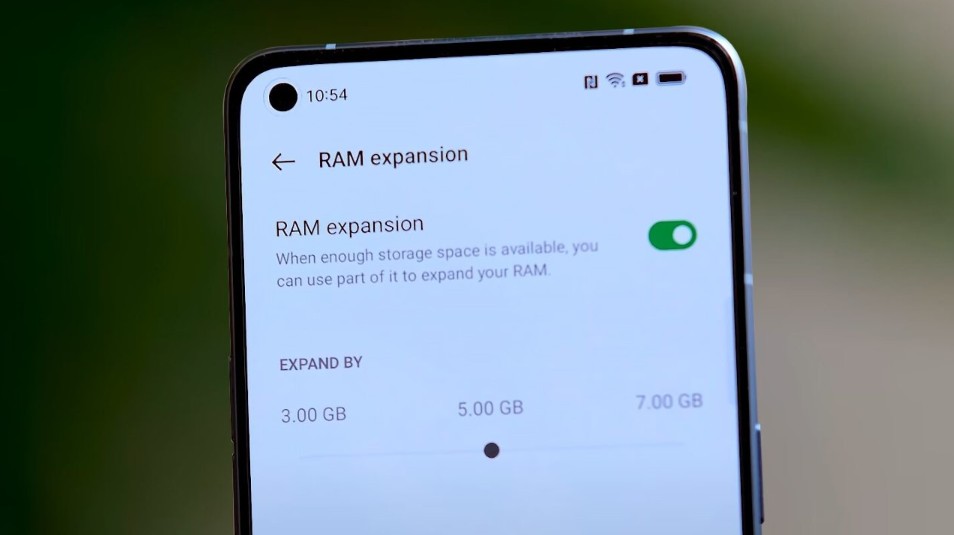
However, users also need to understand the limitations of this technology. Using too much virtual RAM can increase the number of data write/read cycles on internal memory, thereby affecting the device's lifespan. Therefore, it should be activated at a moderate level, appropriate to actual usage needs.
2. Free up memory and remove unnecessary applications.
Full storage memory is a common but often overlooked cause of performance issues. When memory capacity is nearing its limit, the system struggles to process temporary data, leading to sluggishness and instability.
During use, phones often accumulate a lot of unnecessary data such as cache, temporary files, duplicate photos, or forgotten downloaded files. This data not only takes up space but also reduces system performance.
Regular cleanup is a simple yet highly effective solution. Users should delete unnecessary files, clear app caches, and move important data to cloud storage platforms.
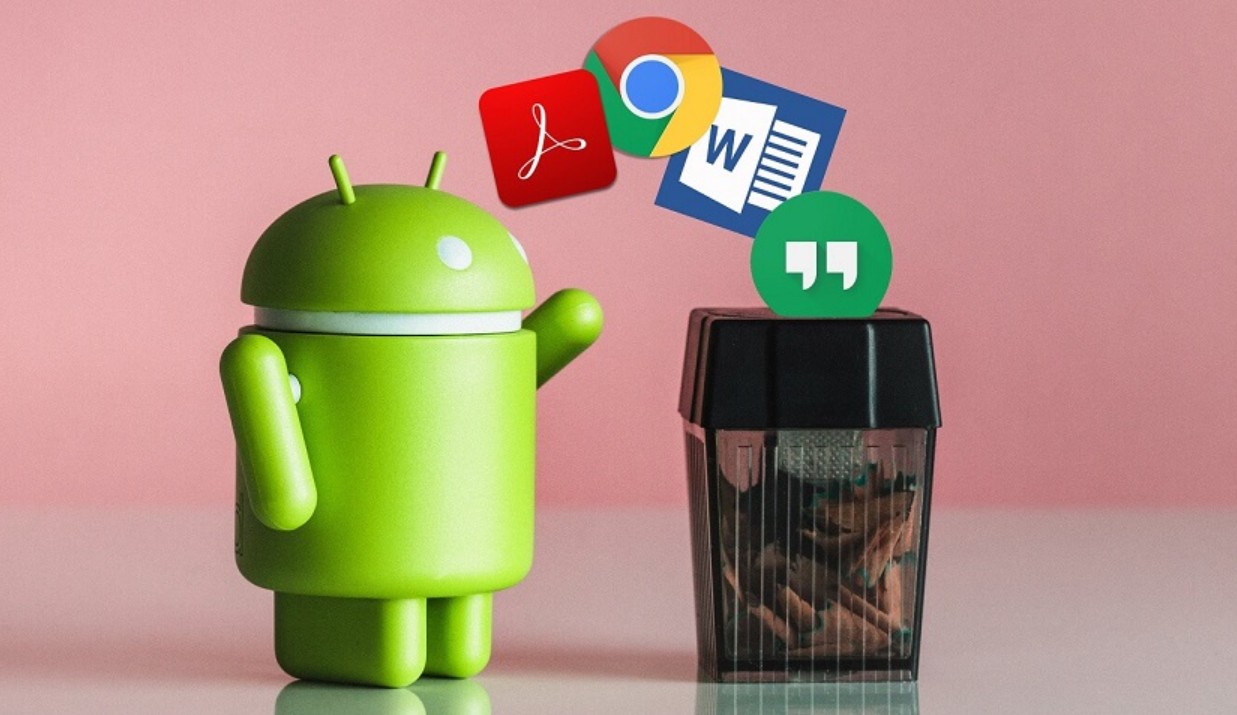
In addition, uninstalling unused applications is also very important. Many applications, even if not opened frequently, still run in the background, consuming RAM and CPU. Removing them not only frees up resources but also reduces the strain on the system, thereby improving overall performance.
3. Control background applications and optimize the system.
One of the factors that causes Android phones to slow down over time is the increasing number of apps running in the background. These apps can automatically sync data, send notifications, or perform tasks without the user's knowledge.
Controlling background applications is a crucial step in optimizing performance. Users can disable or restrict background activity for unnecessary applications, especially social media, shopping, or gaming apps.
Additionally, a simple but effective measure is to restart the device periodically. When restarted, the system closes all running processes, frees up RAM, and refreshes the clipboard. This is the quickest way to improve performance without deep system modifications.
Some devices also offer an automatic optimization mode, allowing the system to automatically close background applications and allocate resources efficiently. Utilizing these features can help maintain stable performance over the long term.

4. Update your software to optimize performance.
Many users tend to ignore operating system updates, but these are crucial for improving performance and stability. Updates not only patch security vulnerabilities but also optimize how the system uses resources.
On the Android platform, each new version typically comes with improvements in memory management, CPU optimization, and application performance enhancements. This can help devices run more smoothly, especially with new applications.
However, for older devices, users should consider carefully before updating. Some newer versions may require more powerful hardware, leading to reduced performance if the device cannot meet the requirements. In this case, keeping the stable version might be a more sensible option.
5. Understanding the true meaning of "smoothness" in smartphones.
Many people often confuse "smoothness" with actual performance on Android devices. For example, reducing or disabling animation effects in the settings might make operations appear faster, but it only shortens the display time and doesn't increase the device's processing power. This is a fairly common form of "speed illusion."
Smoothness truly depends on a combination of factors, including the CPU, GPU, RAM capacity, and especially the speed of internal storage. When these components work in sync and are not overloaded, the device will respond quickly, switch applications smoothly, and experience minimal lag. Conversely, if even one of these factors is bottlenecked, such as full RAM or slow storage, the entire experience will be affected.

Furthermore, smoothness is also related to the manufacturer's software optimization capabilities. A well-tuned operating system will allocate resources more efficiently, reduce latency, and improve the overall experience even on less powerful hardware. Therefore, understanding the true nature of "smoothness" will help users avoid chasing unnecessary tips and focus on solutions that truly deliver results.
6. Mistakes to avoid when optimizing your phone.
During the optimization process, many people unintentionally slow down their devices by applying the wrong methods. One of the most common mistakes is installing too many "junk cleaning" or "speed-up" apps. In reality, modern Android operating systems already have fairly good memory management mechanisms, and adding many third-party apps only increases the number of background processes, wasting resources.
Another mistake is frequently closing all applications in the multitasking list. While this might seem like it frees up RAM, it actually forces the system to reload the applications from scratch when reopened, consuming more resources and slowing down the device.
Additionally, using too many widgets, live wallpapers, or complex interface effects puts unnecessary strain on the CPU and GPU. These factors, though seemingly small individually, can significantly impact overall performance when combined.
Finally, some people have a habit of deeply interfering with the system, such as rooting their device or installing unofficial ROMs to speed things up. However, without technical knowledge, this can destabilize the system and even make the device perform worse than before.

7. When should you upgrade your equipment?
While optimization measures can significantly improve performance, they can only "extend lifespan" and cannot completely change the hardware limitations. When a phone is too old, has a weak CPU, low RAM, or slow memory, upgrading the device will be a more effective and long-term solution.
A clear sign is when the device no longer receives operating system or security updates. This not only affects performance but also poses a potential data security risk. Additionally, if the phone frequently lags even when performing basic tasks like making calls, sending texts, or browsing the web, then replacing it is something to consider.
Furthermore, usage needs are also an important factor. If users begin to require more demanding applications such as video editing, high-graphics gaming, or multitasking, a new device with a more powerful configuration will provide a significantly better experience.
However, before deciding to upgrade, users should still try applying the optimization methods mentioned. In many cases, simply cleaning up and making proper adjustments is enough to help the device operate stably for a longer period, saving costs while still meeting usage needs.
With just four simple steps—utilizing virtual RAM, freeing up memory, controlling background applications, and updating software—users can significantly improve their device's performance.





















VIP Products








Best Selling Products
Genuine Cheap Canva Pro
39 USD
Genuine Adobe Illustrator account
99 USD
Adobe Photoshop Copyright - Full App
120 USD
Adobe Premiere Pro Account
99 USD
Upgrade Duolingo Super
29 USD
Windows 10 & 11 Pro Key
36 USD
ChatGPT Plus Account (GPT-4)
16 USD
Autodesk All App Account Copyright
120 USD
Plugin Retouch4me
69 USD
Copyright Adobe Lightroom Account
59 USD
Capcut Pro 1 Year
39 USD
MidJourney Account
29 USD
Upgrade Genuine Office 365
49 USD
Freepik Premium Account
59 USD
Upgrade genuine Capture One account
120 USD