Best Selling Products

Upgrade Duolingo Super
29 USD

Upgrade Genuine Office 365
49 USD

Autodesk All App Account Copyright
120 USD

Capcut Pro 1 Year
39 USD

Adobe Photoshop Copyright - Full App
120 USD

Adobe Premiere Pro Account
99 USD

Windows 10 & 11 Pro Key
36 USD

Copyright Adobe Lightroom Account
59 USD

Genuine Adobe Illustrator account
99 USD

Plugin Retouch4me
69 USD

Freepik Premium Account
59 USD

Genuine Cheap Canva Pro
39 USD

ChatGPT Plus Account (GPT-4)
16 USD

MidJourney Account
29 USD

Upgrade genuine Capture One account
120 USD
Kling AI for startups: A cost-effective solution for creating professional videos.
Nội dung
In the era of booming online business, video is becoming one of the most popular marketing methods for many businesses. This is especially true for newly established startups, where creating engaging advertising content with limited budgets is always a challenge. Instead of investing in cameras, hiring models, or a professional production team, businesses can now leverage artificial intelligence to simplify the creative process. One such tool is Kling AI, which helps create videos from text and images with various dynamic animation effects. So how can Kling AI help startup businesses develop their marketing activities? Let''s explore this in detail in the article below!
1. What is Kling AI?
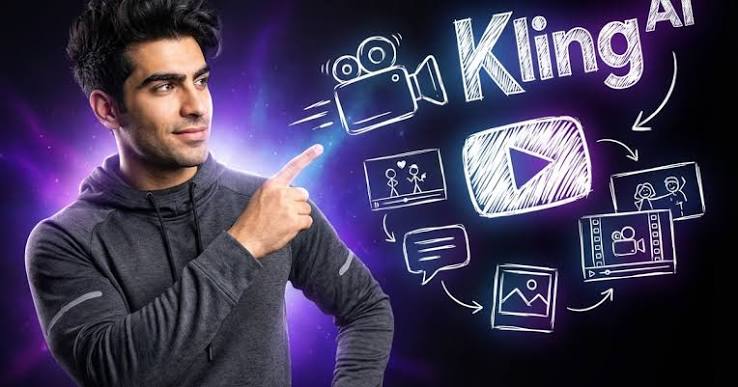
Kling AI is an artificial intelligence-powered video creation tool that allows users to transform existing text descriptions or images into moving videos. Instead of filming each scene manually, users simply provide their ideas, select images, and describe the desired outcome. The system processes this information to create the video as requested. For startups, Kling AI offers a new approach to content production. Even without a professional filming and editing team, businesses can experiment with various styles of promotional videos.
Some of the highlights of Kling AI include:
-
Create videos from text content by describing characters, products, settings, and movements.
-
Transform still images into videos with more natural-looking motion.
-
We help you create advertising videos with diverse camera angles and effects.
-
It helps users experiment with various visual ideas without needing to prepare a real-life filming location.
-
Support the creation of content for communication and brand promotion activities.
Thanks to these capabilities, Kling AI is suitable for startups that want to experiment with video marketing but lack experience or production resources.
2. Why should startups use Kling AI?
When starting a business, startups often have to allocate budgets to many activities such as product development, operations, customer service, and advertising. Therefore, spending a large sum of money on professional video production isn't always feasible. Kling AI helps businesses overcome some of this difficulty by supporting video creation directly online. Instead of spending a lot of time preparing for a shoot, the marketing team can start with pre-existing images and ideas.
Notable benefits include:
-
Cost savings: Reduces the need to rent locations, filming equipment, actors, and production staff in some cases.
-
Reduced lead time: You can quickly create test videos to check out ideas before launching a large campaign.
-
Enhance creativity: Easily change the context, visual style, and content presentation.
-
Proactive content production: Startups can create their own videos when needed to promote new products or launch promotional campaigns.
-
No advanced filming skills are required: Beginners can still get started through simple command-line instructions.
However, Kling AI doesn't mean businesses will completely eliminate the need for creative personnel. This tool primarily supports production processes, while brainstorming, message building, and content moderation still require human involvement.
Buy Kling AI for startup businesses.
3. Key features of Kling AI for startups
Kling AI offers a variety of features to support video creation, giving users more flexibility in implementing their communication ideas. Depending on the version, businesses can choose the tool that best suits their needs.
Some notable features include:
-
Text to Video: Allows the creation of videos from text descriptions. Startups can input product information, context, and motion for AI to build a customized video.
-
Image to Video: Transforms static images into videos with motion. This feature is especially useful for businesses that already have product photos but lack promotional videos.
-
Motion Control: Supports character movement control based on reference video, helping to create more clearly oriented shots.
-
AI Avatar: Supports the creation of virtual characters that deliver dialogue, suitable for introductory videos, tutorials, or informational content.
-
Sound creation: Some versions support creating sound that is synchronized with the video, making the content more lively.
-
Multi-shot: Supports creating videos with multiple shots, making the story more cohesive and engaging.
Thanks to these features, businesses can use Kling AI for a variety of purposes, from creating product introduction videos to building advertising content for social media.
4. Applying Kling AI to the marketing activities of startups.
Marketing is one of the areas where Kling AI can be effectively utilized. Instead of simply posting images or articles introducing products, businesses can use AI-powered videos to add more impact to their marketing content.
Here are some common applications:
-
Create product advertising videos: Use existing product images to build visually appealing scenes that help customers easily visualize how to use and the features of the product.
-
Making TikTok videos: Create short films with eye-catching visuals, suitable for the fast-paced video viewing trend of social media users.
-
Brand introduction: Create videos that showcase the company's style, message, and story to increase brand recognition.
-
Promote your special offers: Create videos showcasing deals during holidays, festivals, or shopping events.
-
Create instructional videos: Produce content that illustrates how to use a product, introduces a service, or explains information that customers are often interested in.
-
Experiment with advertising content: Create multiple versions of the video with different settings and presentation styles to find the right approach.
Buy Kling AI for startup businesses.
5. Guide to using Kling AI to create videos for businesses.
To create videos that align with business goals, startups should prepare their ideas and content before using Kling AI. Following these steps will make the video creation process easier and minimize unnecessary edits.
Step 1: Access Kling AI
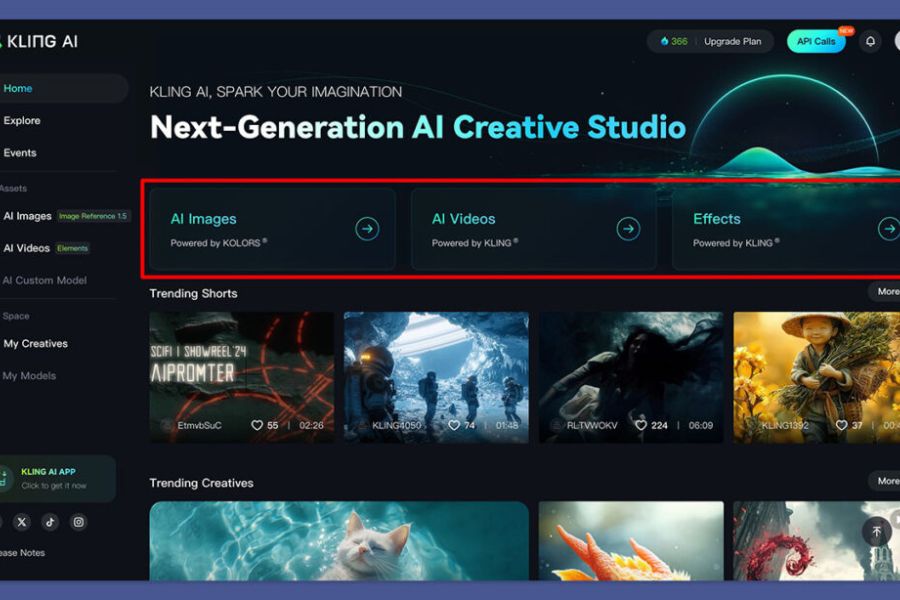
First, users access the Kling AI website and log in to their account. After successfully logging in, the working interface will display video creation tools for you to choose from.
Step 2: Determine the video content
Clearly define the purpose for which the video will be used, such as product advertising, brand promotion, or posting on TikTok. This is a crucial step in helping businesses choose the appropriate visual style and presentation.
Step 3: Choose a video creation tool.
If you already have product images, you can choose Image to Video to turn the images into a moving video. If you only have an idea but no images yet, use Text to Video to create a video directly from the text description.
Step 4: Write commands for the AI.
Next, enter a statement describing the content you want to create. A prompt should include information such as the subject, action, context, lighting, and camera angle. For example, a cosmetics business might enter a description of a serum bottle placed on a stone table, natural lighting, and gentle camera movement.
Step 5: Set video parameters
Depending on the tool and version you're using, you can adjust the aspect ratio, duration, and video quality. If posting to TikTok or Reels, vertical videos are preferable. For content posted on YouTube or websites, horizontal videos are more suitable.
Step 6: Create the video and check the results.
After completing the settings, press create video and wait for the system to process. Once the result is available, carefully check the image, motion, color, and how well it matches your initial idea. If you are not satisfied, you can change the commands or reference images to recreate it.
Step 7: Edit and publish
Finally, use video editing software to add the logo, subtitles, background music, and necessary information. Once complete, the business can export the video and upload it to suitable media channels.
5. You should upgrade Kling AI at Sadesign.
As Kling AI becomes a regular tool in marketing activities, choosing the right account upgrade provider is also a crucial issue for startups. A reputable service provider will make the registration, payment, and usage process smoother for businesses. Sadesign is a provider of software accounts and AI tools to meet the needs of work, design, and content creation. Startups can refer to their Kling AI upgrade service to choose a package that suits their budget and business goals. Here are some reasons why businesses might consider Sadesign:
-
Diverse AI tools: Offering a wide range of options for content creation, graphic design, and work support.
-
Prices are easy to compare: You can find out the prices and choose services according to your needs.
-
Customer support: Users can contact us for information regarding account packages and upgrade procedures.
-
Convenient to use: There is an additional support channel when you need to find information about the service.
For startups, choosing the right tools from the start will save time and limit unnecessary expenses. Therefore, if you need to use Kling AI to produce advertising videos, build brand awareness, or develop social media content, you can check out Sadesign's upgrade service.
6. Conclusion
Kling AI is a useful tool that helps startups access modern video production methods without requiring a large upfront investment. From product advertising and brand introductions to social media content creation, this tool offers many opportunities for businesses to experiment with new ideas and improve their marketing efforts. However, to achieve good results, startups still need a clear content plan, video quality checks, and the right package. Start with simple videos, gradually familiarize yourself with Kling AI, and leverage the technology to gain an advantage in your business development!





















VIP Products








Best Selling Products
Upgrade Duolingo Super
29 USD
Upgrade Genuine Office 365
49 USD
Autodesk All App Account Copyright
120 USD
Capcut Pro 1 Year
39 USD
Adobe Photoshop Copyright - Full App
120 USD
Adobe Premiere Pro Account
99 USD
Windows 10 & 11 Pro Key
36 USD
Copyright Adobe Lightroom Account
59 USD
Genuine Adobe Illustrator account
99 USD
Plugin Retouch4me
69 USD
Freepik Premium Account
59 USD
Genuine Cheap Canva Pro
39 USD
ChatGPT Plus Account (GPT-4)
16 USD
MidJourney Account
29 USD
Upgrade genuine Capture One account
120 USD