Best Selling Products

Capcut Pro 1 Year
39 USD

Copyright Adobe Lightroom Account
59 USD

Autodesk All App Account Copyright
120 USD

Plugin Retouch4me
69 USD

Upgrade genuine Capture One account
120 USD

Windows 10 & 11 Pro Key
36 USD

Adobe Premiere Pro Account
99 USD

ChatGPT Plus Account (GPT-4)
16 USD

MidJourney Account
29 USD

Freepik Premium Account
59 USD

Upgrade Duolingo Super
29 USD

Genuine Cheap Canva Pro
39 USD

Genuine Adobe Illustrator account
99 USD

Adobe Photoshop Copyright - Full App
120 USD

Upgrade Genuine Office 365
49 USD
Microsoft 365: An indispensable toolset for remote work.
Nội dung
- 2. Basic applications in Microsoft 365
- 2.1. Word: Professional document creation and management
- 2.2. Excel: Intelligent Data Analysis
- 2.3. PowerPoint: Professional and impressive presentations
- 2.4. Outlook: Smart email and calendar management
- 2.5. OneDrive: Data storage and synchronization
- 3. Collaboration and team management applications
- 3.1. Microsoft Teams: Online Meetings and Team Collaboration
- 3.2. SharePoint: Content and Site Management
- 3.3. Planner and To-Do: Smart Task Management
- 3.4. Power Automate: Process Automation
- 4. Applications supporting innovation and data analysis.
- 4.1. Forms: Create surveys and collect data
- 4.2. Power BI: Advanced Data Analysis
- 5. Make the most of Microsoft 365
Discover how Microsoft 365 helps synchronize data, foster team collaboration, and manage projects remotely, boosting productivity for individuals and businesses in the modern work environment.
1. Introducing Microsoft 365
Microsoft 365 is an integrated platform of office applications and cloud services, built upon the traditional Office suite. The biggest difference between Microsoft 365 and regular Office is its cloud storage capabilities, data synchronization, and real-time collaboration.
Users can access the application across multiple devices, from desktops, laptops, and tablets to mobile phones, enabling a seamless work experience whether you're in the office or working remotely. Microsoft 365 includes core applications like Word, Excel, PowerPoint, and Outlook, but expands to include Teams, OneDrive, SharePoint, Planner, Forms, Power Automate, and Power BI. These tools help users manage data, automate processes, collaborate in teams, and make data-driven decisions.
A key advantage of Microsoft 365 is its continuous updates of new features, including artificial intelligence features that help suggest content, analyze data, and optimize daily tasks. The comprehensive integration of these tools creates a robust ecosystem that meets the diverse needs of individuals and businesses.

2. Basic applications in Microsoft 365
2.1. Word: Professional document creation and management
Word in Microsoft 365 is not just a basic word processing tool; it also integrates intelligent features to boost productivity. From grammar suggestions and spell checking to word recommendations and automatic summarization, Word helps users create professional documents quickly.
Thanks to cloud storage and real-time synchronization, multiple people can edit a document simultaneously without worrying about version conflicts. Commenting and track changes features help monitor all edits, ideal for teamwork, contract drafting, reports, or creative content. Integrating Word with OneDrive allows you to store and access documents from any device, ensuring your data is always available and secure.
2.2. Excel: Intelligent Data Analysis
Excel remains a powerful tool for data processing and analysis. Microsoft 365 adds many advanced features such as Dynamic Arrays, Power Query, and Power Pivot, making it easier for users to import data, process information, and create detailed reports.
Integration with Power BI transforms data from Excel into intuitive charts and dynamic dashboards, allowing businesses to track performance, trends, and make informed decisions based on real-world data. Excel in Microsoft 365 also supports real-time collaboration, enabling multiple personnel to efficiently edit and evaluate data, which is especially crucial in team environments or multi-departmental projects.
2.3. PowerPoint: Professional and impressive presentations
PowerPoint in Microsoft 365 is not just a slide-creating tool; it also integrates automatic design features and AI-powered layout suggestions. This helps users create professional, visually appealing, and impressive presentations in a short amount of time.
Users can insert charts, videos, animations, and 3D models directly from OneDrive or other data sources, creating dynamic and easy-to-understand presentations. Online sharing and collaboration capabilities allow teams to work together on the same slide, minimizing the need to send multiple versions back and forth and ensuring everyone is using the latest version.
2.4. Outlook: Smart email and calendar management
Outlook is a professional tool for managing email, calendars, and communications. Microsoft 365 integrates features such as Focused Inbox, Rules, and Quick Steps, which help automatically organize emails and improve inbox management efficiency.
Additionally, Outlook seamlessly integrates with Teams, Planner, and To-Do, allowing users to schedule online meetings, set reminders, and manage projects directly from email. Its multi-device synchronization capabilities ensure important information is always up-to-date, helping users stay connected and manage their time effectively.
2.5. OneDrive: Data storage and synchronization
OneDrive is a cloud storage service that allows you to store, synchronize, and share data anytime, anywhere. The Files On-Demand feature lets users access all their files from their computer without occupying local storage, saving device space.
Intelligent synchronization and version management help track changes, recover data, and facilitate effective team collaboration. OneDrive also supports flexible sharing with customizable access permissions, from viewing to editing, ensuring data is always secure and easy to manage.

3. Collaboration and team management applications
3.1. Microsoft Teams: Online Meetings and Team Collaboration
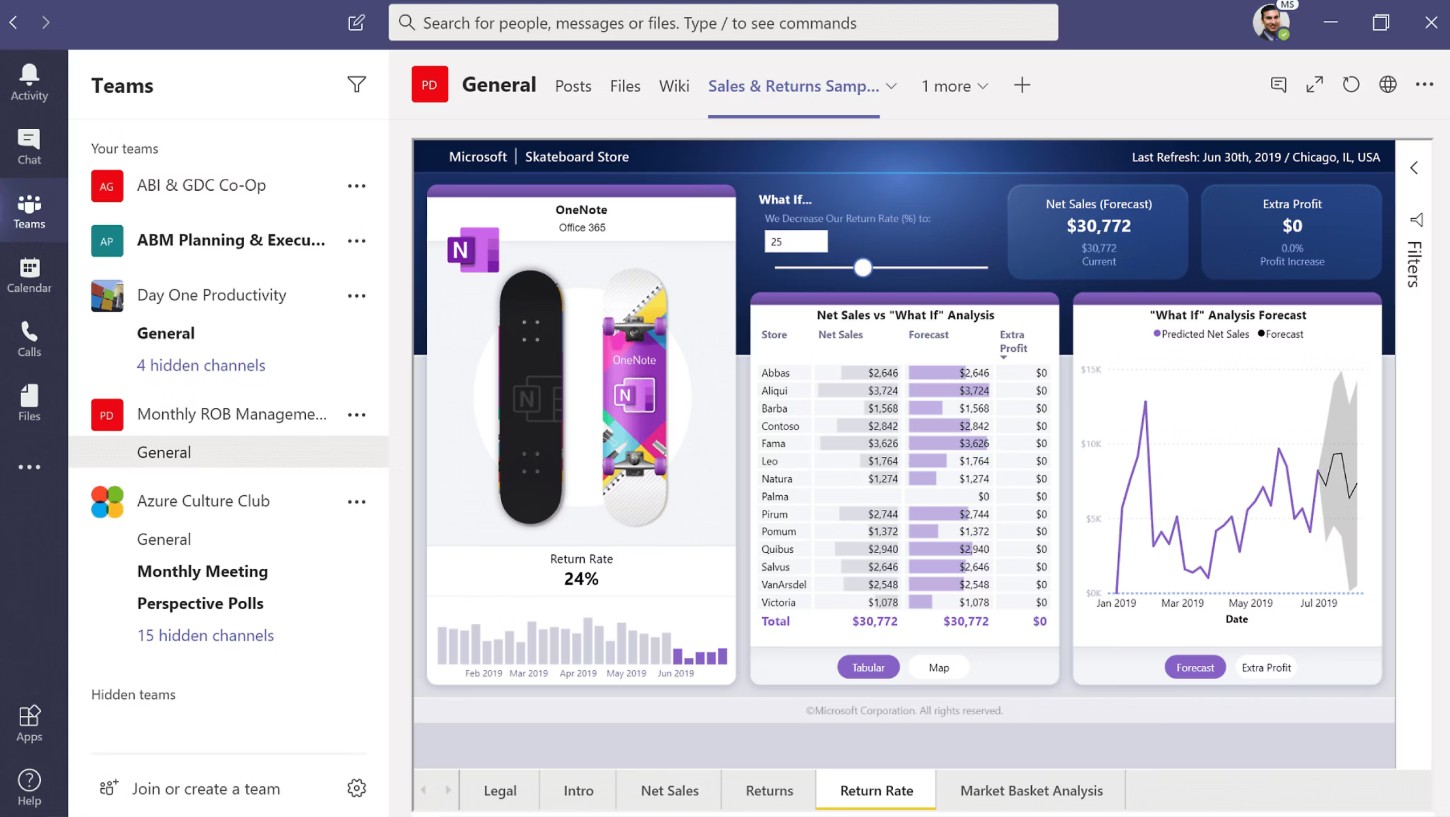
Teams is an online collaboration platform that integrates chat, video conferencing, calls, and document sharing all in one interface. Microsoft 365 allows users to create project channels, assign access permissions, and track project progress visually.
Integration with Word, Excel, PowerPoint, and OneDrive allows for direct document editing within Teams, reducing the need for email and ensuring everyone is working with the latest version. Teams also supports meeting recording, live captions, and AI meeting summaries, increasing the efficiency of online meetings and storing important content.
3.2. SharePoint: Content and Site Management
SharePoint helps businesses build internal portals, store documents centrally, and manage processes. Features such as document libraries, version control, and workflow automation improve data management and minimize the risk of information loss.
SharePoint can integrate with Teams and Power Automate, enabling the creation of automated workflows, notifications, and reports without complex programming, increasing business operational efficiency and improving team collaboration.

3.3. Planner and To-Do: Smart Task Management
Planner is a visual project management tool that helps break down tasks, track progress, and evaluate performance. Combined with Microsoft To-Do, users can create task lists, set deadlines, set reminders, and prioritize tasks.
Integration with Teams and Outlook helps synchronize work and tasks, ensuring personnel stay informed about project progress and meet deadlines. This combination enables individuals and teams to work more efficiently, minimizing the risk of delays and optimizing resources.
3.4. Power Automate: Process Automation
Power Automate automates repetitive tasks such as sending emails, backing up files, and synchronizing data between applications. This reduces manual operation, saves time, and ensures accurate data processing.
For example, businesses can automatically transfer files from OneDrive to SharePoint, send notifications via Teams, and save history to Excel without manual intervention, improving work efficiency and optimizing operational processes.
4. Applications supporting innovation and data analysis.
4.1. Forms: Create surveys and collect data
Microsoft Forms allows you to create surveys, signup forms, or customer reviews in just minutes. Data is automatically collected, aggregated, and exported to Excel or Power BI for quick analysis.
Forms are particularly useful for surveying employees, customers, or gathering feedback from partners, helping to make data-driven decisions and improve workflows.
4.2. Power BI: Advanced Data Analysis
Power BI is a powerful data analysis and visualization tool. When integrated with Microsoft 365, users can connect data from Excel, SharePoint, OneDrive, or SQL Server, creating intelligent charts, dashboards, and reports.
The ability to visualize data, generate automated reports, and share results online helps businesses make quick decisions based on accurate and real-time data.
5. Make the most of Microsoft 365
To get the most out of the Microsoft 365 suite, users need to understand their purpose, workflows, and application integrations. Some basic guidelines include using cloud synchronization and OneDrive for centralized data management, real-time collaboration in Word, Excel, and PowerPoint, using Teams and Planner for project management, integrating Power Automate for automating repetitive tasks, analyzing data with Power BI, and leveraging AI in Microsoft 365 for content suggestions, document template creation, and workflow optimization.
The synchronized use of Microsoft 365 tools saves time, increases productivity, and enables professional data management, creating a flexible, modern, and innovative work environment.
Microsoft 365 is more than just a traditional office suite; it's a powerful platform supporting data management, team collaboration, analytics, and process automation. From Word, Excel, PowerPoint, and Outlook to Teams, OneDrive, SharePoint, Power BI, and Power Automate, each application offers unique value, but when combined, they create a comprehensive ecosystem that helps individuals and businesses work smarter, more efficiently, and more flexibly. Maximizing the benefits of Microsoft 365 requires understanding its features, integrations, and intelligent workflows to optimize productivity, manage data securely, and enhance decision-making.





















VIP Products








Best Selling Products
Capcut Pro 1 Year
39 USD
Copyright Adobe Lightroom Account
59 USD
Autodesk All App Account Copyright
120 USD
Plugin Retouch4me
69 USD
Upgrade genuine Capture One account
120 USD
Windows 10 & 11 Pro Key
36 USD
Adobe Premiere Pro Account
99 USD
ChatGPT Plus Account (GPT-4)
16 USD
MidJourney Account
29 USD
Freepik Premium Account
59 USD
Upgrade Duolingo Super
29 USD
Genuine Cheap Canva Pro
39 USD
Genuine Adobe Illustrator account
99 USD
Adobe Photoshop Copyright - Full App
120 USD
Upgrade Genuine Office 365
49 USD