Best Selling Products

MidJourney Account
29 USD

Copyright Adobe Lightroom Account
59 USD

Genuine Cheap Canva Pro
39 USD

Freepik Premium Account
59 USD

Adobe Photoshop Copyright - Full App
120 USD

Capcut Pro 1 Year
39 USD

Windows 10 & 11 Pro Key
36 USD

Autodesk All App Account Copyright
120 USD

Genuine Adobe Illustrator account
99 USD

Upgrade Duolingo Super
29 USD

Upgrade genuine Capture One account
120 USD

ChatGPT Plus Account (GPT-4)
16 USD

Adobe Premiere Pro Account
99 USD

Plugin Retouch4me
69 USD

Upgrade Genuine Office 365
49 USD
OneDrive: A smart storage solution for efficient data management.
Nội dung
OneDrive is more than just an online storage device; it's also a tool that speeds up your workflow thanks to its automatic synchronization, access anytime, anywhere, and professional data management features.
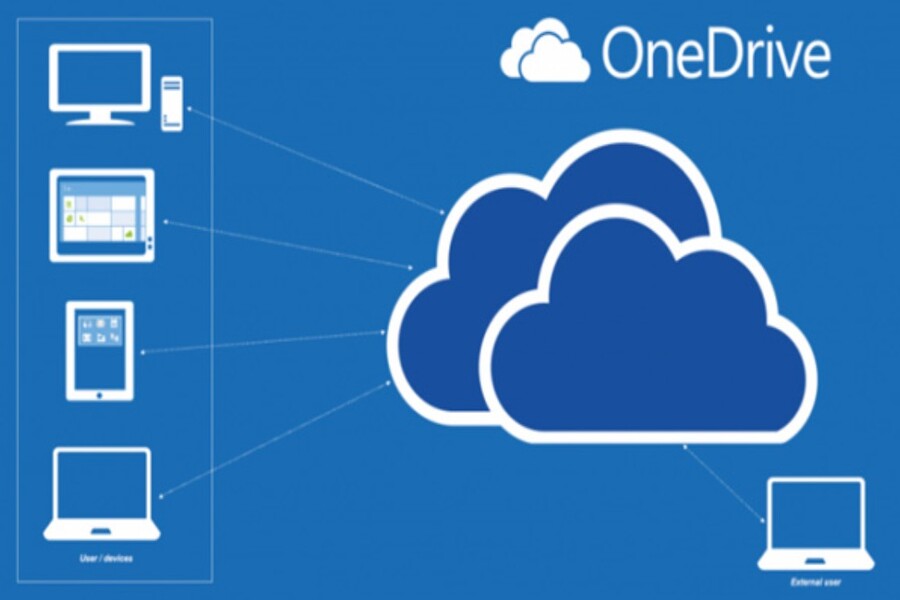
OneDrive, Microsoft's cloud storage service, has become one of the leading solutions for users to optimize data storage and intelligently manage information. More than just an online drive, OneDrive integrates seamlessly with the Microsoft 365 ecosystem, offering data synchronization, flexible sharing, high security, and optimized storage capacity based on actual needs. In this article, we will delve into how OneDrive helps manage data effectively to maximize the platform's potential.
1. Introduction to OneDrive
OneDrive is Microsoft's cloud storage service, designed to help users store, sync, and share data quickly and securely. First launched in 2007 as Windows Live SkyDrive, OneDrive has continuously evolved to become an integral part of the Microsoft 365 ecosystem.
OneDrive's strength lies in its seamless integration with other Microsoft applications, such as Word, Excel, PowerPoint, and Outlook. Users can directly save documents from these applications to the cloud, synchronize across multiple devices, and share content with colleagues or friends with just a few simple steps.
Additionally, OneDrive supports multiple platforms, from Windows, macOS, iOS to Android, ensuring data is always readily available whenever users need it. Its intelligent synchronization feature allows files and folders to be updated automatically, ensuring everyone in the team is working with the latest version of the document.
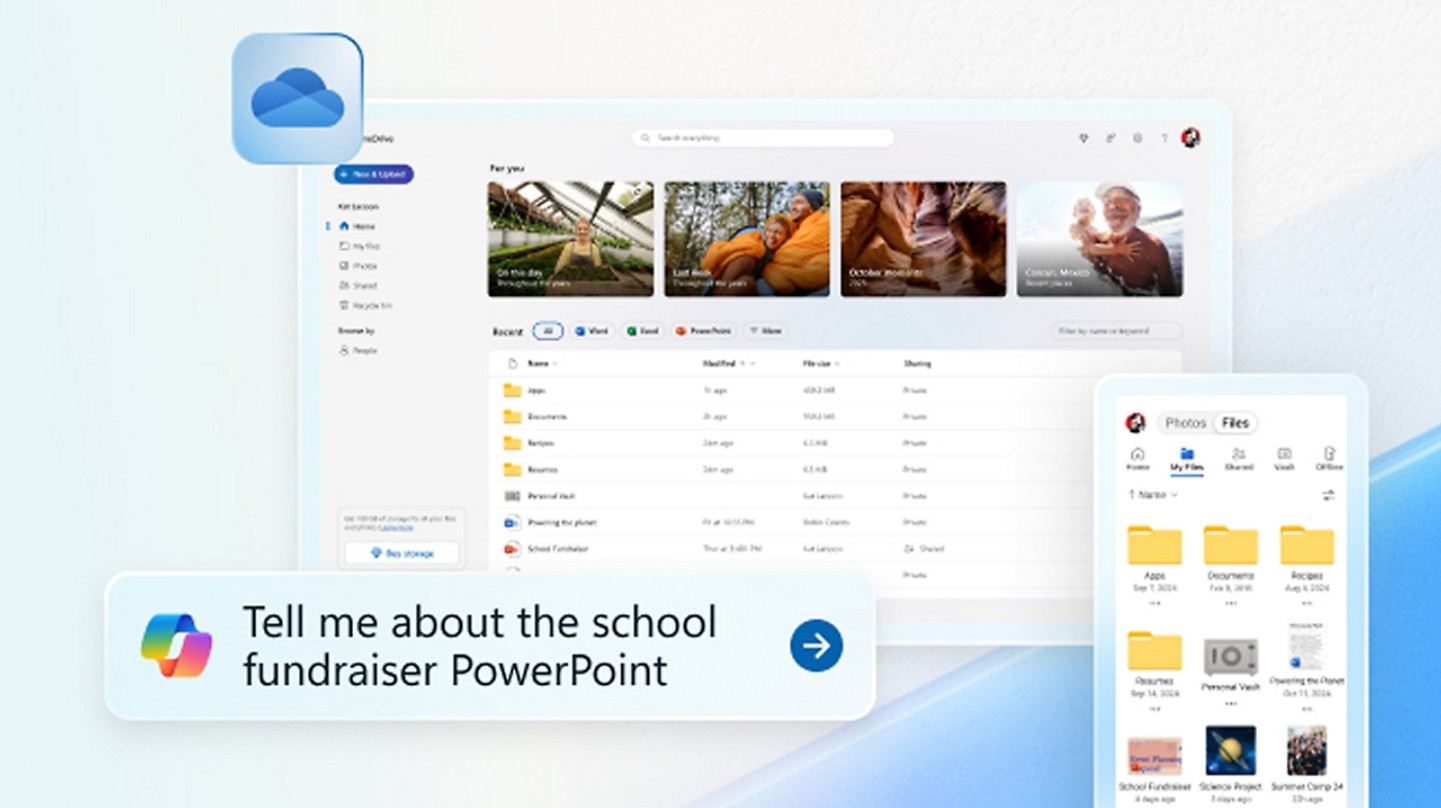
Another noteworthy point is that OneDrive offers flexible storage plans, from a free 5GB for individuals to enterprise plans with large capacities and enhanced security features, catering to the needs of individuals, startups, and large organizations alike.
Thanks to its flexible storage capabilities, intelligent synchronization, and high level of security, OneDrive not only helps individuals manage data effectively but also becomes a strategic tool for businesses looking to optimize data management and team collaboration.
2. Benefits of storing data with OneDrive
Using OneDrive offers several significant advantages over traditional storage solutions. First, OneDrive optimizes data access. Users can access files from any device, anywhere, as long as they have an internet connection. This is especially useful in the context of remote work or multi-branch collaboration.
Another key benefit is intelligent sharing and collaboration. With OneDrive, you can share files or folders with colleagues, grant edit permissions, or simply view and monitor changes in real time. This feature minimizes the risk of versioning errors, prevents data loss, and improves team productivity.
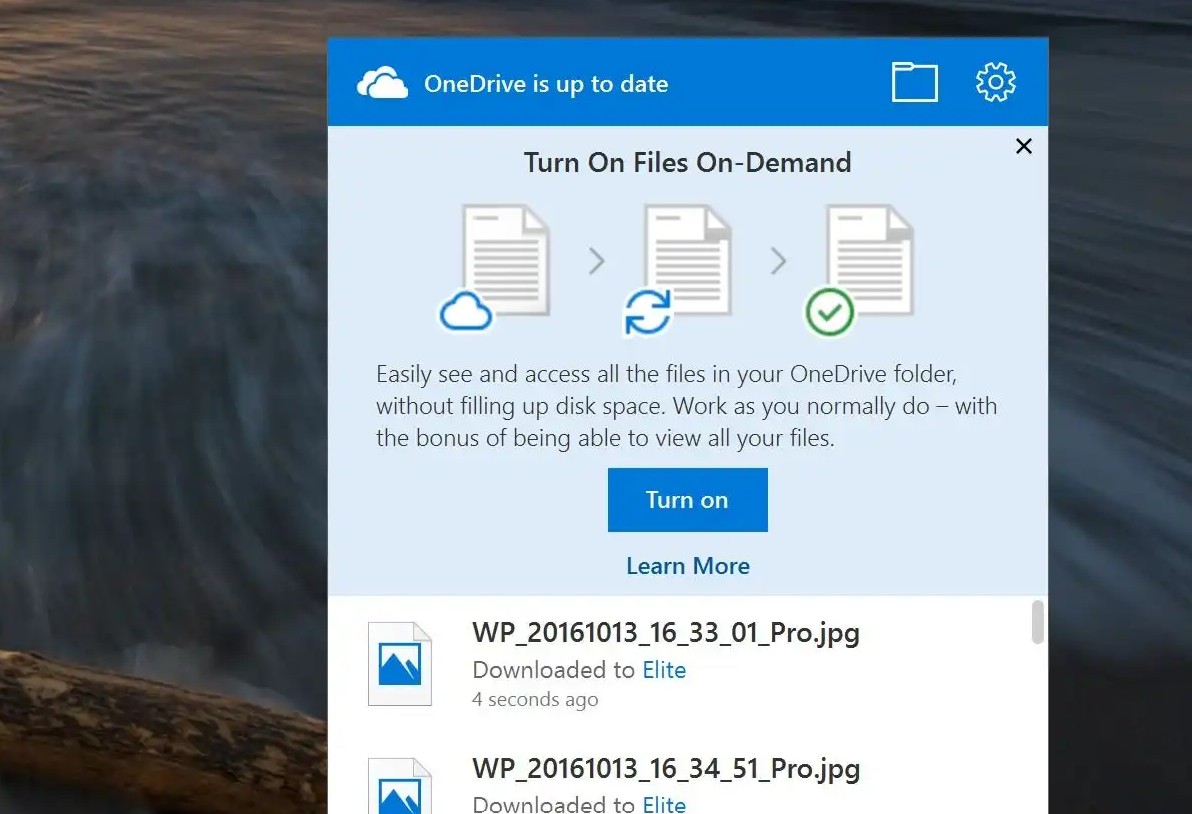
Additionally, OneDrive includes built-in storage optimization tools. The "Files On-Demand" feature allows users to access all files from their computer without occupying local space, saving device memory.
Security is also a strong point of OneDrive. Microsoft provides features such as data encryption, multi-factor authentication, access control management, and activity monitoring, ensuring that data is always protected from leaks or unauthorized access.
Additionally, OneDrive supports automatic backup and data recovery. In case of data loss due to system failures or accidental operation, users can restore files to a previous version, ensuring continuity of work.
In summary, the benefits of data storage with OneDrive extend beyond simple storage; it also helps increase productivity, enhance security, and improve data management, making it an ideal solution for both individuals and businesses.
3. How to use OneDrive effectively
To get the most out of OneDrive, users need to understand its features and how to use it intelligently. First, organize your data into folders and target labels, making searching and accessing easier. For example, categorizing documents by project, department, or file type will reduce search and management time.
When uploading files to OneDrive, take advantage of the automatic updates from Microsoft 365 apps, so that all edits are saved and synchronized immediately. This not only prevents data loss but also ensures that everyone on the team is working with the latest version.
One crucial element is managing access permissions when sharing data. OneDrive allows you to set editing permissions, viewing permissions, or access time limits, ensuring that important information is not leaked. Additionally, using features like highlighting, labeling, and adding comments will help improve team collaboration, especially when multiple people are editing a document simultaneously.
For businesses, implementing a backup and versioning history policy is essential. OneDrive stores previous versions of files, allowing for recovery if needed. Users can review edit history, compare changes, and restore older versions, ensuring data remains accurate and secure.
Additionally, integration with Teams and Outlook allows users to share files directly within chats or emails, improving communication efficiency and reducing manual tasks.
In summary, using OneDrive effectively requires organizing data scientifically, leveraging smart synchronization and sharing features, managing access permissions, and performing regular backups. This forms the foundation for optimizing productivity and protecting data in the digital environment.
4. Secure and manage your data with OneDrive.
One of the top priorities when using cloud storage services is data security. OneDrive provides comprehensive solutions that give users peace of mind regarding the safety of their information.
All data is encrypted during transmission and storage, ensuring that information cannot be accessed illegally. Multi-factor authentication (MFA) adds an extra layer of security, requiring users to verify their identity before accessing data.
Access control is another strength of OneDrive. Users can manage permissions on an individual or group basis, controlling who can edit and who can only view. This is especially important for businesses, where sensitive data needs precise access control.
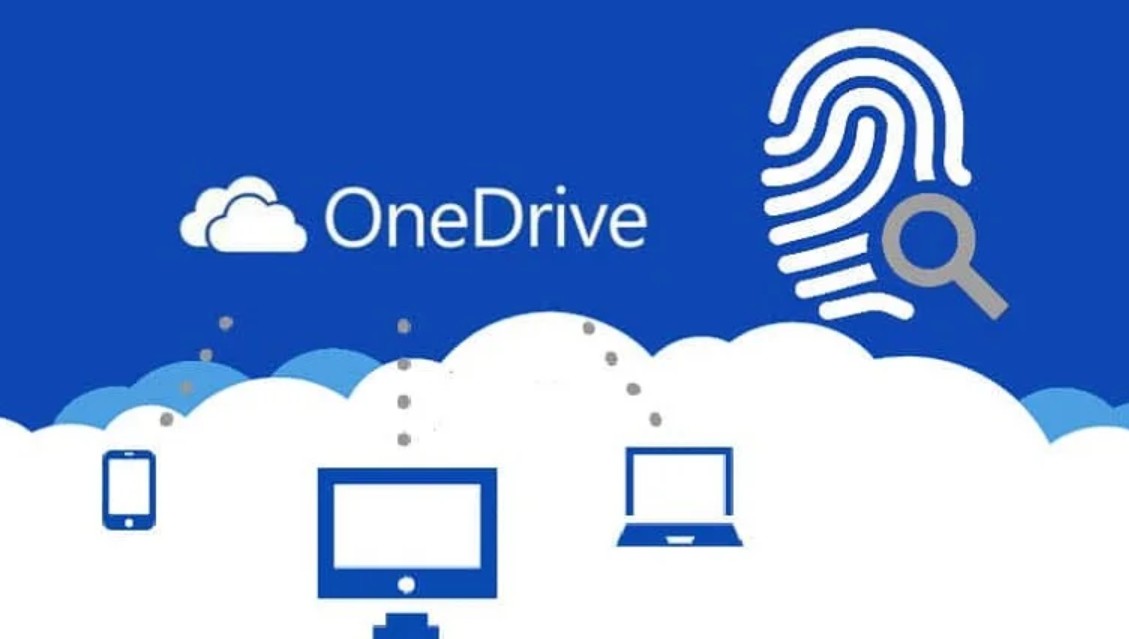
Additionally, OneDrive provides activity monitoring and security alerts, helping to detect unusual behavior or unauthorized access in a timely manner. Its data backup and recovery capabilities also help protect information from incidents such as accidental deletion or malware attacks.
Combining all these elements, OneDrive is not just a storage solution but also a secure and reliable data management tool, helping individuals and businesses minimize risks, ensure compliance with security regulations, and improve information management efficiency.
5. Smart data synchronization
One of OneDrive's standout features is its intelligent data synchronization. Users can access and edit files from any device, from desktop computers to mobile phones, and any changes will automatically update across all other devices.
The Files On-Demand feature allows users to view all files in OneDrive without downloading them all to their device, saving local storage space. When needed, files can be downloaded for offline editing and automatically synced again when connected to the internet.
Smart synchronization also helps improve teamwork efficiency. When multiple people are editing a document simultaneously, OneDrive ensures that the latest version is always updated, while also preserving the history of previous versions, helping to avoid conflicts and data loss.
Additionally, integration with Microsoft 365 applications such as Word, Excel, and PowerPoint allows for direct editing within OneDrive without needing to download files to your computer, creating a fast, seamless, and efficient workflow experience.
6. Optimize your storage with OneDrive.
To get the most out of OneDrive, users need to optimize storage based on their actual needs. Categorizing data by project, department, or file type makes it easier to manage and retrieve.
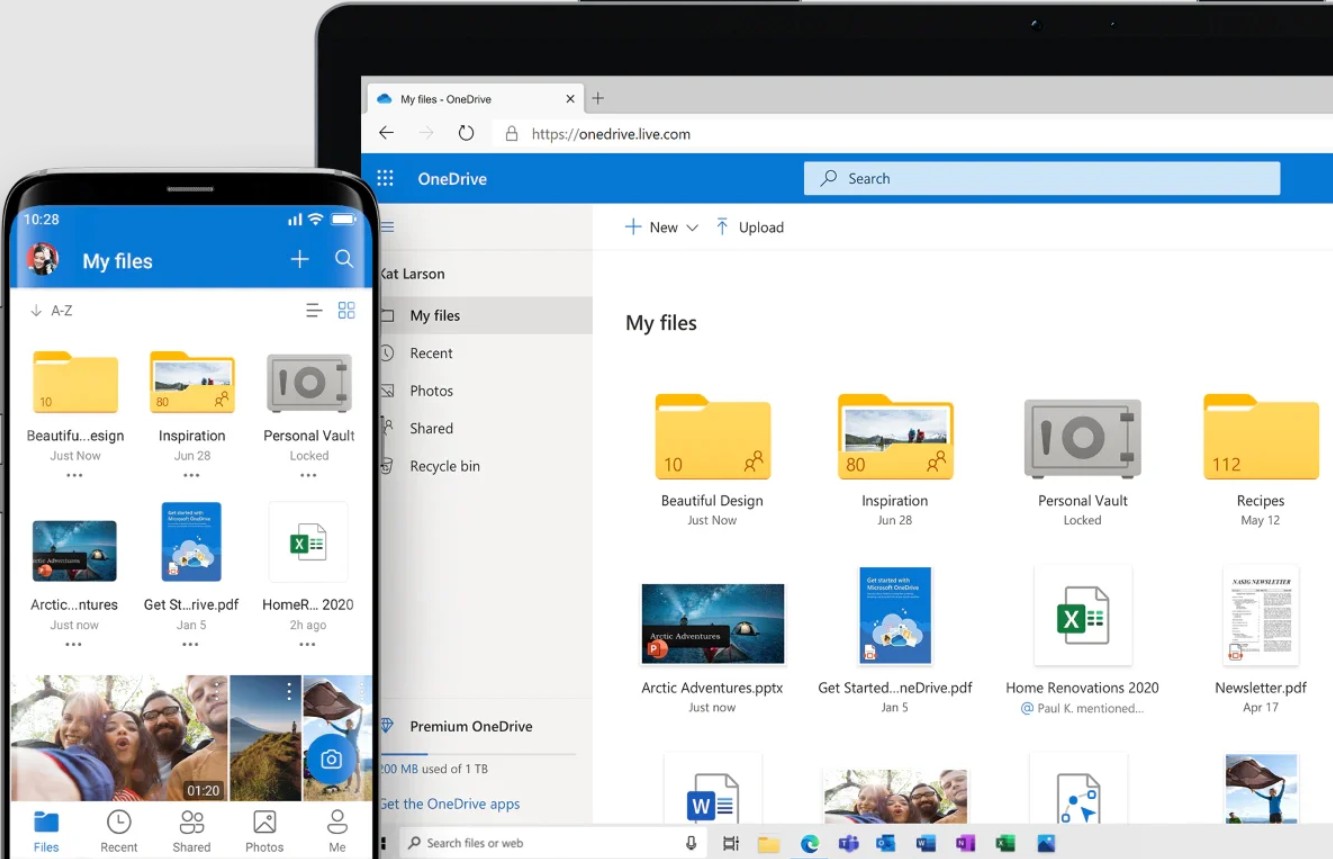
Leveraging OneDrive's automatic organization and smart storage suggestions helps save space and improve productivity. Infrequently used files can be stored in the cloud, while important files are always easily accessible from any device.
Individual users can choose between OneDrive Personal or Microsoft 365 Personal/Family plans, while businesses can opt for Business Standard, Business Premium, or Enterprise plans, depending on their storage and data management needs.
Additionally, deleting duplicate files and optimizing large images and documents helps free up storage space, improve performance, and keep data organized and easy to manage.
OneDrive is more than just a simple cloud storage service; it's also an intelligent data management tool that helps individuals and businesses optimize storage, secure information, synchronize data, and increase work efficiency.
With its deep integration into the Microsoft 365 ecosystem, OneDrive provides a seamless experience, from storing, sharing, and editing to managing access and recovering data. Intelligent syncing, Files On-Demand, and flexible storage plans help users save time, optimize storage space, and work more efficiently.





















VIP Products








Best Selling Products
MidJourney Account
29 USD
Copyright Adobe Lightroom Account
59 USD
Genuine Cheap Canva Pro
39 USD
Freepik Premium Account
59 USD
Adobe Photoshop Copyright - Full App
120 USD
Capcut Pro 1 Year
39 USD
Windows 10 & 11 Pro Key
36 USD
Autodesk All App Account Copyright
120 USD
Genuine Adobe Illustrator account
99 USD
Upgrade Duolingo Super
29 USD
Upgrade genuine Capture One account
120 USD
ChatGPT Plus Account (GPT-4)
16 USD
Adobe Premiere Pro Account
99 USD
Plugin Retouch4me
69 USD
Upgrade Genuine Office 365
49 USD