Best Selling Products

Upgrade genuine Capture One account
120 USD

Plugin Retouch4me
69 USD

Adobe Premiere Pro Account
99 USD

Genuine Cheap Canva Pro
39 USD

Upgrade Genuine Office 365
49 USD

Genuine Adobe Illustrator account
99 USD

MidJourney Account
29 USD

Upgrade Duolingo Super
29 USD

Autodesk All App Account Copyright
120 USD

Windows 10 & 11 Pro Key
36 USD

Adobe Photoshop Copyright - Full App
120 USD

Copyright Adobe Lightroom Account
59 USD

Freepik Premium Account
59 USD

Capcut Pro 1 Year
39 USD

ChatGPT Plus Account (GPT-4)
16 USD
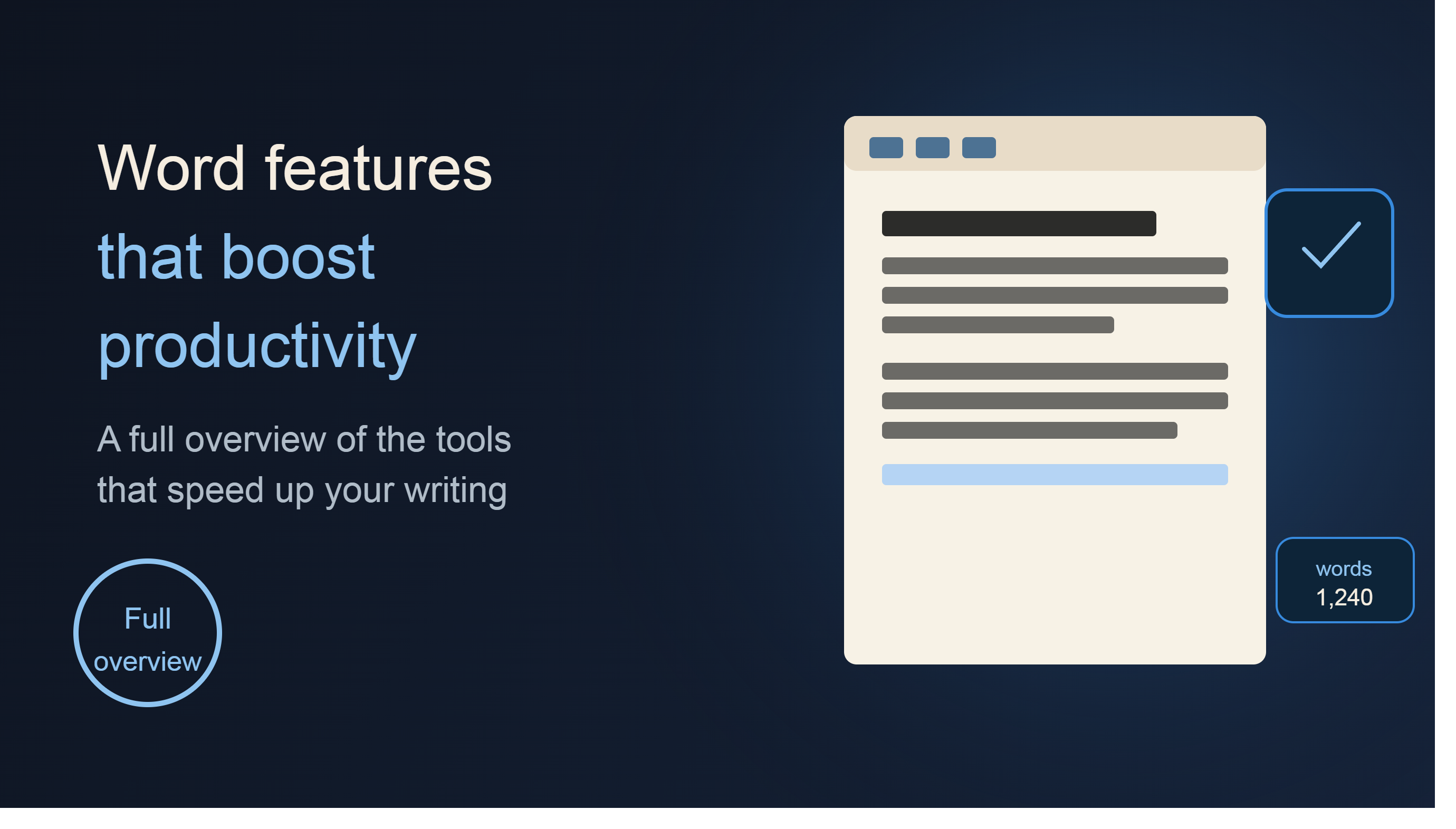
Overview of Microsoft Word and Features That Help Increase Productivity
Nội dung
- 1. What is Microsoft Word?
- 2. Create Professional Content Faster with AI Copilot
- 3. Get Started Quickly with Thousands of Document Templates
- 4. Speech-to-Text Conversion
- 5. Enhance Content Quality with a Smart Editor
- 6. Rewrite and Refine Content Using AI
- 7. Understand Content Faster with Document Summarization Capabilities
- 8. Enhancing the Visuals of Documents
- 9. Improve Content Accessibility
- 10. Real-Time Collaboration
- 11. Microsoft Word in the Microsoft 365 Ecosystem
- 12. Benefits of Using Modern Microsoft Word
- 13. Conclusion
Microsoft Word is not just a familiar word processing software, but also a modern work platform integrated with Copilot artificial intelligence, online collaboration capabilities, and cloud-based data synchronization.
1. What is Microsoft Word?
Microsoft Word is word processing software within the Microsoft 365 ecosystem, designed for creating, editing, formatting, and managing professional documents. Over the years, Word has become a standard in word processing, widely used in education, businesses, and organizations worldwide.
Word's strength lies in its ability to combine ease of use with the power of professional tools. Users can create everything from short notes and personal letters to research reports, business contracts, or complex technical documents. Currently, Word also integrates AI Copilot to support the content creation process from the idea stage to the final version.
Besides the desktop version, Word also has a web version and a mobile app, allowing users to access documents anytime, anywhere, without being limited by device.
2. Create Professional Content Faster with AI Copilot
One of the biggest changes to Microsoft Word in recent years has been the integration of Copilot. This is an AI assistant developed by Microsoft to help users create and edit content more efficiently.
Instead of starting with a blank page, users can submit requests to Copilot and receive an initial draft in a short amount of time. AI can assist in building content structure, suggesting ideas, editing wording, and finalizing documents significantly faster than traditional methods. Microsoft says Copilot can support users from the first draft to the complete version of their document.
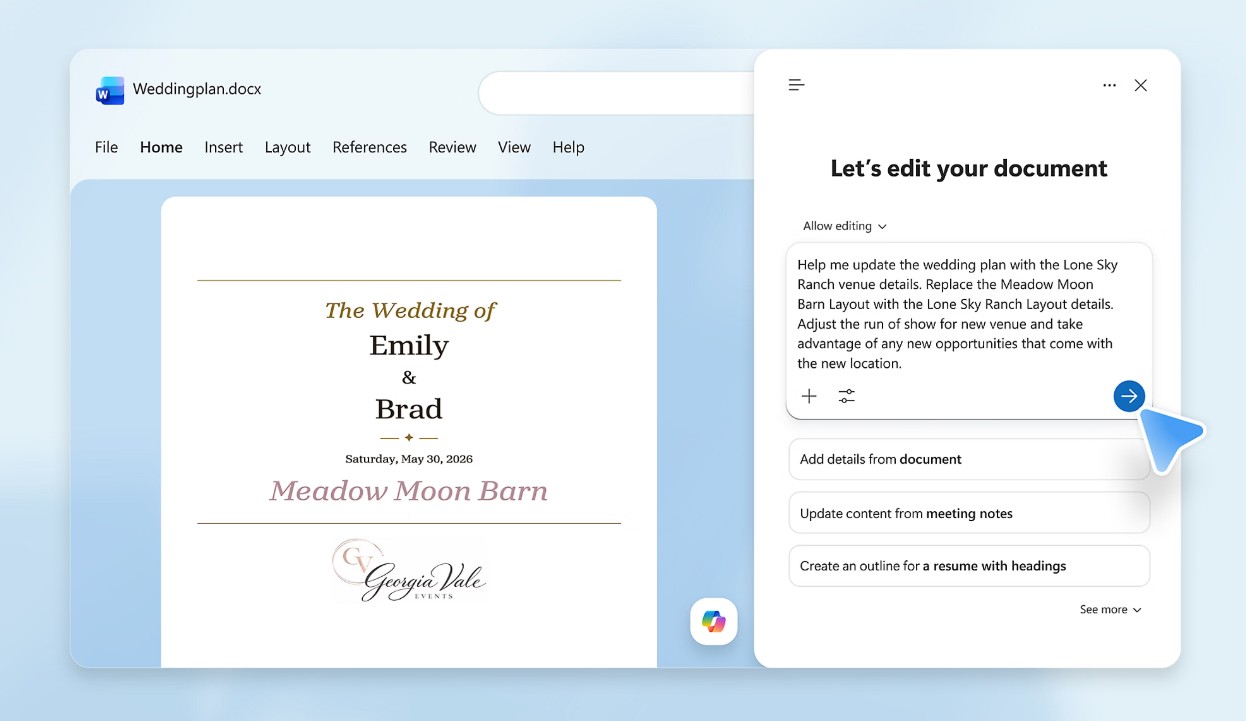
For office workers, this feature saves time when drafting reports, plans, or business proposals. For students, Copilot assists in outlining and developing academic content. In the field of content creation, AI can help create articles, edit writing style, and optimize content more quickly.
The combination of AI capabilities and human control makes the drafting process efficient while maintaining professional quality.
3. Get Started Quickly with Thousands of Document Templates
Not everyone has professional document design or formatting skills. Understanding this, Microsoft Word offers thousands of free, customizable document templates for a variety of uses.
Users can choose from templates for business reports, resumes, cover letters, project plans, invitations, study materials, or personal events. These templates are pre-designed with a logical layout, harmonious colors, and flexible editing capabilities.
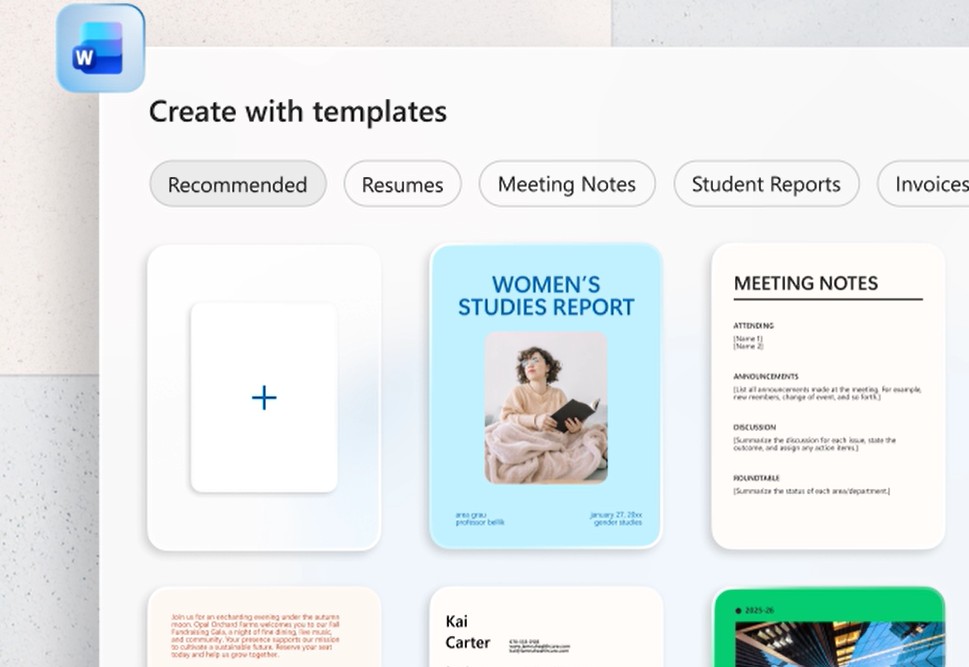
Using templates not only saves time but also ensures a professional look for your document right from the start. This is a particularly important advantage for those with little experience in document design.
4. Speech-to-Text Conversion
One of Word's standout features is its ability to convert speech to text through its Dictation function. Users can speak directly into the microphone, and Word will automatically convert their speech into text.
This feature offers many practical benefits. Users can jot down ideas as soon as they come to mind without having to type them manually. Meetings, lectures, or notes can be quickly converted into text, saving time and increasing productivity.

For those who frequently write long pieces of content, combining voice input and keyboard editing significantly reduces the stress of the writing process.
5. Enhance Content Quality with a Smart Editor
A professional document requires not only good content but also accuracy in grammar, spelling, and expression. Microsoft Word integrates a smart editor that helps users improve text quality during the writing process.
The system is capable of detecting spelling and grammatical errors and offering appropriate correction suggestions. Furthermore, Word also helps assess sentence clarity and suggest more easily understandable ways of expressing ideas.
This allows users to create more professional, clear, and persuasive documents without relying entirely on manual proofreading.
6. Rewrite and Refine Content Using AI
One of the common challenges in writing is finding the right way to express yourself. Microsoft Word addresses this problem with its ability to rewrite content through Copilot. AI can suggest different versions of the same paragraph to help users choose the most optimal way to express themselves.
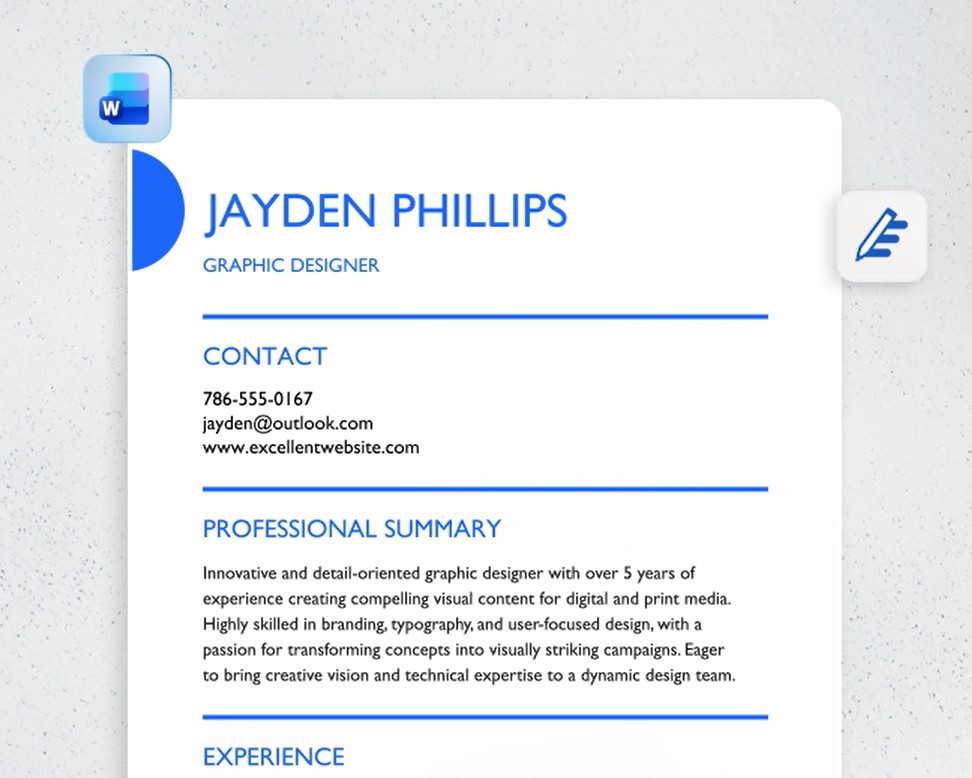
This feature is particularly useful when you need to enhance the professionalism of your writing or adjust the tone to suit different audiences. An email to a client will require a different style than an internal report or academic paper. Copilot can help you quickly adjust to these differences.
Thanks to its ability to analyze context, AI not only changes wording but also helps improve sentence structure and the logic of the content.
7. Understand Content Faster with Document Summarization Capabilities
The ever-increasing volume of information makes reading entire documents sometimes difficult. Microsoft Word has integrated AI-powered document summarization capabilities to help users quickly grasp the main points.
Instead of spending time reading dozens of pages of content, users can ask Copilot to create a concise summary. This is especially useful for long reports, research papers, or contracts with many clauses.
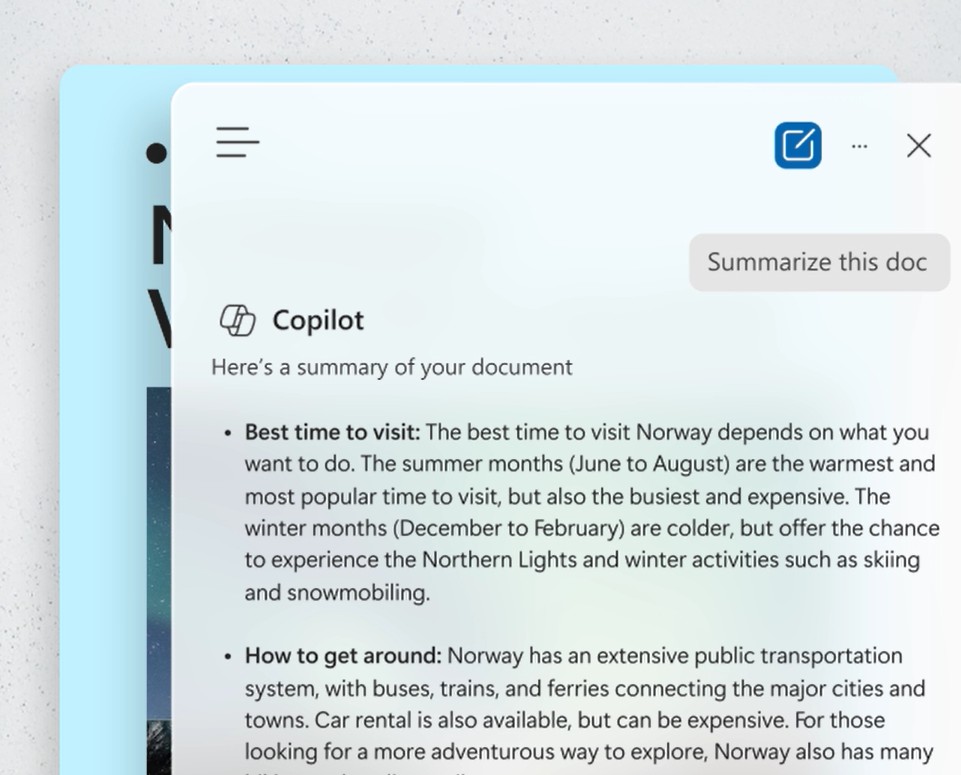
The ability to summarize not only saves time but also improves information processing efficiency in the modern work environment.
8. Enhancing the Visuals of Documents
An engaging document relies not only on written text but also on appropriate visual elements. Microsoft Word allows users to create banners, illustrations, and visual content through a combination of Copilot and Designer.
Users simply describe their idea, and the system will help generate suitable images to insert directly into the document. This enhances the aesthetics and informational effectiveness of the text.
For presentations, business reports, or marketing materials, the ability to add visual elements significantly enhances the content's appeal and professionalism.
9. Improve Content Accessibility
Microsoft Word focuses not only on content creation but also on accessibility for all users. The Accessibility Checker tool can analyze documents and offer suggestions to improve readability.
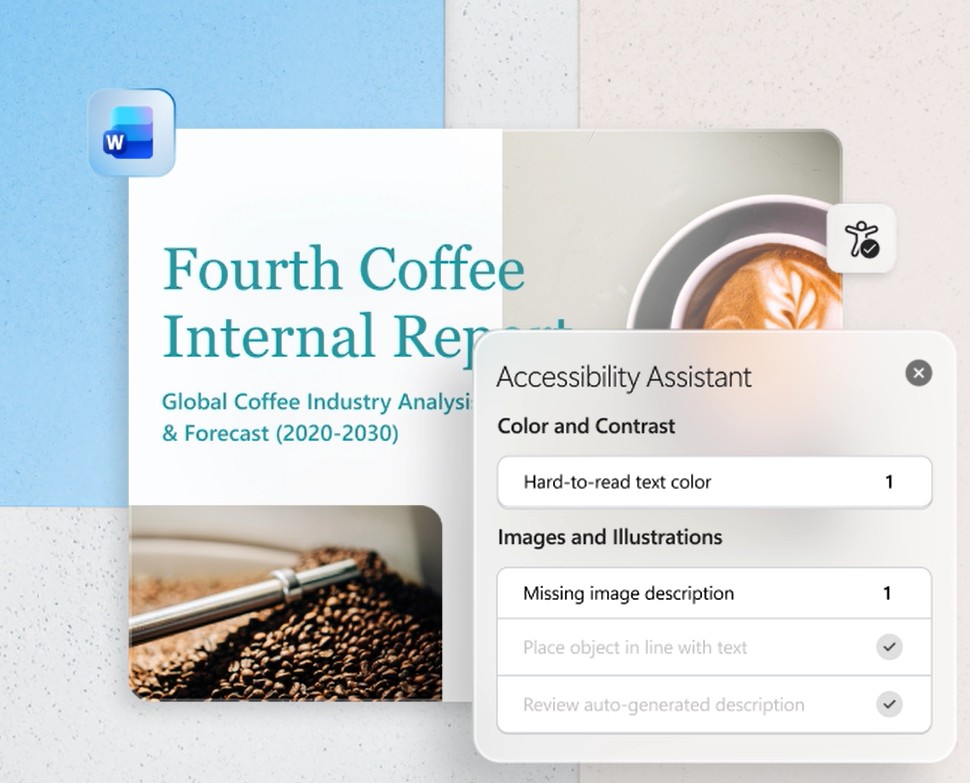
The system can assess color contrast, document structure, heading usage, and language to ensure content is more accessible to users with specific needs.
This is an important feature for businesses, educational institutions, and organizations that need to create content targeting diverse audiences.
10. Real-Time Collaboration
Remote work and online collaboration are becoming more popular than ever. Microsoft Word supports sharing and editing documents simultaneously with multiple people in real time.
Users can invite colleagues, partners, or team members to collaborate on document editing. Changes are updated instantly, ensuring a continuous and efficient workflow.
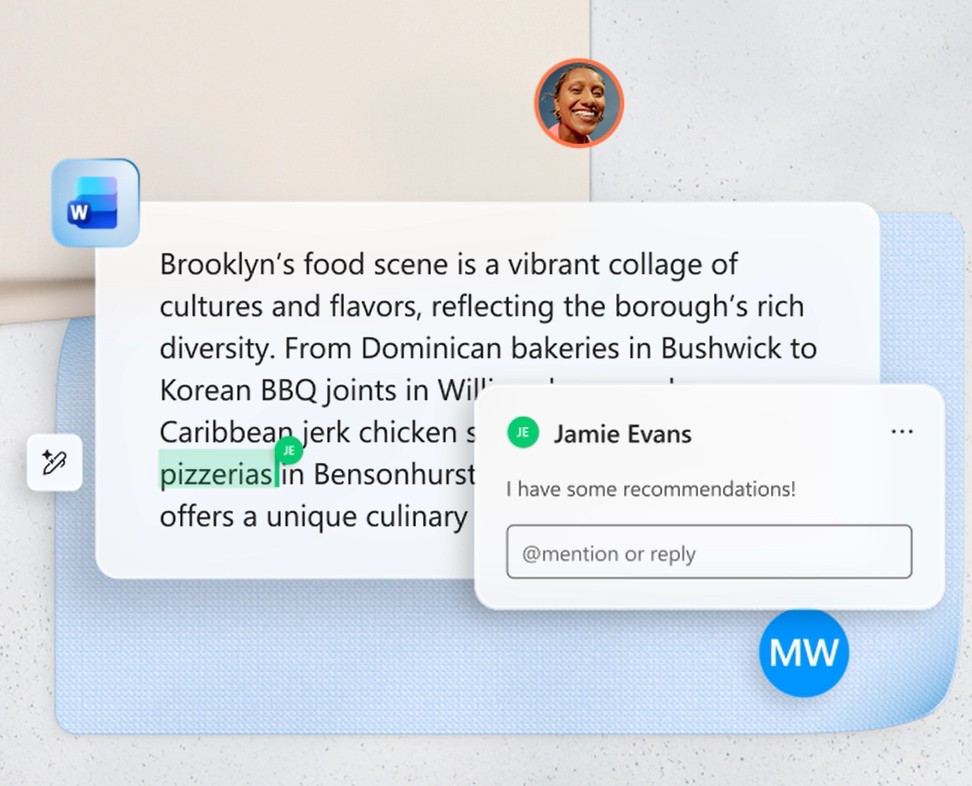
Word also integrates change tracking and version history features, allowing users to control all edits made to a document. This is a particularly useful tool for large workgroups or projects requiring multiple feedback rounds.
11. Microsoft Word in the Microsoft 365 Ecosystem
Word doesn't operate independently but is an important part of the Microsoft 365 ecosystem. When using Microsoft 365, users not only have Word but also access to applications such as Excel, PowerPoint, Outlook, OneNote, OneDrive, Teams, and Microsoft Defender.
Microsoft 365 Personal offers 1 TB of OneDrive cloud storage, allowing you to store and synchronize documents across multiple devices. Users can start working on their computer, continue on their phone, and finish on their tablet without interruption.
In addition, Microsoft 365 integrates advanced AI features, data protection capabilities with Microsoft Defender, and modern collaboration tools to optimize personal and business productivity.
12. Benefits of Using Modern Microsoft Word
Microsoft Word today is more than just word processing software. It's a comprehensive content creation platform that combines AI, cloud computing, and online collaboration. Users can create professional documents faster, improve writing quality, manage tasks more efficiently, and work flexibly across multiple devices. Features like Copilot, intelligent editor, speech-to-text, document summarization, and real-time collaboration make Word one of the most powerful productivity tools available today.
13. Conclusion
Microsoft Word has transcended the role of a traditional word processing software to become a modern work platform supported by artificial intelligence and the Microsoft 365 ecosystem. From content creation with Copilot, editing with the intelligent editor, real-time online collaboration, to data synchronization across multiple devices, Word provides a comprehensive experience for both individual and business users. In the context of AI changing the way people work and create content, Microsoft Word continues to assert its position as one of the most important tools for improving productivity, optimizing workflows, and creating professional documents of higher quality than ever before.





















VIP Products








Best Selling Products
Upgrade genuine Capture One account
120 USD
Plugin Retouch4me
69 USD
Adobe Premiere Pro Account
99 USD
Genuine Cheap Canva Pro
39 USD
Upgrade Genuine Office 365
49 USD
Genuine Adobe Illustrator account
99 USD
MidJourney Account
29 USD
Upgrade Duolingo Super
29 USD
Autodesk All App Account Copyright
120 USD
Windows 10 & 11 Pro Key
36 USD
Adobe Photoshop Copyright - Full App
120 USD
Copyright Adobe Lightroom Account
59 USD
Freepik Premium Account
59 USD
Capcut Pro 1 Year
39 USD
ChatGPT Plus Account (GPT-4)
16 USD