Best Selling Products

Adobe Premiere Pro Account
99 USD

Freepik Premium Account
59 USD

ChatGPT Plus Account (GPT-4)
16 USD

Windows 10 & 11 Pro Key
36 USD

Upgrade genuine Capture One account
120 USD

Copyright Adobe Lightroom Account
59 USD

Upgrade Duolingo Super
29 USD

Upgrade Genuine Office 365
49 USD

Plugin Retouch4me
69 USD

Adobe Photoshop Copyright - Full App
120 USD

Capcut Pro 1 Year
39 USD

Genuine Cheap Canva Pro
39 USD

MidJourney Account
29 USD

Autodesk All App Account Copyright
120 USD

Genuine Adobe Illustrator account
99 USD
Pixlr X vs Pixlr E: Which is the right photo editing tool?
Nội dung
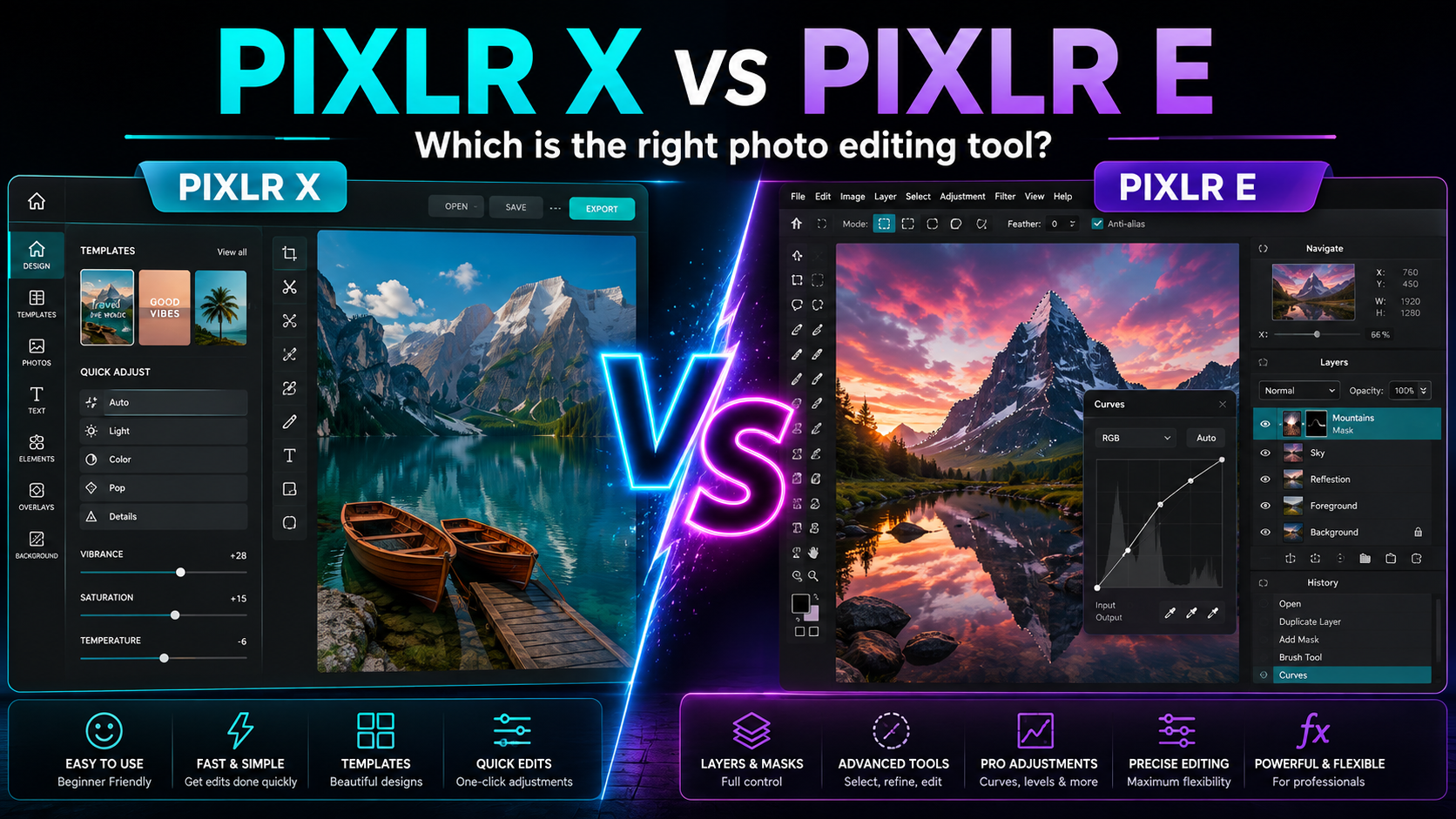
In the Pixlr ecosystem, Pixlr X and Pixlr E cater to two quite different needs. So how do Pixlr X and Pixlr E differ?
1. What are Pixlr X and Pixlr E?
Pixlr X: Simple and fast
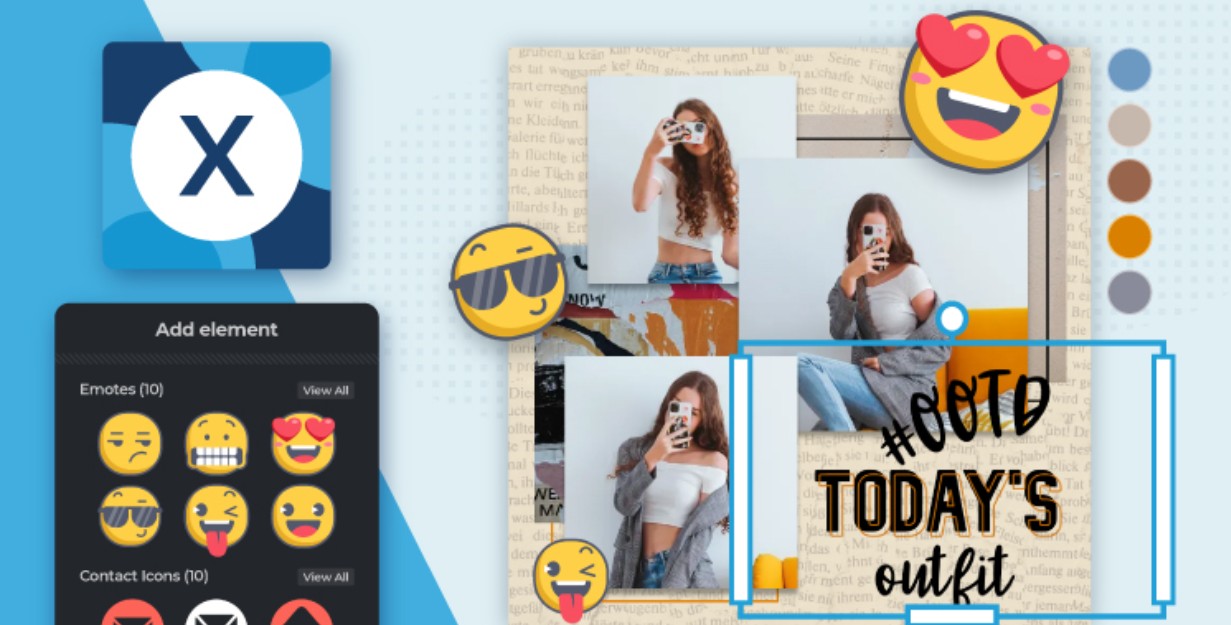
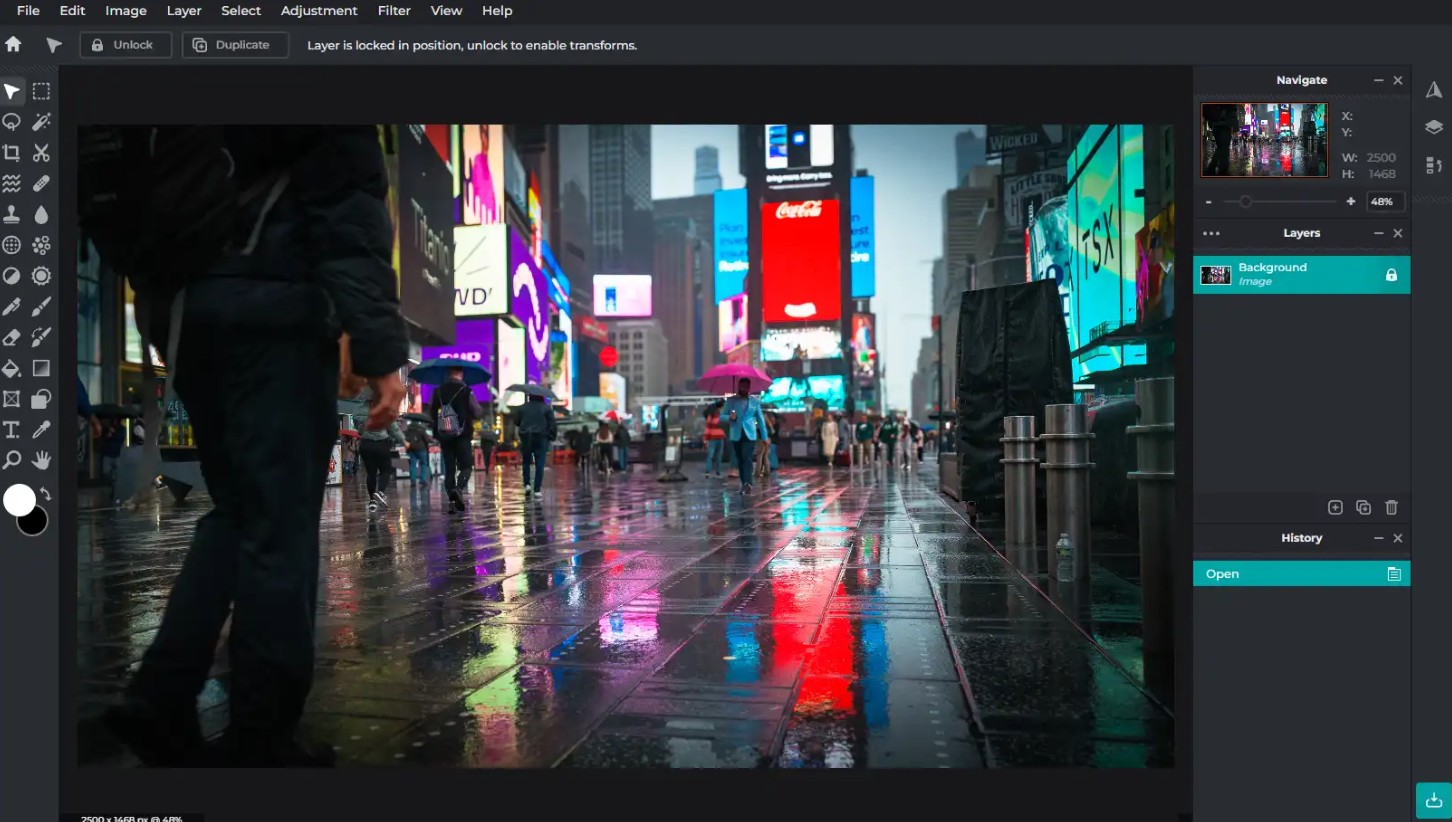
Pixlr X is a modern photo editing tool focused on a simple and accessible experience. Instead of offering too many tools at once, Pixlr X focuses on the operations that users frequently need to use.
The intuitive interface allows beginners to start editing without spending too much time learning. Operations such as cropping, resizing, adjusting brightness and contrast, and adding filters or effects can all be done quickly.
Pixlr X isn't just for complete beginners. Those with photo editing experience who need quick results can also utilize this tool to save time.
For example, if you need to edit a photo before posting it on social media, you don't necessarily need to open a professional photo editor with a host of complex tools. Pixlr X provides the necessary features in a cleaner interface.
Pixlr E: Advanced Editing
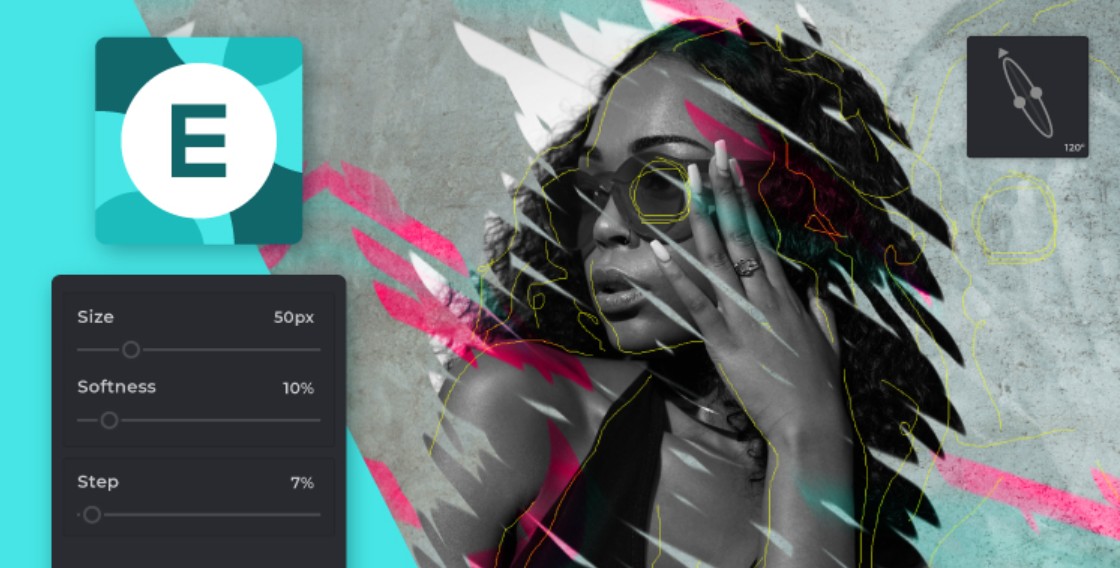
Pixlr E is an image editor with a richer set of tools. It's geared towards users who need fine-tuned control over the editing process and want to perform more complex tasks.
Pixlr E offers a wide range of adjustment, retouching, and design tools, as well as support for layers and masks. This allows users to build complex layouts, edit individual elements, and create highly personalized images.
The Pixlr E interface might seem more complex to beginners than Pixlr X. However, this is also a strength for advanced users. Once familiar with the toolset, Pixlr E opens up more creative possibilities.
2. Interface and usability
Pixlr X: Minimalism
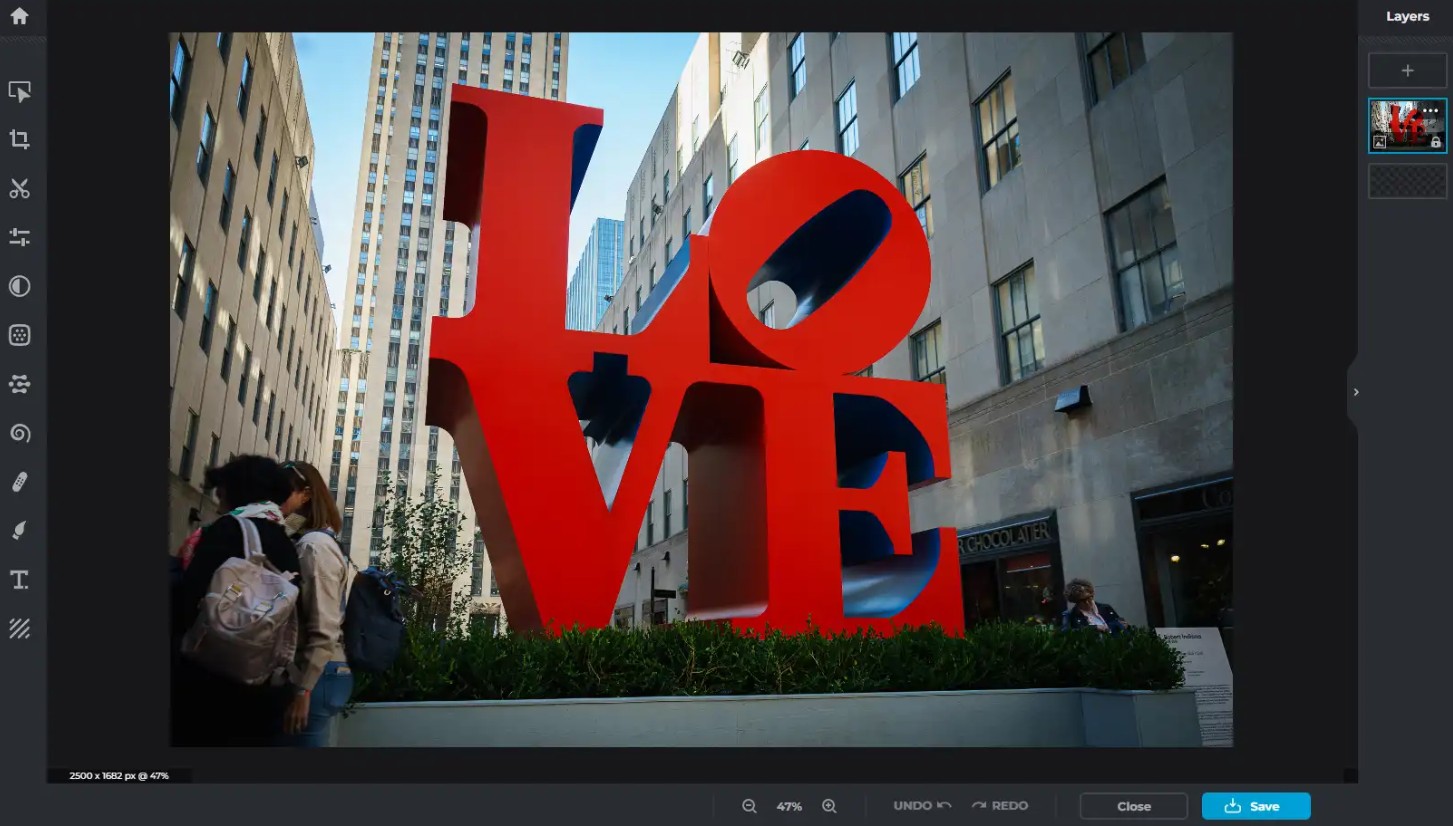
Pixlr X is built with a clean and minimalist interface. The tools are arranged in an easy-to-find manner, helping users quickly identify the action they need to perform.
This simplicity is especially suitable for people who don't frequently use photo editing software. You can open an image, select a tool, and start editing without having to learn too many technical concepts.
The Pixlr X still meets basic editing needs such as cropping, resizing, adjusting brightness and contrast, and also provides filters and effects.
The key point is that simplicity doesn't mean Pixlr X lacks usefulness. For everyday editing tasks, a clean interface can sometimes get the job done much faster than a system with too many tools.
Pixlr E: Comprehensive Control
Pixlr E has a wider interface and offers more options. This gives users deeper control over each element of the image.
You can perform operations such as retouching portraits, removing blemishes, editing multiple areas, and building complex layouts.
One of the most notable features of Pixlr E is its layer- based editing capability . Instead of editing directly on a single image, you can divide the content into multiple layers.
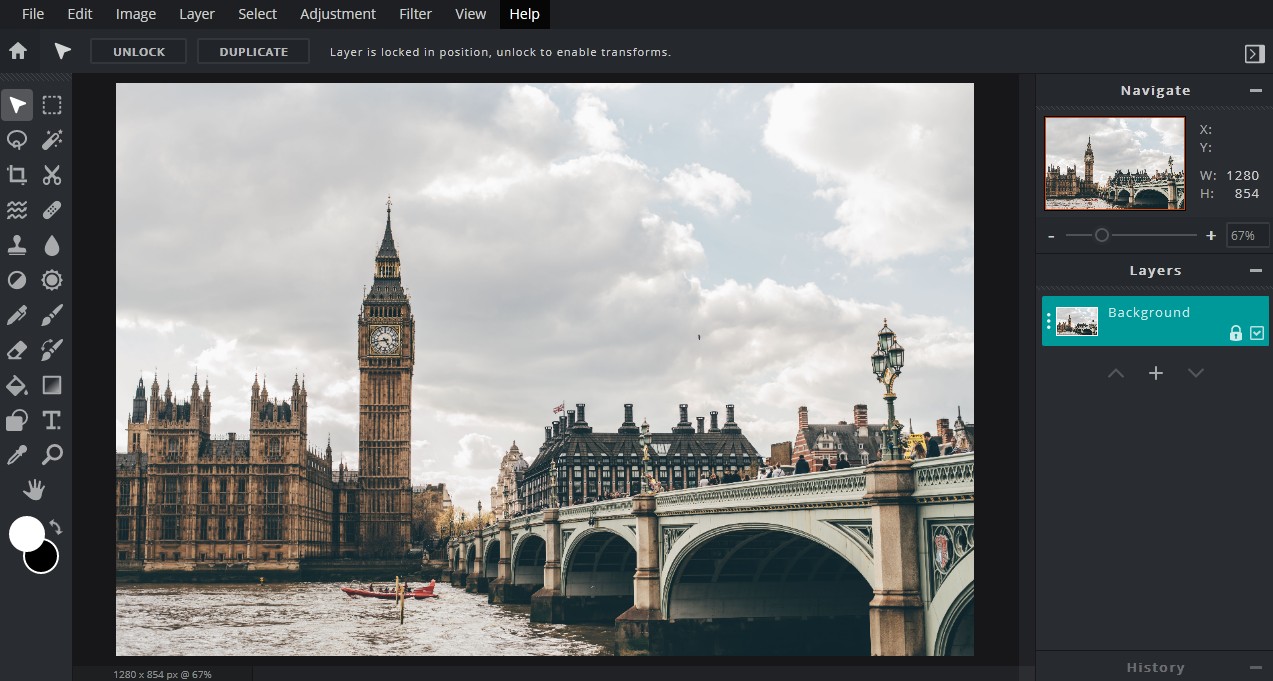
Masks also help control the display area of each layer. This is especially useful when you need to make selective edits.
For beginners, the Pixlr E interface may require some getting used to. But for advanced users, the rich set of tools becomes an environment for experimenting and developing complex design ideas.
3. Which tool is better for editing?
There is no definitive answer to this question because the two versions are designed for different purposes.
Pixlr X: Fast and convenient
Pixlr X excels at tasks that need to be completed quickly. You can adjust colors, crop images, add text, add stickers, or apply filters in a short amount of time.
If you're preparing a social media post, Pixlr X is a convenient option for creating eye-catching images without going through a complicated editing process.
The tool is also suitable for editing selfies or snapshots. Users can preview the results during the process and adjust until they achieve the desired look.
The highlight of Pixlr X lies in its ability to start editing almost instantly. You don't necessarily need to watch lengthy tutorials or learn complex techniques before using it.
Pixlr E: Deep Creativity
While the Pixlr X prioritizes speed, the Pixlr E focuses on control.
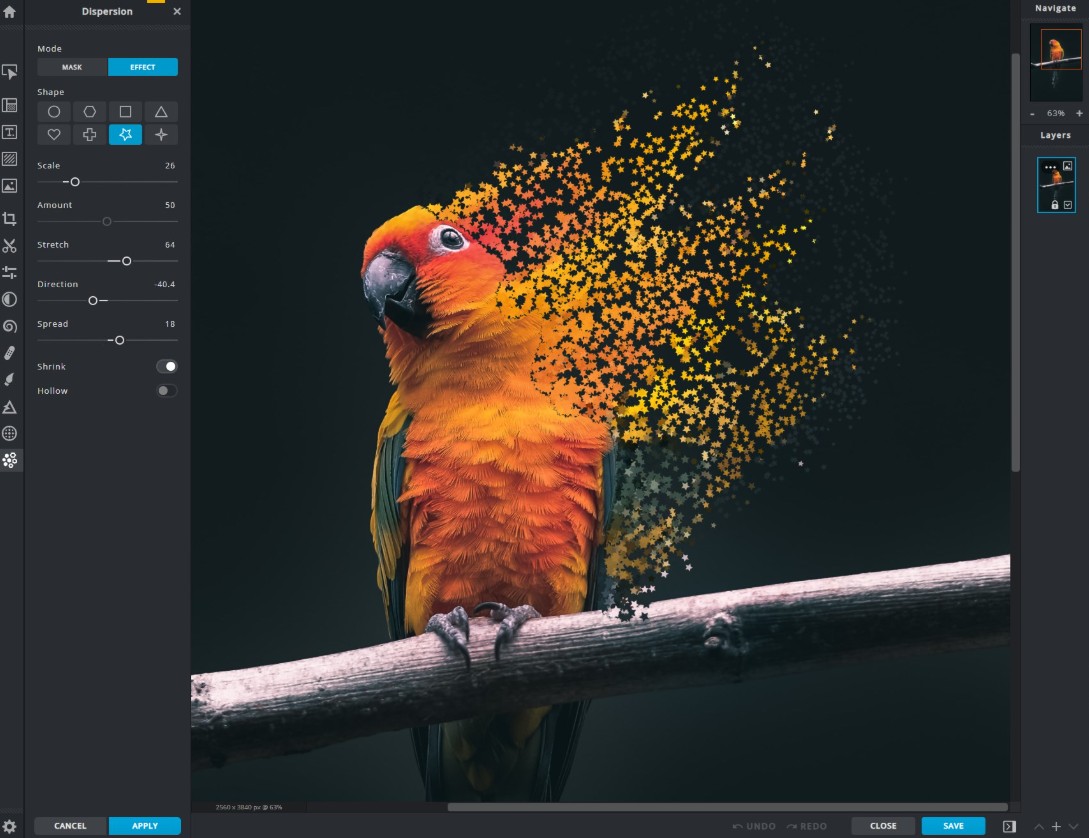
Pixlr E is suitable for tasks such as advanced retouching, combining multiple images, building complex layouts, or creating designs that require editing each element individually.
The layer system allows changes to be made layer by layer. This makes it easy to adjust one element without directly affecting the rest.
For example, when designing a poster, you can place the background image, product image, text, and effects on separate layers. If you want to change the position or edit an element, simply work on the corresponding layer.
This method offers a high degree of control and is suitable for projects that require multiple revisions.
4. Export and sharing capabilities
Pixlr X: Fast image export
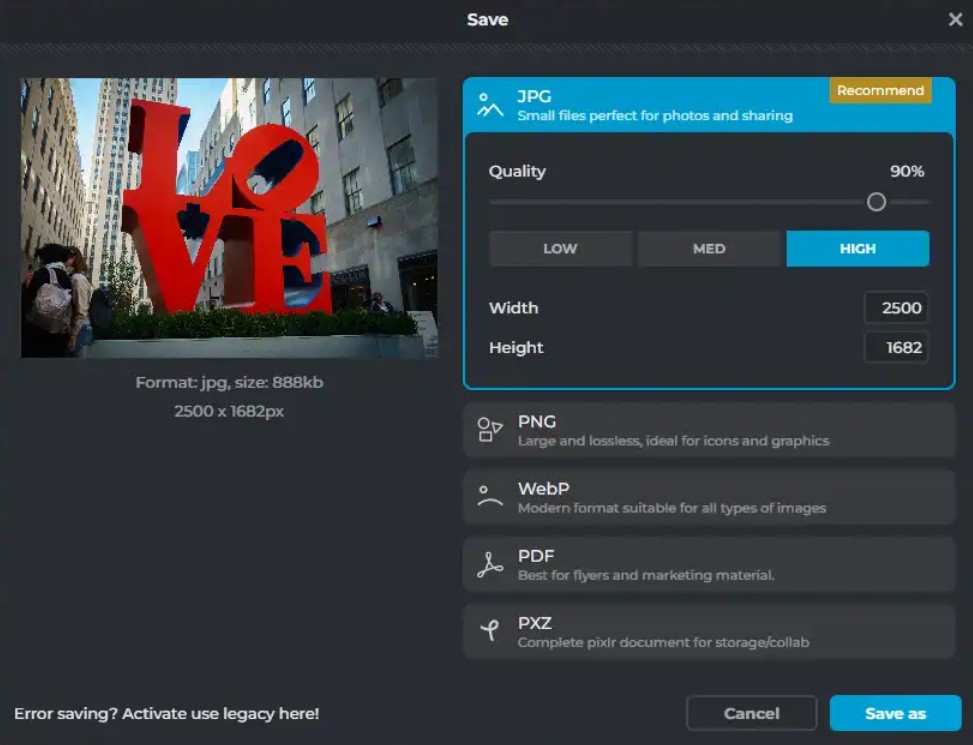
Pixlr X is aimed at users who need to quickly edit and share images. Once finished, you can export images in popular formats such as JPEG and PNG.
The simple export process is ideal for social media content. If your primary goal is creating images for Instagram, Facebook, or other online channels, Pixlr X offers a convenient experience.
Export speed and sharing capabilities are among the factors that make Pixlr X suitable for content creators who need to produce images frequently.
Pixlr E: Output Control
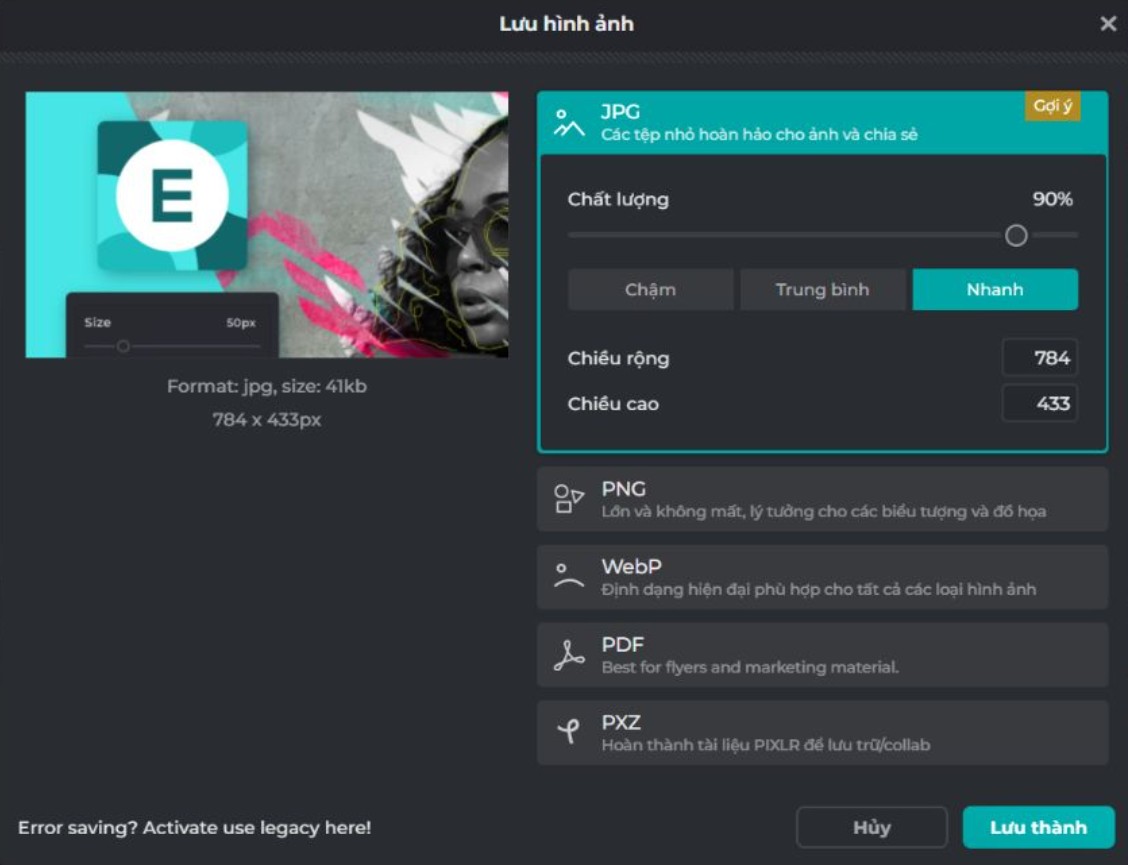
Pixlr E offers more image export options, including the ability to select formats and control quality settings.
This is important for those who need high-resolution images or must meet specific file format requirements.
For example, a photographer might need to check the quality of an image before sending it to a client. A designer might also need to export an image with the right settings for further processing in other software.
Pixlr E still supports online sharing needs, but the greater focus is on creating output files that meet professional editing and usage requirements.
5. Price and accessibility
Pixlr X is positioned as an accessible and free-to-use tool. This is an advantage for casual users, students, or those who only need basic photo editing without wanting to invest in a high-end tool.
You can use Pixlr X when you need to perform a quick action without committing to a professional photo editing service.
Pixlr E targets users with higher demands and offers subscription packages with more features and additional content. In return, users gain access to a wider range of editing tools.
Therefore, the difference in cost also partly reflects the difference in needs. The Pixlr X is suitable for simple and routine tasks, while the Pixlr E is suitable for those willing to invest for more editing capabilities.
6. Which is better, the Pixlr X or the Pixlr E?
The choice between Pixlr X and Pixlr E should be based on editing goals rather than just the number of tools.
If you're a beginner and just need to crop, resize, adjust colors, add text, or apply filters, Pixlr X will be a more accessible option.
If you frequently create social media content and need to process images quickly, Pixlr X also has an advantage thanks to its intuitive interface and simple editing process.
Conversely, the Pixlr E is more suitable when you need in-depth editing. If the work involves retouching, image merging, complex design, or requires the use of layers and masks, the Pixlr E offers more control.
For photographers and designers, Pixlr E can better meet the demands of projects requiring precision. You can spend more time fine-tuning each element instead of just applying quick edits.
7. Comparison table of Pixlr X and Pixlr E
Therefore, neither version is inherently better than the other. Pixlr X is suitable for quick editing needs, while Pixlr E is better suited for more control and creative work. The final choice should be based on your experience, editing goals, and the complexity of the project you are working on.





















VIP Products








Best Selling Products
Adobe Premiere Pro Account
99 USD
Freepik Premium Account
59 USD
ChatGPT Plus Account (GPT-4)
16 USD
Windows 10 & 11 Pro Key
36 USD
Upgrade genuine Capture One account
120 USD
Copyright Adobe Lightroom Account
59 USD
Upgrade Duolingo Super
29 USD
Upgrade Genuine Office 365
49 USD
Plugin Retouch4me
69 USD
Adobe Photoshop Copyright - Full App
120 USD
Capcut Pro 1 Year
39 USD
Genuine Cheap Canva Pro
39 USD
MidJourney Account
29 USD
Autodesk All App Account Copyright
120 USD
Genuine Adobe Illustrator account
99 USD