Best Selling Products

Upgrade Genuine Office 365
49 USD

Capcut Pro 1 Year
39 USD

Plugin Retouch4me
69 USD

Genuine Cheap Canva Pro
39 USD

Genuine Adobe Illustrator account
99 USD

Autodesk All App Account Copyright
120 USD

Freepik Premium Account
59 USD

Copyright Adobe Lightroom Account
59 USD

MidJourney Account
29 USD

Adobe Premiere Pro Account
99 USD

Windows 10 & 11 Pro Key
36 USD

ChatGPT Plus Account (GPT-4)
16 USD

Adobe Photoshop Copyright - Full App
120 USD

Upgrade genuine Capture One account
120 USD

Upgrade Duolingo Super
29 USD
Secrets to Editing Videos for TikTok, Instagram, and Ads
Nội dung
- 1. Master Video Editing Techniques
- 1.1 Opening Paragraph: The Golden Two Seconds Decide Everything
- 1.2 Creating Videos Using 'Microcutting' Technique
- 1.3 Synchronizing Images with the Music's "Drop" Rhythm
- 1.4 Optimizing Video for a Silent Viewing Experience
- 1.5 Find the Ideal Length for Your Video
- 2. Choose the Application That Suits Your Needs
- 2.1 Direct Editing Within the Application
- 2.2 CapCut
- 2.3 InShot
- 3. Conclusion
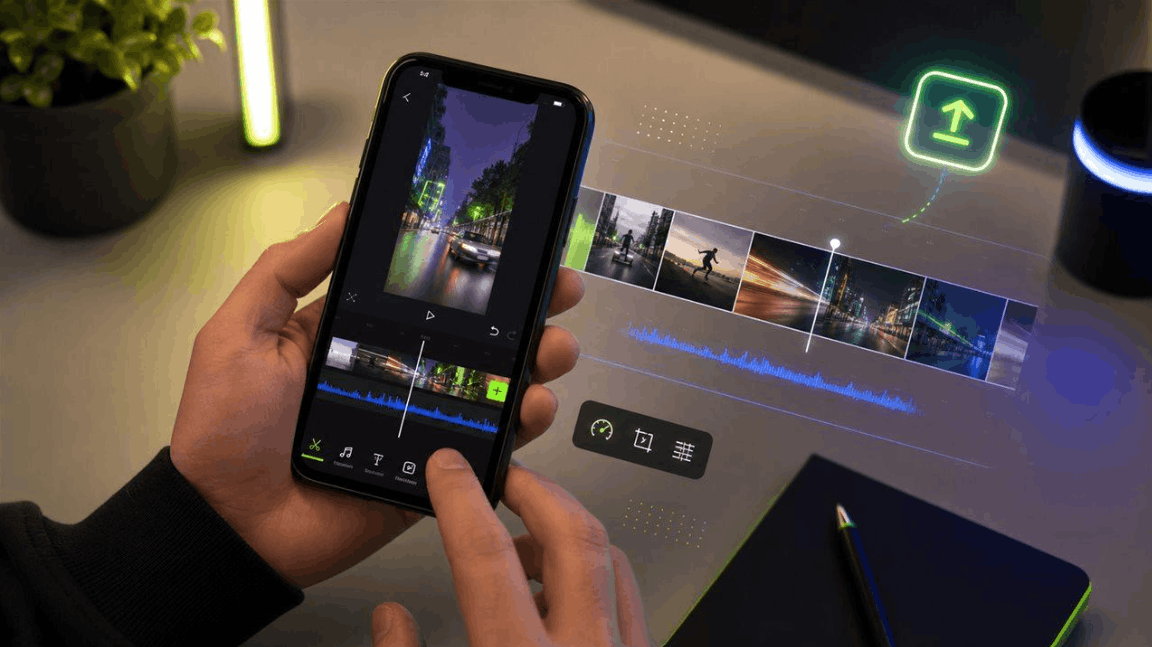
With just a phone and the right editing app, anyone can apply the video editing principles used by top content creators. This article will share key video editing techniques and suggest apps to suit your needs.
1. Master Video Editing Techniques
1.1 Opening Paragraph: The Golden Two Seconds Decide Everything
On platforms like TikTok or Instagram Reels, viewers typically spend less than two seconds deciding whether to continue watching or skip to another video. Therefore, the opening moment, also known as the most valuable shot in the entire video, must be intriguing, surprising, or immediately emotionally stimulating. Instead of starting with a lengthy introduction or a slow-paced opening scene, immediately draw the audience into the most exciting moment, whether it's a shocking statement, a powerful moving image, or a detail that sparks curiosity about what's to come. The golden rule here is not to start the video from the natural beginning of the story, but to start just before the climax to create instant traction. When the opening is strong enough, the platforms' algorithms will recognize a high retention rate from the very first seconds, thus prioritizing pushing your video to more viewers.
1.2 Creating Videos Using 'Microcutting' Technique
One of the less-discussed but highly effective secrets to retaining viewers is micro-cutting, which involves breaking a video down into numerous extremely short segments, typically lasting only a few hundred milliseconds to one or two seconds. These rapid cuts constantly refresh the image on the screen, keeping the viewer's brain highly focused and preventing them from getting bored and skipping. This technique is particularly effective in the first few seconds of a video, where you need to create a sense of energy and a fast pace to keep viewers engaged past the initial decision-making threshold.
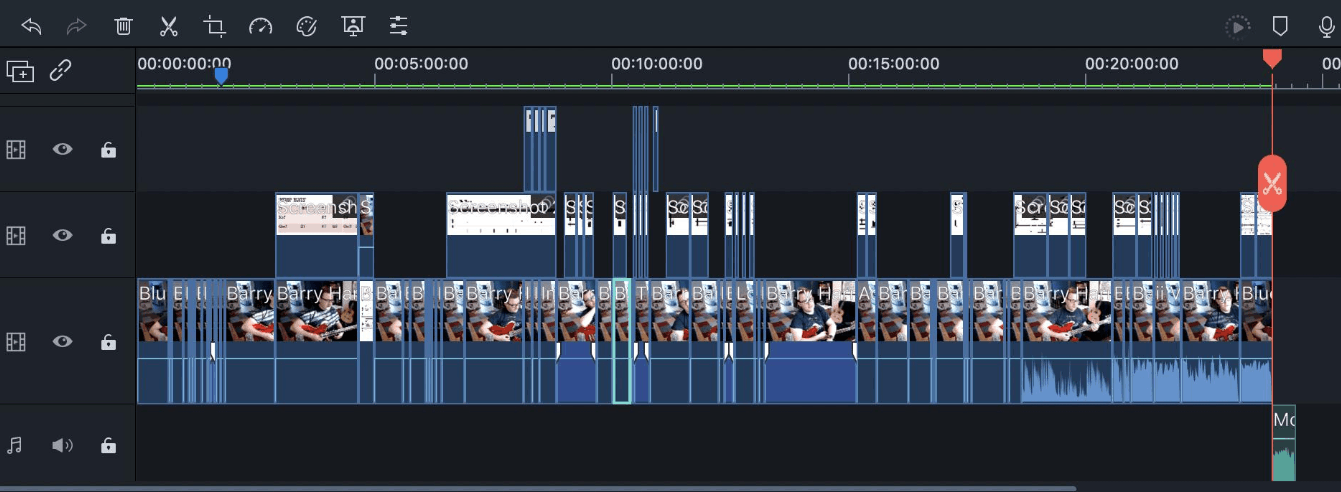
Furthermore, completely eliminating unnecessary pauses, breaks, or waiting periods is equally important, because even a moment of silence lasting a few tenths of a second can unconsciously cause viewers to swipe to other content. When applied correctly, micro-cutting techniques create a sense of constant movement in the video, always with something new happening, helping to maintain attention throughout its entire duration.
1.3 Synchronizing Images with the Music's "Drop" Rhythm
Music plays a crucial role in creating emotion and rhythm in short videos, and one of the most professional editing techniques is aligning the image cuts to perfectly match the emphasized beats of the music, especially the climax or the point where the melody falls. When a scene cut, a motion effect, or a change in camera angle occurs precisely at the moment the music explodes, the visual and auditory effects resonate, creating a visually stunning and energetic experience for the viewer. This technique is commonly seen in dance videos, product videos, or highly entertaining advertising videos, where the synchronization between image and sound is what creates the explosive moment that makes viewers want to watch it again and again or share it with friends. Most modern video editing applications have built-in features that automatically detect the beat, making it easy to place markers and align shots accurately without having to manually count the beat.
1.4 Optimizing Video for a Silent Viewing Experience
One fact many content creators often overlook is that the vast majority of users browse social media with the sound muted, especially in public places or during work hours. This means that if your message is conveyed solely through dialogue without any visual support, a large portion of your potential audience will completely miss out on important content. To overcome this problem, adding clear, easy-to-read subtitles throughout your video is almost mandatory, ensuring the message is fully conveyed whether viewers have the sound on or not.
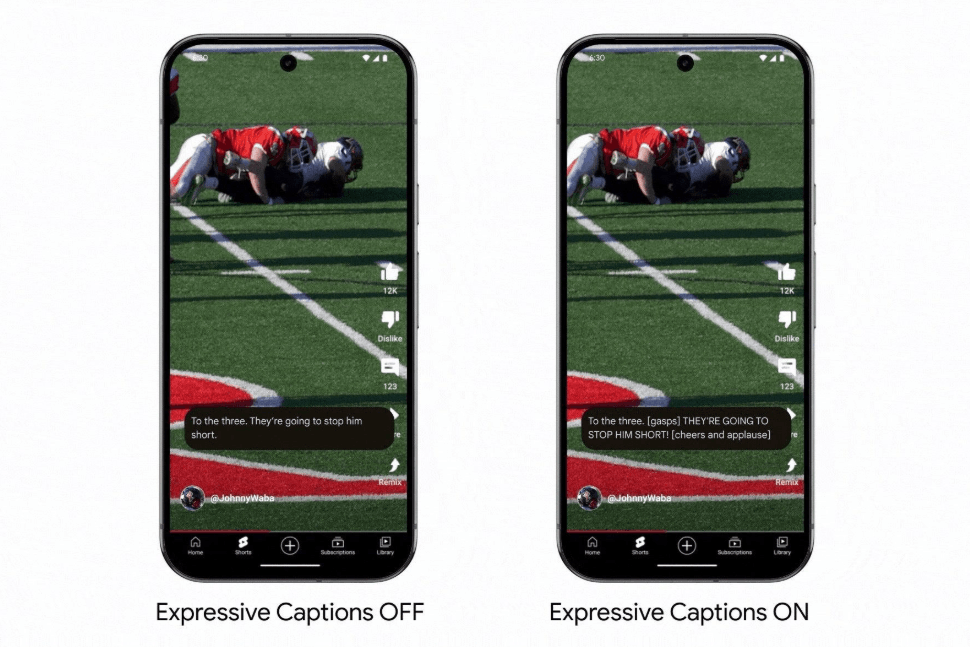
Besides subtitles, you should also utilize on-screen text to summarize key points, using icons, arrows, or visual effects to guide viewers' attention to the important content. Designing videos to convey full value even without sound not only expands reach but also significantly improves watch-through rates, a crucial metric highly valued by platform algorithms.
1.5 Find the Ideal Length for Your Video
There's no fixed number that applies to all content types; however, generally, videos of a moderate length—long enough to convey the message effectively without being overly drawn-out—successfully achieve significantly higher watch-through rates compared to videos that are too short and lack depth or too long and impatient. For quick, concise entertainment content like tips and memes, shorter durations are often more effective, while instructional, storytelling, or product presentation videos may need more time to build context and create persuasiveness. The key isn't to aim for a specific number of seconds, but to ensure every second on screen provides real value to the viewer, without any wasted or drawn-out time that slows down the pace. An effective approach is to continuously monitor viewer retention charts after uploading, accurately identifying when viewers start leaving to adjust and optimize the length of subsequent videos.
2. Choose the Application That Suits Your Needs
2.1 Direct Editing Within the Application
For those who want to optimize content specifically for each platform, editing directly using tools available within apps like TikTok or Instagram is a worthwhile option. Videos created and edited within the platform tend to blend more naturally with the content flow, avoiding an overly polished or blatantly promotional feel, which algorithms and viewers on these platforms often favor.
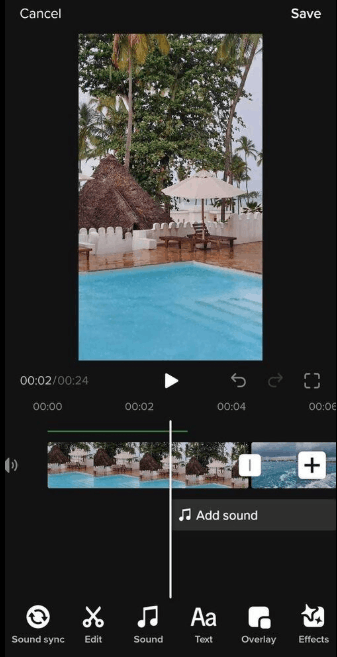
Built-in editing tools often come pre-loaded with a library of trending sounds, transition effects, and filters that are constantly updated to reflect current trends, making it easy to keep up with the latest styles without having to search elsewhere. However, the limitation of this approach is that advanced editing features such as precise micro-cutting down to tenths of a second or complex music synchronization are often less flexible than dedicated editing applications, making this option more suitable for spontaneous, everyday content rather than projects requiring meticulous visual investment.
2.2 CapCut
CapCut is currently one of the most popular mobile video editing apps, especially popular among the short-form content creator community thanks to its powerful yet beginner-friendly features. The app offers precise frame-by-frame layering and splicing capabilities, along with automatic music rhythm recognition, making synchronizing images to music much simpler than manual adjustments.
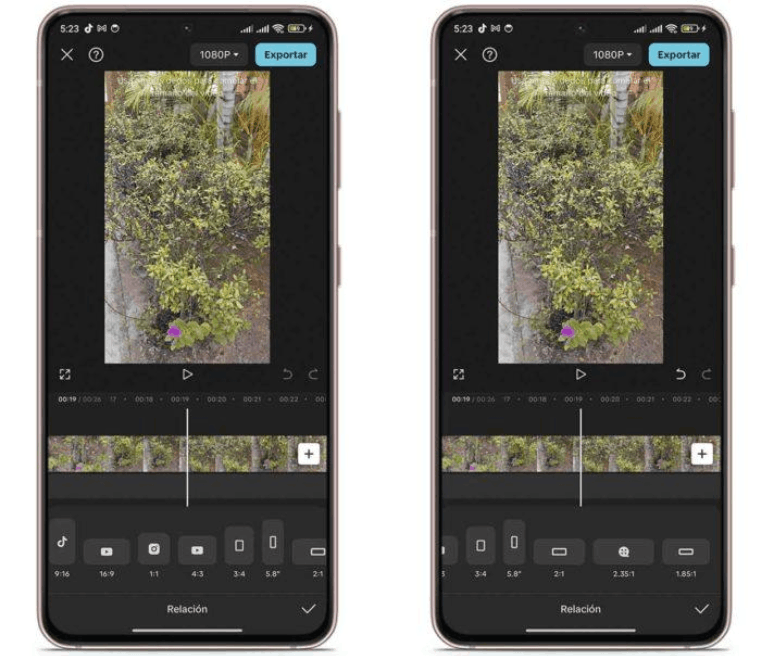
In addition, CapCut boasts a rich library of transition effects, a highly accurate automatic subtitle generation feature, and motion tracking capabilities that ensure text and effects seamlessly follow the subject in the video. Another major advantage is that CapCut allows users to save and reuse created editing templates, which is very useful for those who need to maintain a consistent style across multiple videos or work in teams. With its deep level of customization and ability to export high-quality videos, CapCut is an ideal choice for both individual creators and brands needing to produce professional advertising content on a large scale.
2.3 InShot
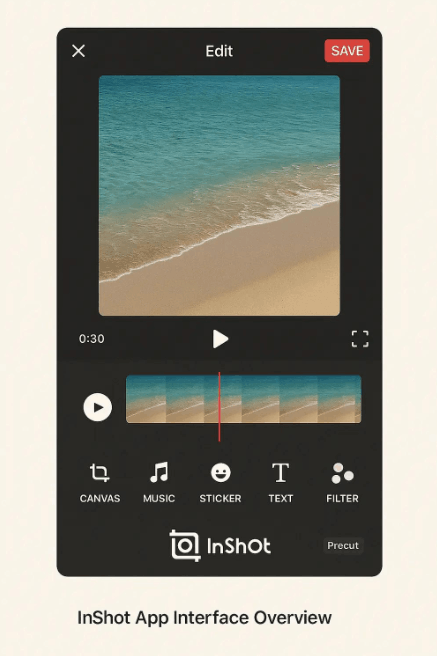
InShot is another familiar name in the mobile video editing field, known for its simple, intuitive interface and especially easy accessibility for those new to video editing. This application provides a full range of basic tools such as cutting, splicing, adding background music, inserting text, and adjusting aspect ratios to suit different platforms, from the vertical format of TikTok and Reels to the square format commonly used in Facebook feed ads. InShot's outstanding strength lies in its smooth performance even on devices with common configurations, along with pre-designed color filters and effects that allow users to quickly create aesthetically pleasing products without complex operations. Although it doesn't possess the depth of professional features of CapCut, InShot remains a suitable choice for those who prioritize simplicity, speed, and want to focus on consistent content production rather than spending too much time on technical video editing.
3. Conclusion
Editing videos for TikTok, Instagram, or advertising campaigns isn't simply about piecing together clips; it's an art form that combines rhythm, emotion, and an understanding of viewer behavior. From crafting a compelling opening that captures the audience's attention for the first two seconds, applying micro-cutting techniques to maintain continuous energy, synchronizing visuals to the music, optimizing for silent viewing, to finding the perfect length for each type of content, every element contributes to the overall experience that keeps viewers engaged until the very end. Choosing the right editing tools—whether it's in-app editing for a natural look, using CapCut to maximize advanced features, or leveraging the simplicity of InShot for quick content production—requires careful consideration based on your specific goals and resources. When these video production principles are applied consistently and purposefully, you can create videos that not only attract views but also drive genuine engagement and deliver tangible results for your business goals or personal branding.





















VIP Products








Best Selling Products
Upgrade Genuine Office 365
49 USD
Capcut Pro 1 Year
39 USD
Plugin Retouch4me
69 USD
Genuine Cheap Canva Pro
39 USD
Genuine Adobe Illustrator account
99 USD
Autodesk All App Account Copyright
120 USD
Freepik Premium Account
59 USD
Copyright Adobe Lightroom Account
59 USD
MidJourney Account
29 USD
Adobe Premiere Pro Account
99 USD
Windows 10 & 11 Pro Key
36 USD
ChatGPT Plus Account (GPT-4)
16 USD
Adobe Photoshop Copyright - Full App
120 USD
Upgrade genuine Capture One account
120 USD
Upgrade Duolingo Super
29 USD