Best Selling Products

MidJourney Account
29 USD

Capcut Pro 1 Year
39 USD

Freepik Premium Account
59 USD

Adobe Photoshop Copyright - Full App
120 USD

Windows 10 & 11 Pro Key
36 USD

Adobe Premiere Pro Account
99 USD

Plugin Retouch4me
69 USD

ChatGPT Plus Account (GPT-4)
16 USD

Upgrade Genuine Office 365
49 USD

Genuine Cheap Canva Pro
39 USD

Genuine Adobe Illustrator account
99 USD

Upgrade genuine Capture One account
120 USD

Upgrade Duolingo Super
29 USD

Autodesk All App Account Copyright
120 USD

Copyright Adobe Lightroom Account
59 USD
Simple Ways to Adjust Video Quality on Websites
Nội dung
- 1. When should you adjust video quality?
- 2. Benefits of increasing video resolution online
- 3. 7 free websites to increase video resolution online today
- 3.1. Online-video-cutter.com – A simple online video quality adjustment tool
- 3.2. Gdflab.com – A modern AI-powered video enhancement website
- 3.3. HDconvert.com – An easy-to-use HD video upgrade website
- 3.4. Clideo – A free and user-friendly online video quality editor
- 3.5. Ezgif.com – A popular online video resolution enhancement tool
- 3.6. Kizoa – A convenient online video quality enhancement website
- 3.7. Isize.co – An AI-powered HD video enhancement tool
- 4. Conclusion
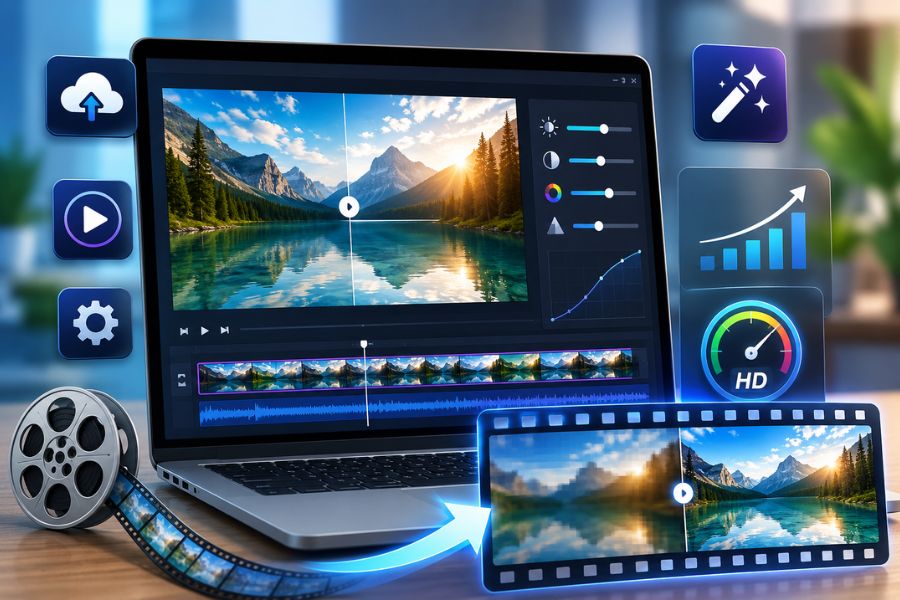
Have you ever recorded a video on your phone, only to find it blurry, pixelated, or lacking vibrant colors after uploading it to social media?
1. When should you adjust video quality?
Not every video recorded on a phone achieves excellent quality right from the start. In many cases, footage may appear blurry, shaky, underexposed, or have colors that do not match expectations, greatly reducing the viewing experience. This is why more people are paying attention to adjusting video quality before uploading to TikTok, Facebook, YouTube, or storing memories. Properly optimizing your videos not only makes your content look more professional but also helps attract viewers, retain engagement, and leave a stronger impression on social media platforms.
Videos become blurry or pixelated after uploading to TikTok, Facebook, or YouTube
Footage recorded in low light appears noisy and lacks sharpness
Shaky videos with rough motion reduce viewing comfort
Video colors appear too faded or different from real-life scenes
You need to upload professional-looking ads, product reviews, or vlogs
You want to increase viewer engagement and retention on social media
The video file is too large and needs optimization while maintaining quality
You want to preserve important memories with clearer and more beautiful visuals
.jpg)
2. Benefits of increasing video resolution online
In today’s fast-growing digital content era, adjusting video quality and increasing resolution online has become increasingly important, especially for those who frequently create vlogs, TikTok videos, YouTube content, or product promotion clips. High-resolution videos deliver sharper visuals, more realistic colors, and a more professional viewing experience. Beyond improving visual appeal, optimizing video quality also helps your content stand out among countless social media posts, increasing reach and viewer retention. It is also a convenient solution for old, blurry, or low-quality videos that need quick enhancement without requiring overly complicated software.
Makes visuals sharper and reduces blurriness or pixelation
Improves the viewing experience on phones, computers, and large screens
Helps content appear more professional and engaging on social media
Enhances color clarity, realism, and vibrancy
Reduces quality loss when uploading to TikTok, Facebook, or YouTube
Improves viewer retention with smoother and clearer playback
Strengthens brand image for individuals, businesses, or creators
Saves editing time thanks to convenient online enhancement tools
Improves the display quality of old videos or phone recordings
Creates a competitive advantage in the booming short-video era
.jpg)
3. 7 free websites to increase video resolution online today
3.1. Online-video-cutter.com – A simple online video quality adjustment tool
If you are looking for a website that lets you quickly adjust video quality without installing complicated software, Online-video-cutter.com is a great option worth trying. The platform features an easy-to-use interface suitable even for beginners editing videos on phones or computers. With just a few steps to upload your file, users can change resolution, trim clips, or optimize quality directly online. It is also ideal for those who regularly upload to TikTok, Facebook, or YouTube and want to improve sharpness and smoothness before posting.
Outstanding advantages:
Supports fast video quality adjustments and resolution enhancement
Compatible with formats such as MP4, AVI, MOV, MKV, FLV, and more
Allows uploads from devices, Google Drive, Dropbox, or URLs
Intuitive interface suitable for beginners
No software installation required
.jpg)
3.2. Gdflab.com – A modern AI-powered video enhancement website
Gdflab.com is one of the standout platforms for online video quality enhancement using advanced AI technology. This website helps improve sharpness, color, and resolution in a short amount of time. For old, blurry, or underexposed footage, Gdflab’s AI tools can optimize visuals more effectively than many conventional editors. It is a suitable choice for creators, online sellers, and anyone producing high-quality video content.
Outstanding advantages:
Supports upgrading videos to Full HD and 4K UHD
AI technology effectively sharpens and enhances visuals
Compatible with multiple devices
Modern interface with fast operation
Ideal for optimizing TikTok, YouTube, and advertising videos
3.3. HDconvert.com – An easy-to-use HD video upgrade website
HDconvert.com is popular for its ability to quickly and reliably adjust video quality online. It allows users to upgrade low-quality footage to HD, Full HD, or 4K without downloading extra plugins. In addition to changing resolution, the platform supports flexible video format conversion, making it easy to optimize content for different platforms. With fast processing speed and a user-friendly interface, HDconvert.com works well for both casual users and professional creators.
Outstanding advantages:
Converts videos from 360p to HD, Full HD, or 4K
Fast processing speed for a smooth experience
No file size limits for online editing
Supports formats such as MP4, MOV, AVI, MP3, and more
No software or extensions required
.jpg)
3.4. Clideo – A free and user-friendly online video quality editor
Clideo is one of today’s most popular online video editing platforms thanks to its simple interface and ease of use. It offers many convenient editing tools such as brightness enhancement, color adjustment, contrast improvement, and video sharpness upgrades in just a few basic steps. Its Video Enhancer feature is especially useful for making videos clearer and more professional before posting to TikTok, Facebook, or YouTube. This makes it suitable for both beginners and regular online creators.
Outstanding advantages:
Quick and convenient quality adjustment tools
Brightness, contrast, and saturation controls
Supports formats such as MP4, MOV, MKV, MPEG, and more
Allows uploads from Google Drive, Dropbox, YouTube, or URLs
Easy to use on both mobile and desktop
3.5. Ezgif.com – A popular online video resolution enhancement tool
Ezgif.com is not only famous for GIF editing but is also widely used for online video quality enhancement. It offers stabilization features that reduce shakiness, improve smoothness, and boost image quality. For shaky phone recordings, Ezgif provides quick processing without requiring complicated software installation. It also includes many additional editing tools for easier optimization.
Outstanding advantages:
Modern anti-shake stabilization filter
Improves smoothness and overall quality
Supports MP4, AVI, MOV, WebM, FLV, and more
Handles videos up to 100MB
Includes resizing, subtitle insertion, and format conversion tools
3.6. Kizoa – A convenient online video quality enhancement website
Kizoa is an online platform designed for users who want both quality enhancement and creative video production. In addition to improving resolution and image quality, it offers slideshow creation, video merging, and dynamic effects. Thanks to its friendly interface, users can quickly create polished videos for learning, entertainment, or social media sharing.
Outstanding advantages:
Fast and simple quality enhancement tools
Free downloads or direct social media sharing
Includes professional slideshow and video creation tools
Suitable for beginners
Offers many creative effects
.jpg)
3.7. Isize.co – An AI-powered HD video enhancement tool
Isize.co uses modern AI technology to improve video quality and upscale visuals to higher resolutions. This tool makes footage sharper, more detailed, and more professional within a short time. With fast processing and support for common formats, Isize.co is suitable for upgrading videos to HD, 4K, or even 8K for work, creative projects, or high-quality storage.
Outstanding advantages:
Supports enhancement up to 4K and 8K
AI sharpens details and improves image quality
Compatible with MP4, MKV, WEBM, and more
Fast and stable processing speed
Perfect for YouTube, TikTok, or advertising video optimization
4. Conclusion
Adjusting video quality is not as complicated as many people think. By understanding and applying the right settings such as increasing resolution, optimizing brightness, adjusting FPS, or using supporting video editing tools, you can significantly improve visual quality directly on your smartphone. A clear, colorful, and smooth video not only makes your content look more professional but also leaves a stronger impression on viewers across TikTok, Facebook, and YouTube. Hopefully, the tips shared in this article will help you easily adjust video quality and create more beautiful, engaging, and standout videos every day.





















VIP Products








Best Selling Products
MidJourney Account
29 USD
Capcut Pro 1 Year
39 USD
Freepik Premium Account
59 USD
Adobe Photoshop Copyright - Full App
120 USD
Windows 10 & 11 Pro Key
36 USD
Adobe Premiere Pro Account
99 USD
Plugin Retouch4me
69 USD
ChatGPT Plus Account (GPT-4)
16 USD
Upgrade Genuine Office 365
49 USD
Genuine Cheap Canva Pro
39 USD
Genuine Adobe Illustrator account
99 USD
Upgrade genuine Capture One account
120 USD
Upgrade Duolingo Super
29 USD
Autodesk All App Account Copyright
120 USD
Copyright Adobe Lightroom Account
59 USD