Best Selling Products

Upgrade genuine Capture One account
120 USD

Capcut Pro 1 Year
39 USD

Upgrade Genuine Office 365
49 USD

Genuine Adobe Illustrator account
99 USD

Freepik Premium Account
59 USD

Upgrade Duolingo Super
29 USD

Windows 10 & 11 Pro Key
36 USD

Copyright Adobe Lightroom Account
59 USD

Plugin Retouch4me
69 USD

MidJourney Account
29 USD

ChatGPT Plus Account (GPT-4)
16 USD

Autodesk All App Account Copyright
120 USD

Genuine Cheap Canva Pro
39 USD

Adobe Premiere Pro Account
99 USD

Adobe Photoshop Copyright - Full App
120 USD
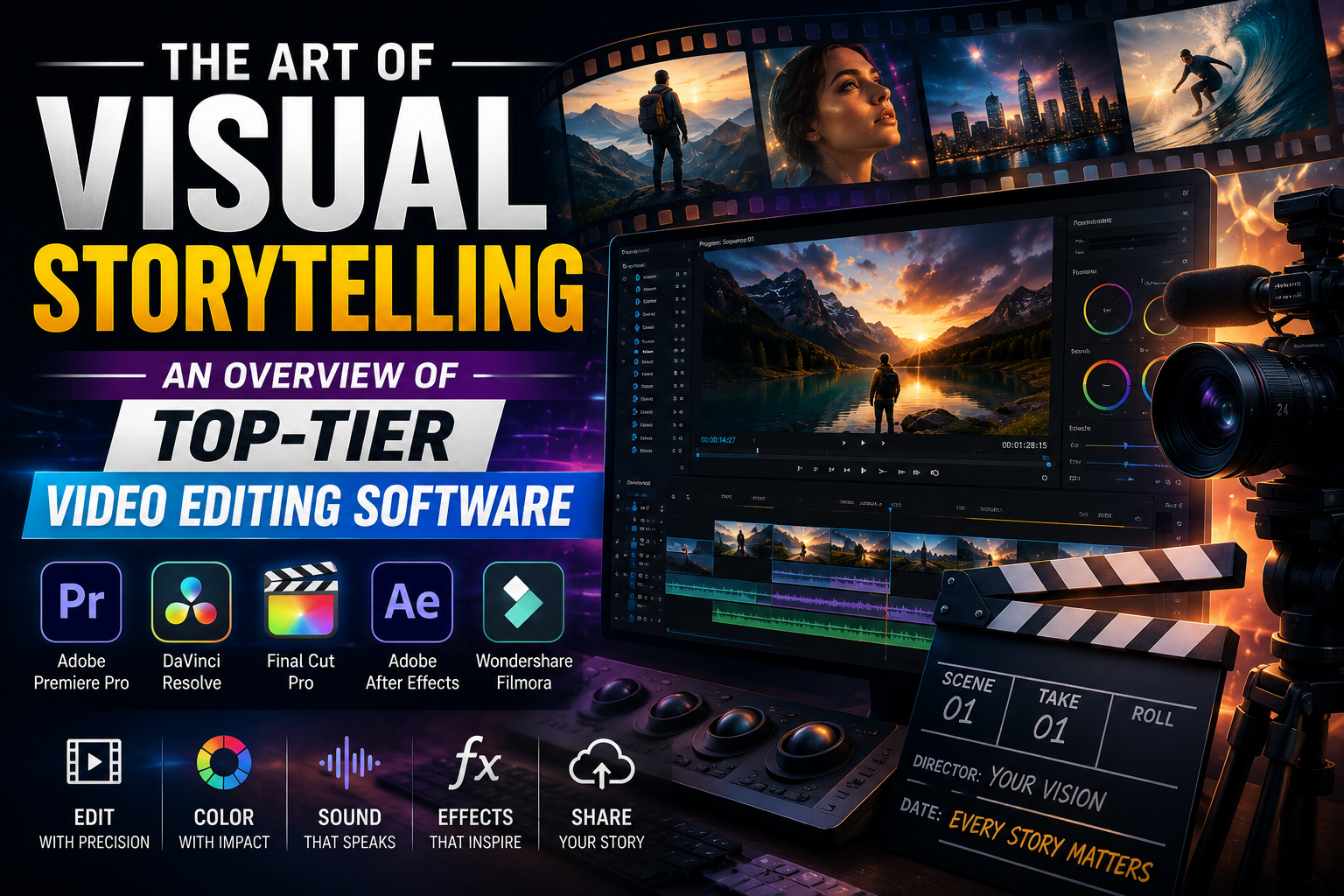
THE ART OF VISUAL STORYTELLING: AN OVERVIEW OF TOP-TIER VIDEO EDITING SOFTWARE
Nội dung
- 1. The importance of choosing the right video editing software
- Optimize work performance and save time.
- Ensuring professional-standard output quality.
- 2. The best video editing software for computers currently available.
- Adobe Premiere Pro - The gold standard of post-production.
- DaVinci Resolve - The wizard of color and post-processing
- Final Cut Pro - The ultimate optimization for Mac users.
- 3. The mobile video revolution
- CapCut - The reign of convenience
- LumaFusion - Professional power on iPad and iPhone
- 4. Find the best optimization solution at Appvip.ai
- 5. Basic techniques to elevate your videos.
- Techniques for cutting, pasting, and rhythm (Rhythm and Pacing)
- Color Correction
- Use sound and sound effects (SFX)
- 6. Application of artificial intelligence (AI) in video editing software
- Automate repetitive tasks.
- Image restoration and enhancement
- 7. Common mistakes to avoid when editing videos.
- 8. The 5-Step Process for Professional Video Production
- 10. Conclusion
Discover a list of the best video editing software available today, from basic to professional. Detailed guidance on how to choose the optimal editing tools to streamline your creative process.
1. The importance of choosing the right video editing software
Choosing the right video editing software at the start of a project will determine 70% of the effectiveness of the post-production process. Each video editing software on the market is designed with unique features to serve different target groups, from simple everyday editing needs to producing complex film projects.
Optimize work performance and save time.
Using software that matches your computer's configuration and personal skills helps users avoid lag or freezing during the rendering process. Tools with intuitive interfaces and a well-organized keyboard shortcut system will assist video editors in quickly handling cutting, splicing, and scene transitions, allowing them to focus more on building the rhythm and story of the video.
Ensuring professional-standard output quality.
The quality of images and sound after publication is a measure of a content creator's credibility. Professional video editing software provides the ability to manipulate each frame, adjust colors to HDR standards, and process noise with the utmost detail. This ensures that the final product always achieves high sharpness and is compatible with many different display platforms.
2. The best video editing software for computers currently available.
The PC and laptop software segment remains the top choice for projects requiring meticulous detail and superior hardware processing power. This is where the world's most advanced video editing technologies converge.
Adobe Premiere Pro - The gold standard of post-production.
Adobe Premiere Pro is an indispensable name on any list of professional video editing software. With excellent compatibility within the Adobe Creative Cloud ecosystem, users can easily switch between After Effects for special effects or Audition for audio processing. Premiere Pro offers a flexible multi-layer timeline system, supports multi-camera editing, and integrates powerful AI features such as automatic subtitle insertion and intelligent audio balancing.
DaVinci Resolve - The wizard of color and post-processing
If you're looking for the world's best color grading tool, DaVinci Resolve is the answer. This software has been used for post-production on countless Hollywood blockbusters. Besides its legendary color grading capabilities, the latest version of DaVinci Resolve also integrates powerful editing tools, Fairlight audio processing, and Fusion visual effects, making it a perfect "all-in-one" solution.
Final Cut Pro - The ultimate optimization for Mac users.
For macOS users, Final Cut Pro offers an unparalleled smooth experience. Thanks to deep optimization with Apple hardware, the software allows for rendering 4K and 8K video at incredible speeds. The unique Magnetic Timeline interface makes it easy for users to manage clips without worrying about overlapping or out-of-sync audio.
3. The mobile video revolution
The rise of short-video platforms like TikTok, Reels, and Shorts has fueled the rapid growth of video editing apps on smartphones.
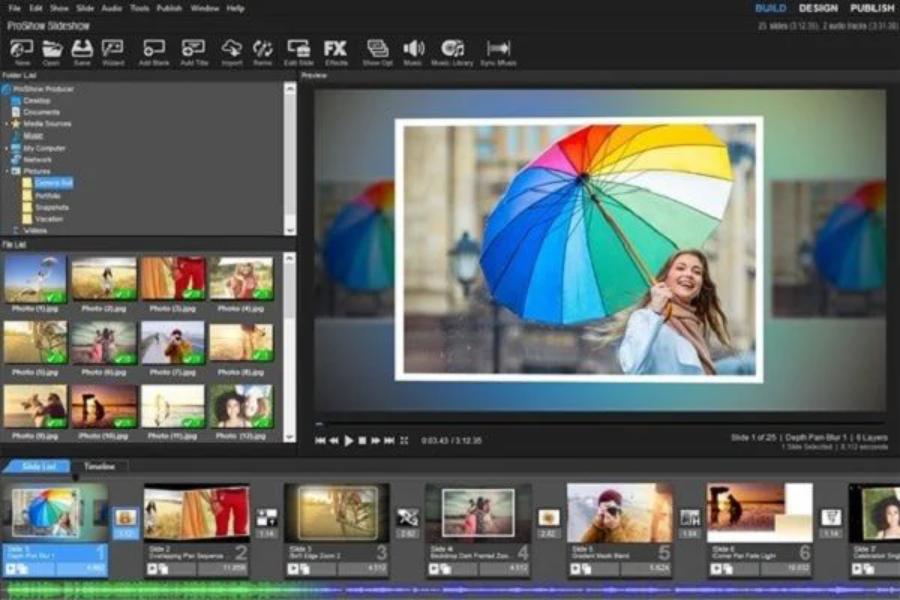
CapCut - The reign of convenience
CapCut has completely revolutionized the way we approach video editing. With its vast library of effects, copyrighted music, and incredibly diverse ready-made templates, anyone can create a trending video in minutes. Its ability to automatically remove backgrounds, add body effects, and edit faces using AI makes CapCut the number one choice for the next generation of content creators.
LumaFusion - Professional power on iPad and iPhone
LumaFusion is dubbed the "Premiere Pro of mobile." It's one of the rare video editing software programs on tablets that offers a full range of features like keyframes, detailed color grading, and support for multiple video/audio tracks. It's an ideal tool for journalists and vloggers who need to process videos on location without carrying a bulky laptop.
4. Find the best optimization solution at Appvip.ai
In the journey of mastering video editing skills, possessing high-quality supporting tools and resources is extremely important. Appvip.ai is known as a provider of modern technology solutions, helping users easily access video editing software and intelligent support tools. Here, creators can find ways to optimize their work efficiency, update the latest AI applications to enhance the aesthetics and professionalism of their products.
5. Basic techniques to elevate your videos.
Regardless of which video editing software you use, mastering the basic principles of post-production remains fundamental to making a difference.
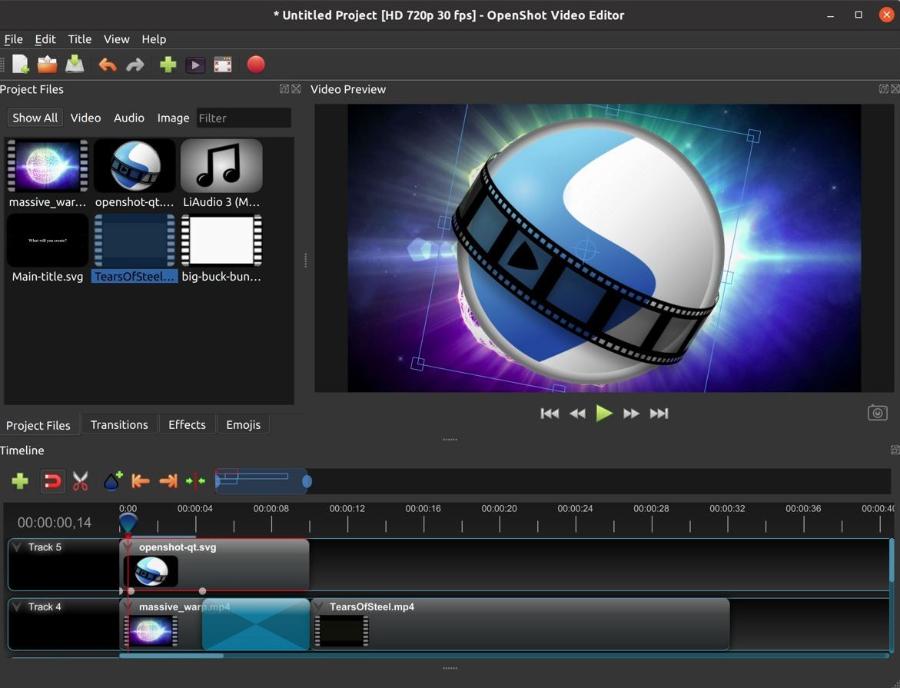
Techniques for cutting, pasting, and rhythm (Rhythm and Pacing)
A great video isn't just about beautiful visuals; it's also about rhythm. Filmmakers need to know how to cut scenes at the right moments, often following the rhythm of the music or the characters' emotional development. Transitions that are too fast can be distracting, while those that are too slow can make viewers impatient. Balance in rhythm is key to keeping viewers engaged until the very end.
Color Correction
Before proceeding with artistic color correction, users need to perform basic color correction to bring the footage to the same exposure level and white balance. Consistent color across different shots makes the video more cohesive and look much more professional.
Use sound and sound effects (SFX)
Sound accounts for up to 50% of a video's success. Using sound effects such as wind, footsteps, or ambient noises makes the space in the video more realistic. Additionally, choosing background music that matches the emotional tone of the story will have a powerful impact on the viewer's mind.
6. Application of artificial intelligence (AI) in video editing software
AI is completely changing the game, turning seemingly impossible tasks into simple ones with just a few clicks.
Automate repetitive tasks.
Modern video editing software has integrated AI to automatically cut out long periods of silence, automatically recognize and track subjects (tracking), or even automatically generate accurate subtitles based on speech. This frees people from tedious tasks so they can focus on creating content.
Image restoration and enhancement
AI tools can also upscale low-resolution videos to 4K, reduce image noise in low-light conditions, and stabilize shaky footage. These features are extremely useful when working with old footage or filming with non-professional equipment.
7. Common mistakes to avoid when editing videos.
Even with the most expensive video editing software, users can still make basic mistakes that degrade the quality of their final product.
-
Overuse of transition effects: A barrage of flashy transition effects often feels unprofessional. Prioritize simple cuts or subtle cross-dissolve effects unless there's a specific artistic purpose.
-
Neglecting audio quality: A 4K video with distorted or excessively low audio will cause viewers to leave immediately. Always carefully check the audio ranges on the Level chart to ensure there is no sound distortion.
-
Exporting videos in the wrong format: Each platform (YouTube, Facebook, TikTok) has its own optimal specifications. Exporting with the wrong aspect ratio or bitrate will cause the video to be blurry or lose detail when uploaded.
8. The 5-Step Process for Professional Video Production
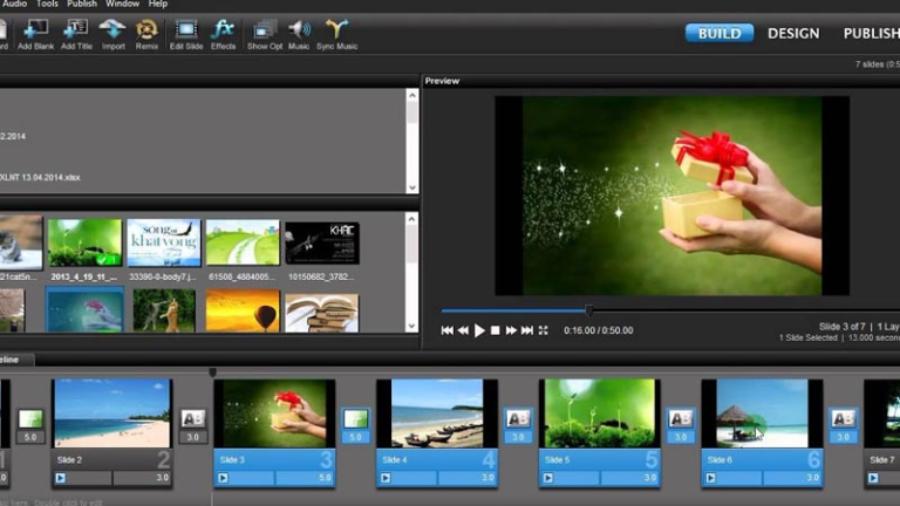
To avoid getting lost in the mess of hundreds of raw clips, you should follow a scientific workflow.
-
Document organization: Categorize footage into folders, give them clear names, and select the best footage.
-
Rough Cut: Arranging clips according to the script on the timeline without worrying about effects or color yet.
-
Detailed editing: Refine the rhythm, add titles, motion graphics, and necessary effects.
-
Sound and color processing: Balancing sound, adding background music, and performing artistic color correction steps.
-
Publish and test: Export the video in a suitable format and review it at least twice on different devices to ensure there are no technical errors.
10. Conclusion
Video editing software is ultimately just a tool. The true value of a work lies in the aesthetic sense, understanding of the audience, and storytelling ability of the creator. Investing time in learning advanced software will give you the freedom to express your individuality and create unique value in your work. Don't hesitate to start with the simplest tools, accumulate experience through small projects, and constantly update yourself on new technological trends.





















VIP Products








Best Selling Products
Upgrade genuine Capture One account
120 USD
Capcut Pro 1 Year
39 USD
Upgrade Genuine Office 365
49 USD
Genuine Adobe Illustrator account
99 USD
Freepik Premium Account
59 USD
Upgrade Duolingo Super
29 USD
Windows 10 & 11 Pro Key
36 USD
Copyright Adobe Lightroom Account
59 USD
Plugin Retouch4me
69 USD
MidJourney Account
29 USD
ChatGPT Plus Account (GPT-4)
16 USD
Autodesk All App Account Copyright
120 USD
Genuine Cheap Canva Pro
39 USD
Adobe Premiere Pro Account
99 USD
Adobe Photoshop Copyright - Full App
120 USD