Best Selling Products

Windows 10 & 11 Pro Key
36 USD

Genuine Cheap Canva Pro
39 USD

Upgrade Genuine Office 365
49 USD

Adobe Photoshop Copyright - Full App
120 USD

Upgrade Duolingo Super
29 USD

Copyright Adobe Lightroom Account
59 USD

Genuine Adobe Illustrator account
99 USD

Autodesk All App Account Copyright
120 USD

ChatGPT Plus Account (GPT-4)
16 USD

Plugin Retouch4me
69 USD

MidJourney Account
29 USD

Upgrade genuine Capture One account
120 USD

Freepik Premium Account
59 USD

Adobe Premiere Pro Account
99 USD

Capcut Pro 1 Year
39 USD
The Most Popular AI Tool for KOLs/KOCs in 2025
Nội dung
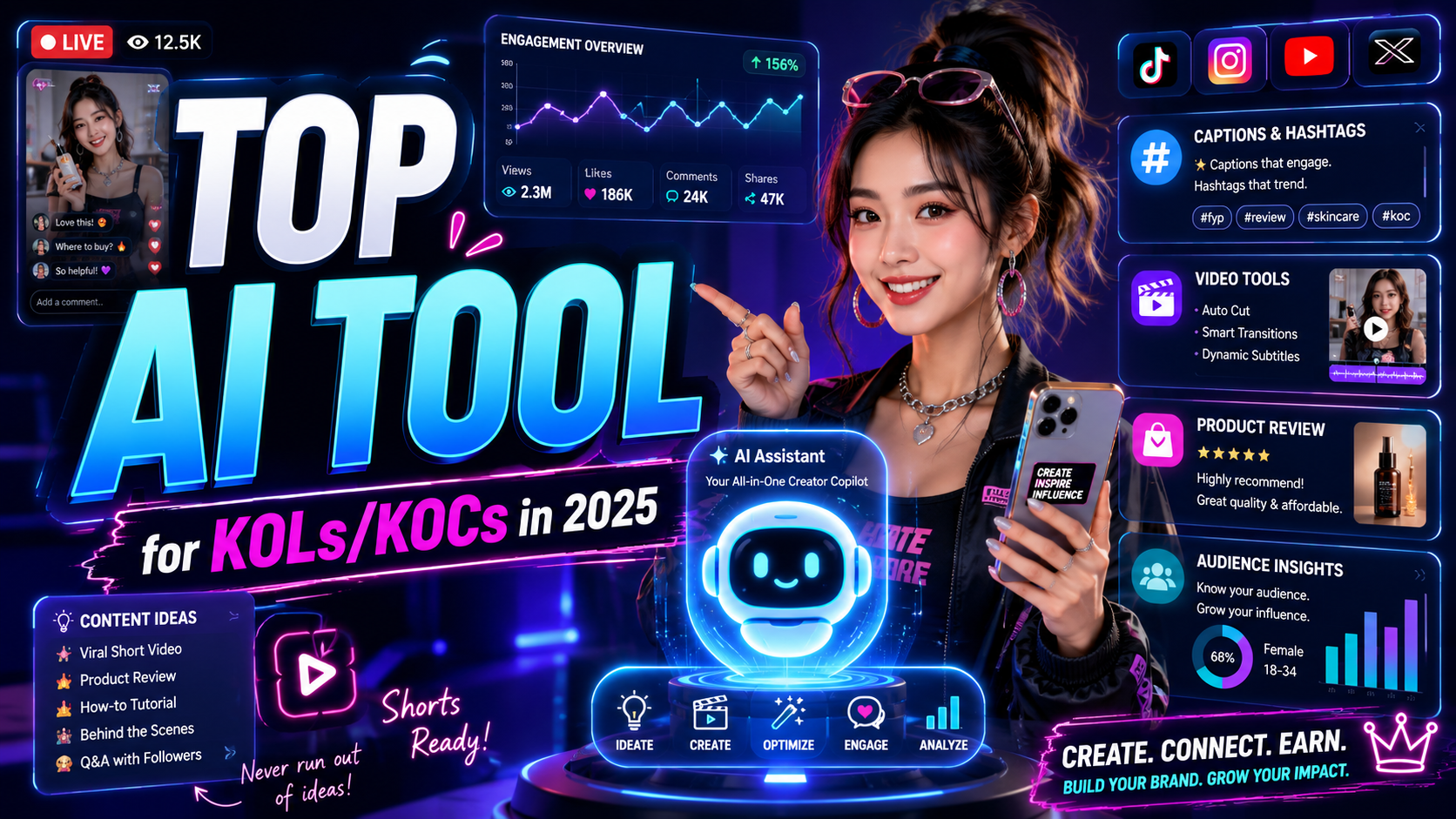
In 2025, the rapid development of artificial intelligence (AI) technology has opened up many new opportunities for Key Opinion Leaders (KOLs) and Key Opinion Consumers (KOCs). With increasing competition in the social media field, using the right AI tools has become a key factor in maintaining and enhancing their influence. From analyzing user data and optimizing content to automating workflows, AI tools not only save time but also improve work efficiency. This article by Sadesign will highlight the most popular AI tools among KOLs/KOCs in 2025, along with the benefits they offer.
1. Top idea generation tools
1.1. ChatGPT
ChatGPT has become one of the most popular tools for content creation and ideation. With its superior natural language processing capabilities, ChatGPT helps users quickly generate new ideas, respond to questions, and even write complete articles in seconds. This is extremely beneficial for content creators, marketers, and entrepreneurs who need fresh ideas to engage their audience.
One of ChatGPT's strengths is its customization capabilities. Users can customize the tone, writing style, and length of their content. This makes it easier for KOLs and KOCs to create content that aligns with their brand and target audience. Furthermore, ChatGPT learns from feedback, becoming increasingly intelligent and accurate over time.
Beyond simply creating content, ChatGPT helps users discover new trends and stay informed. Using this tool not only saves time but also improves the quality of your content, helping you stand out in an increasingly competitive market.

1.2. Poe.com
Poe.com is a prominent platform for idea generation and content writing. With its user-friendly interface, Poe.com allows users to interact with various AI models, optimizing the brainstorming process. Users can easily switch between models to find the most suitable writing style, thereby creating unique and creative content.
One of the interesting features of Poe.com is its ability to integrate various keywords and topics. Users can enter relevant keywords and receive a wealth of content ideas, from blog posts to video ideas. This saves time and effort in searching for new ideas, while also opening up many creative opportunities.
In addition, Poe.com also provides analytics tools that help users track the performance of their created content. You can easily identify what types of content attract your audience's attention, and adjust your content strategy accordingly. Thanks to these features, Poe.com becomes a powerful tool for anyone who wants to improve the quality of their content.
1.3. Gemini
Gemini is a powerful AI tool designed to assist users in brainstorming and creating high-quality content. With its deep analytical capabilities and contextual understanding, Gemini makes it easy for users to develop fresh ideas based on current topics. This is especially useful for content creators and marketers who need to stay constantly informed about their industry.
One of Gemini's key features is its ability to combine data from multiple sources. This not only gives users an overview of current trends but also helps them discover new opportunities in the market. By using Gemini, you can create content that is not only engaging but also timely, helping to increase audience engagement.
Gemini also offers customization features that allow users to shape their desired writing style and tone. This enables you to create content that is consistent with your brand while maintaining creativity and freshness. This tool is truly a valuable asset for anyone looking to improve the quality and effectiveness of their content.

1.4. BuzzSumo
BuzzSumo is a powerful tool that helps users discover trending topics and popular content in their field. By analyzing and aggregating data from millions of online posts, BuzzSumo allows users to quickly identify content that is attracting audience attention. This not only helps KOLs and KOCs grasp trends but also generate relevant content ideas.
One of BuzzSumo's standout features is its ability to track and analyze content performance. Users can view detailed metrics on shares, engagement, and comments across social media platforms. This information helps them adjust their content strategies more precisely, thereby improving the effectiveness of reaching and engaging with their audience.
BuzzSumo also offers a notification feature, allowing users to follow topics or keywords they are interested in. When new content appears, users will receive instant notifications, helping them stay informed and not miss creative opportunities. With BuzzSumo, brainstorming content becomes easier and more efficient than ever before.
2. Top video editing tools
2.1. CapCut
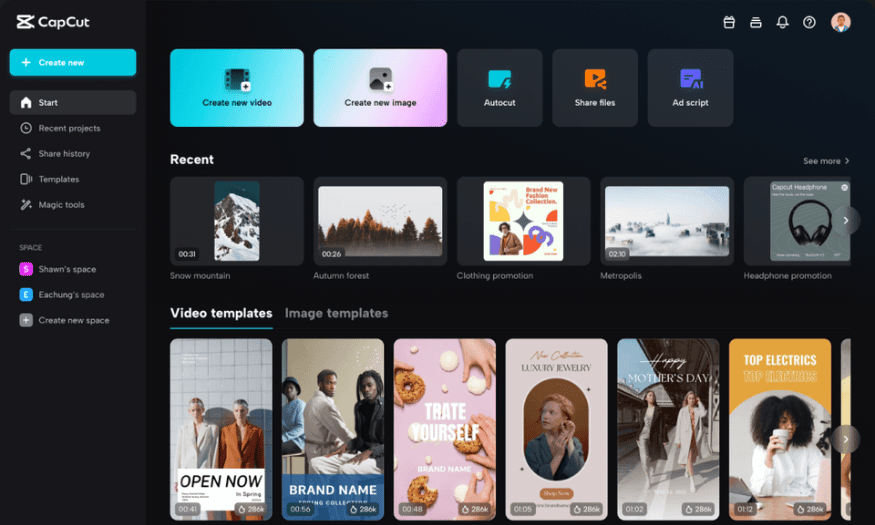
CapCut is one of the most popular video editing tools available today, especially favored by social media content creators. With its user-friendly interface, CapCut allows users to edit videos quickly and efficiently. You can upload videos, add background music, effects, and text in just a few clicks.
One of CapCut's highlights is its extensive library of effects and filters. Users can easily find special effects to enhance their videos, from smooth transition effects to unique color filters. This makes videos more lively and engaging, capturing viewers' attention from the very first seconds.
In addition, CapCut supports exporting videos in various formats and high quality. This makes it easy for users to share videos on platforms like TikTok, Instagram, or YouTube without worrying about quality. With CapCut, creating professional videos becomes easier and more enjoyable than ever.
2.2. Canva
Canva is not just a graphic design tool, but also a powerful video editing platform. With thousands of ready-made video templates, users can easily start their projects without needing professional design skills. Canva provides many tools for adding text, images, and background music, making videos more lively and engaging.
One of Canva's advantages is its ability to collaborate online. Users can invite friends or colleagues to join their projects, easily sharing ideas and editing videos together. This is especially useful when working in teams on media or marketing projects.
Canva also supports exporting videos in various formats, making it easy for users to share them on online platforms. In addition, Canva's intuitive drag-and-drop functionality makes the editing process quick and enjoyable, even for beginners.
2.3. Photoshop
Photoshop, a popular image editing tool, has also expanded into video editing with its Video Timeline feature. While not a mainstream video editing tool, Photoshop still allows users to perform basic video edits, such as cutting, merging, and adding special effects. This enables designers to create unique and creative videos from existing images.
One of Photoshop's strengths is its ability to combine image and video editing. Users can easily add image layers, effects, and text to videos, creating unique and impressive products. This is a major advantage for those who want to create multimedia content.
Although the interface might be a bit complex for beginners, with a little time to get used to it, users will find that Photoshop offers a range of powerful tools for video editing. Those already familiar with Photoshop will easily be able to utilize these features to enhance the quality of their videos.
2.4. Adobe Premiere Pro
Adobe Premiere Pro is one of the leading professional video editing tools, widely used in the film and television industry. With its user-friendly interface and full range of features, Premiere Pro allows users to perform complex edits such as cutting, splicing, adding effects, color grading, and audio processing. This helps create high-quality videos that meet the needs of producers and content creators.
One of Premiere Pro's standout features is its integration with other Adobe products, such as After Effects and Photoshop. This allows users to easily switch between software and make the most of their editing tools. You can create animations or edit images directly within the video without having to re-export multiple times.
Adobe Premiere Pro also supports exporting video in various formats, from low to high resolution, making it easy for users to share videos on multiple platforms. Although there is a slight learning curve, with the support of numerous resources and online communities, users can quickly grasp and use this tool to create impressive products.
3. Top voice-over tools
3.1. Adobe Audition
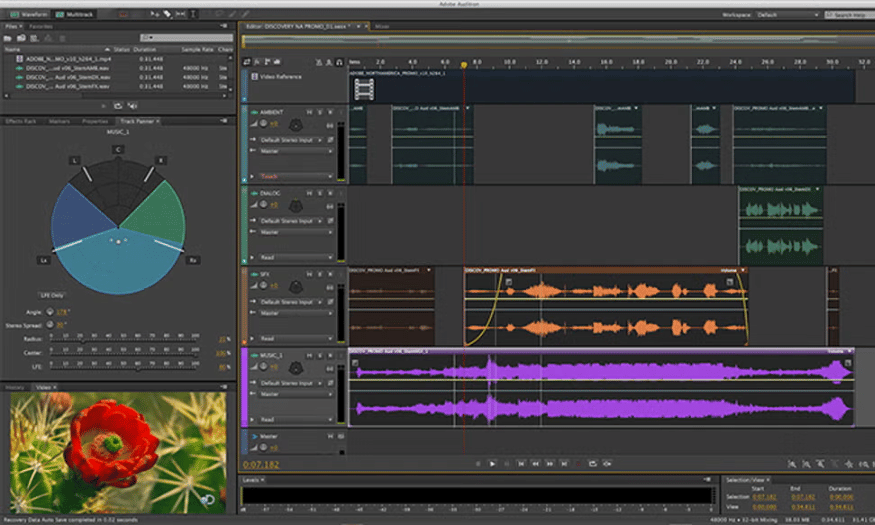
Adobe Audition is a professional audio editing software that allows users to create and edit high-quality voiceovers. With a user-friendly interface, Audition offers many powerful features such as recording, audio editing, and adding effects. This makes creating voiceovers easy and efficient.
This software supports many different audio formats, allowing you to import and export files flexibly. In addition, Audition integrates well with other software in the Adobe suite, making it easy for users to switch between applications to finalize their product.
With its powerful audio processing capabilities, Adobe Audition is the ideal choice for those who need to create professional voiceovers for videos, podcasts, or other multimedia projects.
3.2. Adobe Premiere Pro
Adobe Premiere Pro is not only a leading video editing software but also effectively supports voiceovers. Users can easily add voiceovers to videos, edit audio, and create high-quality finished products. Its intuitive interface and powerful tools make it easy to work with various audio layers.
The software allows you to edit audio, adjust volume, and add sound effects to create lively voiceovers. You can also use the auto-sound feature to synchronize your voice with the video, saving you time and effort.
With its strong integration capabilities with other applications in the Adobe suite, Premiere Pro is an ideal tool for video producers who want to create high-quality products with perfect sound.
3.3. Veed.io
Veed.io is a versatile online tool that allows users to easily edit videos and add voiceovers. With its user-friendly interface, Veed.io lets you turn text into speech with just a few clicks, helping content creators quickly add narration to videos without having to record audio.
This tool offers a wide range of different voices, from male to female, allowing you to choose the one that best suits your content style. Veed.io also supports multiple languages, opening up opportunities to reach a global audience.
In addition to voiceover features, Veed.io also allows you to edit videos with effects, text, and images, creating engaging and professional-looking videos without prior experience.

3.4. Capcut Pro
Capcut Pro is a powerful video editing software, notable for its user-friendly voiceover feature. Users can quickly add voiceovers to their videos, choosing from a variety of voices and intonations. This helps create engaging videos with appropriate and captivating narration.
Capcut Pro also offers a variety of editing tools, allowing you to cut and merge videos, add effects and background music, helping to improve the quality of the final product. Its simple and user-friendly interface makes it effective for both beginners and experts.
With its ability to export high-quality video and numerous editing options, Capcut Pro is a great choice for those who want to create professional video content without investing too much time.
4. Conclusion
The future of the media and marketing industry is inseparable from the development of AI tools. By 2025, KOLs and KOCs (Key Opinion Leaders) were well aware of the importance of applying technology to their operations. AI tools not only help them enhance their influence but also create more creative and effective content strategies. To succeed in an increasingly digitized world, mastering and using AI tools will be key to helping KOLs/KOCs advance further in their careers.





















VIP Products








Best Selling Products
Windows 10 & 11 Pro Key
36 USD
Genuine Cheap Canva Pro
39 USD
Upgrade Genuine Office 365
49 USD
Adobe Photoshop Copyright - Full App
120 USD
Upgrade Duolingo Super
29 USD
Copyright Adobe Lightroom Account
59 USD
Genuine Adobe Illustrator account
99 USD
Autodesk All App Account Copyright
120 USD
ChatGPT Plus Account (GPT-4)
16 USD
Plugin Retouch4me
69 USD
MidJourney Account
29 USD
Upgrade genuine Capture One account
120 USD
Freepik Premium Account
59 USD
Adobe Premiere Pro Account
99 USD
Capcut Pro 1 Year
39 USD