Best Selling Products

Genuine Cheap Canva Pro
39 USD

Plugin Retouch4me
69 USD

Genuine Adobe Illustrator account
99 USD

Copyright Adobe Lightroom Account
59 USD

Upgrade genuine Capture One account
120 USD

ChatGPT Plus Account (GPT-4)
16 USD

MidJourney Account
29 USD

Upgrade Genuine Office 365
49 USD

Freepik Premium Account
59 USD

Capcut Pro 1 Year
39 USD

Autodesk All App Account Copyright
120 USD

Adobe Premiere Pro Account
99 USD

Windows 10 & 11 Pro Key
36 USD

Adobe Photoshop Copyright - Full App
120 USD

Upgrade Duolingo Super
29 USD
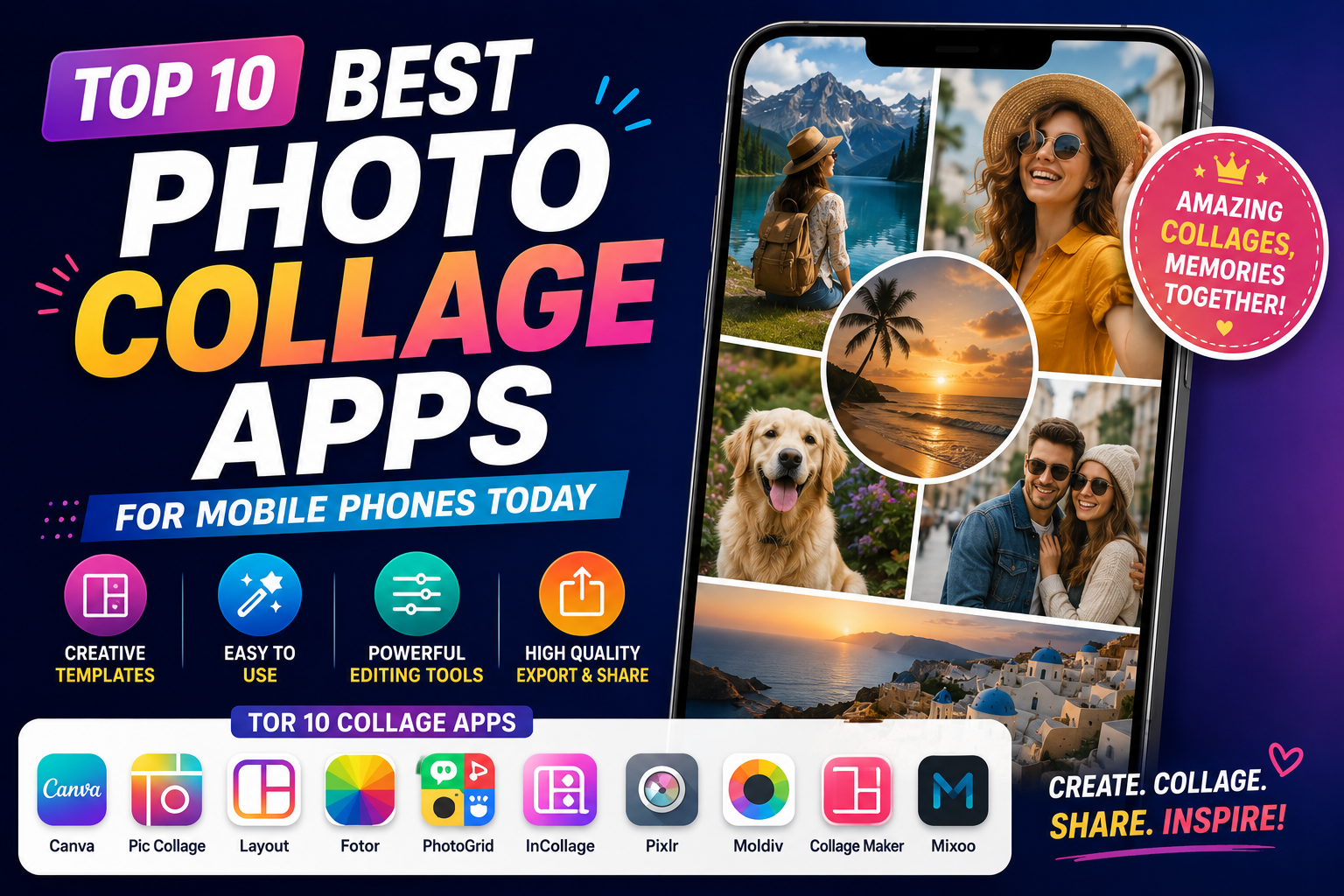
Top 10 Best Photo Collage Apps for Mobile Phones Today
Nội dung
- 1. PicsArt Photo Editor - The King of Multi-Platform Photo Editing and Collage
- 2. Canva - A Solution for Designing and Collaging Pre-Made Images for Non-Professionals
- 3. Snapseed - Google's Advanced Editing and Double Exposure App
- 4. InShot - A Versatile Editor for Combining Both Photos and Videos Conveniently
- 5. Pixlr - A Visual Photo Collage Maker with Thousands of Lighting Effects
- 6. Layout from Instagram - A Minimalist, High-Speed Gadget for Social Media Enthusiasts
- 7. Pitu - A Unique Face Swap and Ancient Costume Photo Collage App
- 8. Photo Collage Maker - Professional Photo Collage and Collage Maker
- 9. PicCollage - An Artistic Photo Collage Platform with a Library of Creative Resources
- 10. PicLab - Photo Collage and Typography Design Tool
- 11. Conclusion
Finding the right photo collage tool on your phone will save you time, optimize storage space, and unleash your aesthetic creativity.
1. PicsArt Photo Editor - The King of Multi-Platform Photo Editing and Collage
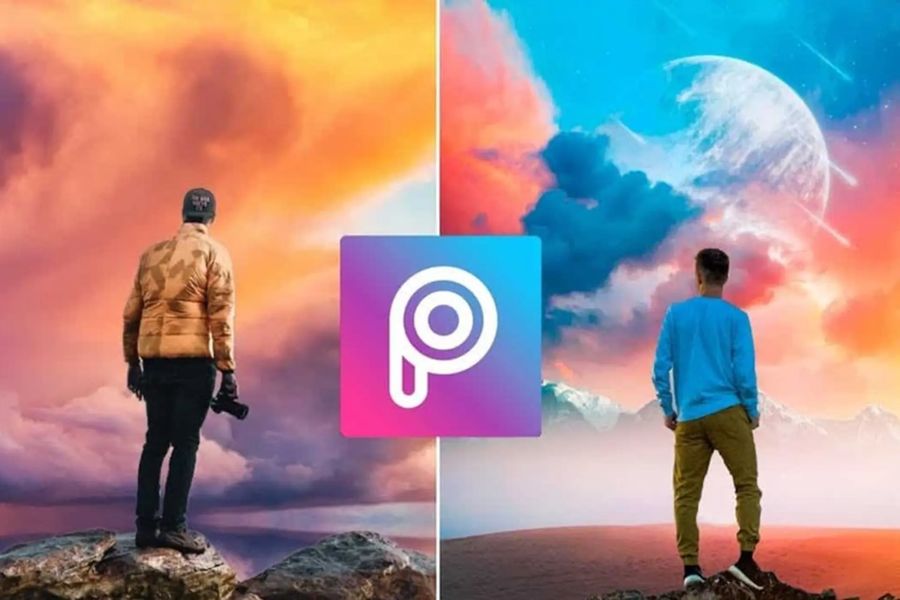
PicsArt has long held a leading position among photo collage apps on mobile phones thanks to its unlimited creative tools. This app is not simply about arranging photos; it offers a comprehensive editing ecosystem from basic to advanced levels. Users can leverage the power of artificial intelligence (AI) to extract objects, layer multiple elements, and apply cinematic color filters. Whether you're a beginner or a freelance designer, PicsArt perfectly caters to every idea, from the simplest to the most complex.
-
Grid Layout feature: Allows you to select up to 10 photos at once, automatically suggesting hundreds of different layout options, from traditional to unconventional.
-
Freestyle Collage Mode: Creates scrapbook-style photos, allowing users to freely zoom in, zoom out, rotate, and arrange photos as they wish on a blank canvas.
-
Integrated AI-powered background removal feature: Automatically recognizes and separates portraits and objects from the original background with high accuracy, then seamlessly integrates them into a completely new background.
-
Blend Mode: Allows you to combine two or more photos together, creating an artistic double exposure effect.
-
A massive community resource: Offering millions of free stickers, wallpapers with diverse themes, and exclusive borders shared by the user community.
-
Advanced drawing and text insertion tools: Supports writing text on images with hundreds of artistic fonts, customizable shadows, text borders, and text curvature.
2. Canva - A Solution for Designing and Collaging Pre-Made Images for Non-Professionals
If you're looking for an app to create professional, commercial-looking photo collages without spending too much time, Canva is the number one choice. This mobile photo collage app operates on the philosophy of simplifying the design process using a system of templates created by professional designers. Canva is extremely suitable for online shop owners and social media content creators who need to quickly and consistently create product photos, greeting cards, posters, or cover photos.
-
Diverse Template System: Thousands of photo collage frame templates are available, divided according to the standard aspect ratios for Instagram Stories, Facebook Posts, Pinterest, or YouTube thumbnails.
-
Smart drag-and-drop feature: Simply choose a frame template you like, then drag and drop your photo from your phone's gallery into the empty spaces, and the system will automatically adjust the aspect ratio accordingly.
-
Extensive graphic and icon library: Provides millions of illustrations, drawings, stickers, and geometric symbols to make your photo collages more vibrant and eye-catching.
-
Edit photos directly within the frame: Users can double-click on each photo within the frame to crop, flip, or apply independent color filters to each image.
-
Automatic cloud synchronization: Projects you're working on on your phone will automatically save, allowing you to continue editing on your computer or tablet without fear of losing data.
-
High-quality file export support: Allows saving images in various formats such as sharp JPG and PNG, or exporting as short videos if the collage has motion effects.
3. Snapseed - Google's Advanced Editing and Double Exposure App
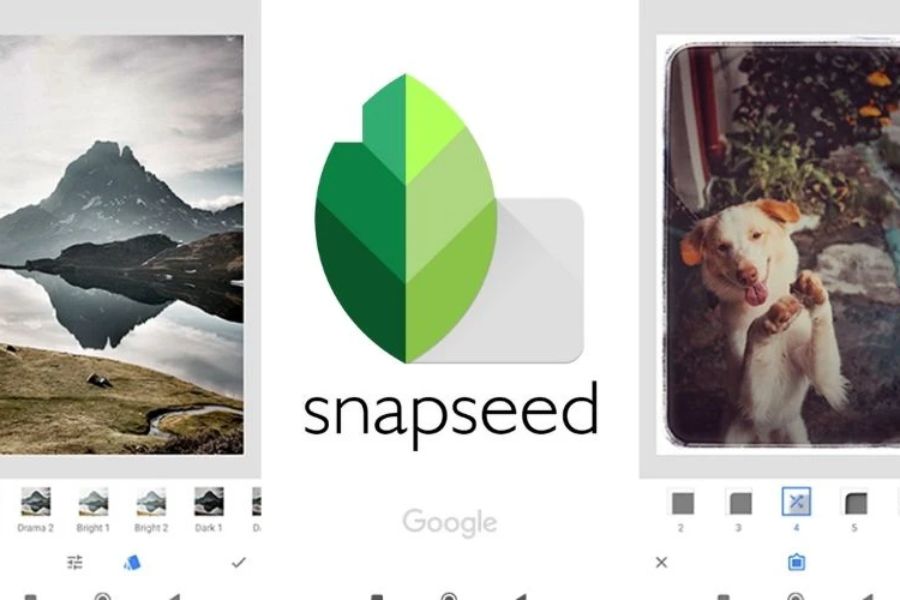
Snapseed is a completely free, ad-free photo collage app for mobile phones , developed by the tech giant Google. What sets Snapseed apart is that instead of offering pre-made grids like typical apps, it focuses on advanced collage techniques using Double Exposure. This is the optimal choice for mobile photographers who want to combine landscape and portrait photos to create abstract and visually stunning works of art.
-
Double Exposure feature: Allows you to select one image as the background and overlay a second image on top, supporting customizable blending modes such as Brighten, Darken, Overlay, or Add.
-
Masking Tool: After merging two images, you can use a brush to paint or erase desired areas, helping the two images blend together smoothly and naturally.
-
Smart Image Expansion (Expand): Uses AI algorithms to automatically calculate and expand the edges of your image, giving you more space to add other details without distorting the original image.
-
Selective editing: Allows you to tap on any point in the collage to change the brightness, contrast, or saturation of that specific area without affecting the entire image.
-
The Healing Tool helps remove unwanted details and objects from your collage with just a few simple taps and swipes.
-
Save your editing workflow (Looks): This allows you to save all the merging and color correction steps you've taken as a single formula to quickly apply to subsequent photos.
4. InShot - A Versatile Editor for Combining Both Photos and Videos Conveniently
InShot was initially known as an extremely powerful short video editing software, but its photo collage feature on mobile phones is also incredibly excellent and impressive. InShot optimizes the vertical interface, making it very easy for users to operate with one hand. The app's strength lies in its flexible frame processing capabilities, allowing you to combine multiple photos, round corners, change the spacing between photos, and create perfect collages to upload directly to popular short video platforms or social media.
-
Flexible photo collage layout: Supports combining up to 9 photos in one frame with dozens of grid layout styles, from vertical and horizontal stripes to artistic geometric shapes.
-
Customize borders and spacing: Users can easily drag sliders to change the thickness of the border between images, or round the four corners of the image to create a softer look.
-
Unique Blur Background: Automatically uses your own photo as the background and blurs it, subtly removing monotonous white spaces.
-
Trendy color filter system: Provides a range of color filters in vintage, cinema, or vibrant styles, helping to synchronize the color tones of all photos in the collage.
-
Insert animated stickers and text: The sticker library is constantly updated to reflect youth trends, and includes a text insertion tool with various eye-catching shadow effects and neon borders.
-
One-touch aspect ratio conversion: Resize the entire collage to 1:1 (Instagram), 16:9 (YouTube), or 9:16 (TikTok) ratios without cropping important image details.
5. Pixlr - A Visual Photo Collage Maker with Thousands of Lighting Effects
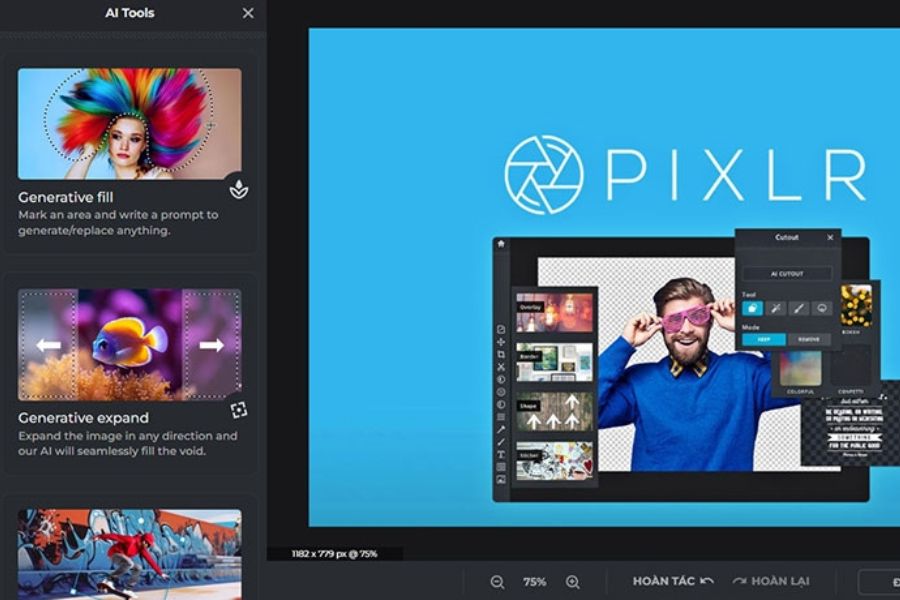
Pixlr is a veteran name in the photo editing world, renowned for its perfect balance of professional features and user-friendly interface. When using Pixlr to create photo collages on your phone , you'll experience a smooth workflow thanks to its automatic optimization features. A distinctive highlight of Pixlr is its collection of overlay effects that mimic natural light, sunbeams, and film leaks, transforming simple collages into something much more profound and emotionally resonant.
-
Auto Collage feature: Automatically arranges your selected photos into a random but highly logical layout, giving you a finished product instantly without any thought required.
-
Manual resizing: Allows users to directly touch and drag the boundaries between image cells to freely resize each cell as desired.
-
Overlays: A treasure trove of hundreds of effects including smoke, water droplets, light leaks, and soap bubbles to create an artistic atmosphere for your photo collage.
-
Color Splash Tool: This tool allows you to convert the entire collage image to black and white, then use your finger to color in a specific area to create a highlight.
-
The Focal Blur feature (Skin Smoothing and Blemish Removal) helps to blur the background around the collage frame to focus attention on the main subject, and also includes a built-in quick portrait beautification tool.
-
Share quickly at original resolution: Optimize output file size while maintaining detail, allowing direct sending via Email, Messenger, or saving to your device.
6. Layout from Instagram - A Minimalist, High-Speed Gadget for Social Media Enthusiasts
Developed by Instagram's own team, Layout is currently the lightest and fastest photo collage app for mobile phones . This app was created with a single purpose: to completely eliminate unnecessary features and focus entirely on quick and easy photo collage creation. You don't need to register an account, you don't have to watch annoying ads; just open the app, select your photos, and get the results instantly. This is an indispensable tool for anyone who wants to capture everyday moments and share them immediately on their personal page.
-
Ultra-fast interface: As soon as you open the app, the camera and photo gallery screens appear immediately, allowing you to select up to 9 photos and preview the resulting collage instantly.
-
Mirror & Flip feature: Allows you to flip the photo vertically or horizontally, creating extremely interesting and unique mirror-like reflection effects.
-
The intelligent "People" tab (Faces Tab): Uses facial recognition technology to automatically filter and group all photos containing people in your library, helping you find collages faster.
-
Integrated Photo Booth feature: Allows you to take four consecutive photos with the front camera in a photo booth style, then automatically stitches them together into a vertical frame.
-
Flexible square resizing: Users can drag the edges of each photo within the frame to visually expand or shrink the display space of that photo.
-
Seamless direct connection with Instagram: Save photos directly to your phone's camera roll or switch straight to the Instagram post/story interface with just one button press.
7. Pitu - A Unique Face Swap and Ancient Costume Photo Collage App
Pitu is an extremely popular photo merging app on mobile phones in the Asian market, especially attracting young people thanks to its highly entertaining features. What makes Pitu stand out isn't its typical photo grid layouts, but its accurate face merging tool, powered by AI facial recognition technology. Users can easily transform themselves into historical characters, anime characters, or merge their faces into existing artistic photos in the most natural and realistic way.
-
Crazy Ex-face feature: A treasure trove of thousands of ready-made portrait templates, from traditional and modern styles to ID photos and cosplay, allows you to superimpose faces onto photos in just 3 seconds.
-
Smart photo cutting (Cutout): Automatically separates people from the original background, providing a rich collection of backgrounds such as beaches, cities, and space, allowing users to freely "travel through photos".
-
Animated GIF and Emoji creation feature: Allows you to superimpose your face onto funny animated images, creating exclusive sticker sets to use in social media comments.
-
Professional Makeup Toolkit: Automatically recognizes eyes, lips, and cheeks to apply trending makeup layouts, ensuring the face looks fresh and sharp after the retouching.
-
Story Collage: Provides photo collage templates in a fashion magazine style, with added romantic English and Chinese quotes.
-
Cinematic Style Color Filters: These color filters are specifically optimized for Asian skin tones, giving the resulting composite image a clear, rosy, and natural look.
8. Photo Collage Maker - Professional Photo Collage and Collage Maker
As its name suggests, Photo Collage Maker is a specialized application optimized for photo collage creation on mobile phones . Its biggest strength lies in its vast library of over 500 different grid layouts, breaking away from the monotony of traditional square grids. This app is perfect for creating family photos, travel albums, or photo diaries thanks to its bright, vibrant, and energetic design style.
-
A collection of over 500 grid layouts: Provides a full range of framing styles from 2 images up to a maximum of 18 images within a single large image, with shapes such as hearts, stars, and polygons.
-
Creative Scrapbook Mode: Allows users to freely layer photos on top of each other, creating the effect of a nostalgic, handcrafted collage diary.
-
Huge background library: Offering thousands of background designs, from solid colors and trendy gradient effects to elegant floral, checkered, and wood grain patterns.
-
A multi-themed sticker collection: Thousands of stickers are clearly categorized by themes such as Birthday, Christmas, Travel, Love, making it easy to decorate your photo collage.
-
Powerful text adding tool: Supports adjusting font size, selecting colors, 3D shadows, and especially the text stroke feature to make text stand out on any image background.
-
Automatic draft saving feature: If you're in the middle of assembling something and get busy, the app will save your current state as a draft so you can continue completing it later.
9. PicCollage - An Artistic Photo Collage Platform with a Library of Creative Resources
PicCollage is a highly-rated photo collage app for both iOS and Android platforms, praised for its smooth performance and excellent user experience. The app encourages maximum creative freedom by offering fun hand-drawn cutting and crafting tools. Furthermore, PicCollage regularly updates its frame and sticker templates to reflect major events and holidays throughout the year, making it a perfect tool for designing unique e-cards to send to family and friends.
-
Finger Cutout Tool: Simply draw a line around an object or person with your finger, and the app will instantly cut out that detail so you can use it for merging.
-
Ready-made greeting card templates: A system with hundreds of exquisitely designed pre-made invitation cards, New Year's greeting cards, birthday cards, and Mother's Day cards.
-
Full-screen viewing and editing mode: The spacious, minimalist interface with hidden toolbars allows you to easily observe the overall image collage during the editing process.
-
Integrated online image search: Allows you to search for vibrant images and wallpapers from Google directly within the app to insert into collage frames without exiting the app.
-
The "Doodle" feature provides various colored pens and markers so you can handwrite or add fun designs to your collage.
-
Easy direct printing: Supports connection to wireless printing devices to instantly print your photo collage onto high-quality physical postcards.
10. PicLab - Photo Collage and Typography Design Tool
Rounding out the list is PicLab, a photo collage app for mobile phones that perfectly combines image editing and typography. PicLab is aimed at users who love minimalist, modern, and somewhat romantic styles. If you want to create a collage incorporating life quotes or heartfelt messages with elegant, soft fonts, then PicLab is the ideal answer for you.
-
Minimalist Collages: Focusing on thin borders and ample spacing between images, creating an elegant feel reminiscent of art magazines.
-
Premium Typography Font Library: Offering hundreds of artistic fonts custom-designed by graphic design experts, with support for inserting pre-styled phrases.
-
Texture overlay: Allows the application of surface effects such as old paper texture, film grain, and subtle scratches, giving the composite image a timeless feel.
-
Advanced parameter adjustment tools: Allows intervention in advanced image parameters such as highlights, shadows, exposure, and sharpness.
-
The Shapes Collection: Provides blurred circular, triangular, and diamond-shaped frames to be placed around portrait photos to create visual emphasis.
-
User-friendly interface and no lag: The application has well-optimized source code and runs smoothly even on mid-range or older phones.
11. Conclusion
Choosing the right photo collage app on your phone depends entirely on your creative goals and personal aesthetic. If you prefer speed and convenience with commercially available templates, Canva or InShot are excellent choices. Conversely, if you enjoy experimenting and want to create your own artistic layered photo collages, don't hesitate to download PicsArt or Snapseed. Download and experience these apps to transform the disparate photos in your collection into captivating storytelling works of art today.





















VIP Products








Best Selling Products
Genuine Cheap Canva Pro
39 USD
Plugin Retouch4me
69 USD
Genuine Adobe Illustrator account
99 USD
Copyright Adobe Lightroom Account
59 USD
Upgrade genuine Capture One account
120 USD
ChatGPT Plus Account (GPT-4)
16 USD
MidJourney Account
29 USD
Upgrade Genuine Office 365
49 USD
Freepik Premium Account
59 USD
Capcut Pro 1 Year
39 USD
Autodesk All App Account Copyright
120 USD
Adobe Premiere Pro Account
99 USD
Windows 10 & 11 Pro Key
36 USD
Adobe Photoshop Copyright - Full App
120 USD
Upgrade Duolingo Super
29 USD