Best Selling Products

Copyright Adobe Lightroom Account
59 USD

Upgrade Duolingo Super
29 USD

Autodesk All App Account Copyright
120 USD

Upgrade genuine Capture One account
120 USD

MidJourney Account
29 USD

Freepik Premium Account
59 USD

Genuine Adobe Illustrator account
99 USD

Adobe Premiere Pro Account
99 USD

Capcut Pro 1 Year
39 USD

Plugin Retouch4me
69 USD

Windows 10 & 11 Pro Key
36 USD

Upgrade Genuine Office 365
49 USD

Genuine Cheap Canva Pro
39 USD

Adobe Photoshop Copyright - Full App
120 USD

ChatGPT Plus Account (GPT-4)
16 USD
Top 11 free, beautiful, and professional logo design apps for mobile phones.
Nội dung
- 1. Canva
- 2. Logo creation - logo design by CA Publishing
- 3. Logo Maker Plus
- 4. Logo Maker của Iris Studios and Services
- 5. Logo Maker - Wild Dev Labx.Inc
- 6. LogoAI
- 7. DesignMantic
- 8. Splendid App Maker
- 9. LogoScopic Studio - Logo Maker
- 10. Logo Maker 3D - Cute Wallpapers Studio
- 11. Looka - Logo Maker AI
- 12. Conclusion
Do you want a beautiful logo to build your personal brand, develop your online store, or start a business, but lack design experience? Don''t worry, with the logo creation apps available on mobile phones today, you can create your own unique logo without investing in complex software or hiring a designer from the start. From apps with thousands of ready-made designs to those integrating artificial intelligence (AI), each app offers a unique way to create a logo. Let''s explore Sadesign''s top 11 free, easy-to-use, and professional logo design apps to find the best option for your needs.
1. Canva
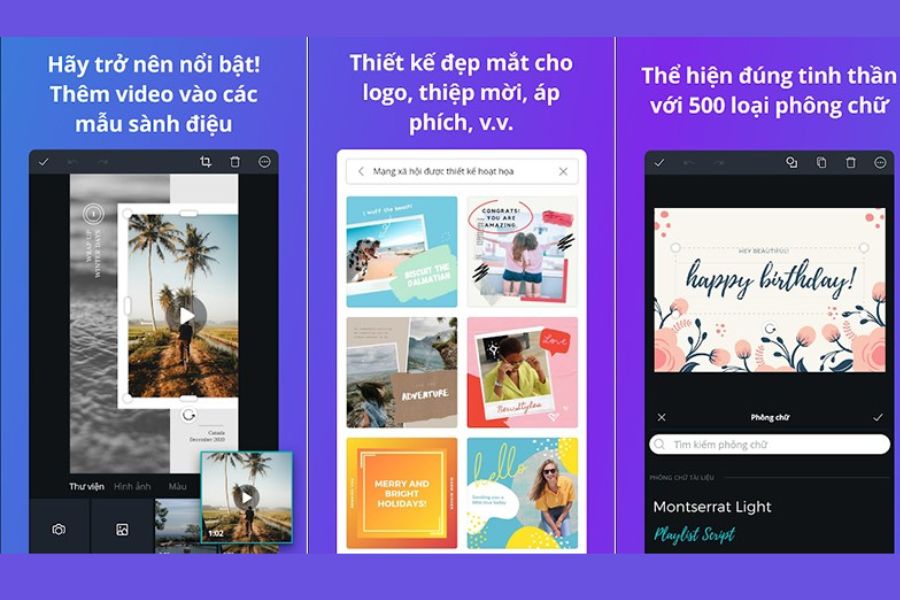
Canva is a suitable choice for those who want to design beautiful logos right on their phones without needing in-depth graphic design knowledge. The app boasts a rich library of templates, fonts, icons, and colors, making it easy to transform your initial idea into a unique design.
Key advantages:
-
Diverse template library: Offering a wide variety of logo designs categorized by industry, including fashion, cosmetics, education, technology, food, and online business.
-
Simple operation: You can drag and drop, resize, adjust colors, add icons, or combine multiple elements directly on your phone screen.
-
AI support: Several AI features help suggest ideas, create images, or assist in speeding up the design process, depending on the chosen package.
-
Brand identity consistency: Logo design can be leveraged to develop profile pictures, cover photos, social media posts, and promotional materials.
-
Convenient sharing: Easily save designs, download in supported formats, or share with colleagues.
A major advantage of Canva is that you can actively customize almost every element in the available templates. However, some resources, AI features, and advanced file export formats may require a paid account, so be sure to check the free options before using it.
2. Logo creation - logo design by CA Publishing
If you want to create a logo quickly without starting from a blank design page, CA Publishing's Logo Maker app is worth checking out. The tool focuses on providing logo templates, illustrations, and fonts for users to easily choose from and then customize to their brand name or business idea.
Key advantages:
-
Many templates are available: This saves time in finding ideas for your store logo, personal brand, or small project.
-
Extensive icon library: You can choose themed images to add a unique touch to your design.
-
Customize typography: Allows you to change the presentation of your brand name, slogan, and other relevant content.
-
Easy to learn: Suitable for beginners, even those who have never used a graphic design application before.
-
Convenient saving and sharing: Allows you to save your finished product for use as a profile picture or for business purposes.
This application is suitable when you need a professional logo creation tool with a relatively intuitive process. For a more professional-looking design, prioritize easily recognizable symbols, clear fonts, and a consistent color palette instead of cramming too many details into a single image.
3. Logo Maker Plus
Logo Maker Plus is an application for those who want to proactively create brand logos in various styles. With a diverse system of images, icons, and editing tools, you can create logos from pre-made templates or combine elements to build a design that closely matches your own ideas.
Key advantages:
-
Many icons categorized by industry: Helps you find ideas for fashion stores, services, sports, technology, and many other fields.
-
Flexible customization: You can change the color, size, position, and arrangement of the elements within the logo.
-
Eye-catching effects: Some tools allow you to create embossed effects, shadows, or 3D styles for icons.
-
Multiple font options: This allows you to differentiate your brand name and customize the design style to your liking.
-
Suitable for digital content: The finished logo can be used as a profile picture, team logo, or for online promotional content.
Logo Maker Plus's strength lies in its relatively diverse image customization capabilities, suitable for those who like to experiment with many ideas. If aiming for a professional style, you should tone down the 3D effects and prioritize a simple design so that the logo remains clear when displayed at small sizes.
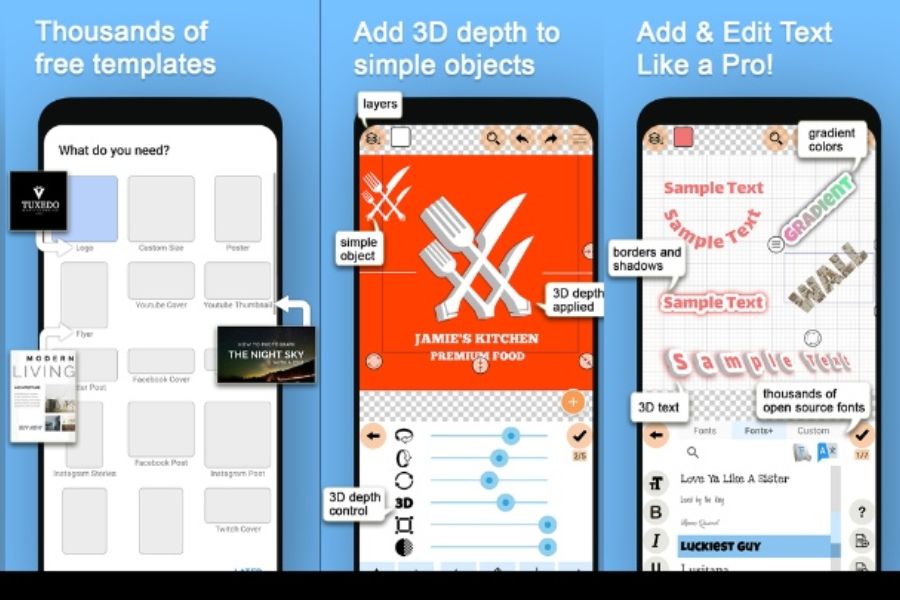
4. Logo Maker của Iris Studios and Services
Logo Maker by Iris Studios and Services is an application aimed at users who want to design logos directly on their Android phones. The tool provides logo templates, decorative images, and basic editing features, making the logo creation process more accessible to non-professionals.
Key advantages:
-
Diverse editing tools: Supports adjusting image elements, colors, and fonts to suit your needs.
-
Themed design templates: Help you quickly find a style that suits your business field.
-
Content creation support: In addition to logos, the app also includes templates for designing advertising images, business cards, or social media content, depending on the version.
-
Easy to use on your phone: Editing operations are performed directly on the app interface.
-
Convenient for sharing: The finished product can be saved to the device for use in personal or business activities.
This app is suitable for those who need to quickly create logos for use in small shops, online stores, or personal projects. Before downloading and using it, you should check compatibility with your device as well as limitations on free templates, ads, and image export quality.
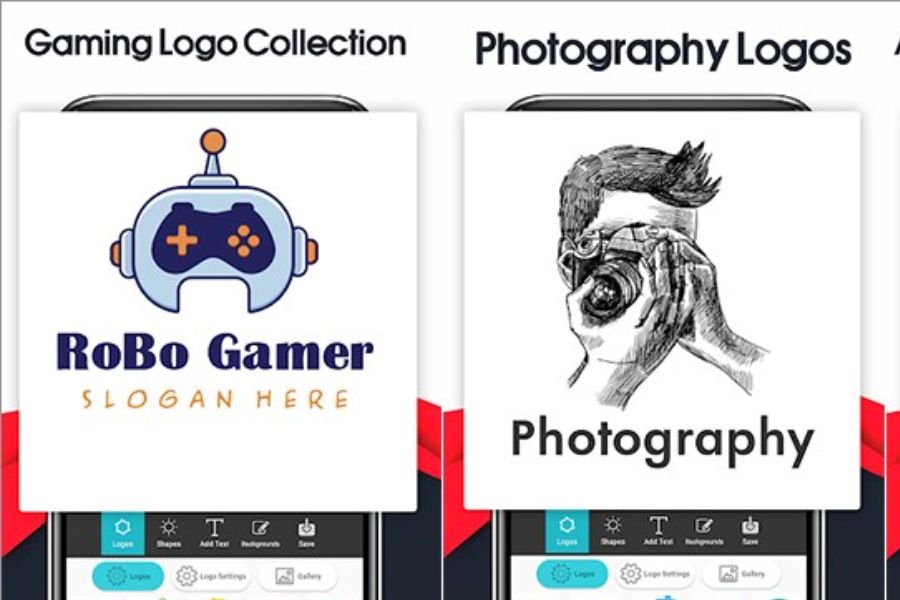
5. Logo Maker - Wild Dev Labx.Inc
Wild Dev Labx.Inc's Logo Maker is a worthwhile option if you want to create a logo with a variety of icons, fonts, and visual styles. The application focuses on design customization, allowing users to easily experiment with many options before choosing the logo that best suits their brand.
Key advantages:
-
Diverse image library: Provides a wide variety of icons for use in different industries and purposes.
-
Color customization: Allows you to coordinate your logo's colors to match your brand style, from minimalist to youthful and eye-catching.
-
2D design and effects support: You can create icons with depth or different styles depending on the tools provided.
-
Multiple font options: Helps your brand name stand out and be more memorable.
-
Conveniently save your design: Supports saving your design to your phone or sharing it for use on online platforms.
A notable feature of the application is its ability to combine multiple elements to create a logo according to your own ideas. For brands that need a logo for the long term, you should choose a design with a balanced layout, easy recognition, and not overly reliant on decorative effects.
6. LogoAI
LogoAI is an AI-powered logo design tool aimed at those who want to quickly find ideas without having to build an entire design from scratch. Users can provide their brand name, industry, and desired style, and the system will help suggest suitable options.
Key advantages:
-
AI-powered idea generation: Assisting in the process of finding logo styles based on brand name and industry.
-
Multiple design styles: Explore creative directions for your store, business, personal project, or team.
-
Customizable design: Allows you to adjust certain elements such as color, font, and layout according to existing features.
-
Saves time: Helps you quickly visualize logo options without having to sketch them from scratch.
-
Brand image building support: Several features can provide additional resources for brand recognition.
LogoAI is suitable for those who want to explore many ideas in a short amount of time, especially when they haven't yet decided on a specific design style. However, you should carefully check the download conditions and commercial usage rights, because creating or previewing logos for free doesn't mean all output file formats are free.
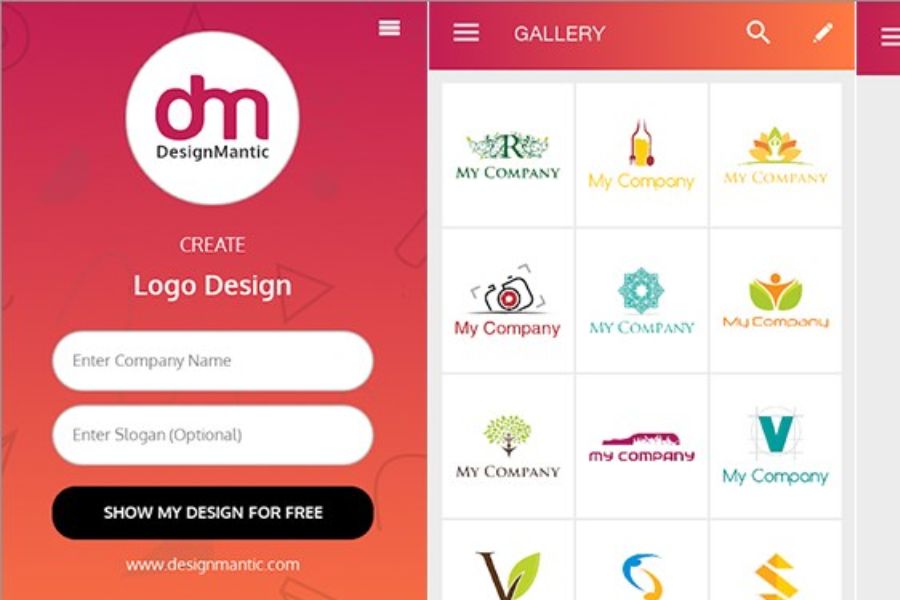
7. DesignMantic
DesignMantic is a logo design tool for individuals, shops, and small businesses who want to build their brand image conveniently. Instead of drawing every detail yourself, you can start with suggested templates, then adjust the brand name, colors, and fonts to create a suitable solution.
Key advantages:
-
Industry-specific logo templates: These help users easily find ideas that suit their business field.
-
Visual design process: Assists in selecting templates and adjusting the basic elements of the logo.
-
Customizable branding: You can change the colors, the presentation of the brand name, and other details according to your needs.
-
Online design support: Can be used via browser on compatible devices, convenient when you don't want to install heavy software.
-
Serving diverse branding needs: Some services offer additional resources such as business cards or consistent brand imagery.
DesignMantic is suitable for those who want to find logo design examples with clear direction, especially shop owners and new businesses. However, you should review the payment terms, file formats, and usage rights of each package before deciding to use the design for business purposes.
8. Splendid App Maker
Splendid App Maker offers a simple approach for those who want to design their own logos on their phones. The app focuses on themed logo templates, allowing you to select suitable images and then modify some details to create a design with your personal touch.
Key advantages:
-
Multiple industry-specific templates: This gives users more options when designing logos for their stores, communities, or personal projects.
-
Easy to customize: You can combine icons, fonts, and colors to create your own layout.
-
Idea generation support: Available templates help beginners easily visualize their desired logo style.
-
Suitable for online content: The logo can be used as a profile picture or identifying image on social media.
-
Mobile-based operation: No computer or advanced graphic design software is needed to begin designing.
This application is suitable for those who prioritize speed and want to try out many styles before choosing a final logo. Once completed, you should carefully test how it displays on light and dark backgrounds and at small sizes to ensure the logo remains clear in real-world situations.
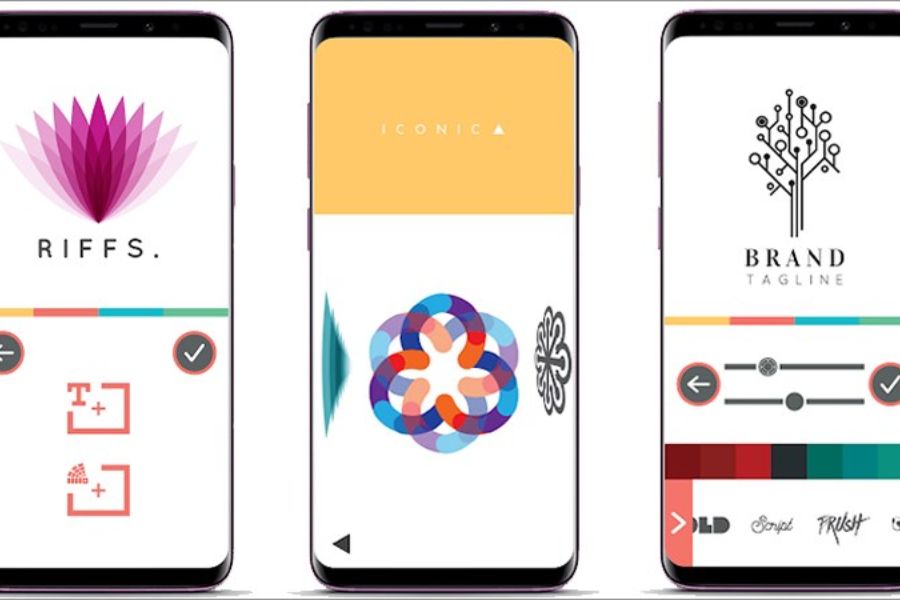
9. LogoScopic Studio - Logo Maker
LogoScopic Studio - Logo Maker is an application aimed at users who want to create aesthetically pleasing logos that clearly reflect their brand personality. With icons, fonts, and editing tools, you can experiment with many different combinations to create a visual identity that suits your project.
Key advantages:
-
Many creative icons: Helping you find ideas for areas such as technology, fashion, services, or personal activities.
-
Diverse font options: Help express brand style through the presentation of the name.
-
Convenient editing tools: Allows adjustment of layout, colors, and key elements within the logo.
-
Create a unique style: Different elements can be combined to develop multiple design options.
-
Suitable for personal branding: Useful when you need a logo for a content page, online profile, or creative project.
The key to using LogoScopic Studio is clearly defining the message you want to convey before choosing a logo. A good logo doesn't necessarily need to be highly detailed; it needs to evoke the right associations and help viewers easily remember the brand.
10. Logo Maker 3D - Cute Wallpapers Studio
If you love designs with depth and striking effects, Logo Maker 3D - Cute Wallpapers Studio is an app you can check out. This tool focuses on creating 3D-style logos, making them look more vibrant when used for entertainment content, team projects, or social media.
Key advantages:
-
3D logo style: Creates emphasis with depth effects and a striking presentation.
-
Many themed templates: You can find ideas for logos for sports, games, events, or community groups.
-
Image customization: Supports adjusting colors, fonts, and backgrounds to your desired style.
-
Serving digital content: Outstanding designs can be used for profile pictures or promotional images on social media.
-
Easy to experiment with ideas: Users can create multiple different versions to choose the design that suits them best.
3D Logo Maker is suitable for those who like a youthful,个性 style and want to create eye-catching images. However, if using it for a professional business or store, you should consider the complexity of the effect so that the logo doesn't look cluttered when printed on packaging, business cards, or displayed at small sizes.
11. Looka - Logo Maker AI
Looka is an AI-powered logo design tool that helps users explore brand ideas based on their industry, color preferences, and desired style. After selecting suitable suggestions, you can view design options and make adjustments to find the logo that best represents your business image.
Key advantages:
-
AI-powered logo design: Provides support in suggesting multiple options based on brand information provided by the user.
-
Diverse styles: You can explore modern, minimalist, elegant, or creative designs.
-
Customize colors and fonts: This helps the logo better align with the brand's visual direction.
-
Brand identity support: Included services may provide business card templates, social media content, and other brand resources.
-
Convenient online use: Accessible via a compatible phone browser without the need to install a separate app.
Looka is suitable for those who want to quickly generate design ideas, especially new businesses needing to define their brand style. It's important to note that while creating designs or previews may be free, downloading high-quality logos, receiving vector files, or using a full brand identity package usually depends on the service package.
12. Conclusion
With the 11 logo design apps for mobile phones introduced above, you can easily find the right tool to start building your brand image without needing graphic design expertise. Canva stands out thanks to its user-friendly interface and diverse design capabilities, Logo Maker apps are suitable for those who like to edit logos directly, while LogoAI and Looka support idea generation using artificial intelligence. Before choosing, determine the purpose of the logo, brand style, and required file format. Don't forget to check the limitations of the free version, commercial use rights, and file export conditions to avoid unexpected costs. A beautiful logo doesn't necessarily have to be elaborate; the most important thing is that it's easily recognizable, memorable, and accurately reflects your brand's spirit.





















VIP Products








Best Selling Products
Copyright Adobe Lightroom Account
59 USD
Upgrade Duolingo Super
29 USD
Autodesk All App Account Copyright
120 USD
Upgrade genuine Capture One account
120 USD
MidJourney Account
29 USD
Freepik Premium Account
59 USD
Genuine Adobe Illustrator account
99 USD
Adobe Premiere Pro Account
99 USD
Capcut Pro 1 Year
39 USD
Plugin Retouch4me
69 USD
Windows 10 & 11 Pro Key
36 USD
Upgrade Genuine Office 365
49 USD
Genuine Cheap Canva Pro
39 USD
Adobe Photoshop Copyright - Full App
120 USD
ChatGPT Plus Account (GPT-4)
16 USD