Best Selling Products

Plugin Retouch4me
69 USD

Windows 10 & 11 Pro Key
36 USD

MidJourney Account
29 USD

Freepik Premium Account
59 USD

Autodesk All App Account Copyright
120 USD

Copyright Adobe Lightroom Account
59 USD

Capcut Pro 1 Year
39 USD

Upgrade Genuine Office 365
49 USD

Genuine Cheap Canva Pro
39 USD

Upgrade genuine Capture One account
120 USD

Genuine Adobe Illustrator account
99 USD

Adobe Premiere Pro Account
99 USD

Adobe Photoshop Copyright - Full App
120 USD

ChatGPT Plus Account (GPT-4)
16 USD

Upgrade Duolingo Super
29 USD
Top 6 Free and Most Accurate CPU Temperature Monitoring Software in 2025
Nội dung
Keep your CPU cool and avoid overheating with these completely free temperature monitoring tools.
Currently, there are many tools available to help users monitor and measure CPU temperature. Some simple software only displays the current temperature, while more advanced software allows you to monitor fan speed, voltage, power consumption, and even test the CPU's load capacity under stress testing conditions. The important thing is to choose the right tool for your needs. This article will introduce the top 6 free and most accurate CPU temperature monitoring software, highly rated by technicians and the user community.
1. Top 6 Most Accurate CPU Temperature Monitoring Software
1.1. AIDA64 Extreme
If you appreciate detail, accuracy, and comprehensiveness, AIDA64 Extreme is the top software you should try. Developed by FinalWire Ltd., AIDA64 is a professional tool not only for monitoring CPU temperature but also for analyzing the entire hardware structure, performance, and overall health of your computer.
This software can directly read information from the CPU temperature sensor, displaying real-time data with very high accuracy. You can easily view the temperature of each individual core, thereby evaluating the cooling performance of each part of the processor. In addition, AIDA64 provides a visual graph showing temperature changes over time, helping you identify trends and system responses under various load conditions.
Beyond simply measuring temperature, AIDA64 also boasts incredibly powerful benchmark and stress test capabilities. You can simulate demanding operating conditions to test the CPU's maximum load capacity, thereby determining whether the cooling system is adequate. This is a tool highly favored by hardware engineers and overclockers.

AIDA64 Extreme has an intuitive, professional yet easy-to-understand interface, even for beginners. Although the software has a paid version, users can still use the trial version with almost all the basic temperature monitoring functions. With its ability to display accurate data, integrate many advanced features, and support most current hardware types, AIDA64 deserves to be at the top of the list of the best CPU temperature monitoring tools.
1.2. SpeedFan
SpeedFan is a veteran software program that almost every computer technician has used at least once. Despite its age, this tool maintains a strong position thanks to its stability, high accuracy, and ability to manually control cooling fans.
The interesting thing about SpeedFan is that it not only displays CPU temperature but also provides information about the GPU, hard drive, motherboard, and system voltage. Users can set certain temperature thresholds so that the software automatically increases or decreases fan speed, helping the computer run cooler during heavy tasks. If you love customization and control, SpeedFan is a great choice.
However, SpeedFan has a minor drawback: its interface is quite old-fashioned, reminiscent of Windows XP, and not very user-friendly for beginners. Nevertheless, once you get used to it, you'll find it to be a powerful, reliable tool that consumes very few resources.
What makes SpeedFan valuable is not just its temperature measurement function, but also its ability to help users manually optimize their cooling system, actively balancing performance and noise levels.
1.3. CPU-Z
CPU-Z is one of the most familiar software programs in the computer user community. Developed by CPUID, it's renowned for its ability to display detailed information about the processor, motherboard, and RAM. However, few people know that CPU-Z can also monitor CPU temperature through its "Sensors" tab.
What makes CPU-Z so popular is its simplicity. The software is extremely lightweight, only a few MB, and can run directly without installation (portable version). Just download it, open it, and you'll immediately have all the detailed information about your CPU: from model name, clock speed, voltage, to manufacturing technology.
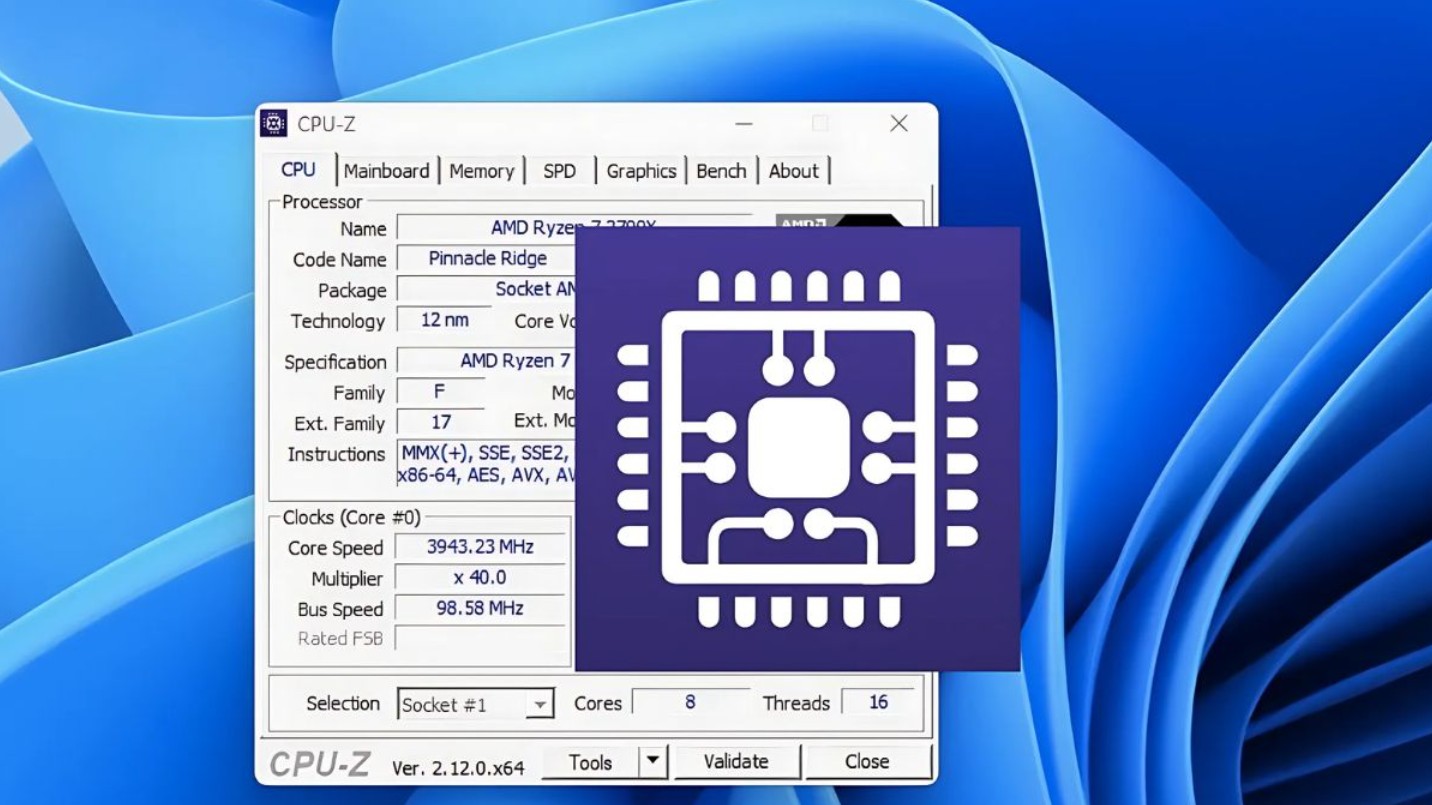
Although it lacks temperature-time graphs or the ability to monitor multiple components like AIDA64, CPU-Z is still a perfect tool for those who simply want to quickly check their CPU status without complex configuration. In particular, this software is widely used in performance tests, parameter comparisons, or determining stability after overclocking.
Thanks to its high accuracy, ease of use, and low system resource consumption, CPU-Z is always on the must-have list for any user interested in CPU performance and temperature.
1.4. CPUID HWMonitor
If you need a lightweight, easy-to-use, and reliable CPU temperature monitoring tool, HWMonitor is a name you can't ignore. Developed by the same team as CPU-Z, this software specializes in hardware monitoring, particularly temperature, voltage, and fan speed sensors.
HWMonitor has a tabular interface that displays all system sensor information: from CPU, GPU, hard drive, and motherboard temperatures to fan speeds for each area. Each parameter is shown with three values: current, minimum, and maximum. This allows you to easily identify when the CPU reaches dangerous temperatures or is operating within safe limits.
One of HWMonitor's strengths is its wide compatibility. The software runs stably on most current motherboards, from Intel and AMD to popular brands like ASUS, MSI, and Gigabyte. Additionally, HWMonitor has a portable version that doesn't require installation, making it very convenient for quickly checking any computer.
Despite its somewhat simple interface, HWMonitor is still considered the benchmark for CPU temperature monitoring tools due to its high accuracy and stability. For those who don't need complex graphs or graphical effects, it's the perfect choice for system monitoring needs.
1.5. Speccy
Speccy is software developed by Piriform. Since its release, Speccy has been well-received by the user community thanks to its simplicity, lightweight design, and user-friendly interface. It's ideal for those who want to quickly check CPU temperature and get an overview of their system configuration without too many steps.
When you open Speccy, you'll see a clear summary of your hardware information: CPU, RAM, motherboard, hard drive, GPU, along with the temperature of each component. This is especially useful for average users, as you don't need to delve deep to understand whether your computer is running hot or cool.
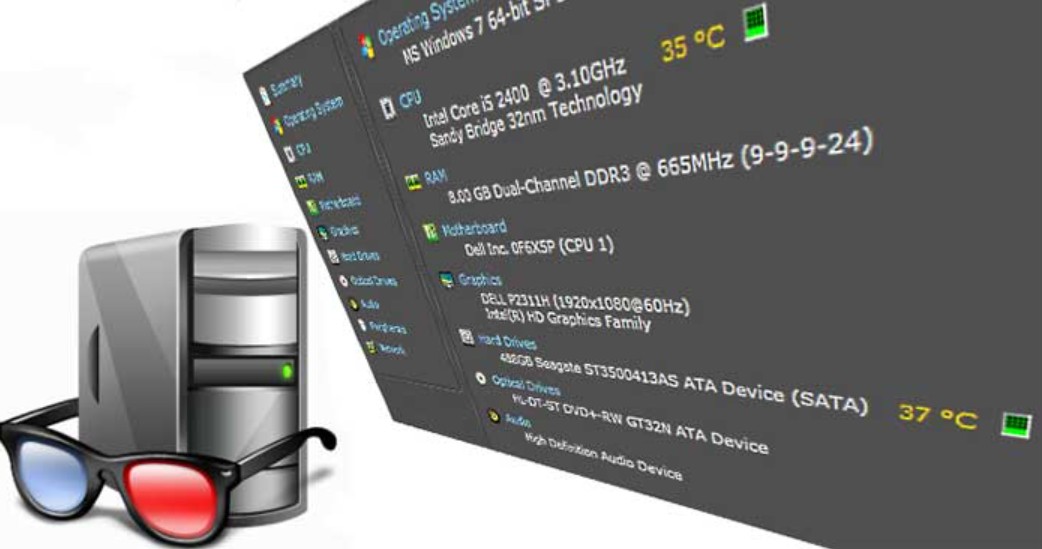
Compared to professional tools like AIDA64 or HWiNFO64, Speccy isn't as powerful in terms of advanced features, but in return, it boasts fast launch speeds, ease of use, and intuitive operation. For office users, students, or anyone who simply needs to monitor basic CPU temperatures, Speccy is a perfect fit.
The only drawback is that the software can sometimes misread the sensors on some rare laptop models. However, this doesn't significantly affect the overall experience. With its relatively high accuracy, modern interface, and being completely free, Speccy strikes a balance between efficiency and convenience.
1.6. HWiNFO64
HWiNFO64 is a comprehensive hardware monitoring tool, highly regarded by professionals for its detailed analysis capabilities and superior accuracy. This software not only measures CPU temperature but also displays hundreds of other parameters, including fan speed, voltage, memory capacity, GPU temperature, and even hard drive status.
HWiNFO64's strength lies in its ability to continuously update data in real time with extremely short cycles, allowing you to monitor CPU temperature changes every second. Furthermore, the software includes a logging function, enabling data storage for long-term temperature trend analysis when you want to check system stability after overclocking or cooling changes.
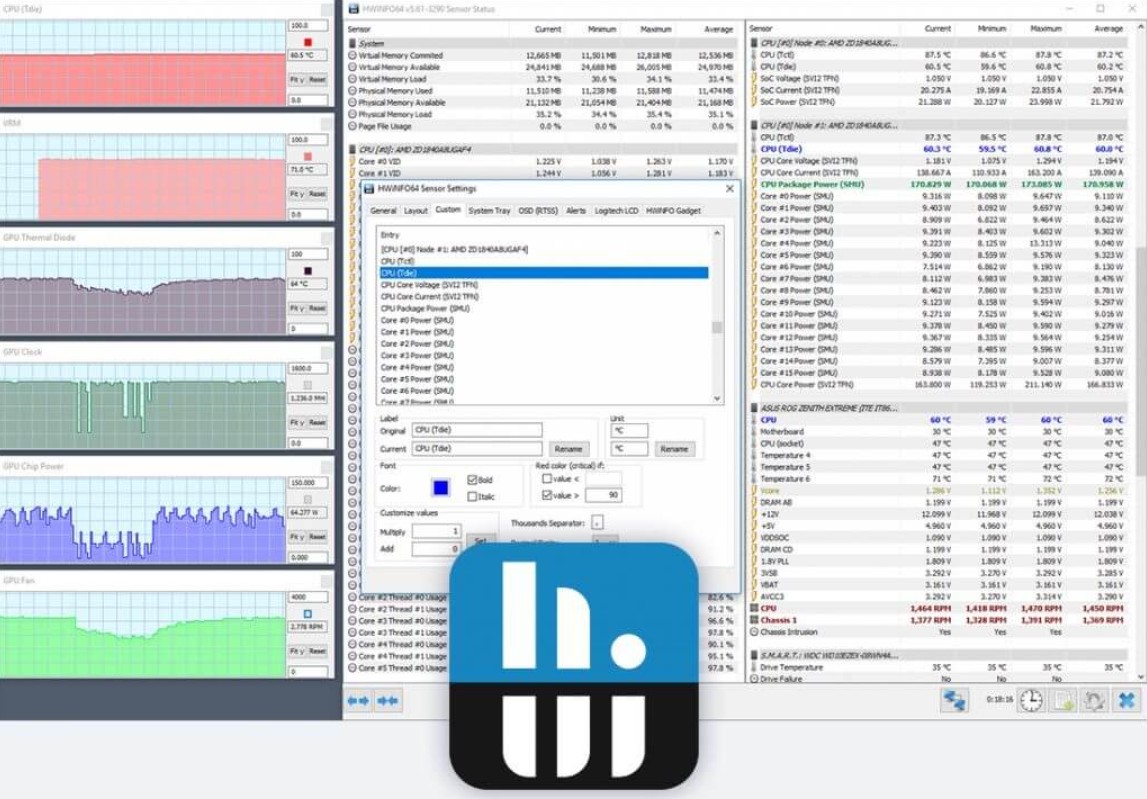
The HWiNFO64 interface is somewhat more complex than other software, but for advanced users, this is an advantage. You can customize the display interface, select the sensors to monitor, and even export data to a file for use in other monitoring software such as MSI Afterburner or Rainmeter.
Thanks to its near-perfect accuracy and in-depth analytical capabilities, HWiNFO64 is considered the "standard" tool among technicians, gamers, and professional overclockers.
2. How to Measure CPU Temperature Without Software
In some cases, you might want to check your CPU temperature without installing any additional software. The simplest and most effective way is to view it directly in the BIOS . This method doesn't require a network connection, no software, and provides accurate results because the BIOS reads data directly from the CPU's hardware sensors.
To do this, first restart your computer. When the manufacturer's logo appears, quickly press the corresponding function key to access the BIOS. Depending on the motherboard manufacturer, this key may be F2, F10, F12, or Delete. Once in the BIOS, find the Power, Hardware Monitor, or PC Health Status section. In this section, you will see information about the CPU Temperature clearly displayed, sometimes along with the motherboard temperature and fan speed.
This method is particularly useful when you want to check the CPU temperature while it's idle or after assembling a new system. Because the BIOS operates outside the operating system, the measured data is not affected by software or background processes, ensuring high accuracy. However, a limitation of this method is that you cannot monitor the temperature while the CPU is handling demanding tasks such as gaming or video rendering.
Nevertheless, this is still a simple, safe, and user-friendly way to check, especially if you want to ensure your CPU isn't overheating after maintenance or thermal paste replacement.
Keeping the CPU operating within a safe temperature range is crucial for smooth computer operation, energy efficiency, and extended lifespan. Regularly checking and monitoring the CPU temperature is a habit every user should maintain during use.





















VIP Products








Best Selling Products
Plugin Retouch4me
69 USD
Windows 10 & 11 Pro Key
36 USD
MidJourney Account
29 USD
Freepik Premium Account
59 USD
Autodesk All App Account Copyright
120 USD
Copyright Adobe Lightroom Account
59 USD
Capcut Pro 1 Year
39 USD
Upgrade Genuine Office 365
49 USD
Genuine Cheap Canva Pro
39 USD
Upgrade genuine Capture One account
120 USD
Genuine Adobe Illustrator account
99 USD
Adobe Premiere Pro Account
99 USD
Adobe Photoshop Copyright - Full App
120 USD
ChatGPT Plus Account (GPT-4)
16 USD
Upgrade Duolingo Super
29 USD