Best Selling Products

Plugin Retouch4me
69 USD

Capcut Pro 1 Year
39 USD

Adobe Photoshop Copyright - Full App
120 USD

MidJourney Account
29 USD

Upgrade genuine Capture One account
120 USD

Autodesk All App Account Copyright
120 USD

Upgrade Duolingo Super
29 USD

Windows 10 & 11 Pro Key
36 USD

Upgrade Genuine Office 365
49 USD

Genuine Adobe Illustrator account
99 USD

Adobe Premiere Pro Account
99 USD

Copyright Adobe Lightroom Account
59 USD

Genuine Cheap Canva Pro
39 USD

Freepik Premium Account
59 USD

ChatGPT Plus Account (GPT-4)
16 USD
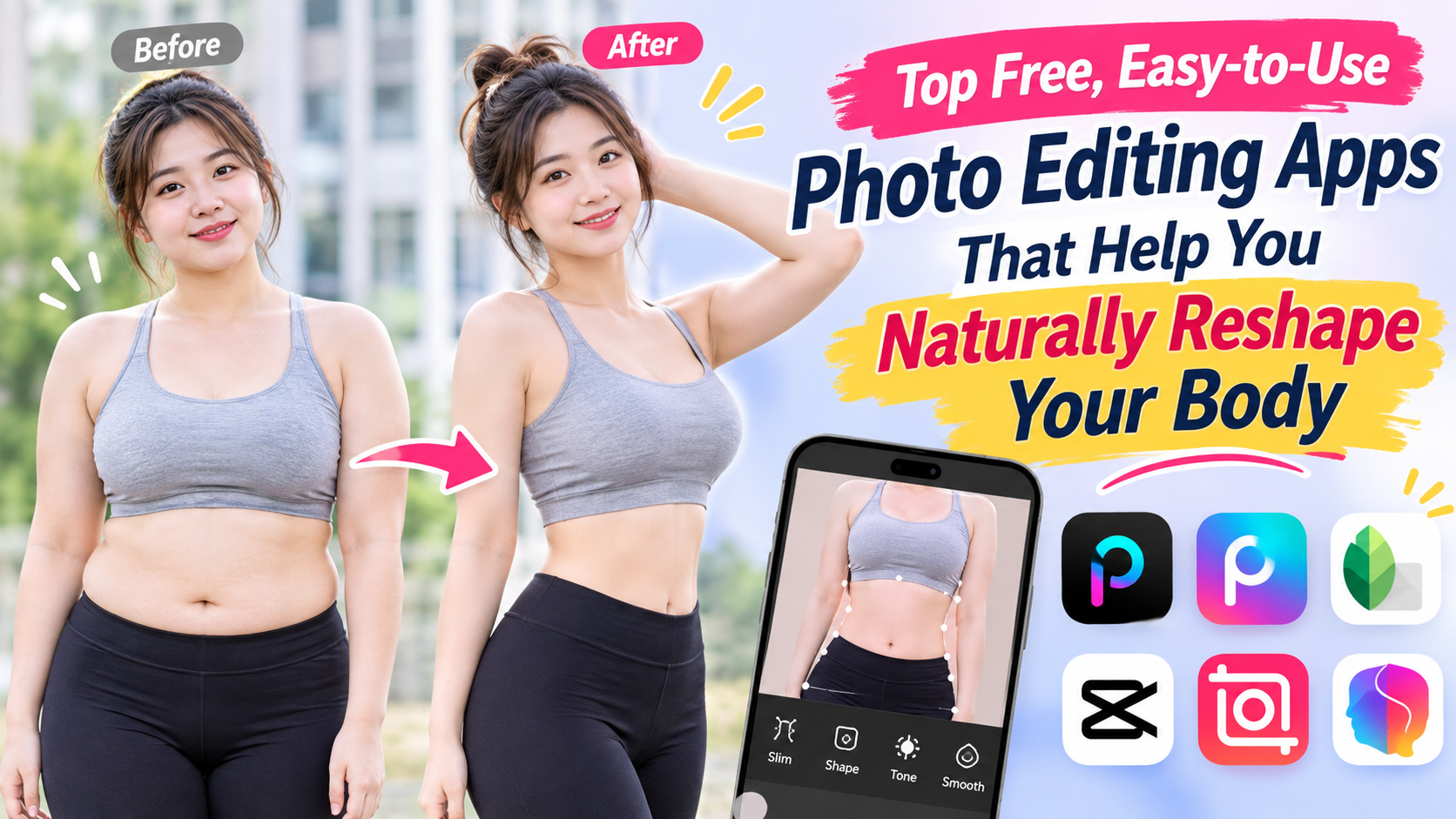
Top free, easy-to-use photo editing apps that help you naturally reshape your body.
Nội dung
- 1. What is a photo resizing app?
- 2. Top photo editing apps that are beautiful and easy to use today.
- 2.1. Daughter
- 2.2. BeautyPlus
- 2.3. Peachy
- 2.4. YouCam Perfect
- 2.5. Body Tune
- 2.6. PrettyUp
- 2.7. Picsart
- 3. How to choose the right photo resizing app for your needs.
- 4. Tips for naturally enhancing your photos without revealing the editing.
- 5. Conclusion
In the age of social media, a beautiful photo requires not only good lighting but also harmonious composition and balanced proportions. However, the shooting angle doesn''t always guarantee the desired result. This is why photo editing apps are becoming increasingly popular, especially among those who frequently post photos on Facebook, Instagram, or TikTok. With just a few simple steps, you can slim your waist, lengthen your legs, refine your face, or adjust body proportions without needing Photoshop skills. In this article, let''s explore some easy-to-use, feature-rich photo editing apps suitable for various editing needs.
1. What is a photo resizing app?
Photo editing apps are applications that allow users to adjust the shape, size, and proportions of details in photos. Instead of having to retake photos multiple times to get the desired angle, you can use editing tools to highlight features and create a more balanced look for the image. Currently, many apps also integrate AI to help recognize the body and face and automatically suggest suitable editing methods. Depending on your needs, you can choose apps specifically for waist slimming, leg lengthening, body shaping, or apps that combine skin beautification, makeup, and color correction.
Some popular features of photo editing apps include:
-
Waist slimming and body shaping: Slimming the waistline and adjusting body curves.
-
Leg lengthening: Creates the illusion of longer legs, making the overall photo look more elegant.
-
Facial contouring: Slimming the face, adjusting the chin, and highlighting facial features.
-
Balance the proportions: Adjust any areas in the image that are not harmonious.
-
Overall beautification: Combining skin tone, color correction, and lighting adjustments to make the photo look more appealing.
2. Top photo editing apps that are beautiful and easy to use today.
2.1. Daughter
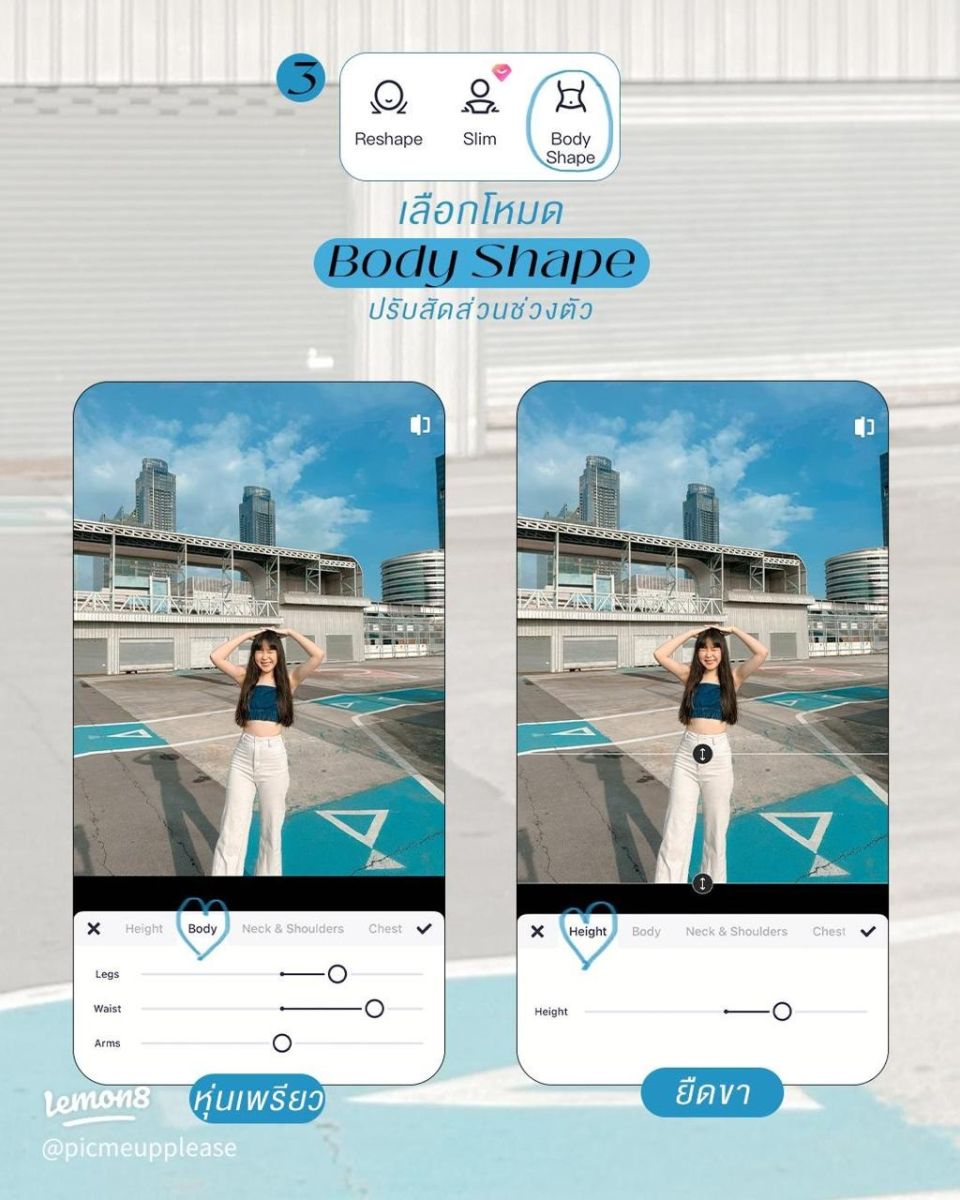
Meitu is a familiar photo editing app for those who love a glamorous and youthful image style. Besides color filters and facial beautification tools, the app also has body editing features, helping you improve body proportions and create softer lines in your photos.
Meitu's appeal lies in its intuitive interface, suitable even for beginners. You can combine body reshaping with skin smoothing, virtual makeup, and lighting adjustments to make your photos look more harmonious. However, some tools or effects may require payment depending on the version.
Key advantages:
-
There are many tools for beautifying and editing photos.
-
Supports adjustments to facial features, body shape, and skin tone.
-
Suitable for portraits, selfies, and fashion photos.
2.2. BeautyPlus
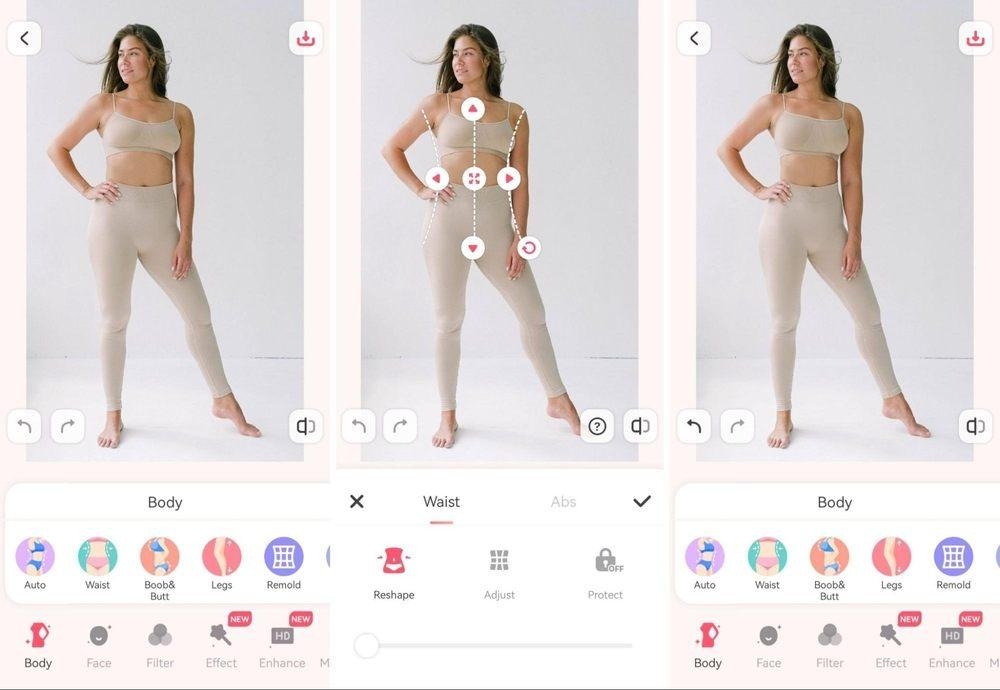
BeautyPlus is a worthwhile option if you want to quickly edit photos without using too many complicated tools. The app focuses on image beautification with features such as skin smoothing, face reshaping, brightness enhancement, and overall appearance improvement. Depending on the version, users can also use additional tools to assist in body editing.
One advantage of BeautyPlus is its ability to combine multiple operations within a single app. After adjusting your body shape, you can further adjust the color, beautify your skin, or add filters to make the photo look even better. This is a suitable option for those who frequently take selfies and post them on social media.
Key advantages:
-
The interface is easy to get used to, and the operation is simple.
-
There are many filters and beauty effects.
-
Suitable for portraits, personal photos, and photos for social media.
2.3. Peachy
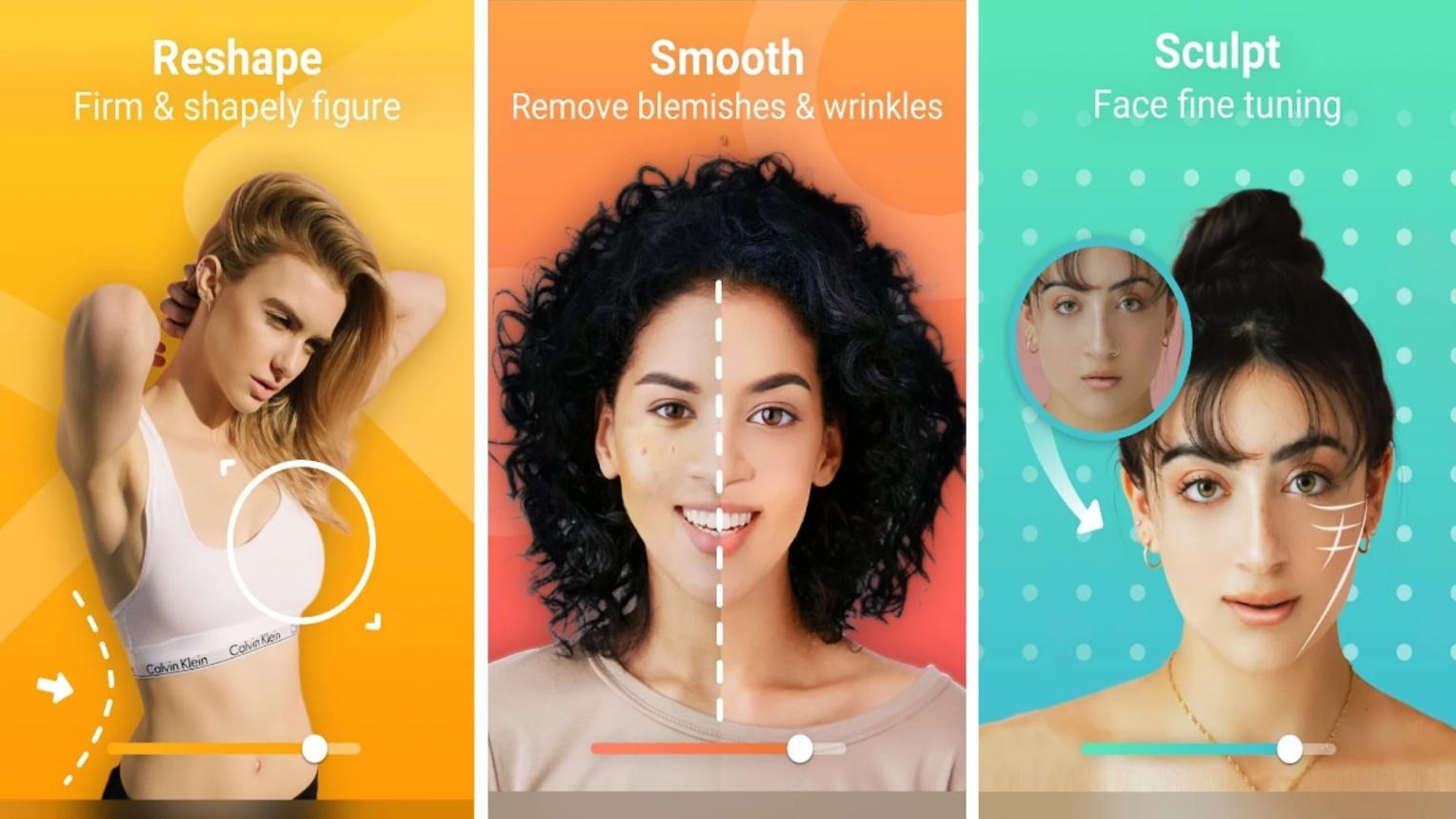
If you're looking for a photo editing app that focuses on facial and body reshaping, Peachy is a name you can consider. The app provides portrait beautification tools, supporting adjustments to facial features and body enhancement as needed. This allows you to proactively fine-tune individual areas instead of applying a single filter to the entire photo.
Peachy is suitable for those who like to manually edit details to control the results. You should make small changes at a time, then compare the before and after photos to avoid distorting body contours or objects close to the subject. Some advanced features may be limited depending on the subscription plan.
Key advantages:
-
There are tools for editing faces and bodies.
-
Supports image customization to suit individual needs.
-
Suitable for portraits and full-body photos.
2.4. YouCam Perfect
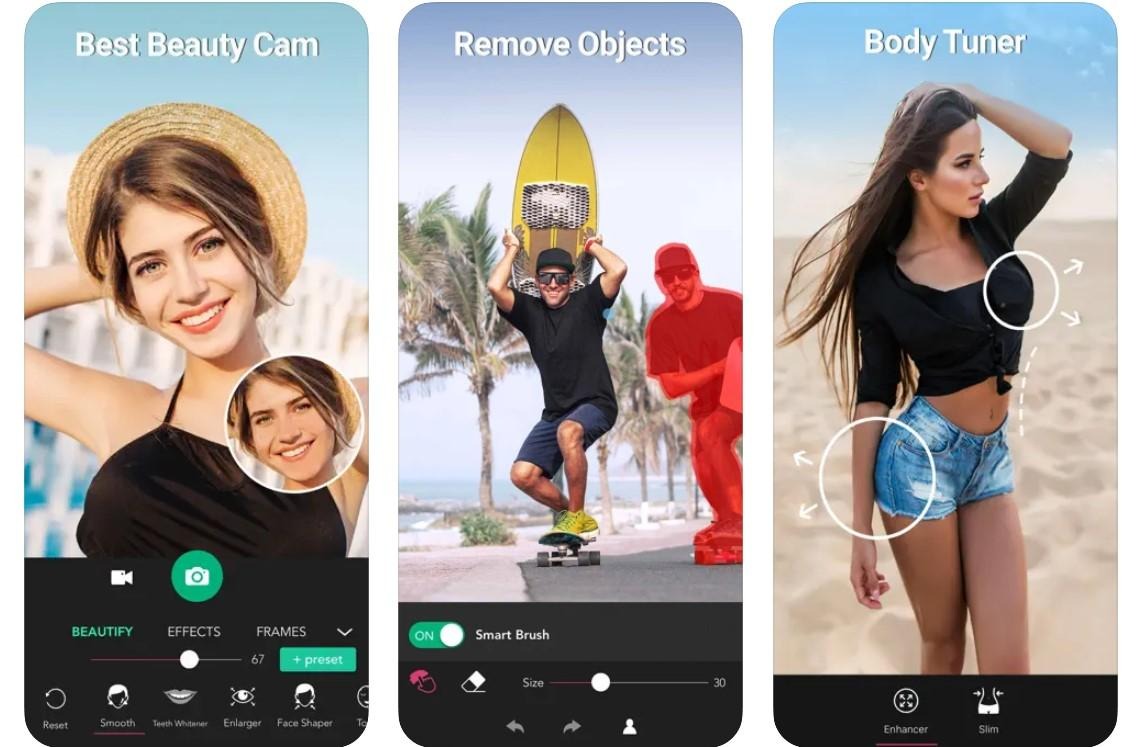
YouCam Perfect is known for its photo beautification tools and AI-powered features. The app supports facial editing, removing unwanted details, and improving image quality. Depending on the version, you can access features to adjust posture or body shape to create more balanced proportions in your photos.
A notable feature of YouCam Perfect is its suitability for those who want to handle multiple tasks in a single editing session. You can combine beauty enhancements, lighting adjustments, and composition refinements to create a polished image. If you prioritize a natural look, avoid using excessive beauty effects that can cause skin to lose texture or make the face look too different from reality.
Key advantages:
-
There are smart photo beautification and editing tools.
-
Supports processing multiple details within a single application.
-
Suitable for selfies and portraits.
2.5. Body Tune
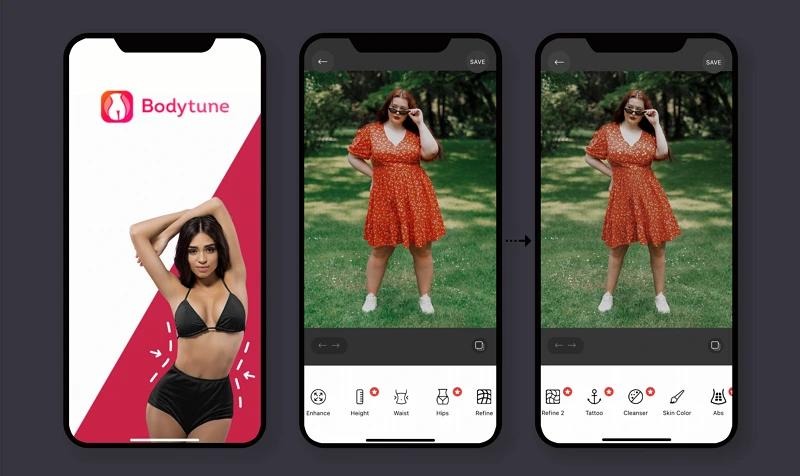
Body Tune caters to the need for body retouching in photos, especially full-body shots. The app offers tools to help users adjust curves, slim down certain body areas, and change body proportions. It's a worthwhile option if you want to focus on body shaping rather than using too many makeup effects or color filters.
When using Body Tune, you should zoom in on the image to adjust small areas and observe the surrounding background. For example, if adjusting the waistline near a straight wall, check if the wall is unusually curved. Controlled editing will help the image look natural and avoid the feeling of being overly retouched.
Key advantages:
-
Focus on body editing tools.
-
Suitable for full-body photos and fashion photography.
-
It is possible to actively adjust individual areas within the image.
2.6. PrettyUp
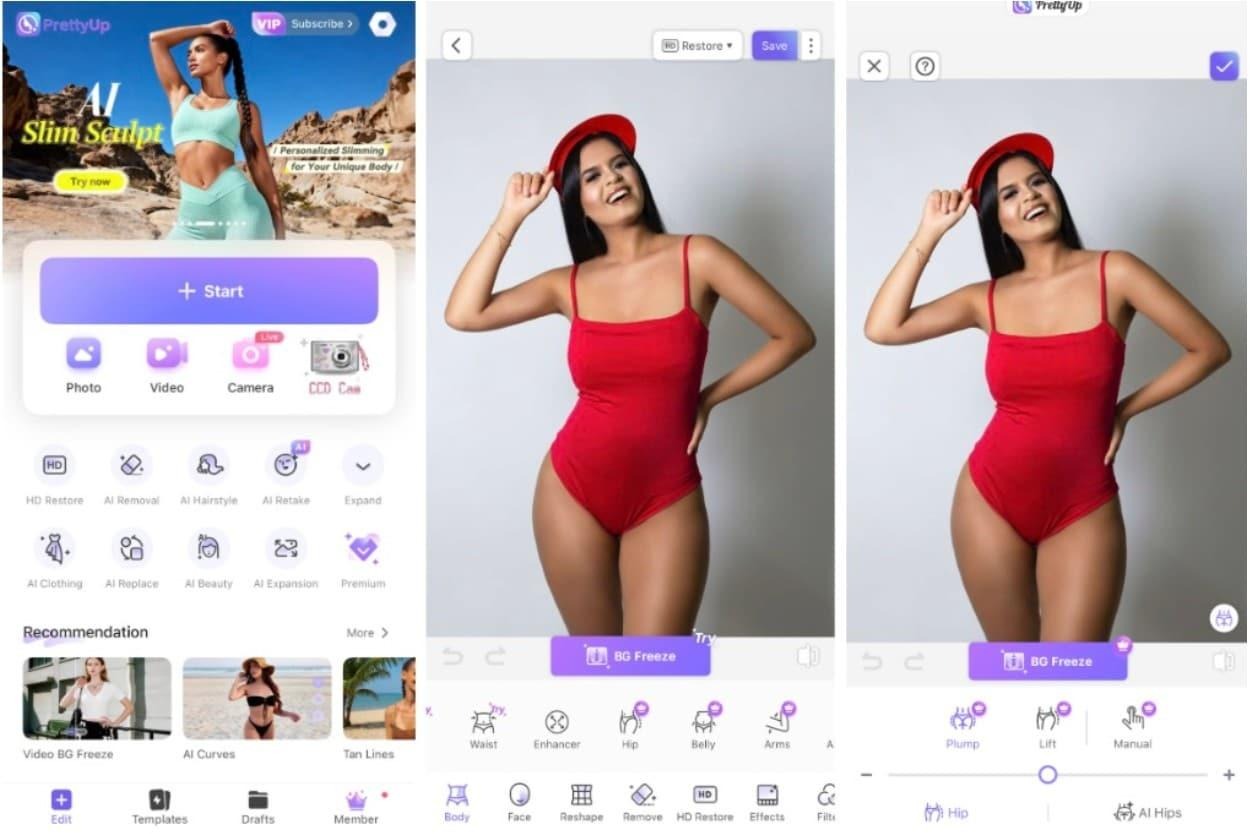
PrettyUp is an app suitable for those who want to edit both photos and videos. In addition to facial beautification tools, the app also caters to body shape adjustments, helping users improve their body proportions in personal content. This is particularly useful for those who frequently post short videos on TikTok, Instagram Reels, or similar platforms.
PrettyUp's video editing capabilities make it a worthwhile option when you want your video footage to look more harmonious. However, posing in video is often more difficult than in still photos because the body and background are constantly moving. You should check multiple frames after editing to avoid distorted edges or unnatural changes in posture between scenes.
Key advantages:
-
Supports photo and video editing needs.
-
There are tools for facial and body beautification.
-
Suitable for social media content creators.
2.7. Picsart
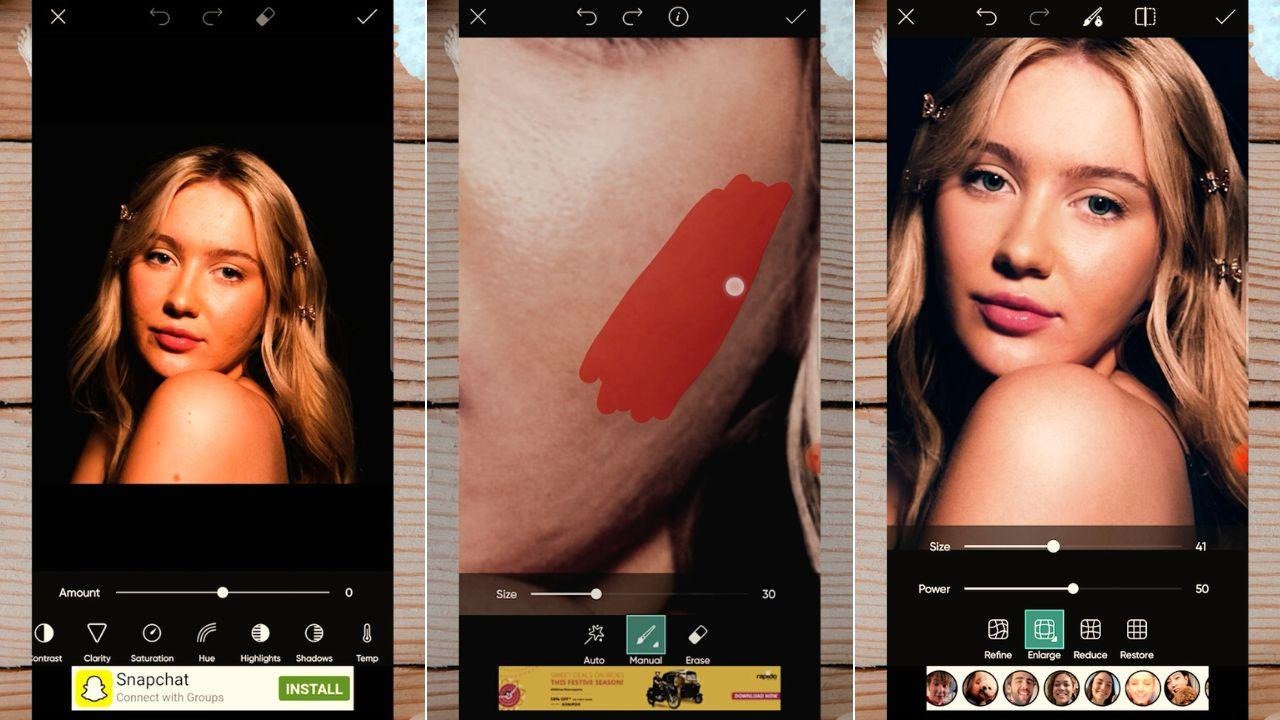
Picsart is a versatile photo editing app, perfect for creative individuals who enjoy customizing their images. The app excels at cropping, background removal, adding text, effects, and filters. While not solely specialized in image reshaping, Picsart is still useful when you want to combine image editing with rebalancing or addressing less-than-perfect details.
With Picsart, you can create many different photo styles, from simple portraits to highly creative social media photos. If your main goal is to slim your waist or lengthen your legs, check the distortion, editing, or beautification tools available on your version. Specific features may vary between devices and subscription plans.
Key advantages:
-
There are many image editing and creative tools available.
-
Supports additional effects, text, and decorative details.
-
Suitable for those who want to edit photos in various styles.
3. How to choose the right photo resizing app for your needs.
Each app has its own strengths, so you should determine your purpose before downloading. If you mainly edit selfies, prioritize apps with facial beautification tools. If you frequently take full-body photos or shoot fashion videos, apps that focus on body shaping will be more convenient.
Here are a few criteria you should consider:
-
Features: Choose an app with tools to slim the waist, lengthen the legs, or reshape the body to suit your needs.
-
Natural look: Prioritize applications that allow for intensity adjustment and fine-tuning of individual areas.
-
Cost: Check out free features, paid plans, and in-app purchases.
-
Ease of use: A clear interface will save you editing time.
-
Privacy: Review photo access permissions, data policies, and how the app handles personal images.
4. Tips for naturally enhancing your photos without revealing the editing.
A beautiful photograph doesn't necessarily require drastic changes in posture. With proper adjustments and attention to composition, you can create a more harmonious image while maintaining a natural look.
Here are some helpful tips when using photo resizing apps:
-
Adjust in small areas: Instead of pulling the entire body, focus on the area you want to adjust.
-
Preserve the outlines of the background: Check walls, doors, tiles, or straight lines near the body for distortion.
-
Avoid overstretching your legs: Your body proportions should be balanced with your height, head, and torso.
-
Before-and-after comparison: Regularly review the original photos to avoid over-editing.
-
Proper lighting coordination: Sometimes increasing brightness, adjusting contrast, or choosing the right angle can make a picture look better.
5. Conclusion
Photo editing apps like Meitu, BeautyPlus, Peachy, YouCam Perfect, Body Tune, PrettyUp, and Picsart offer many options for adjusting your body shape, face, and perfecting your images right on your phone. Depending on your needs, you can choose an app specifically for body shaping or a versatile tool that combines beautification and photo editing. For best results, prioritize apps that are easy to use, have suitable features, and allow for flexible adjustments. Importantly, avoid overdoing photo editing, as excessive changes can make your body and background look unnatural. A little fine-tuning will create a harmonious and appealing photo while still preserving your unique style.





















VIP Products








Best Selling Products
Plugin Retouch4me
69 USD
Capcut Pro 1 Year
39 USD
Adobe Photoshop Copyright - Full App
120 USD
MidJourney Account
29 USD
Upgrade genuine Capture One account
120 USD
Autodesk All App Account Copyright
120 USD
Upgrade Duolingo Super
29 USD
Windows 10 & 11 Pro Key
36 USD
Upgrade Genuine Office 365
49 USD
Genuine Adobe Illustrator account
99 USD
Adobe Premiere Pro Account
99 USD
Copyright Adobe Lightroom Account
59 USD
Genuine Cheap Canva Pro
39 USD
Freepik Premium Account
59 USD
ChatGPT Plus Account (GPT-4)
16 USD