Best Selling Products

Freepik Premium Account
59 USD

MidJourney Account
29 USD

Adobe Premiere Pro Account
99 USD

ChatGPT Plus Account (GPT-4)
16 USD

Upgrade Genuine Office 365
49 USD

Upgrade genuine Capture One account
120 USD

Autodesk All App Account Copyright
120 USD

Plugin Retouch4me
69 USD

Upgrade Duolingo Super
29 USD

Capcut Pro 1 Year
39 USD

Windows 10 & 11 Pro Key
36 USD

Genuine Cheap Canva Pro
39 USD

Copyright Adobe Lightroom Account
59 USD

Adobe Photoshop Copyright - Full App
120 USD

Genuine Adobe Illustrator account
99 USD
Top iPhone Widgets to Boost Your Work Productivity
Nội dung
With the continuous development of iPhone applications, using widgets not only saves you time but also enhances your ability to manage tasks effectively. These widgets act as compact virtual assistants, providing information quickly and accurately in an instant.
1. Reminders
The Reminders app on iPhone is a fantastic and indispensable tool for anyone who wants to manage their tasks effectively. With its built-in functionality, you don't need to install any third-party apps to create to-do lists or task lists. With just a few clicks, you can set reminders with detailed information such as due dates, locations, and priority levels. This not only helps you organize your work efficiently but also minimizes the risk of missing important tasks.
When you use the Reminders widget on your home screen, everything becomes easier than ever. This widget allows you to quickly view all your assigned tasks, helping you keep track of your work progress visually. You can mark completed tasks with just one tap, without having to open the app. This not only saves time but also gives you a sense of satisfaction seeing your tasks finished.
Furthermore, Reminders' ability to synchronize with other devices in the Apple ecosystem is a major plus. You can easily access reminders from your iPad, MacBook, or Apple Watch, making task management seamless and convenient. With Reminders, you not only manage your time but also significantly improve your productivity.
2. Gmail
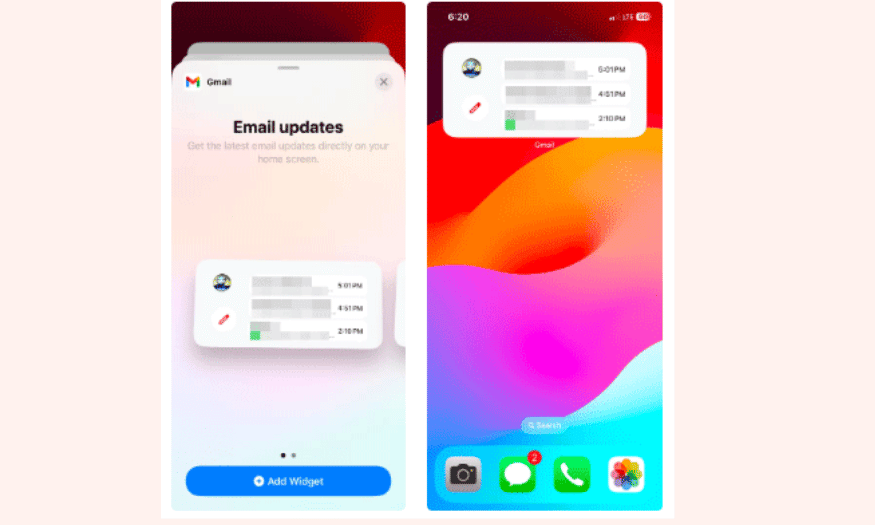
Gmail is more than just an email app; it's a powerful tool for effectively managing your contacts. Adding the Gmail widget to your iPhone's home screen will help you avoid missing any emails. The Email Updates widget provides an overview of your three most recent unread emails, allowing you to quickly grasp important information without having to open the app.
With a single click on the pencil icon in the widget, you can start composing a new email instantly. This saves you time, especially when you're in the middle of work and need to quickly respond to an urgent email. This feature helps you stay connected with colleagues and clients without interruption.
Furthermore, Gmail supports smart features such as categorizing emails by importance and sending notifications when new emails arrive. This allows you to easily manage your inbox and focus on the most important messages. The combination of widgets and the Gmail app is a perfect solution for those who want to optimize their workflow and communication.
3. Google Chrome
Google Chrome is more than just a browser; it also offers many useful widgets to help you browse the web more efficiently. With the Quick Actions option, you can easily access functions like Google Search, Incognito mode, and Google Lens, allowing you to perform tasks without having to open the application. This is extremely convenient, especially when you want to quickly search for information without being distracted by other tabs.
The Password Manager widget is also a noteworthy feature. You can quickly access saved passwords and automatically fill in login information without having to remember each password. This not only saves you time but also enhances security while browsing the web. You can focus on your work without worrying about forgetting passwords or searching for login information.
Additionally, if you're looking for a fun way to relax during your breaks, the Chrome Dino Game widget is also available. You can play the game directly from the home screen without having to open the browser, providing a little entertainment between stressful work hours. In short, Google Chrome not only helps you browse the web efficiently but also enriches your iPhone experience.
4. Google Calendar
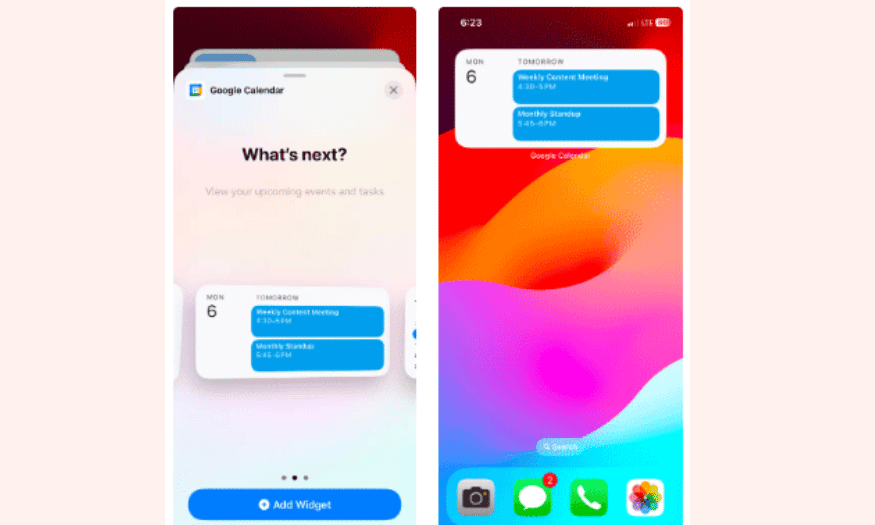
Google Calendar is one of the most popular calendar apps, widely used to organize work and personal life schedules. One of its strengths is its seamless integration with widgets on the iPhone home screen. The Google Calendar widget helps you easily track upcoming events and meetings, ensuring you never miss any important appointments.
With this widget, you can quickly view your day's events without having to open the app. This gives you an overview of your schedule and helps you plan your next tasks effectively. You can also adjust or add new events directly from the widget, saving time and energy in managing your schedule.
Furthermore, Google Calendar provides reminders for upcoming events, helping you remember what needs to be done. With its ability to synchronize across devices, you can easily access your schedule from anywhere. This is especially useful for those who frequently travel or work remotely. Google Calendar is more than just a calendar app; it's a powerful tool to help you organize and manage your time more effectively.
5. Sticky Widgets
Sticky Widgets is a unique app for those who love simplicity in note-taking. Similar to Sticky Notes on Windows or Stickies on Mac, Sticky Widgets allows you to create notes directly on your iPhone's home screen. This is very convenient, as you can quickly jot down ideas, tasks, or to-do lists without having to open the traditional notes app.
One of the highlights of Sticky Widgets is its customizable interface. You can change the font style, color, and background of your notes to your personal preference. This not only makes your notes more visually appealing but also inspires you to update and use them regularly. With this customization capability, each note becomes part of your own workspace, making it easier to remember and track important tasks.
Additionally, Sticky Widgets supports various note sizes, allowing you to organize them efficiently on your screen. This enables you to create an optimized workspace where all the necessary information is within easy reach. If you frequently need to take quick notes, Sticky Widgets is definitely a great choice for you.
6. Evernote
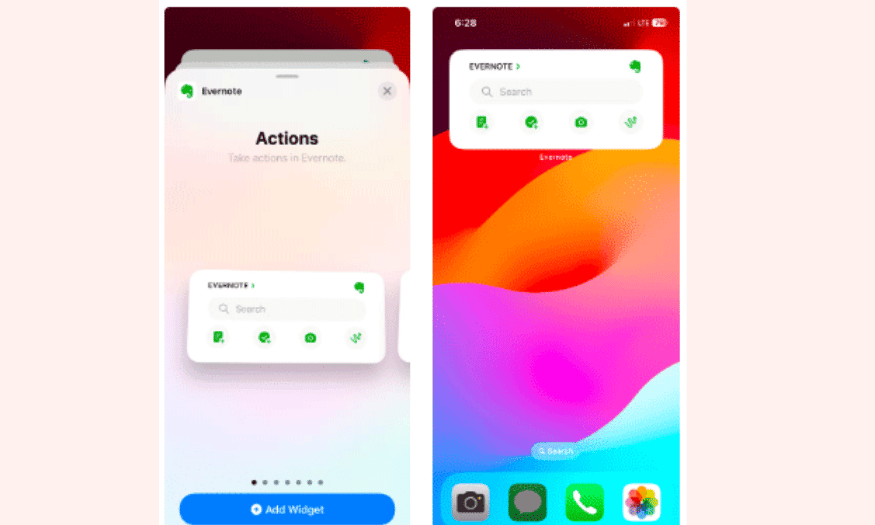
Evernote is one of the most popular note-taking apps today, offering many powerful features to help you organize information effectively. With the ability to create and organize notes and tasks, as well as synchronize across multiple devices, Evernote makes it easy to manage your work and ideas. The Evernote widget on the iPhone home screen allows you to quickly access recent notes and tasks, ensuring you don't miss any important information.
The Actions option in the Evernote widget is a special feature that helps you quickly create new notes, tasks, scans, and sketches. This is extremely useful when you need to jot down ideas immediately or want to organize your work without spending a lot of time searching. You can easily add new notes with just one click, optimizing your daily workflow.
Furthermore, Evernote's synchronization feature ensures that all your information is always up-to-date and accessible from anywhere. This not only helps you organize your work flexibly but also facilitates remote work. Evernote is more than just a note-taking app; it's a comprehensive information management tool that helps you become more efficient in your work and daily life.
7. Slack
Slack has become an indispensable tool for those working in modern team environments. With its ability to organize conversations via channels and direct messages, Slack helps you keep all your communications organized. The Slack widget on your iPhone home screen allows you to quickly track the number of unread messages and reminders, ensuring you don't miss important work-related information.
Although this widget doesn't provide a specific preview for each message, it helps you stay informed about your communication status. You can set up widgets for different workspaces, making it easy to identify channels that need close monitoring. This helps you be more proactive in staying updated and participating in important discussions.
Another strength of Slack is its ability to integrate with many other applications, making it easy to share information and documents within a team. With the combination of widgets and the main application, you can optimize workflows and communication, thereby improving work efficiency.
8. Jomo
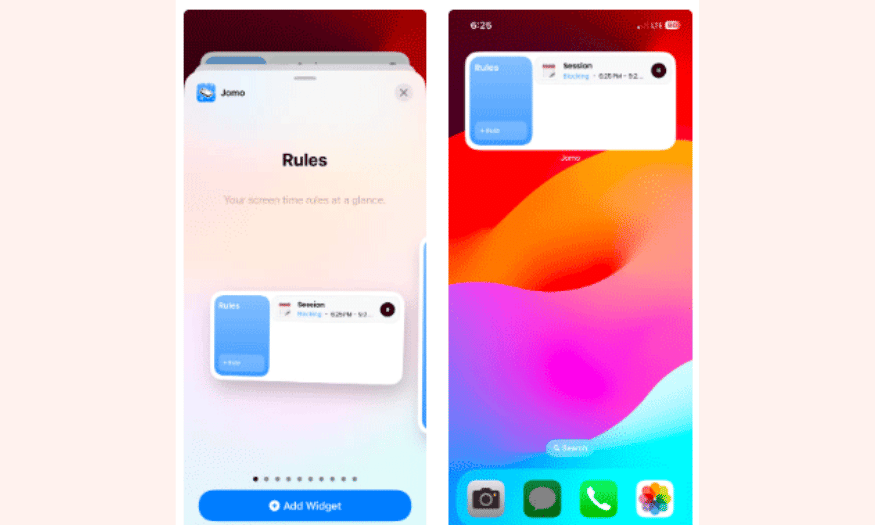
Jomo is a useful app that helps you manage screen time effectively, especially during busy periods. It allows you to set rules that block certain apps and websites while you're active. This not only minimizes distractions but also encourages purposeful use of technology, thereby improving productivity.
For example, you could set a rule to block all social media apps during work hours, from 9 AM to 5 PM. Or you could only allow Instagram to be used for a certain amount of time after opening the app five times. These rules help you maintain focus and develop more productive work habits.
The Jomo widget lets you quickly view your established rules and access them from the home screen. You can also use shortcuts to easily create new rules. With Jomo, you can not only minimize distractions but also track your screen time, allowing you to adjust your habits and improve your productivity.
9. Todoist
Todoist is one of the leading task management apps, providing you with an easy way to organize your daily tasks. With the Todoist widget on your iPhone's home screen, you can quickly view your task list without having to open the app. This widget displays priority tasks, making it easy to keep track of what needs to be done immediately.
One of Todoist's standout features is its ability to categorize tasks by project and priority. This helps you manage your work more effectively and ensures you don't miss any important tasks. You can easily add new tasks from the widget, saving time and improving organization.
Additionally, Todoist supports a reminder feature, allowing you to set notifications for upcoming tasks. This helps you constantly remind yourself of what needs to be completed, thereby enhancing your daily work efficiency. With Todoist, you'll have a powerful tool to manage your time and tasks.
10. Trello
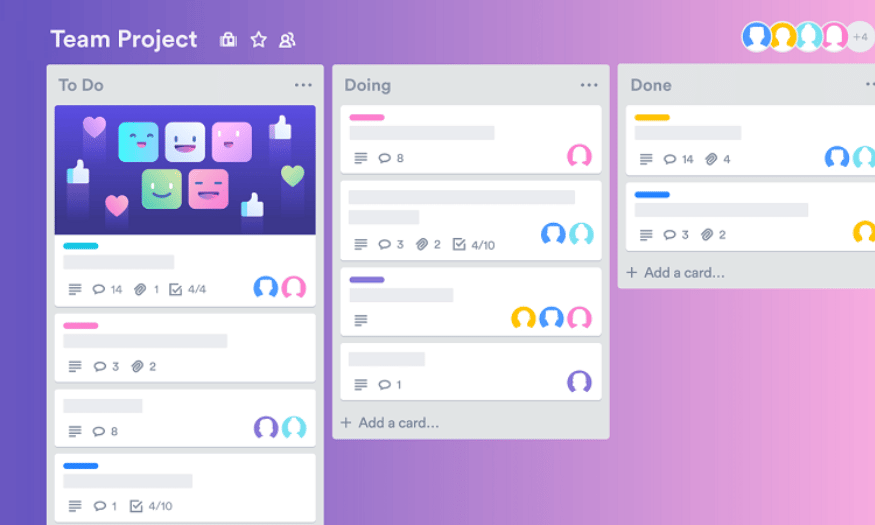
Trello is an intuitive project management tool that lets you track project progress through boards, cards, and lists. The Trello widget on your home screen makes it easy to access your project boards and track progress without having to open the app. You can quickly view ongoing and completed tasks, giving you an immediate overview of your work.
Trello also stands out with its drag-and-drop feature, allowing you to easily move task cards between different lists. This feature is very useful when you need to update the status of a specific task. With widgets, you can quickly update information without having to spend a lot of time searching within the app.
In addition to tracking project progress, Trello allows you to collaborate with team members. You can share project boards with colleagues, making it easy to exchange information and ideas. This makes Trello an ideal tool for anyone working in a team environment and needing to manage projects effectively.
11. Focus@Will
Focus@Will is a special music app designed to help you boost your focus and productivity. With the Focus@Will widget, you can easily select background music that suits your mood and work directly from your home screen. The music in this app has been carefully researched to help you concentrate better on your work.
This widget allows you to quickly access music playlists tailored to different tasks, from inspiring creativity to relaxing during stressful work hours. You can adjust the volume and select your favorite songs with just a few taps, making it easy to create an ideal work environment.
Furthermore, Focus@Will provides statistics on your concentration level while listening to music. You can track the time you've spent on work and its effectiveness. This helps you identify your most productive periods and establish better work habits. With Focus@Will, you can significantly improve your concentration and productivity.
12. Conclusion
Using widgets on your iPhone not only offers convenience but also enhances your productivity. These widgets allow you to quickly access necessary information, saving you time and allowing you to focus on more important tasks. Try the widgets we've introduced and discover the difference in how you organize and manage your daily work. This way, you'll not only complete your work more efficiently but also have time to enjoy life outside of work.





















VIP Products








Best Selling Products
Freepik Premium Account
59 USD
MidJourney Account
29 USD
Adobe Premiere Pro Account
99 USD
ChatGPT Plus Account (GPT-4)
16 USD
Upgrade Genuine Office 365
49 USD
Upgrade genuine Capture One account
120 USD
Autodesk All App Account Copyright
120 USD
Plugin Retouch4me
69 USD
Upgrade Duolingo Super
29 USD
Capcut Pro 1 Year
39 USD
Windows 10 & 11 Pro Key
36 USD
Genuine Cheap Canva Pro
39 USD
Copyright Adobe Lightroom Account
59 USD
Adobe Photoshop Copyright - Full App
120 USD
Genuine Adobe Illustrator account
99 USD