1. Causes of blurry images and the current restoration needs.
Understanding why a photo's quality degrades is the first step in finding the most appropriate solution. This situation stems from both subjective and objective factors during device usage.
1.1. Data compression mechanisms of social media platforms
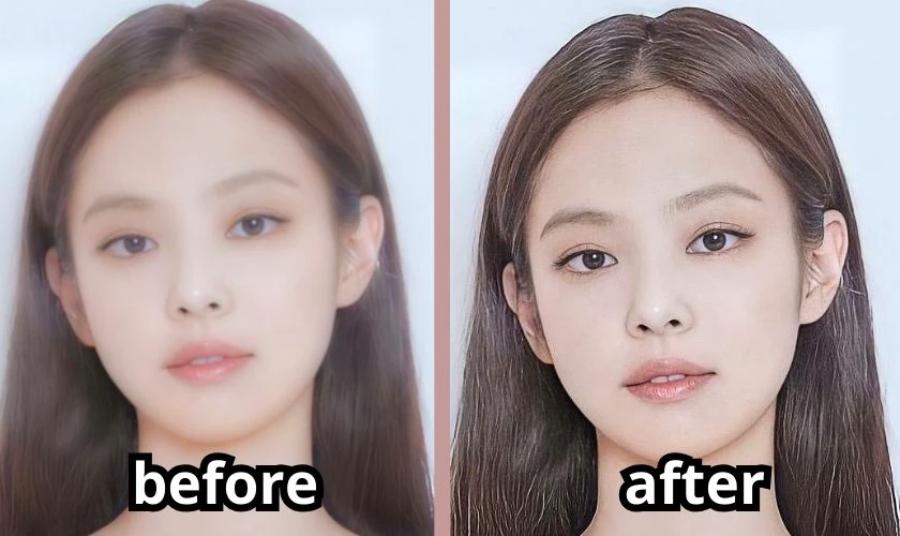
Popular applications like Facebook, Zalo, Messenger, and Instagram often use powerful compression algorithms to optimize page load speeds and save server bandwidth. When you upload or receive photos from others through these channels, the physical size and resolution of the file are significantly reduced, resulting in pixelation when zoomed in.
1.2. Technical limitations of the camera and the shooting environment.
Taking photos in low light, camera shake, or with subjects moving too fast are direct causes of motion blur. Additionally, using the digital zoom feature on older phones can also cause details to appear blurry because the sensor cannot capture enough light information.
2. Criteria for evaluating a high-quality photo editing app that corrects blurry images.
The mobile app market has seen the emergence of numerous software programs marketed as image enhancement tools. Users need to rely on practical criteria to filter out tools that deliver truly effective results.
2.1. The ability to recreate details using artificial intelligence (AI Upscaling)
Older generation applications often sharpen images by increasing edge contrast (sharpening), which inadvertently makes images look stiff and displays a lot of digital noise. High-quality software must possess intelligent AI algorithms capable of automatically analyzing surface structure, recognizing eyes, noses, and hair to naturally compensate for missing pixels.
2.2. Data processing speed and system stability
The process of calculating and reconstructing millions of pixels requires enormous processing power from cloud servers or device hardware. Optimized software needs to complete the recovery task within a few tens of seconds to a minute, minimizing system freezes or application crashes.
2.3. Simplicity of operation and user interface
Average users don't want to spend too much time learning how to use complex adjustment toolbars. The most popular apps today often integrate one-touch photo editing features, automating the entire process and delivering results instantly to the user.
3. Top apps for editing blurry photos on your phone.
Delving into practical evaluation, each of the applications below possesses unique technological strengths, suitable for addressing different levels of image blur.
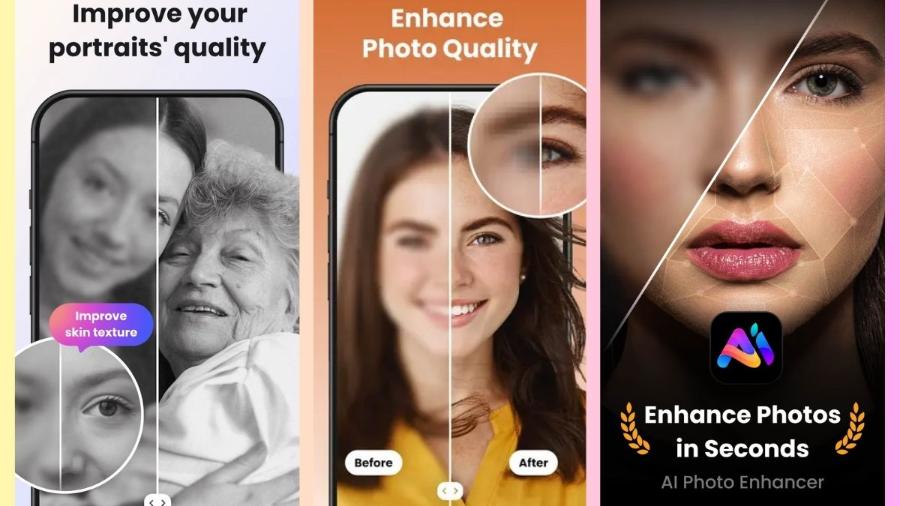
3.1. Remini - The King of Restoring Blurry Portrait Photos
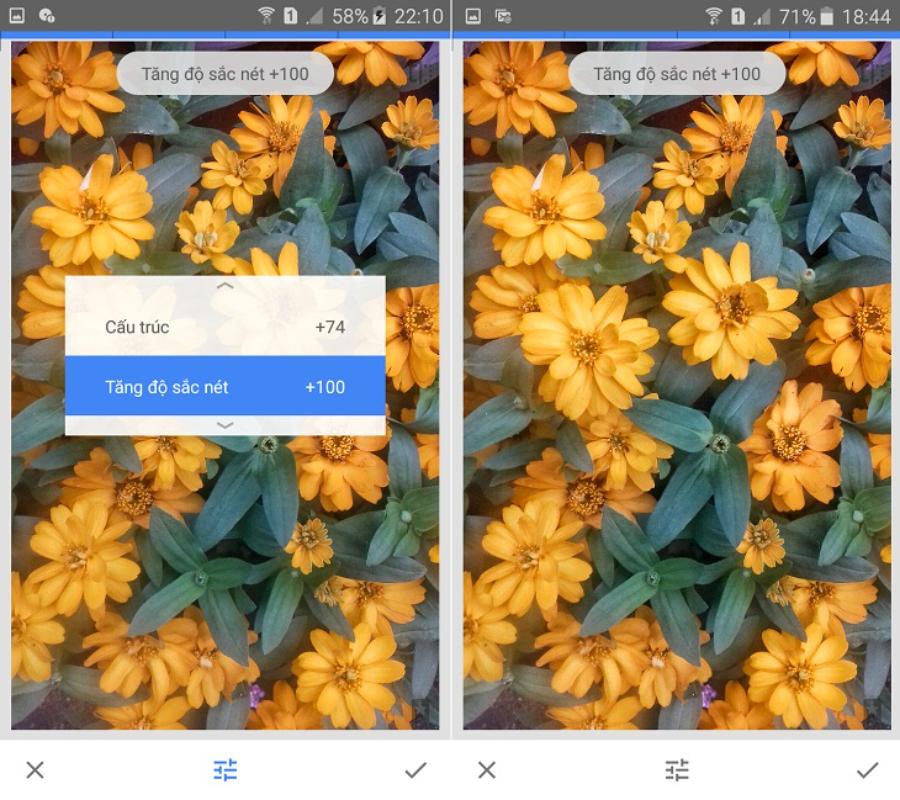
This application has revolutionized the field of image restoration thanks to its ability to process faces with astonishing detail.
-
How it works: It focuses on deep scanning of the subject's face, using a large database to redraw details of the eyes, eyebrows, and skin that have been lost due to old or heavily grainy images.
-
Disadvantages: The free version includes many long ads and limits the number of photos that can be exported per day.
3.2. PhotoUp - A solution for increasing the size of large-scale images.
This tool aims to upscale the resolution of the entire scene, including landscapes, architecture, and everyday objects.
-
How it works: It applies an intelligent pixel duplication algorithm, which helps to double or quadruple the size of an image without reducing the smoothness of the object's surface.
-
Disadvantage: Requires a high-speed and stable internet connection to send data to the server for processing.
3.3. Adobe Lightroom Mobile - In-depth manual detail control
For photos that are only slightly blurry due to incorrect focus, intervention using Adobe's professional tools provides the highest level of realism.
-
How it works: Users utilize the "Sharpening," "Radius," and "Detail" sliders to enhance the sharpness of structural outlines, combined with the "Noise Reduction" feature to smooth out grainy areas.
-
Disadvantage: Requires users to have basic knowledge of photo editing to achieve the desired results.
4. A step-by-step process for transforming blurry photos into perfectly sharp ones.
Following a scientific approach to image editing will help you maximize the power of the software and avoid distorting the original colors of your work.
4.1. Step 1: Prepare the best possible quality source file.
Users should find the original file captured from a camera or phone instead of using screenshots or images that have been sent and received multiple times on messaging apps. Starting with the largest source file will make it easier for the AI algorithm to work.
4.2. Step 2: Use the application's automatic recovery feature.
Upload the image you want to process to your chosen app, and activate "Enhance" or "Restore" mode. Keep your phone screen on and do not switch to another app while the system is calculating the pixel matrix layers.
4.3. Step 3: Refine the auxiliary parameters after sharpening.
The results after running AI sometimes make the photo look a bit artificial because the details are redrawn too sharply. Users should use additional tools to gently smooth the skin or adjust the contrast slightly to make the overall photo look more harmonious and natural.
4.4. Step 4: Store the product in uncompressed format.
Choose to export the file in PNG format or maintain 100% JPG quality. This ensures that all the effort put into restoring details in the previous steps is not destroyed by the device's file compression mechanism.
5. Appvip.ai - A provider of premium, licensed photo editing apps for fixing blurry images.
To fully experience the power of advanced image restoration tools without feature limitations or annoying ads, appvip.ai is the optimal choice for you. This website specializes in providing upgrade services for Pro and Premium accounts of leading image enhancement and graphic editing applications at extremely competitive prices. Owning a licensed account from this platform will unlock the most advanced AI algorithms, significantly speed up image processing, and deliver perfectly sharp and beautiful results in an instant.
6. Important tips to minimize blurry photos when shooting.
Prevention is better than cure; changing a few small habits when using your phone camera will help you consistently get high-quality photos right from the start.
6.1. Keep the tempered glass surface of the camera clean.
The phone's lens is frequently exposed to sweat and dirt from pockets, creating a hazy film that prevents light from reaching the sensor. Make it a habit to gently wipe the camera with a soft cloth before taking a picture to ensure your images are always clear and sharp.
6.2. Always actively touch the screen to manually focus.
The phone's autofocus system sometimes gets confused between the main subject and the background, especially in challenging lighting conditions. Touching the area you want to focus on with your finger on the screen will force the camera to lock focus on the desired location.
6.3. Maximizing the use of natural light sources
Light is the core ingredient of photography; with sufficient light, the camera sensor will operate at the lowest ISO level, completely eliminating noise and preserving the sharp details of the subject.
7. Conclusion
The help of photo editing apps has opened up a great opportunity for anyone to salvage poor-quality photos, preserving priceless memories over time. By understanding the causes of the errors, choosing the right tools, and following a proper processing procedure, you can easily take control of your image quality. Equip your phone with a smart app now to be ready to elevate every frame, transforming blurry images into sharp and vibrant ones like never before.