Best Selling Products

Plugin Retouch4me
69 USD

Freepik Premium Account
59 USD

Genuine Adobe Illustrator account
99 USD

ChatGPT Plus Account (GPT-4)
16 USD

Windows 10 & 11 Pro Key
36 USD

Genuine Cheap Canva Pro
39 USD

MidJourney Account
29 USD

Upgrade genuine Capture One account
120 USD

Adobe Photoshop Copyright - Full App
120 USD

Upgrade Genuine Office 365
49 USD

Autodesk All App Account Copyright
120 USD

Upgrade Duolingo Super
29 USD

Capcut Pro 1 Year
39 USD

Adobe Premiere Pro Account
99 USD

Copyright Adobe Lightroom Account
59 USD
What are RAW images? The secrets behind professional-quality photos.
Nội dung
- 1. What is RAW? Decoding unprocessed image files.
- 2. A wide variety of RAW file extensions depending on the camera manufacturer.
- 3. What do I need to prepare for post-processing RAW images?
- 4. Why is RAW always the top choice for photographers?
- 5. The outstanding advantages hidden behind RAW files
- 5.1. A much richer color palette.
- 5.2. Saving spectacular detail in highlights and shadows.
- 5.3. Wider dynamic range right from the moment of shooting.
- 5.4. More image data, superior image quality.
- 5.5. RAW images allow for higher quality printing.
Most people, when first getting a camera, start shooting in JPEG format, simply because it''s the default setting on most cameras. But after learning more about photography, you''ll inevitably hear the term "RAW shooting" and be advised to switch to this format for better image quality. This confuses many beginners, because if RAW is really better, why don''t camera manufacturers make it the default? This article will help you understand the nature of RAW images, common file formats, post-processing techniques, and why it''s the choice of professional photographers.
1. What is RAW? Decoding unprocessed image files.
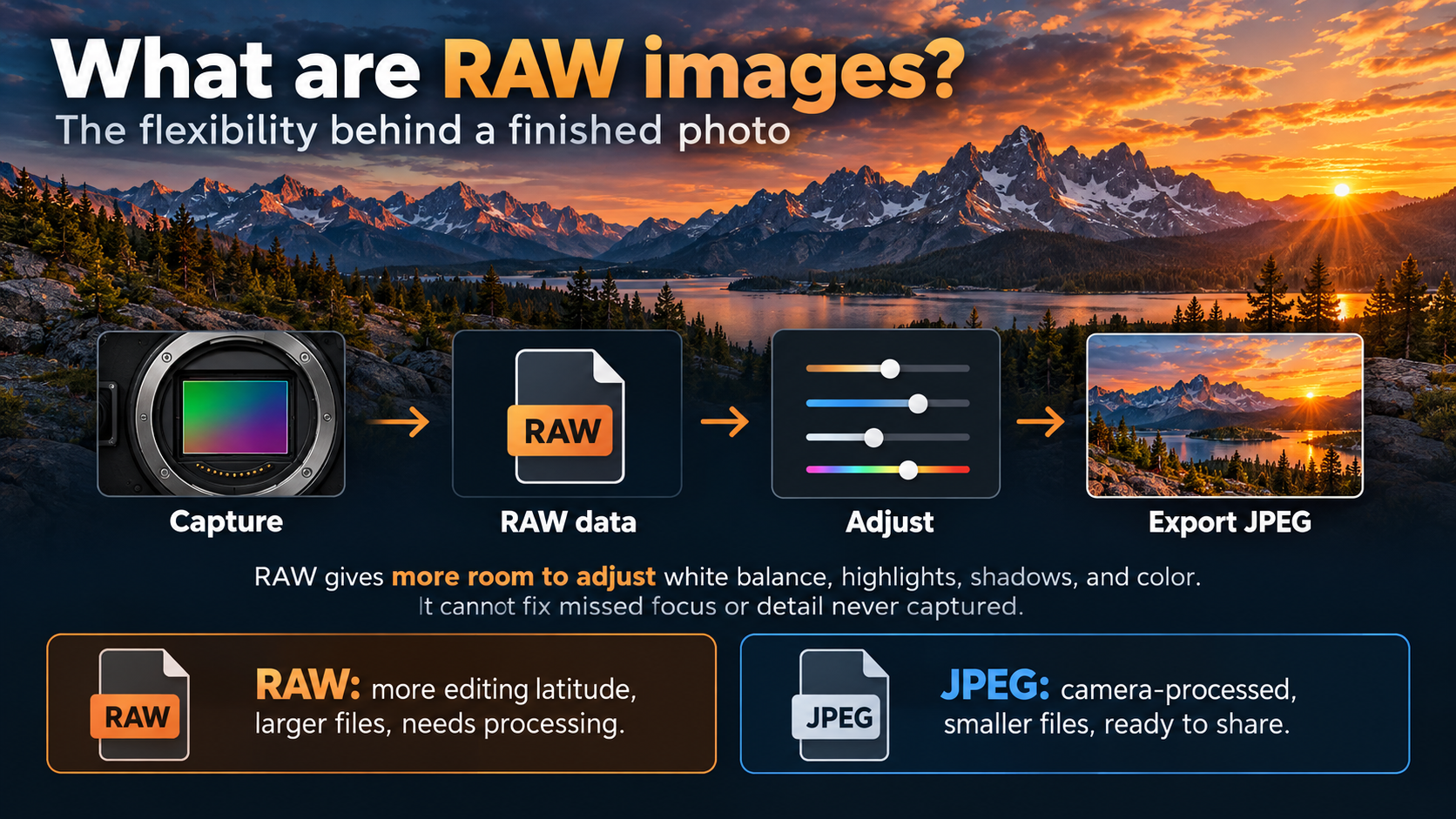
First, it's necessary to clarify a common misconception: RAW is not an abbreviation for any particular phrase. The reason RAW is capitalized is to distinguish it from the regular English word "raw," and also to maintain consistency with the capitalization of other image file formats such as JPG, PNG, or TIFF.
Essentially, a RAW file is an image file containing raw, uncompressed data that has not been processed by the camera's image processor. In other words, it's exactly all the information the camera sensor recorded at the moment the shutter was pressed, before any algorithms intervened to create the final image.
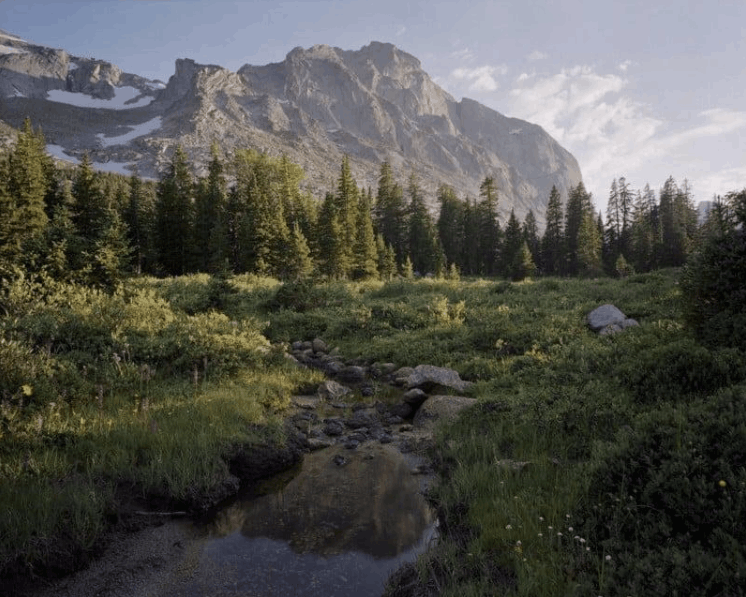
Because this data is unprocessed, to view and edit RAW images, you must use specialized software capable of reading and decoding this file type. This is also the biggest difference compared to JPEG, which is a format already processed by the camera and can be viewed immediately on most devices without any special tools.
2. A wide variety of RAW file extensions depending on the camera manufacturer.
One thing that confuses many newcomers is that each camera manufacturer has its own way of naming its RAW format, sometimes even calling it "digital negative." Some common file extensions by brand include the following.
Canon cameras use the .CR2 file extension, while Nikon uses .NEF. Sony opts for the .ARW format for its products, and Olympus uses .ORF. There are also many other variations depending on the manufacturer and specific camera model.
Besides the proprietary formats of each manufacturer, Adobe also developed its own open RAW format called DNG, short for Digital Negative. When you import photos into Adobe Lightroom, the software will offer the option to convert the original file to DNG format. This conversion helps standardize storage formats and ensures better compatibility between different editing software, while also alleviating concerns that proprietary RAW formats might become difficult to read in the future.
3. What do I need to prepare for post-processing RAW images?
The most frequently mentioned drawback of RAW images is the need for specialized software to process them. However, objectively speaking, this isn't necessarily a disadvantage; it's similar to the process of developing film in a darkroom. Post-processing is an integral part of the photography process, just as color mixing is essential in oil painting.
In terms of software, the most popular options currently include Adobe Lightroom Classic, Lightroom, Lightroom Mobile, and Photoshop, often offered as part of a reasonably priced monthly subscription package like the Creative Cloud Photography Plan. If you're looking for a more budget-friendly solution, Luminar Neo is also a worthwhile option, although its quality and flexibility may not match Lightroom or Capture One. Additionally, most camera manufacturers also provide their own RAW image processing software with their products.
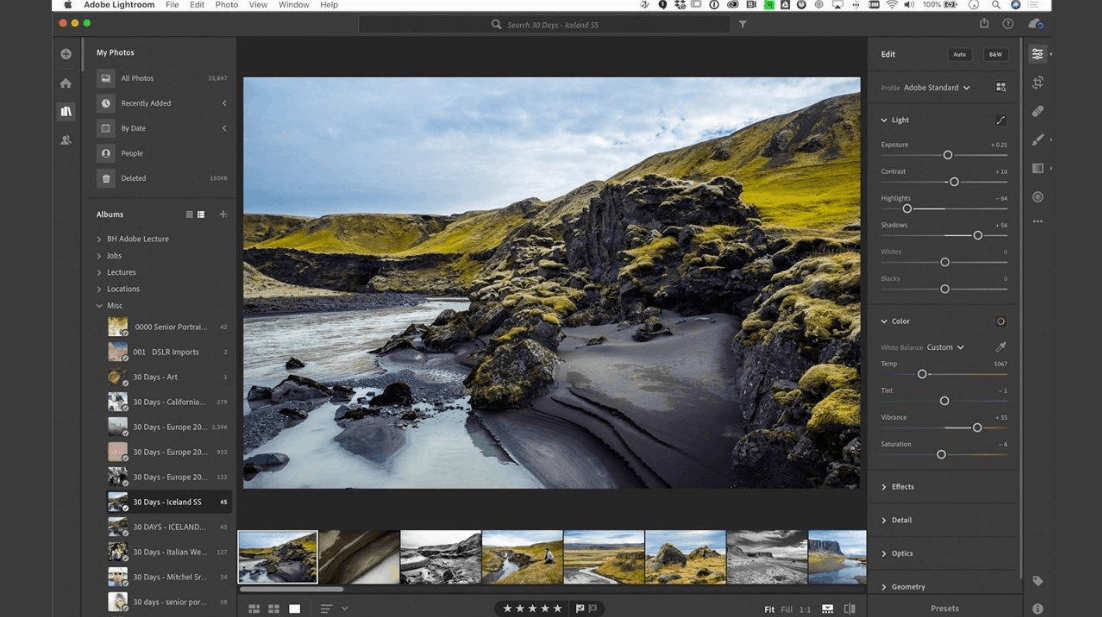
An important thing to note is that when you import RAW images into editing software, the resulting image will often look less sharp and vibrant than what you see on the camera's screen. This is perfectly normal and nothing to worry about. The reason is that the image displayed on the camera screen is actually a JPEG preview created based on the color profile you've set on the camera, not the original RAW image. Additionally, editing software may automatically apply a different default color profile to the imported image, making the initial tones and contrast appear rather muted and flat. Many professional photographers often choose to set neutral color profiles on both the camera and editing software, allowing them to proactively create their own desired color style.
4. Why is RAW always the top choice for photographers?
Overall, shooting in RAW format offers significantly superior quality compared to JPEG in most shooting situations, provided you have the appropriate software to handle this file type. There are several core reasons why professional and semi-professional photographers almost always prefer this format, and those reasons will be analyzed in detail below.
5. The outstanding advantages hidden behind RAW files
The superior quality of RAW images doesn't come from a single factor, but rather a combination of various technical characteristics. Below are the most important benefits this format offers photographers.
5.1. A much richer color palette.
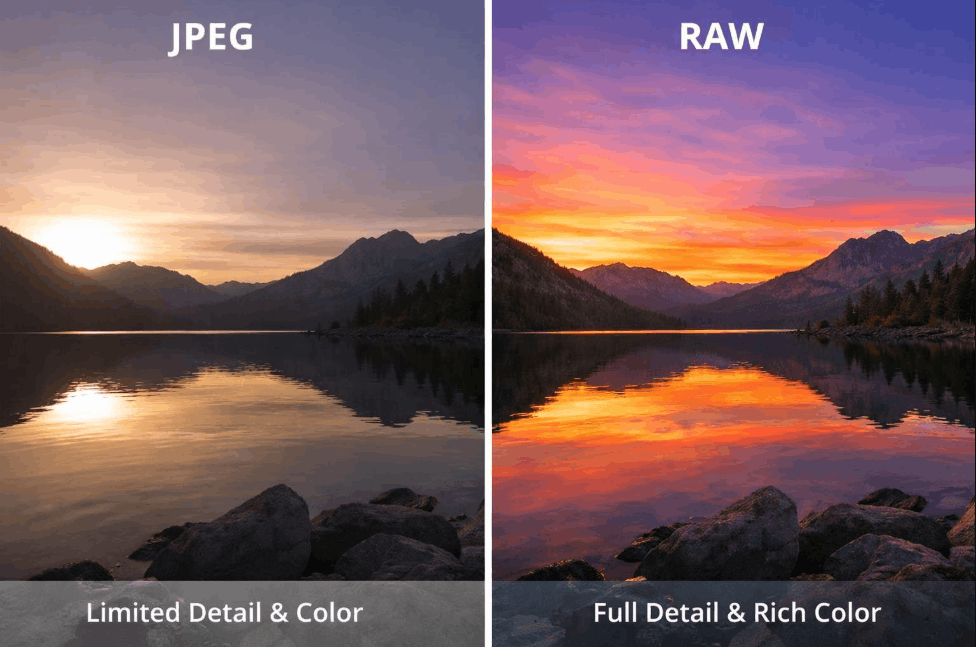
Because RAW data isn't compressed directly in the camera, the image file contains a much deeper and wider range of colors compared to JPEG. Depending on the camera's sensor, RAW images are typically recorded at 12-bit or 14-bit color depth, while JPEGs are only recorded at 8-bit depth. A higher number indicates a higher-quality sensor and greater color detail.
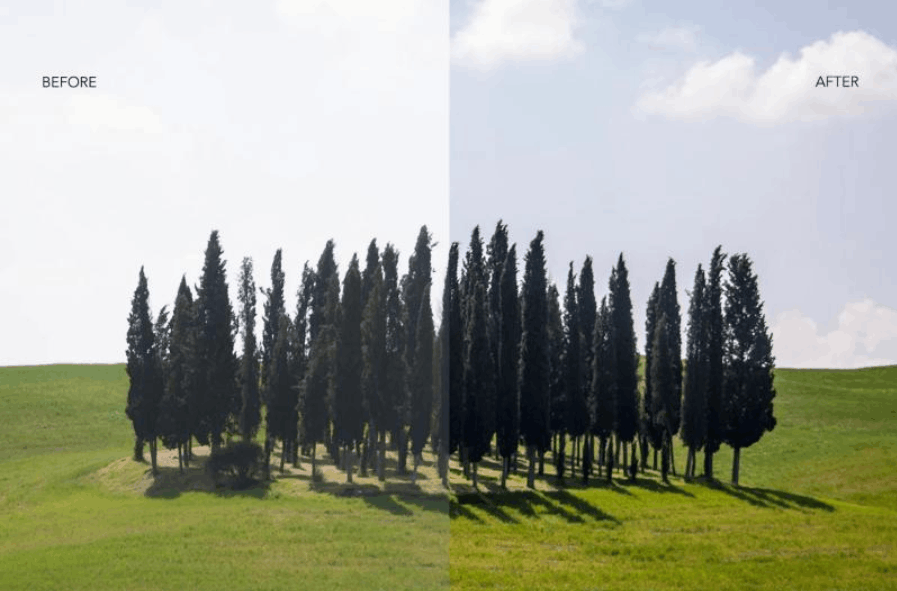
To put it simply, a RAW file retains thousands more color shades than a compressed JPEG file. This opens up enormous creative space during editing, allowing you to freely adjust tone, color temperature, and saturation without worrying about color banding or jarring color transitions. Even white balance, one of the most easily skewed aspects when shooting in complex lighting conditions such as indoor yellow lighting, gym fluorescent lighting, or outdoor shadows, can be easily and accurately adjusted when working with a RAW file, something almost impossible with JPEG images because the color data in that format is heavily compressed from the start.
5.2. Saving spectacular detail in highlights and shadows.
One of the most frustrating situations for photographers is when metering is incorrect or when shooting a scene with excessively large differences in brightness and darkness. With RAW images, you typically have about two stops of exposure to recover detail that might have been lost in overexposed highlights or dark shadows. This flexibility is almost non-existent with JPEG images, because most of the data outside the visible range is permanently removed as soon as the camera processes and compresses the image.
5.3. Wider dynamic range right from the moment of shooting.
Beyond simply saving images in post-processing, shooting in RAW allows the camera to capture a wider dynamic range right from the start. This means you have more opportunities to simultaneously capture detail in both the brightest and darkest areas of a frame, instead of sacrificing one for accuracy in the other, as is often the case with JPEG shooting.
5.4. More image data, superior image quality.
The advantages of RAW files aren't limited to color and dynamic range. Overall, RAW files store significantly more image data, directly impacting the overall image quality. RAW photos are generally sharper than JPEG photos under the same shooting conditions. Naturally, storing more data also means a significantly larger file size, but this is a worthwhile trade-off for superior image quality.
5.5. RAW images allow for higher quality printing.
When an image contains more information about color, a wider dynamic range, and greater editing flexibility, it's inevitable that the final print quality will be better. Furthermore, thanks to the abundant source data, RAW images can be enlarged for printing at much larger sizes while maintaining sharpness and detail, whereas JPEG images often begin to show graininess or loss of detail when enlarged excessively.
Besides the benefits mentioned above, RAW also offers a significant advantage in post-processing noise reduction. Because more image information is recorded, noise reduction tools in editing software can work much more effectively than when processing JPEG images. This is especially useful for those who frequently shoot in low-light conditions, where grain noise is always an unavoidable challenge.
6. Answer: Are photos printed from RAW really better?
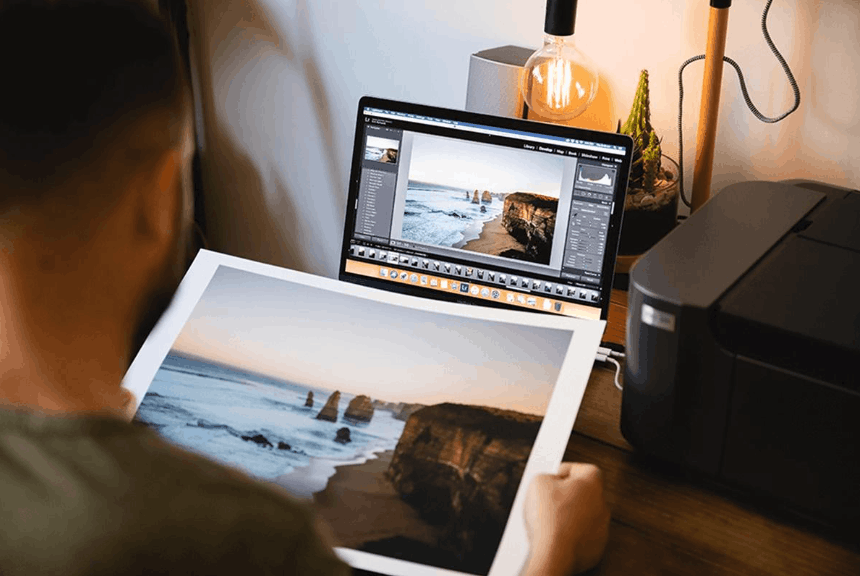
The answer is yes. While exporting images from Lightroom or any other software for printing will typically result in a JPEG or TIFF file rather than the original RAW format, the crucial element is the amount of original data the RAW file carried.
Because RAW images contain a massive amount of information right from the moment they are captured, when exported for printing, the final image file will still contain the richest possible data, resulting in significantly superior print quality compared to shooting directly in JPEG or any other compressed format from the start. In other words, starting with a data-rich RAW file is the most important foundation for determining the quality of the final print, regardless of the output file format.
Overall, while shooting in RAW requires more post-processing time and larger storage capacity, the benefits it offers in terms of color, dynamic range, image recovery capabilities, and print quality are well worth the effort. If you are serious about photography and want complete control over your image quality, RAW is the top choice, unless you are shooting in specific situations requiring speed and small file sizes, such as sports, events, or journalism, where fast image delivery is more important than the ability to do extensive editing.





















VIP Products








Best Selling Products
Plugin Retouch4me
69 USD
Freepik Premium Account
59 USD
Genuine Adobe Illustrator account
99 USD
ChatGPT Plus Account (GPT-4)
16 USD
Windows 10 & 11 Pro Key
36 USD
Genuine Cheap Canva Pro
39 USD
MidJourney Account
29 USD
Upgrade genuine Capture One account
120 USD
Adobe Photoshop Copyright - Full App
120 USD
Upgrade Genuine Office 365
49 USD
Autodesk All App Account Copyright
120 USD
Upgrade Duolingo Super
29 USD
Capcut Pro 1 Year
39 USD
Adobe Premiere Pro Account
99 USD
Copyright Adobe Lightroom Account
59 USD