Best Selling Products

Freepik Premium Account
59 USD

MidJourney Account
29 USD

Upgrade genuine Capture One account
120 USD

Plugin Retouch4me
69 USD

Adobe Premiere Pro Account
99 USD

Upgrade Genuine Office 365
49 USD

Autodesk All App Account Copyright
120 USD

Windows 10 & 11 Pro Key
36 USD

Genuine Cheap Canva Pro
39 USD

Copyright Adobe Lightroom Account
59 USD

Upgrade Duolingo Super
29 USD

Genuine Adobe Illustrator account
99 USD

Capcut Pro 1 Year
39 USD

ChatGPT Plus Account (GPT-4)
16 USD

Adobe Photoshop Copyright - Full App
120 USD
What is a Mood Board? Why is it Important in Design?
Nội dung
- 1. What is a moodboard?
- 2. Why do designers need moodboards?
- 2.1 Saving time and effort
- 2.2 Finding Inspiration
- 2.3 Promoting understanding
- 2.4 Simplify the discussion process
- 2.5 Explore Style Options
- 2.6 Support in the idea development process
- 2.7 Enhancing Persuasion Skills
- 2.8 Support in receiving feedback
- 3. Ways to create a moodboard
- 3.1 Freeform photo merging
- 3.2 Browse available collections
- 3.3 Using templates
- 4. Moodboard creation tool
- 4.1 Pinterest
- 4.2 Canva
- 4.3 Milanese
- 5. Conclusion
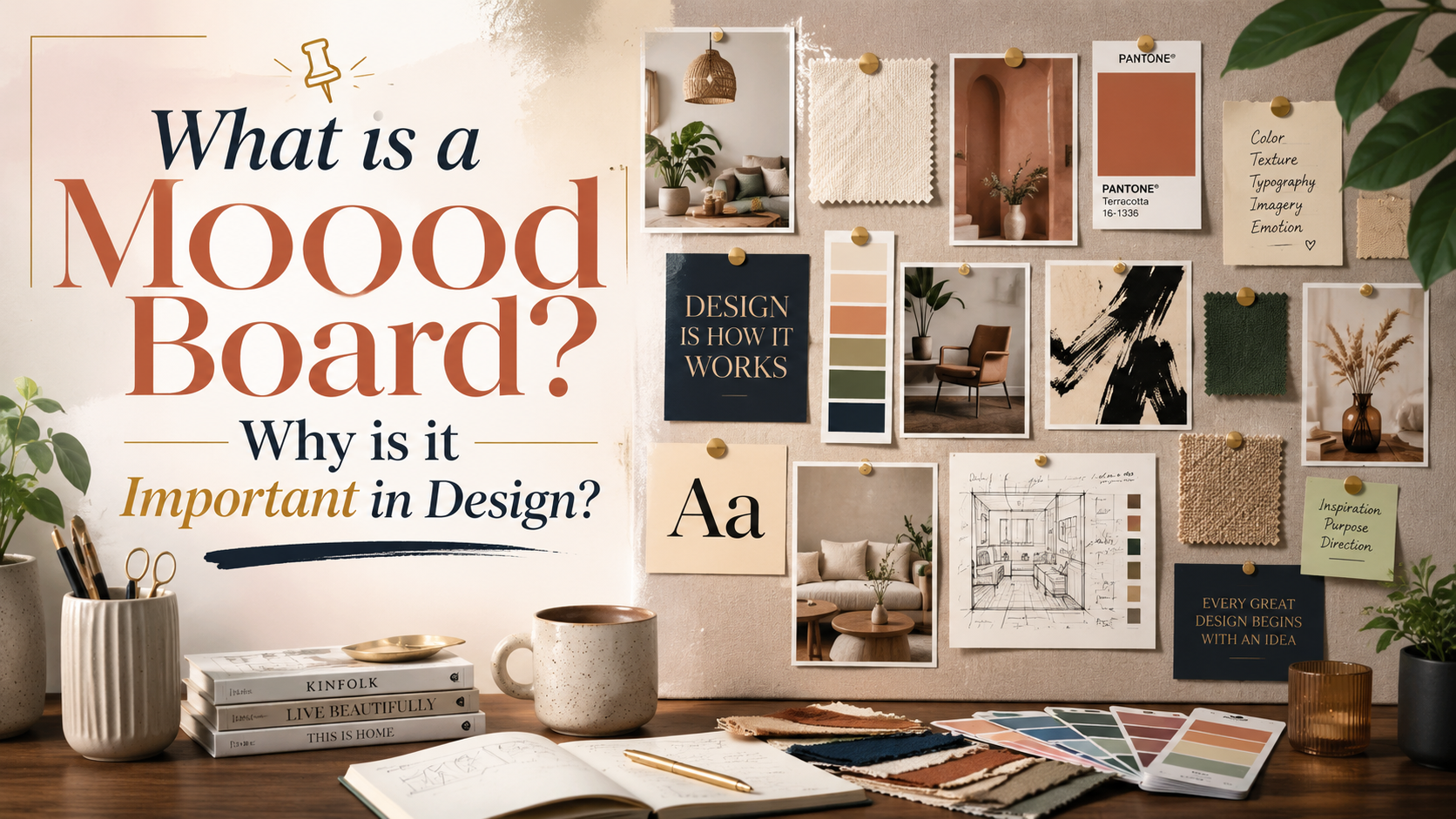
Moodboards, also known as mood boards, are a powerful tool in the design field, helping creators visually convey ideas, emotions, and style.
1. What is a moodboard?
During their work, designers often face diverse demands from clients, and moodboards are the solution to transform abstract ideas into concrete images. By bringing together images, colors, fonts, and other elements, moodboards not only help designers find the right style but also create an overall picture of the project.
When creating moodboards, designers can easily communicate their ideas to clients, facilitating discussion and adjustments between both parties. Moodboards are not only an inspirational tool but also a bridge between ideas and reality, helping designers develop products more effectively. Thanks to their flexibility and visual power, moodboards have become an indispensable part of the creative process for many designers.
2. Why do designers need moodboards?
2.1 Saving time and effort
One of the biggest benefits of moodboards is their ability to save designers time. Instead of having to create detailed prototypes from scratch, designers only need to spend a few hours creating a moodboard. This not only helps them easily express their ideas but also saves effort for subsequent steps in the design process.
Moodboards for web or branding design are easily editable, giving designers more flexibility in adjusting elements. Thanks to their speed and efficiency, moodboards have become an indispensable tool in the workflow of many professional designers.
2.2 Finding Inspiration
Inspiration doesn't always come easily, especially in a creative field like design. Moodboards can be a great way to find inspiration. By gathering images, colors, and materials you love, moodboards help spark creativity and encourage the work process.
Creating moodboards from everyday materials can also provide a powerful and more relatable source of inspiration. When you use real-world elements, emotions and ideas become more vivid, making it easier to visualize and develop design concepts.
2.3 Promoting understanding
One of the biggest challenges designers face is communicating with clients. During the ideation phase, communication between designers and clients can be difficult, especially when they have different styles. Moodboards act as a bridge, helping clients easily understand the ideas that designers want to convey.
A moodboard not only clarifies ideas but also creates a solid foundation for discussion. When both parties can refer to a visual document, understanding and consensus are enhanced, thereby increasing the likelihood of project success.
2.4 Simplify the discussion process
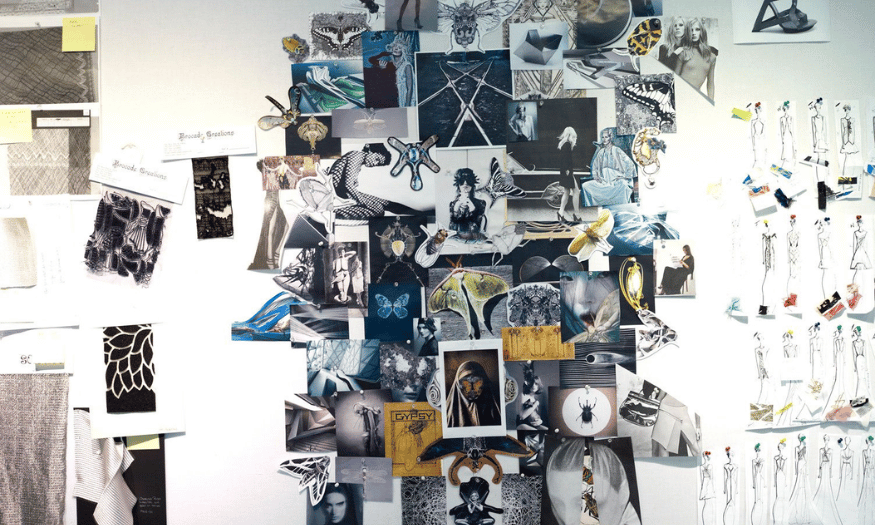
Using moodboards also simplifies discussions. Instead of verbally expressing ideas, designers can point to elements on the moodboard to illustrate their point. This not only saves time but also helps avoid potential misunderstandings, creating a more positive work environment.
A moodboard provides both designers and clients with a shared space to explore and develop ideas. When both parties collaborate effectively, the project progresses more quickly and smoothly.
2.5 Explore Style Options
When clients don't have clear instructions about the design style, this task is often left to the designer. A moodboard allows you to experiment with different styles without having to create a detailed prototype. You can flexibly combine textures, illustrations, fonts, and colors.
Experimenting on moodboards helps you quickly identify which style best suits your project. This not only saves you time but also opens up more creative opportunities, allowing you to develop unique and fresh ideas.
2.6 Support in the idea development process
Once you've determined your main design style, a moodboard continues to play a crucial role in the idea development process. It helps you organize design elements systematically, creating a clear overall vision. This not only makes it easier to decide on design elements but also ensures consistency in the final product.
Mood boards also help you track the progress of ideas, allowing you to adjust and improve them as needed. This flexibility is one of the reasons why mood boards are an essential tool in the design process.
2.7 Enhancing Persuasion Skills
One of the biggest benefits of moodboards is their ability to communicate ideas clearly and visually. Sometimes, words can't accurately convey the image in your head. Moodboards, with their visual nature, help clients gain a deeper understanding of the details and ideas you want to convey.
This is especially important in the design field, where understanding and agreement between the designer and the client are essential. A clear moodboard enhances persuasiveness and facilitates the finalization of ideas.
2.8 Support in receiving feedback
Moodboards are also very useful for receiving feedback from clients. Having a visual reference document makes it easier for clients to provide feedback and request adjustments. This not only helps you improve the design but also creates a positive collaborative environment where both parties can learn and grow together.
As a result, moodboards not only help you communicate ideas but also create a solid foundation for the project development process. With the support of moodboards, both designers and clients can achieve the best results.
3. Ways to create a moodboard
3.1 Freeform photo merging
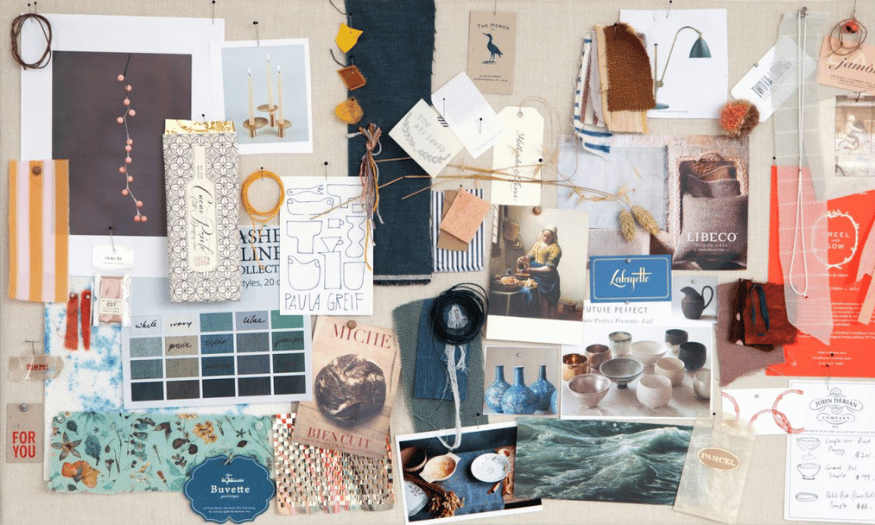
If you love unlimited creativity and dislike being constrained by rules, a free-form photo collage style will be the perfect choice for your moodboard. You can freely combine any images, illustrations, fonts, or colors that excite you. This not only helps you express your personality but also evokes unique emotions in your design.
However, this freedom also comes with responsibility. To prevent your moodboard from becoming cluttered, pay attention to arranging the elements logically. A clear layout will help viewers easily grasp your ideas while highlighting the components you've chosen. Let your creativity run wild, but don't forget the aesthetics!
3.2 Browse available collections
One effective way to create a moodboard is to refer to existing collections from reliable resources like Behance and Dribbble. These are popular platforms where designers share inspiring concepts. Exploring these collections not only helps you find your design style but also opens up fresh perspectives on how to combine colors, images, and typography.
When looking for inspiration, you can save the ideas that impress you and then organize them into your own moodboard. This not only enriches your ideas but also helps you build a diverse source of inspiration, leading to more unique and creative designs.
3.3 Using templates
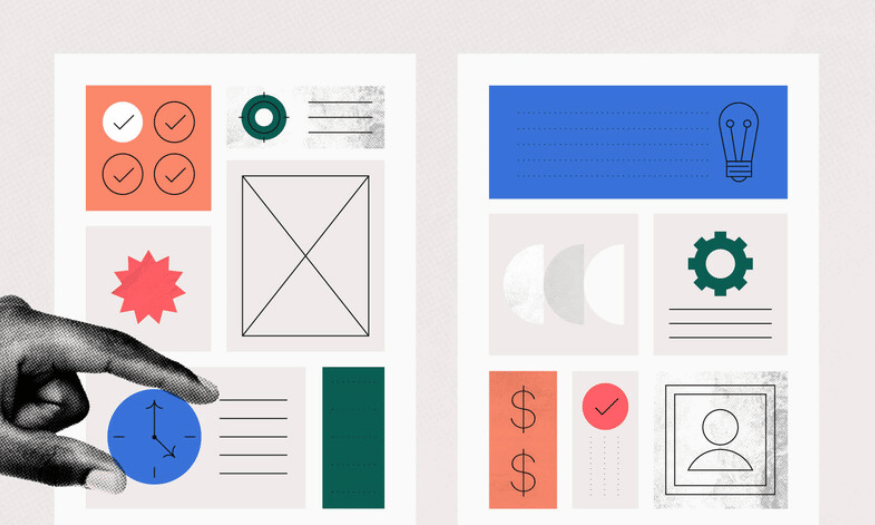
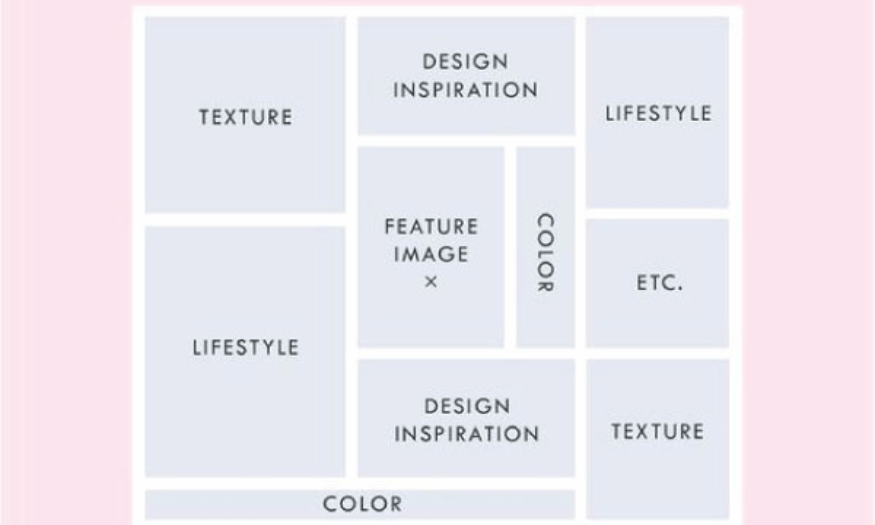
Using templates is a quick and effective way to create moodboards, especially for beginner designers. Like prototypes and wireframes, moodboards also have specific template formats, making it easy to organize elements into a pre-planned layout. This not only saves time but also helps you easily visualize the ideas you want to convey.
Template boards are typically designed to be simple, allowing you to quickly add elements like images, colors, and fonts without worrying about layout. This lets you focus on content and ideas, rather than spending a lot of time on layout design. Take advantage of template boards to optimize your creative process!
4. Moodboard creation tool
4.1 Pinterest
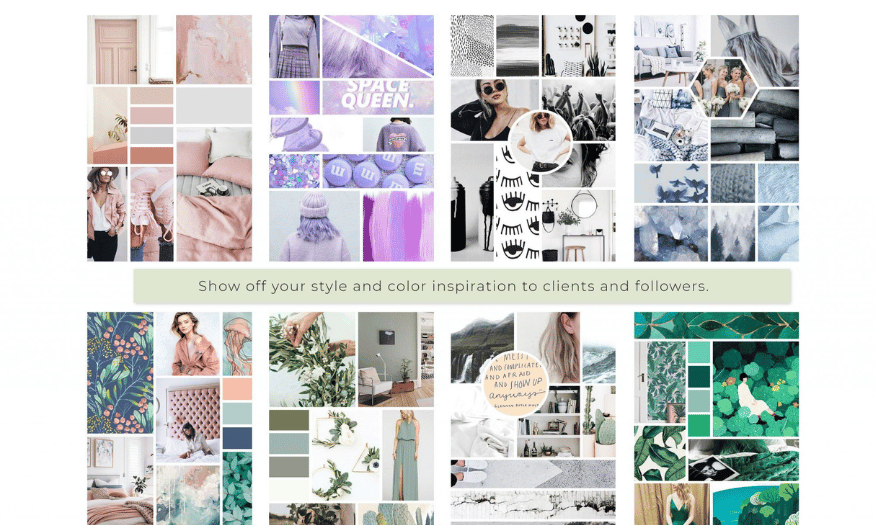
Pinterest is a prominent social media platform that allows users to gather and share images on a wide range of themes. It's an ideal tool for creating moodboards, especially during research and inspiration phases. Users can create separate "boards" for each project, where they store their favorite images, colors, and ideas. This not only helps organize information efficiently but also creates a visual workspace that's easy to refer to later.
One of Pinterest's biggest advantages is its ability to discover new images. With millions of images uploaded every day, you'll always find fresh and unique sources of inspiration. You can also follow your favorite designers, artists, or brands, staying up-to-date on the latest trends in the industry. Furthermore, using Pinterest to create moodboards is convenient, as many people are already familiar with the platform, facilitating collaboration and sharing ideas with others in a group.
When working with Pinterest, you can easily organize images by specific themes or styles. This helps you visualize the direction of your project and create consistency in your design. You can also add notes or descriptions to each image, helping you remember why you chose them. With its excellent organizational and sharing capabilities, Pinterest is truly an indispensable tool for any designer who wants to create high-quality moodboards.
4.2 Canva
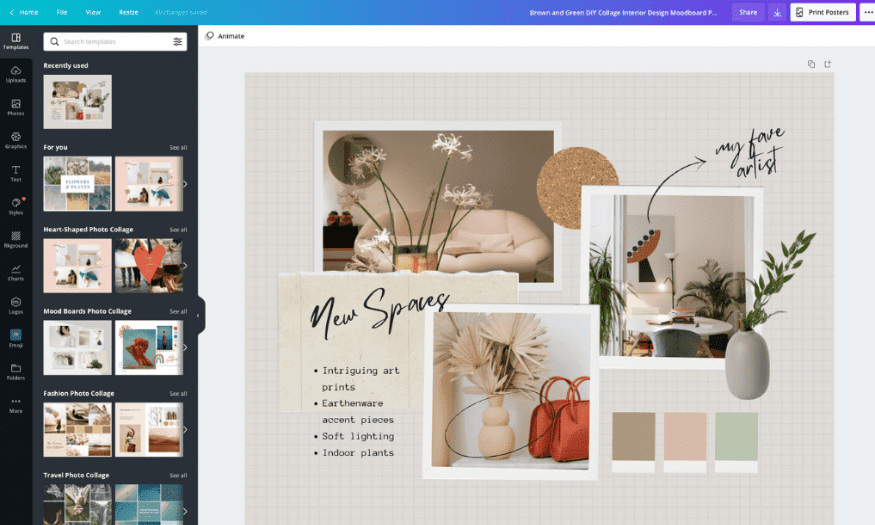
Canva is a popular online graphic design tool that offers a free alternative to expensive design software. With Canva, creating moodboards is easier than ever thanks to its user-friendly drag-and-drop interface. You can choose from hundreds of pre-made templates or create a moodboard from scratch, allowing you to customize it to your own style. This is especially helpful for those with little design experience who still want to create a professional-looking product.
Canva also offers a wide range of image, icon, and font options, allowing you to easily combine different elements to create an impressive moodboard. With features like image editing, you can change colors, crop, and resize to suit your ideas. Canva's clean layout and convenient tools help you focus on content and ideas, rather than worrying about design techniques.
Another strength of Canva is its ability to share and collaborate. You can easily invite team members to participate in your moodboard, allowing them to add ideas or edit directly. This not only enhances team interaction but also creates a creative environment where everyone can contribute ideas and develop a shared vision. With Canva, creating moodboards is not just about design, but also a fun collaborative experience.
4.3 Milanese
Milanote is a powerful online application specifically designed to support the creative process. With its intuitive interface and rich features, Milanote is an excellent choice for creating moodboards. One of Milanote's highlights is its ability to add various types of content, not just images, but also videos, GIFs, font files, and text notes. This allows you to explain your thoughts and ideas in more detail, creating a complete and vibrant moodboard.
Milanote also allows you to organize elements flexibly. You can drag and drop components to create the layout you want, making it easy to visualize how the elements interact with each other. Milanote's note-taking feature is very useful for recording ideas and feelings related to each element in the moodboard. This not only helps you track your creative process but also helps you develop ideas more coherently.
Furthermore, Milanote supports collaboration among team members. You can share moodboards with colleagues or clients, allowing them to provide direct feedback or suggestions. This creates an interactive and creative workspace where everyone develops the project together. With its outstanding features and flexible customization options, Milanote is truly a great tool for anyone who wants to create unique and inspiring moodboards.
5. Conclusion
In summary, moodboards play a vital role in the design process. They not only help designers organize and visualize their ideas but also create consistency throughout the project. By using moodboards, designers can communicate emotions and style more clearly, thereby enhancing the quality of the final product. In a world where creativity and effective communication are key, moodboards are an indispensable tool for every designer.





















VIP Products








Best Selling Products
Freepik Premium Account
59 USD
MidJourney Account
29 USD
Upgrade genuine Capture One account
120 USD
Plugin Retouch4me
69 USD
Adobe Premiere Pro Account
99 USD
Upgrade Genuine Office 365
49 USD
Autodesk All App Account Copyright
120 USD
Windows 10 & 11 Pro Key
36 USD
Genuine Cheap Canva Pro
39 USD
Copyright Adobe Lightroom Account
59 USD
Upgrade Duolingo Super
29 USD
Genuine Adobe Illustrator account
99 USD
Capcut Pro 1 Year
39 USD
ChatGPT Plus Account (GPT-4)
16 USD
Adobe Photoshop Copyright - Full App
120 USD