Best Selling Products

Copyright Adobe Lightroom Account
59 USD

Windows 10 & 11 Pro Key
36 USD

Genuine Adobe Illustrator account
99 USD

MidJourney Account
29 USD

Capcut Pro 1 Year
39 USD

Upgrade Duolingo Super
29 USD

Freepik Premium Account
59 USD

Upgrade genuine Capture One account
120 USD

Upgrade Genuine Office 365
49 USD

Adobe Premiere Pro Account
99 USD

Autodesk All App Account Copyright
120 USD

Genuine Cheap Canva Pro
39 USD

Adobe Photoshop Copyright - Full App
120 USD

Plugin Retouch4me
69 USD

ChatGPT Plus Account (GPT-4)
16 USD
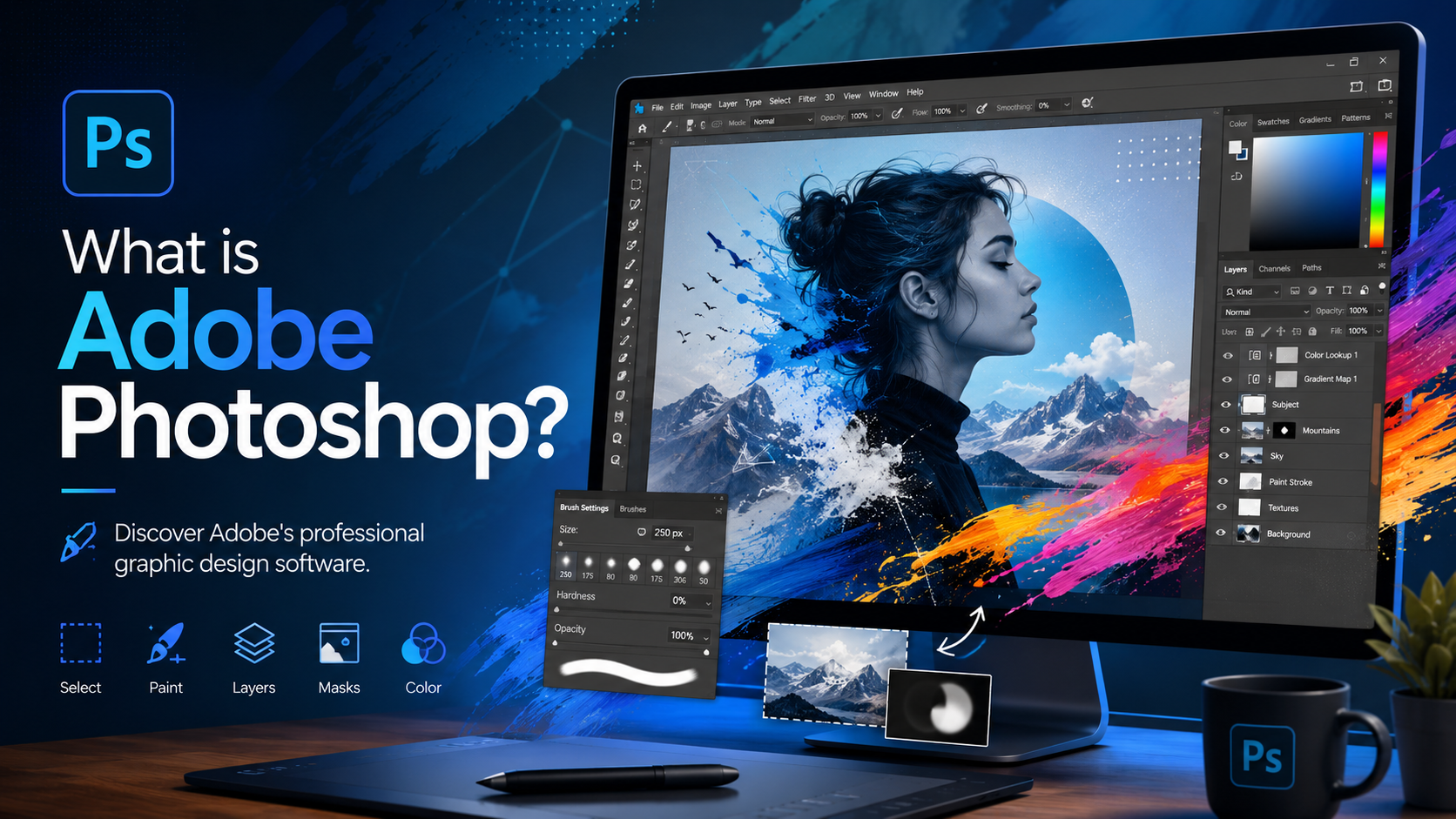
What is Adobe Photoshop? Discover Adobe''s professional graphic design software.
Nội dung
- 1. Basic information about Adobe Photoshop
- 2. Why is Adobe Photoshop considered the standard in the creative industry?
- 3. Comprehensive editing and design toolset
- 4. The power of AI technology in Photoshop
- 5. Learning Photoshop is easier with the Adobe ecosystem.
- 6. Work seamlessly within the Adobe ecosystem.
- 7. Who should use Adobe Photoshop?
- 8. Key benefits of using Adobe Photoshop
- 9. Some notes on using Adobe Photoshop
- 10. Conclusion
Adobe Photoshop is a leading photo editing and graphic design software trusted by millions of users worldwide.
1. Basic information about Adobe Photoshop
Adobe Photoshop is professional photo editing and graphic design software developed by Adobe. It's the industry leader in digital image editing, allowing users to create, edit, and design virtually any type of graphic product. From basic photo editing to complex creative projects, Photoshop offers a powerful set of tools to meet the needs of individuals and businesses.
First launched in 1990, Photoshop has been continuously improved to meet the demands of technological advancements and modern design trends. Through numerous versions, Adobe has consistently added new features such as non-destructive editing, Smart Objects, Camera Raw, Neural Filters, and more recently, generative AI tools that significantly reduce editing time.
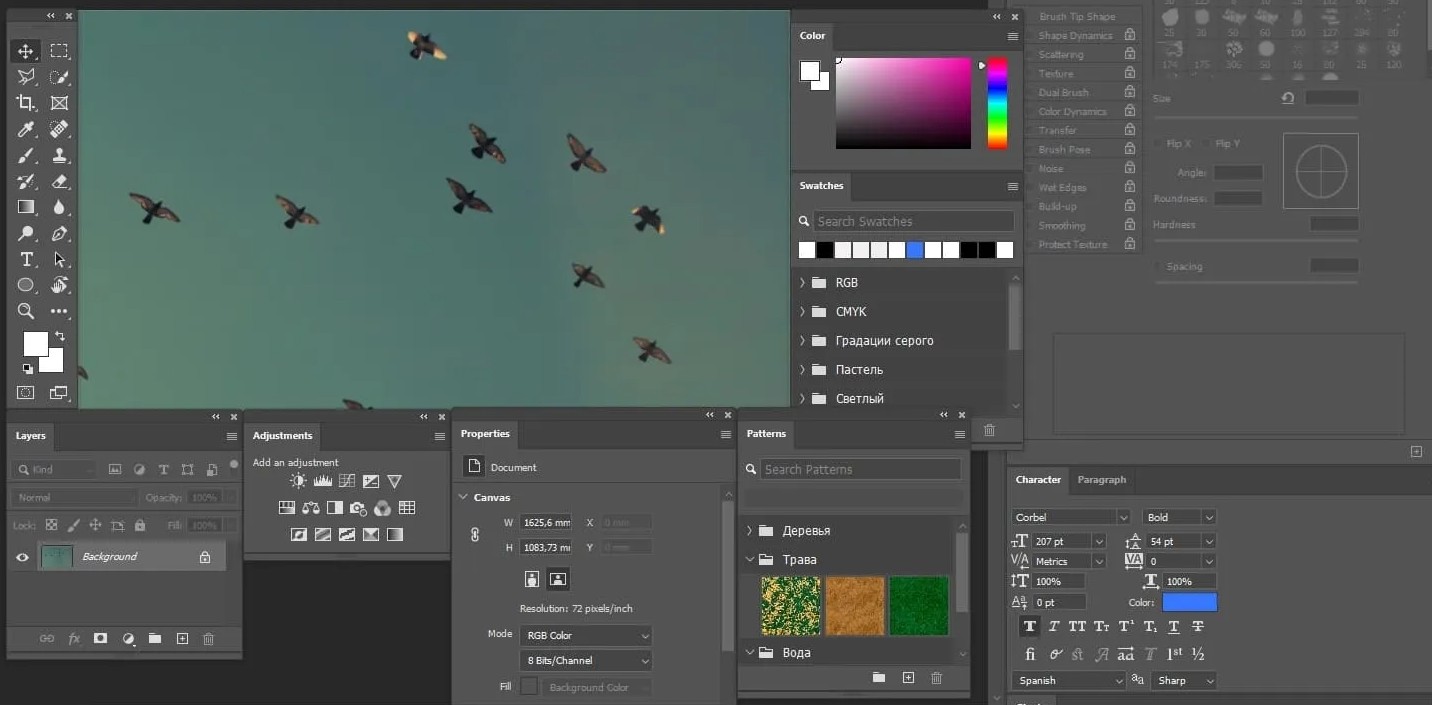
Currently, Photoshop is integrated into the Adobe Creative Cloud ecosystem, allowing it to connect and synchronize with many other applications such as Illustrator, Lightroom, Premiere Pro, After Effects, Adobe Express, and Adobe Fresco. This helps users build a seamless workflow from photo editing and graphic design to video editing and content publishing.
Photoshop allows users to perform basic tasks such as cropping images, adjusting colors, balancing brightness and contrast, and removing objects, as well as more advanced tasks like user interface (UI) design, digital illustration, advertising image processing, creating artistic effects, restoring old photos, or editing images using AI.
Thanks to its powerful customization capabilities, flexible layer system, and comprehensive toolset, Photoshop has become the top choice for creative projects of all sizes, from personal to large enterprises.
2. Why is Adobe Photoshop considered the standard in the creative industry?
There are many photo editing software programs on the market, but Adobe Photoshop has always held a leading position thanks to its ability to meet almost all design and image processing needs.
The biggest difference with Photoshop is its ability to provide almost absolute control over every detail in an image. Users can edit everything from the smallest changes to complex projects with hundreds of layers, effects, and objects while maintaining image quality.
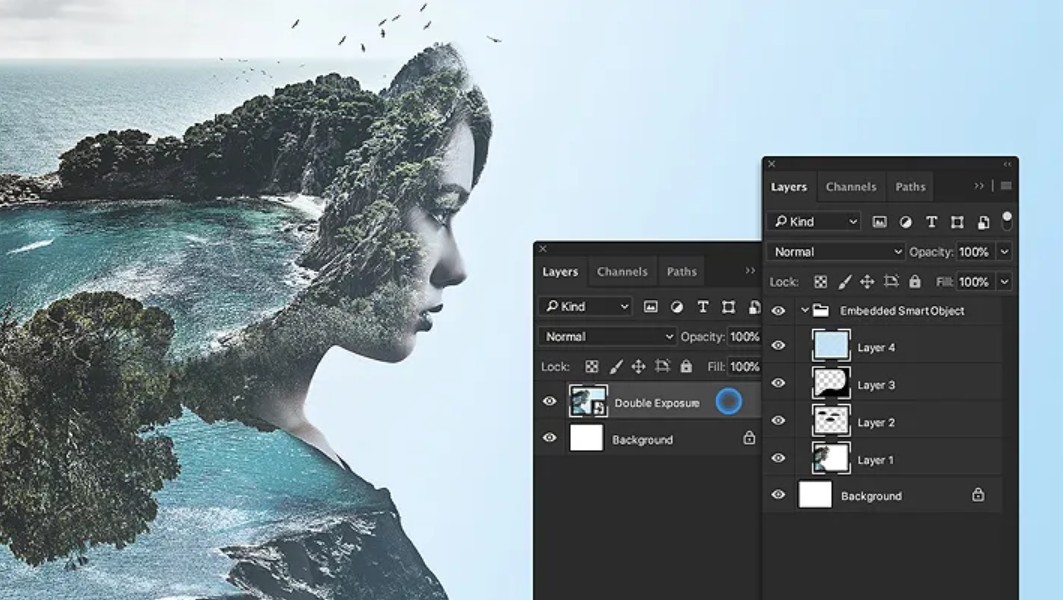
Beyond just photo editing, Photoshop is used in a wide range of fields including graphic design, advertising, media, publishing, e-commerce, digital content creation, printing, fashion, architecture, and digital art. It's a familiar software in design studios, media companies, businesses, and design schools worldwide.
Another advantage is that Photoshop is constantly updated by Adobe with new technologies. Users always have access to the latest features, from AI-assisted photo editing to online collaboration and cloud-based data synchronization.
3. Comprehensive editing and design toolset
One of the reasons Photoshop is consistently highly regarded is its powerful toolset, catering to both basic and professional needs.
Users can edit portrait photos, restore old photos, remove backgrounds, change colors, adjust lighting, white balance, sharpen images, or remove unwanted details with just a few taps.
For designers, Photoshop supports the creation of advertising banners, posters, brochures, catalogs, website interfaces, application interfaces, media images, YouTube thumbnails, e-commerce product images, and many other graphic products.

In addition, Photoshop provides a system of Brushes, Shapes, Gradients, Filters, Typography, Pen Tool, Selection Tool, Blend Modes, and a host of other creative tools that allow users to freely express their ideas.
Features such as Layers, Layer Masks, Adjustment Layers, Smart Objects, and Smart Filters enable non-destructive editing, making it easy to change or undo any action during the design process.
4. The power of AI technology in Photoshop
Adobe is continuously integrating artificial intelligence into Photoshop to make image editing faster and more accurate.
AI technologies help users handle many time-consuming tasks such as removing objects, changing the sky, expanding the frame, creating new content, changing the background, or selecting subjects in just seconds.
In particular, Adobe Firefly technology, integrated into Photoshop, allows users to create or edit images using natural language commands. This opens up many creative opportunities, even for those with little experience in photo editing.
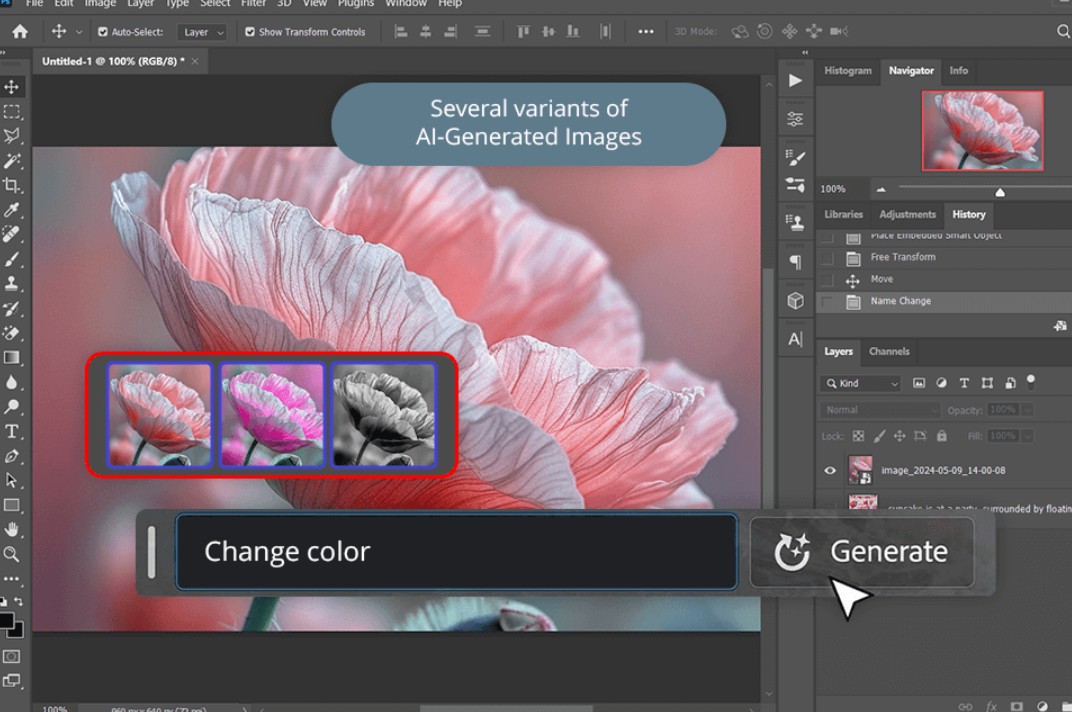
In addition, tools such as Remove Tool, Select Subject, Neural Filters, and Generative Fill help automate many complex operations, significantly reducing working time while still ensuring high image quality.
Instead of having to perform dozens of manual editing steps, users can simply submit requests or use intelligent AI tools to complete the task faster and more efficiently.
5. Learning Photoshop is easier with the Adobe ecosystem.
Although Photoshop boasts many professional features, Adobe has invested heavily in the learning experience to make it more accessible to beginners.
The software includes visual tutorials, interactive lessons, and sample projects that allow users to learn and practice simultaneously. This helps shorten the time it takes to become familiar with the interface and tools.
Adobe also provides Adobe Stock, Adobe Fonts, and many other creative resources to support the design process. Users can access millions of images, icons, fonts, and design templates to use in their work.
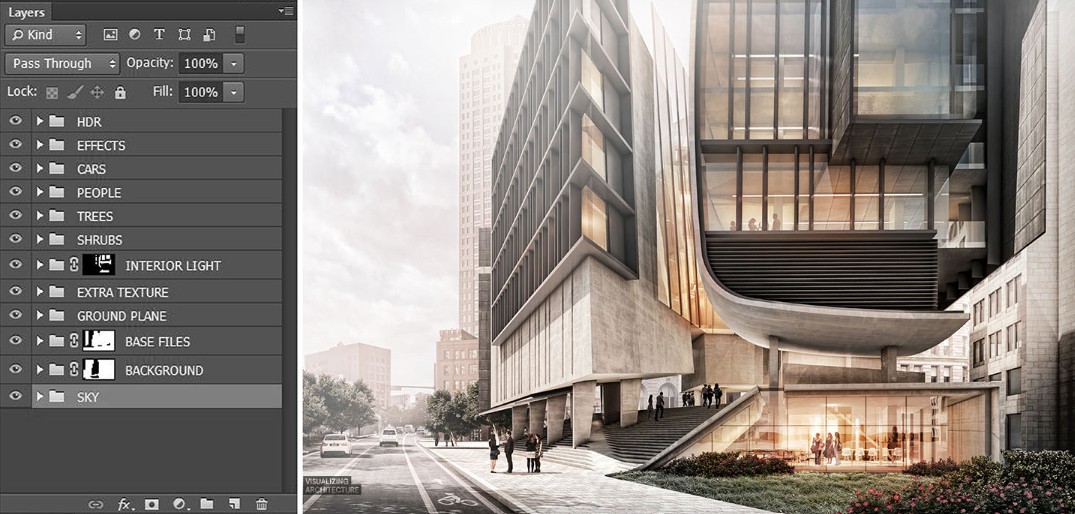
In addition, Photoshop supports real-time collaboration, project sharing via Creative Cloud, and data synchronization across multiple devices. This is especially useful for remote teams or businesses that need to coordinate multiple members on the same project.
6. Work seamlessly within the Adobe ecosystem.
One major advantage of Photoshop is its ability to connect with other software in the Adobe Creative Cloud.
For example, you can initially edit the colors in Lightroom, then transfer directly to Photoshop for retouching or advanced image merging. Once complete, the image can be further used in Illustrator to combine with vector graphics or imported into Premiere Pro and After Effects for video production.
Synchronizing data via Creative Cloud allows users to continue working across multiple devices without manually copying project files.
7. Who should use Adobe Photoshop?
Adobe Photoshop is suitable for a wide variety of user groups.
For photographers, Photoshop is the ideal tool for editing portraits, wedding photos, fashion photos, product photos, and performing professional retouching techniques.
Designers use Photoshop to create banners, posters, packaging, website interfaces, application interfaces, advertising images, and many other media products.
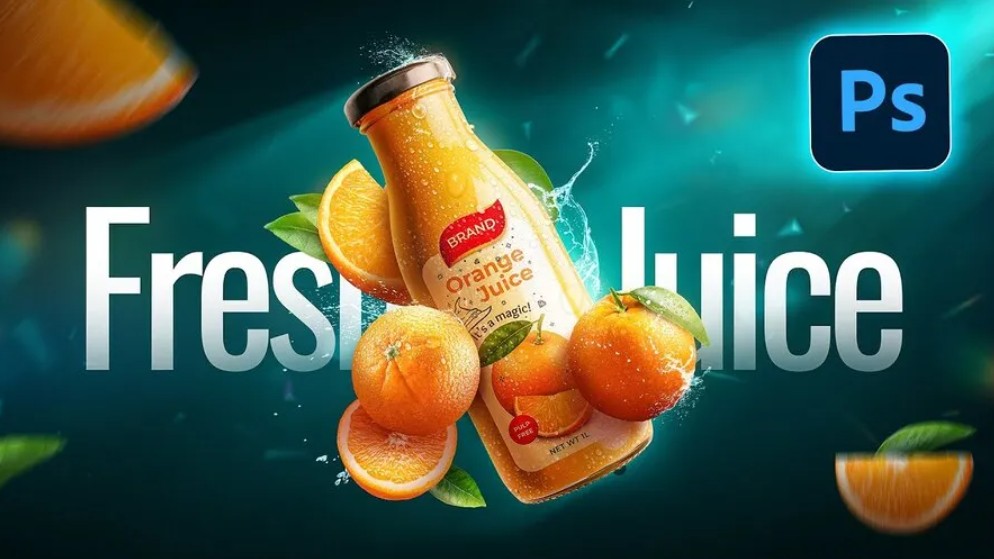
Marketers, content creators, and businesses also utilize Photoshop to create social media images, YouTube thumbnails, online advertising images, e-commerce content, and marketing materials.
Even design beginners can get started with Photoshop thanks to its integrated tutorial system, large user community, and thousands of free courses and resources available online.
8. Key benefits of using Adobe Photoshop
Photoshop offers numerous benefits in the content creation and design process.
First and foremost, the software offers highly precise image editing capabilities, allowing users to control even the smallest details of their project.
Secondly, the diverse toolset meets almost every need, from photo editing, graphic design, and digital illustration to media content production.
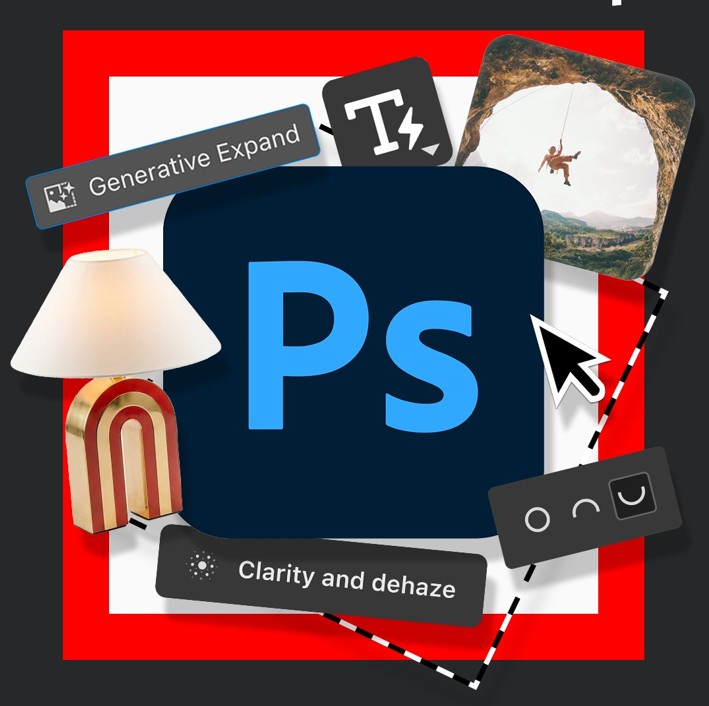
Thirdly, modern AI technology automates many tasks, saving time while still ensuring professional quality.
In addition, the ability to synchronize data on Creative Cloud allows users to work flexibly from anywhere, on multiple devices.
Finally, Photoshop boasts a huge user community along with a rich library of plugins, presets, brushes, actions, and learning resources, allowing users to continuously update their skills and expand their creative possibilities.
9. Some notes on using Adobe Photoshop
To use Photoshop effectively, users need an Adobe ID account. Signing up for a free account is a prerequisite for accessing Adobe Creative Cloud services and using many online features.
Some Adobe services require an internet connection and may not be available in all countries or languages. Adobe may also update, change, or discontinue some online services from time to time.
For subscribers, Adobe typically offers a free trial for the first week on certain platforms. After the trial period ends, the system will automatically renew the subscription according to the user's chosen plan, unless the auto-renewal feature is disabled in the account settings.
Additionally, users must be 13 years of age or older to agree to Adobe's terms of use and privacy policy. Carefully reading the terms before registering will help you understand your rights and responsibilities when using Adobe's software and online services.
10. Conclusion
Whether you want to edit a personal photo, design advertising images, or build complex graphic projects, Adobe Photoshop has all the tools to meet your needs. Investing time in learning and using Photoshop not only improves your design skills but also opens up many opportunities in education, work, and the digital content creation field.





















VIP Products








Best Selling Products
Copyright Adobe Lightroom Account
59 USD
Windows 10 & 11 Pro Key
36 USD
Genuine Adobe Illustrator account
99 USD
MidJourney Account
29 USD
Capcut Pro 1 Year
39 USD
Upgrade Duolingo Super
29 USD
Freepik Premium Account
59 USD
Upgrade genuine Capture One account
120 USD
Upgrade Genuine Office 365
49 USD
Adobe Premiere Pro Account
99 USD
Autodesk All App Account Copyright
120 USD
Genuine Cheap Canva Pro
39 USD
Adobe Photoshop Copyright - Full App
120 USD
Plugin Retouch4me
69 USD
ChatGPT Plus Account (GPT-4)
16 USD