Best Selling Products

Adobe Premiere Pro Account
99 USD

Capcut Pro 1 Year
39 USD

Upgrade genuine Capture One account
120 USD

Freepik Premium Account
59 USD

Plugin Retouch4me
69 USD

Autodesk All App Account Copyright
120 USD

Upgrade Duolingo Super
29 USD

Genuine Cheap Canva Pro
39 USD

Windows 10 & 11 Pro Key
36 USD

ChatGPT Plus Account (GPT-4)
16 USD

Adobe Photoshop Copyright - Full App
120 USD

Upgrade Genuine Office 365
49 USD

MidJourney Account
29 USD

Genuine Adobe Illustrator account
99 USD

Copyright Adobe Lightroom Account
59 USD
What Is Ask YouTube? How to Use Gemini to Summarize Videos Quickly
Nội dung
- 1. How does it work and how do you use it?
- 1.1. How AI works when analyzing videos
- 1.2. Steps to use the video Q&A feature
- 2. What can this feature do?
- 2.1. Summarize long videos into concise content
- 2.2. Directly answer questions about video content
- 2.3. Quickly find the video segment you need
- 2.4. Extract information into lists or tables
- 2.5. Turn tutorial videos into practical documents
- 3. What is the biggest benefit?
- 3.1. Save time and effort
- 3.2. Improve learning and research efficiency
- 3.3. Increase access to information
- 3.4. Increase the usage value of video content
- 4. Limitations to note
- 5. Conclusion
Learn what Ask YouTube is, how Gemini AI analyzes video content, answers questions and helps users get information efficiently.

1. How does it work and how do you use it?
1.1. How AI works when analyzing videos
Basically, AI tools that support video Q&A are designed to receive a user's request, process information related to the video and produce a suitable answer.
Depending on the system, the input information may include recognized speech, subtitles, transcripts, descriptions and the visual data that the tool is able to access. AI uses this data to identify the topic, recognize the main ideas and search for information related to the question.
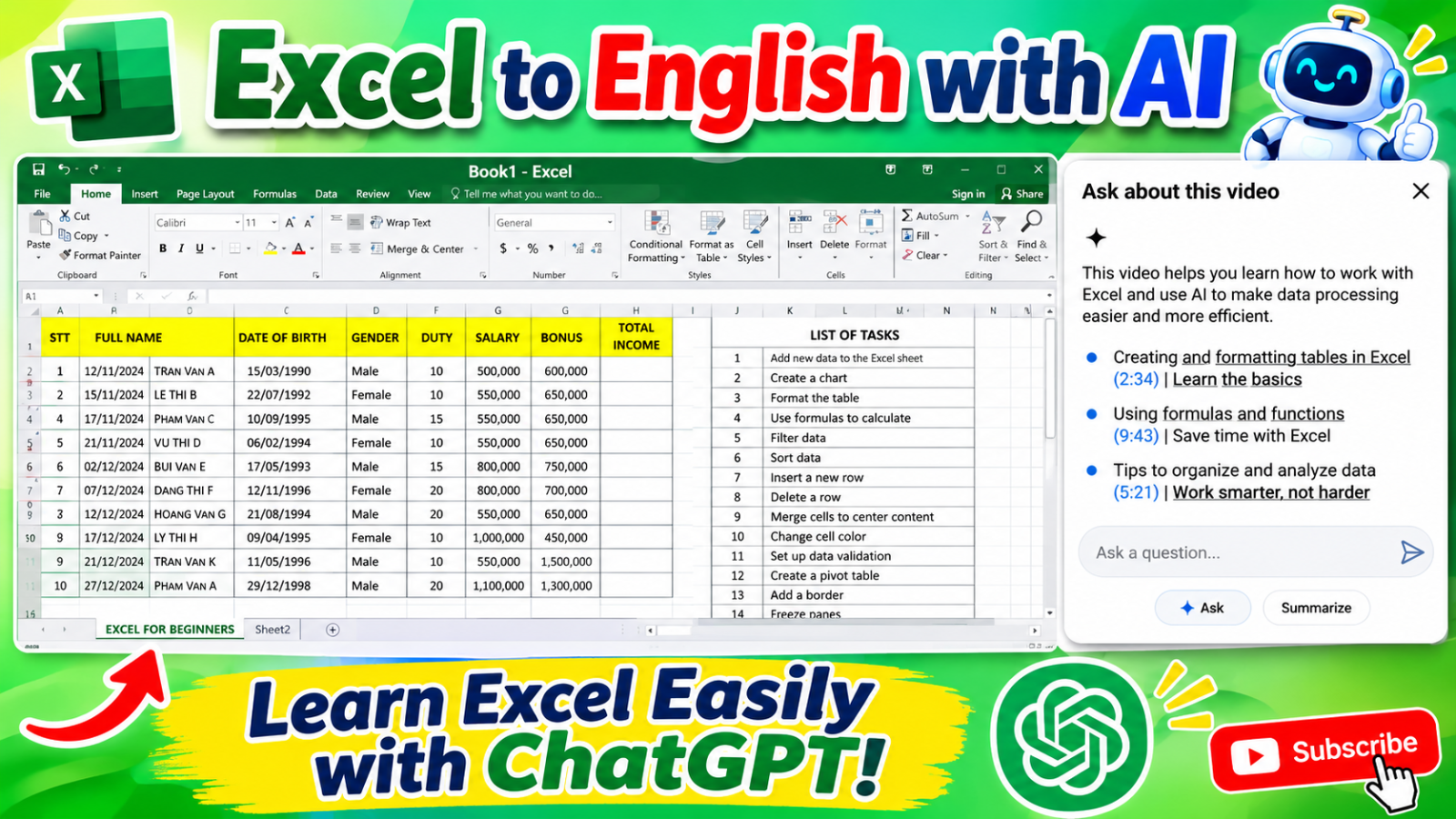
For example, when watching a 25-minute Excel tutorial video, you can ask: "Which part of this video explains how to create a data summary table?". Instead of searching manually, AI can identify the relevant section and provide an answer, with timestamps if the data supports it.
However, the specific processing ability depends on the integrated technology. Not every tool can directly analyze every frame, recognize every object or access the entire content of any video on YouTube.
1.2. Steps to use the video Q&A feature
Users can follow the steps below if their account has been given the corresponding feature.
Step 1: Log in to your Google account and open a YouTube video
First, access YouTube using a browser or a compatible app, log in to your account and open the video you want to learn about.
You should choose videos with clear content, such as lectures, software tutorials, product reviews or knowledge-sharing videos.
Step 2: Find the "Ask" button and open the Q&A interface
If the feature is available to your account, an "Ask" button may appear in the video interface area. When pressing this button, users can start asking questions about the video content.
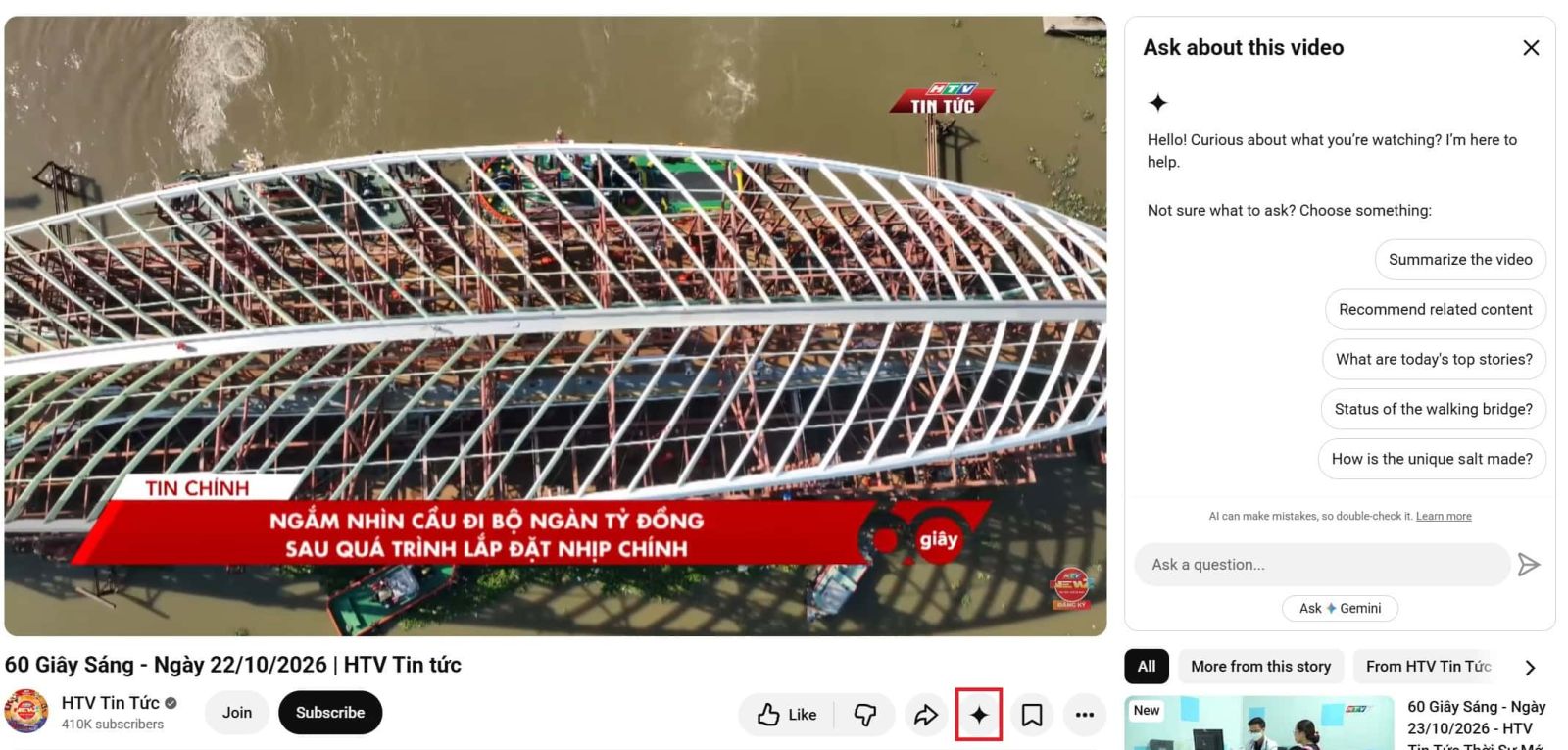
Note that the button's position and the actual way of activating it may differ depending on the interface, device and scope of rollout. If you do not see the "Ask" button, you should not assume there is a problem with your account, because the feature may not be available yet.
Step 3: Enter your question in natural language
Instead of using short keywords as in traditional search, you can express in full what you want to know.
For example:
- "Summarize this video into 5 main points."
- "What are the most important steps in the tutorial?"
- "What strengths and weaknesses does the speaker give?"
- "Find the segment explaining how to install the software."
- "Turn the cooking tutorial content into an easy-to-follow recipe."
The clearer the question and the more specific its scope, the easier the results are usually to use.
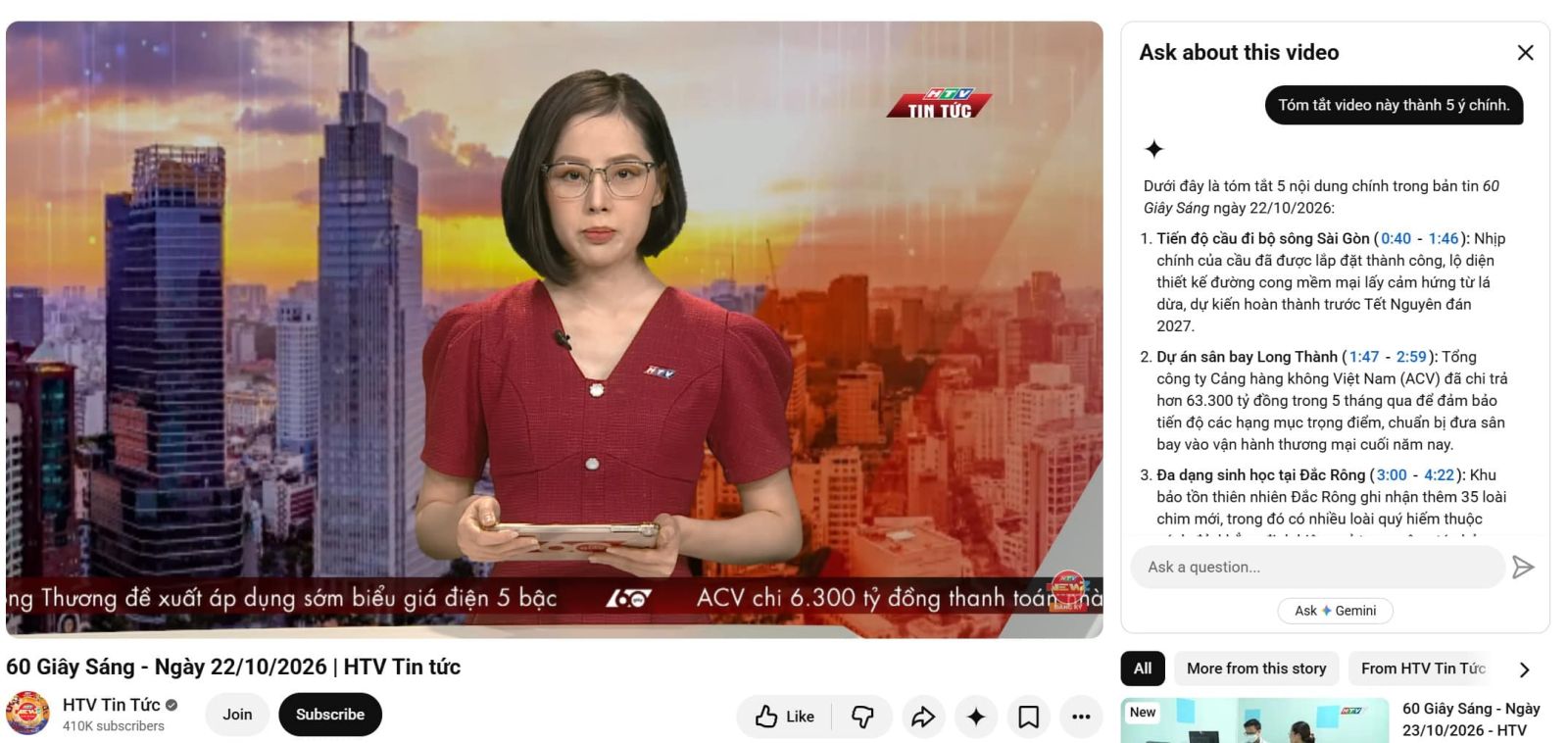
Step 4: Read the answer and check the original content
After receiving the answer, you can use the summary to grasp the general content or continue asking deeper questions.
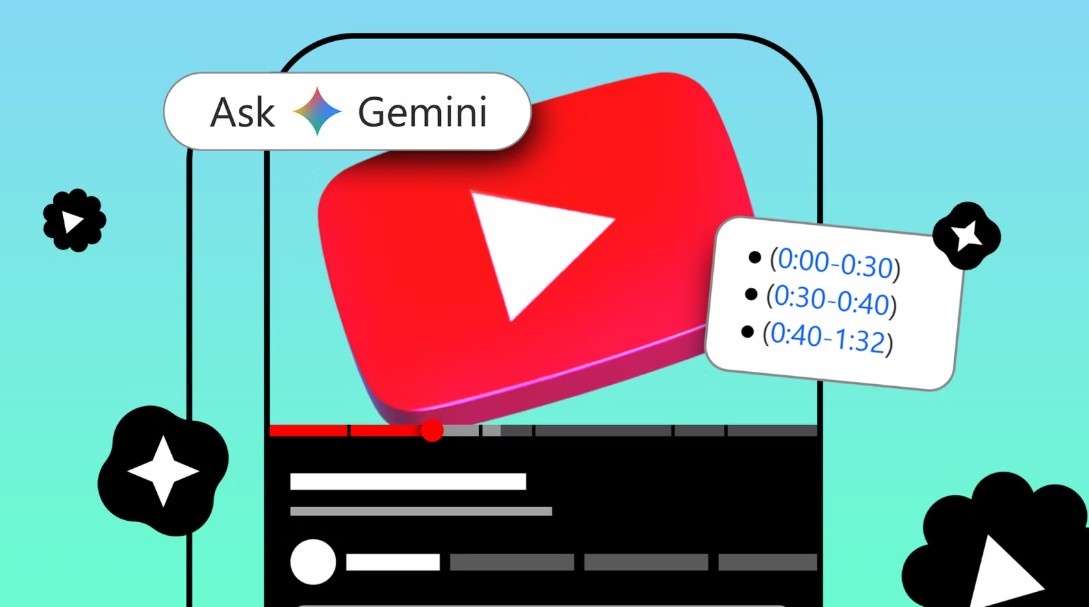
If the tool provides timestamps, click on them to check the information in the original video. This is an important step to limit errors and avoid misunderstanding professional content.
2. What can this feature do?
If fully supported, the ability to ask AI questions about videos can expand how users make use of YouTube content in many real-life situations.
2.1. Summarize long videos into concise content
This is one of the most notable applications. Instead of spending dozens of minutes following the entire video, users can ask AI to compile the main ideas, important arguments and the presenter's conclusions.
For example, with a 30-minute video analyzing technology trends, you can ask for a summary of 10 main points, each with a short explanation and a corresponding timestamp.
This approach is especially useful when you need to screen many videos before deciding which content is worth watching closely.
Even so, a short summary may skip examples, intermediate arguments or important details. Therefore, if the content relates to professional decisions, you should still re-watch the necessary parts.
2.2. Directly answer questions about video content
A video with an attractive title does not necessarily provide all the information viewers expect. AI can help users quickly determine whether a video addresses the issue they are looking for.

For example, when watching a video introducing a foreign-language learning method, you can ask: "Does the instructor explain how to memorize vocabulary or only talk about the benefits of the method?".
The answer helps you assess how well the video fits your personal needs without having to watch the entire content from the start.
However, AI can only give reliable conclusions within the scope of the information it accesses and processes. Therefore, the answer should be seen as a tool to support checking, not absolute proof that the video is entirely right or wrong.
2.3. Quickly find the video segment you need
In long tutorial videos, information is usually divided into many parts. Dragging the timeline to find a specific operation can be difficult, especially when the presenter does not provide clear chapters or a table of contents.
With a video Q&A tool, users can ask it to find specific content, for example: "Find the segment where the instructor starts setting up the account" or "Where does the speaker explain how to fix the connection error?".
If the system identifies the exact timestamp, you can jump directly to that segment to follow along.
This application is especially suitable for training videos, online lectures, technical tutorials and content with many steps to carry out.
2.4. Extract information into lists or tables
Many videos contain a large amount of information but present it as continuous speech. For example, a laptop review video may introduce many models, specifications, strengths, weaknesses and prices.
Instead of taking notes manually, users can ask AI to compile the products into a table, list the highlights and classify them by specific criteria.
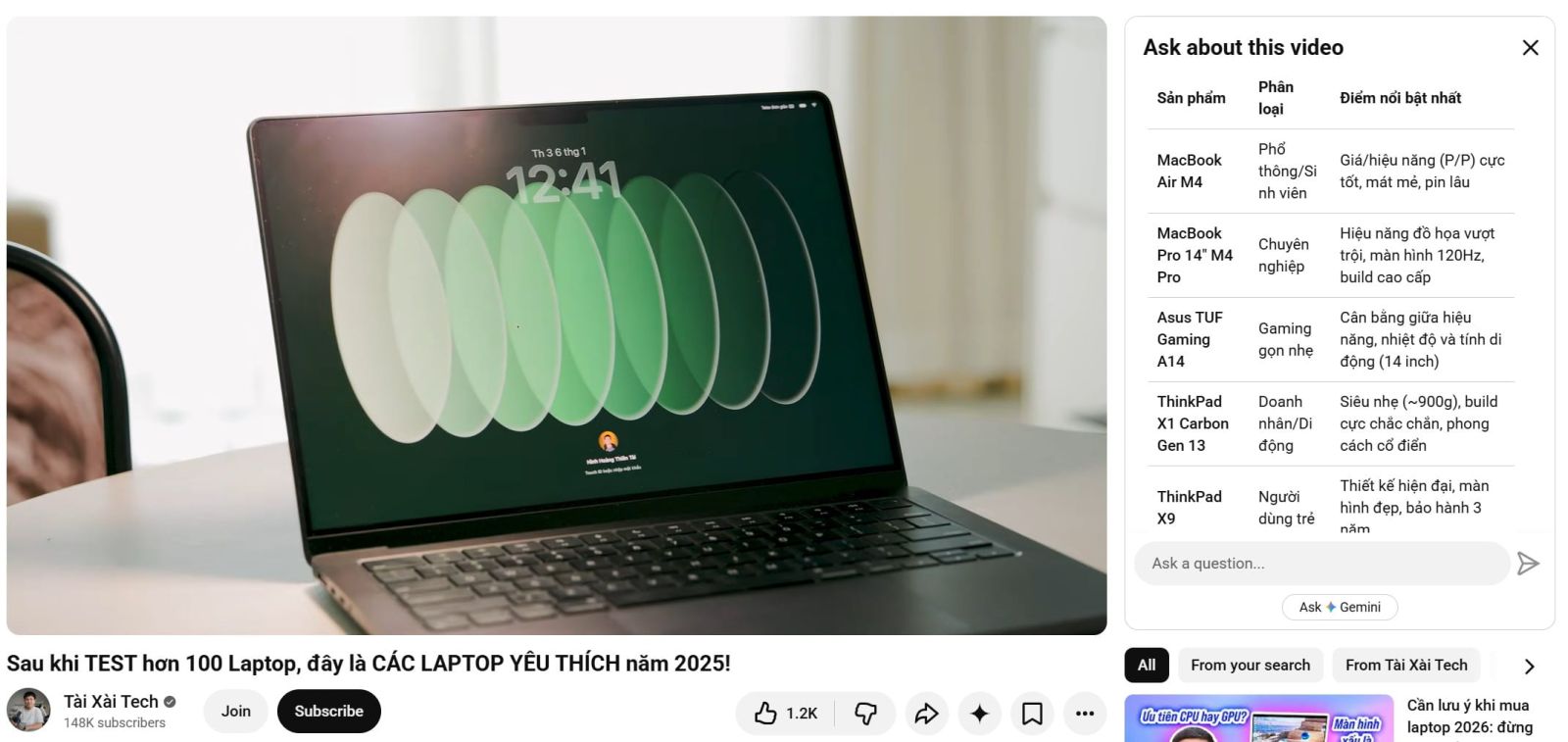
Similarly, a book introduction video can be turned into a list of book titles and main contents; a video sharing business experience can be systematized into methods or lessons.
The important point is to ask AI to clearly state which information actually appears in the video and which is not mentioned, and not to guess missing data on its own.
2.5. Turn tutorial videos into practical documents
Another application with real practical value is converting video content into structured documents.
For cooking videos, users can ask to extract the ingredients, quantities and preparation steps. For software tutorial videos, AI can help make a list of operations in order. For lectures, the content can be turned into outlines, notes or review questions.
As a result, a video is not only for watching but also becomes a source of documents that can be looked up and reused.
However, details such as ingredient quantities, technical specifications or the sequence of operations need to be re-checked, especially when the video does not present them clearly or the input data is incomplete.
3. What is the biggest benefit?
3.1. Save time and effort
The most notable benefit of using AI to make use of videos is reduced time spent searching for information. Users do not necessarily have to watch the entire content just to find an answer or identify an operation.
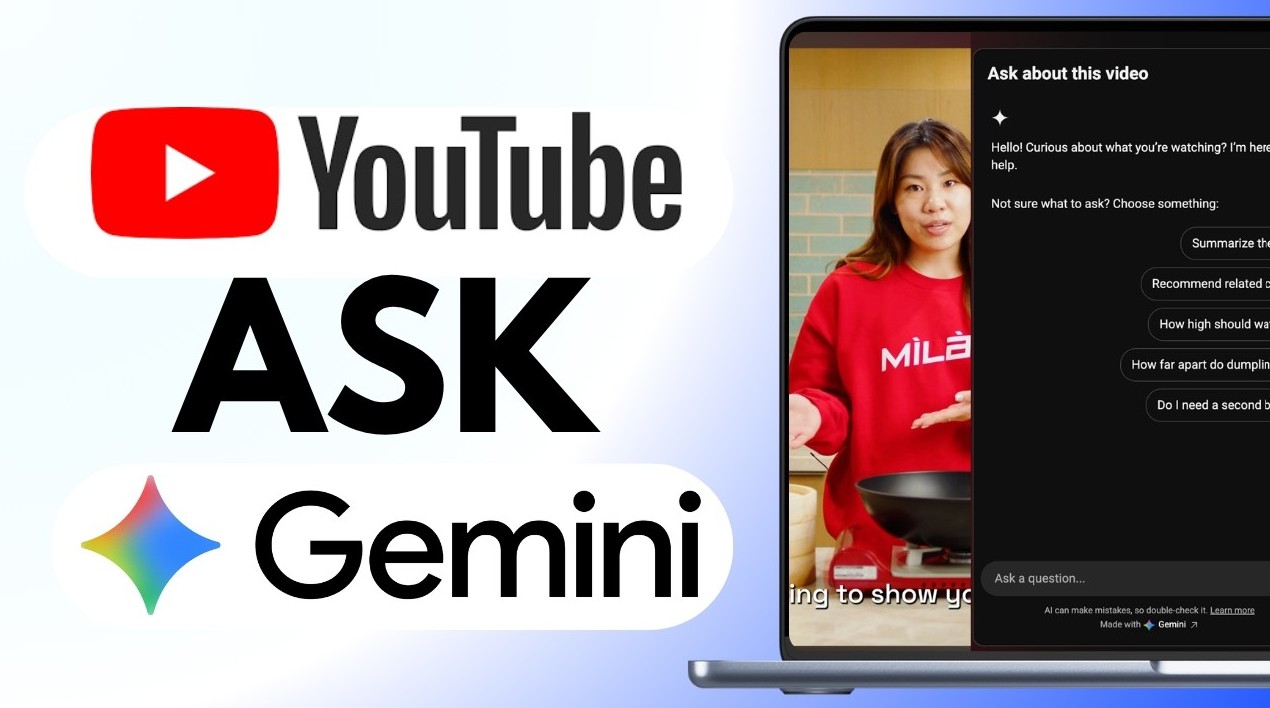
This is especially useful when you need to research many topics in a short time, such as learning about a new technology, comparing products or preparing study materials. However, the actual time saved depends on the length of the video, the quality of the answer and the time needed to verify the information.
3.2. Improve learning and research efficiency
AI can help learners turn lecture videos into outlines, concept lists, review questions and content to memorize.
Instead of taking notes on everything while watching, learners can focus on the important parts, then use the summary to systematize their knowledge.
For researchers, the ability to screen content also helps identify which videos need in-depth viewing and which only need to be consulted at an overview level.
Even so, a summary cannot completely replace active learning. Learners still need to check the arguments, practice and cross-reference with reliable sources.
3.3. Increase access to information
Searching with natural questions lets users express their needs in a familiar way, instead of having to know the exact keywords or specialized terms. Newcomers to a field can ask simple questions to grasp the foundational knowledge, then continue asking more detailed questions once they understand the issue. This way of interacting contributes to making YouTube's rich content library easier to make use of for many groups of users.
3.4. Increase the usage value of video content
When a video can be turned into a summary, an information table, a process or a study document, users find it easier to store and reuse knowledge. This is a significant advantage for people who often learn online, work with training materials or compile information from many sources.
4. Limitations to note
Although it has a lot of potential, AI tools that analyze videos can still run into technical limitations and accuracy issues.
First, the ability to process long and complex videos still depends on the system. Videos with a long duration, many speakers or intertwined topics may cause AI to miss some details.
Second, answers are not always accurate. AI may misunderstand the context, interpret incompletely or generate information that does not actually appear in the video. Users should re-check important content instead of fully trusting the summary.
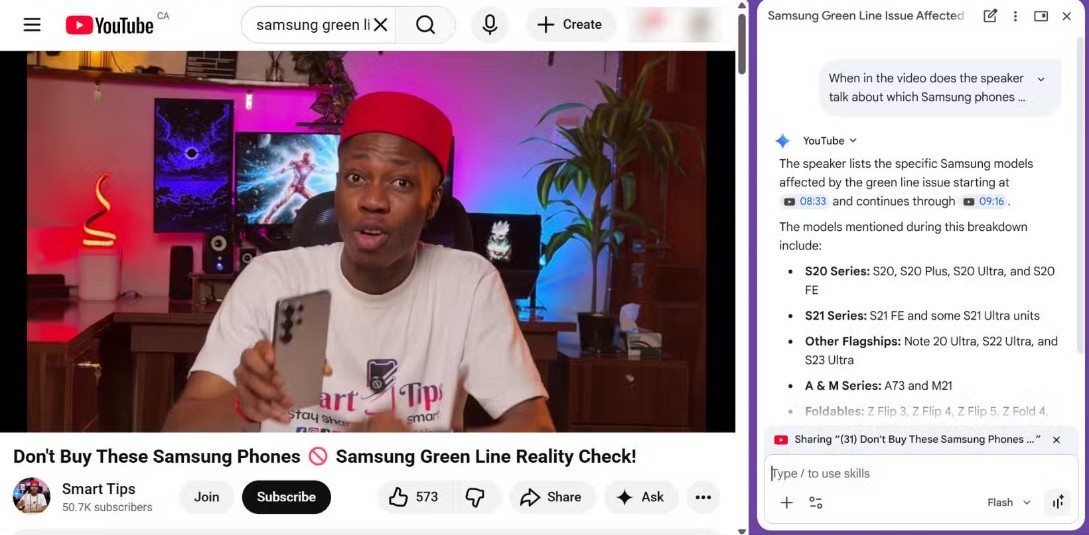
Third, recognition of visual information may not be perfect. A product that appears for only a few seconds, small text on the screen or a complex technical operation may not be fully recognized. Information such as selling prices and product specifications may also be outdated.
Fourth, the support ability depends on the feature being rolled out. You should not assume that every YouTube account has the "Ask" button, or that all videos can be analyzed in the same way. Free availability, the scope of support and the actual interface need to be verified from Google's official information.
Finally, users need to pay attention to privacy, copyright and the reliability of the content source. For videos about health, finance, law or important decisions, AI's answers should only serve as a reference and need to be cross-checked with reliable sources.
5. Conclusion
Instead of only watching videos sequentially, users can direct AI to focus on the content they truly care about, from summarizing main ideas and finding timestamps to extracting information and building practical documents.
The greatest value of this method lies in its ability to save time and turn video content into structured knowledge that is easy to look up and reuse. However, the actual effectiveness still depends on the accuracy of the AI, the quality of the video and the ability to access the feature.
Therefore, the most reasonable way to use it is not to let AI completely replace watching videos, but to combine AI's quick summarizing ability with human critical thinking and information verification. When used correctly, AI tools that support video can become useful assistants for study, research and daily work.





















VIP Products








Best Selling Products
Adobe Premiere Pro Account
99 USD
Capcut Pro 1 Year
39 USD
Upgrade genuine Capture One account
120 USD
Freepik Premium Account
59 USD
Plugin Retouch4me
69 USD
Autodesk All App Account Copyright
120 USD
Upgrade Duolingo Super
29 USD
Genuine Cheap Canva Pro
39 USD
Windows 10 & 11 Pro Key
36 USD
ChatGPT Plus Account (GPT-4)
16 USD
Adobe Photoshop Copyright - Full App
120 USD
Upgrade Genuine Office 365
49 USD
MidJourney Account
29 USD
Genuine Adobe Illustrator account
99 USD
Copyright Adobe Lightroom Account
59 USD