Best Selling Products
Adobe Photoshop Copyright - Full App
120 USD
Adobe Premiere Pro Account
99 USD
Upgrade Genuine Office 365
49 USD
Upgrade genuine Capture One account
120 USD

Freepik Premium Account
59 USD
Capcut Pro 1 Year
39 USD

Copyright Adobe Lightroom Account
59 USD

ChatGPT Plus Account (GPT-4)
16 USD
Genuine Cheap Canva Pro
39 USD

MidJourney Account
29 USD
Upgrade Duolingo Super
29 USD

Genuine Adobe Illustrator account
99 USD
Windows 10 & 11 Pro Key
36 USD
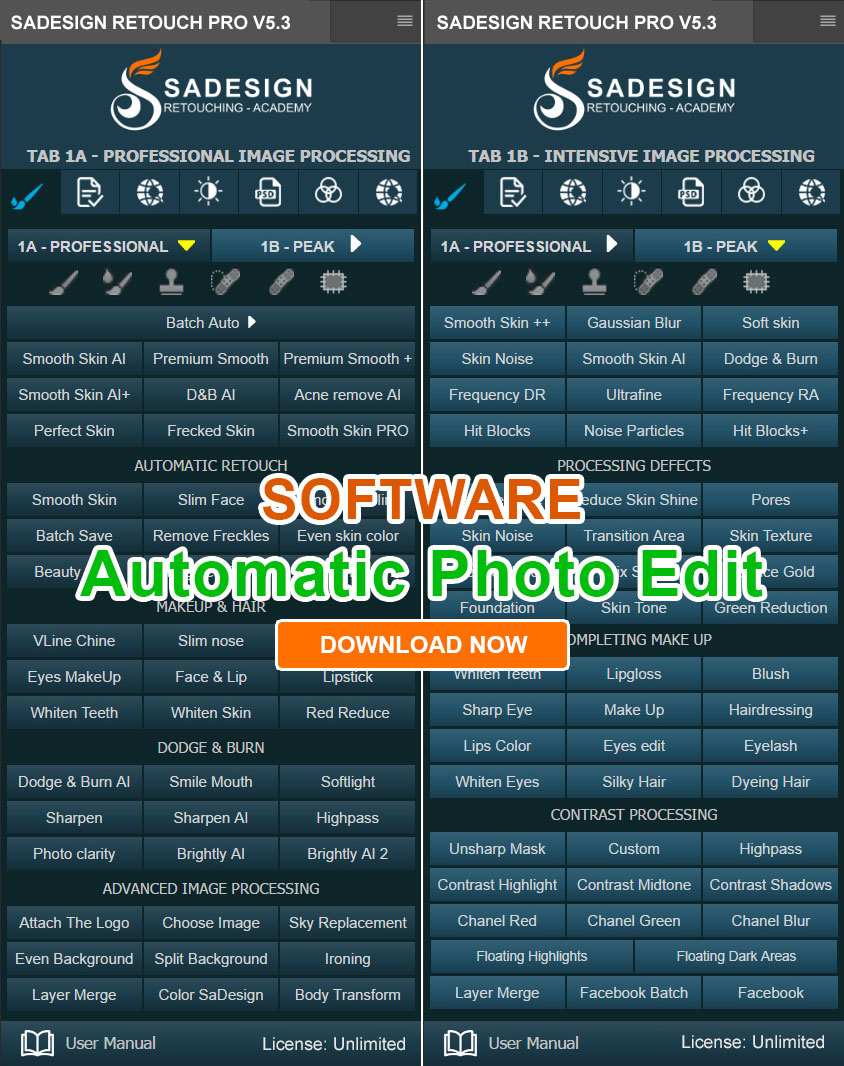
Plugin Retouch4me
69 USD
Autodesk All App Account Copyright
120 USD
What is ElevenLabs AI? A guide to using it to create natural-sounding voices.
Nội dung
- 1. What is ElevenLabs AI?
- 2. Key features of ElevenLabs AI
- 3. Instructions for registering an ElevenLabs AI account
- 4. How to use ElevenLabs AI to create natural-sounding voices.
- 5. Tips to make ElevenLabs AI voiceovers sound more natural.
- 6. Is ElevenLabs AI free?
- 7. Things to note when using ElevenLabs AI
- 8. Conclusion
Do you want to transform ordinary text into expressive, clear, and natural-sounding voiceovers? ElevenLabs AI is a noteworthy tool for those who frequently create videos, podcasts, advertising content, or online lectures. Thanks to artificial intelligence technology, this tool helps create voices quickly without the need for manual recording or investing in specialized equipment. With just a few simple steps, you can create audio files for various purposes. Let''s explore what makes ElevenLabs AI stand out and how to use this tool effectively below!
1. What is ElevenLabs AI?
ElevenLabs AI is an artificial intelligence platform specializing in speech creation and processing. The tool stands out for its ability to convert text into audio with flexible intonation, natural emphasis, and emotion appropriate to the content. Instead of manually reading each sentence and editing the recording, you simply input the content, choose a voiceover, and let the AI handle it. ElevenLabs is suitable for YouTube and TikTok video creators, podcasters, audiobooks, online courses, and businesses looking to build professional audio content.
One notable feature is that ElevenLabs offers a wide range of voice-related tools, from creating new voices to voice conversion and multilingual voiceovers. However, the number of voices, languages, and features available may vary depending on the tool, model, and account package.
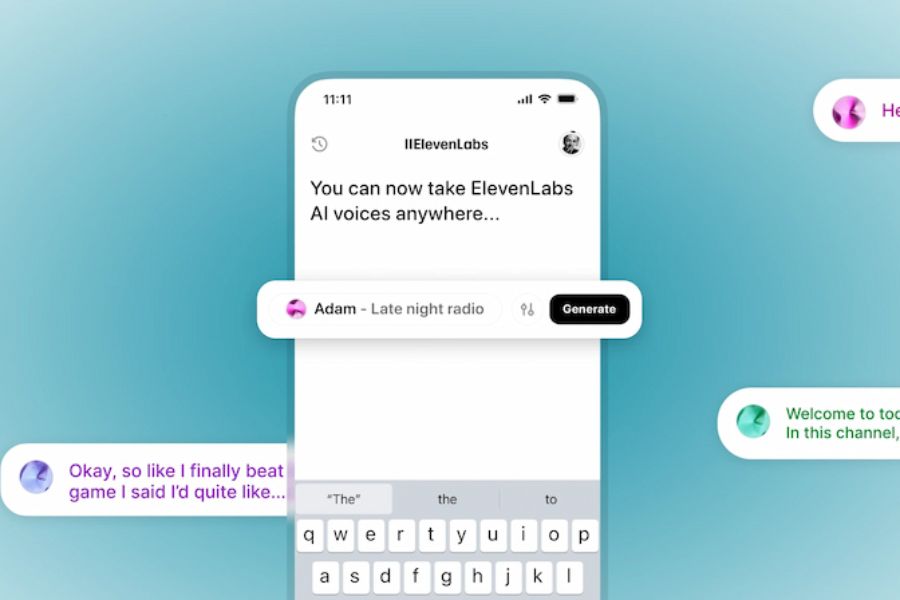
2. Key features of ElevenLabs AI
ElevenLabs doesn't just read text aloud; it also offers many features to support the content production process. Depending on your needs, you can choose the right tool to save time and create higher-quality audio.
-
Text to Speech: Converts text into speech with a variety of voice, intonation, and expression options. This feature is best suited for beginners.
-
Voice Cloning: Creates a voice clone from a provided audio sample. This feature is useful when you want to maintain a consistent voiceover across multiple videos or longer content. Please ensure you have the voice owner's consent before using this feature.
-
Speech-to-Speech: Converts input speech to another voice while attempting to retain the speaker's expression and emotion.
-
Multilingual voiceover: Supports translating or dubbing content into different languages, helping videos reach a wider audience.
-
Voice customization: Some tools allow you to adjust the stability, expressiveness, and related parameters to create a voice that suits each piece of content.
-
Voice creation via API: Supports developers in integrating voice technology into applications, websites, or automation processes.
3. Instructions for registering an ElevenLabs AI account
Before creating your voice, you need to register an account to access the tools on the platform. The process is relatively simple and can be completed directly in your browser.
Step 1: Access the homepage
Open your browser and go to the official website at elevenlabs.io. Find the register or login button on the interface to get started.
Step 2: Choose a registration method
Choose a registration method supported by the system, such as a Google account or email address. If registering with email, follow the verification instructions sent to your inbox when prompted.
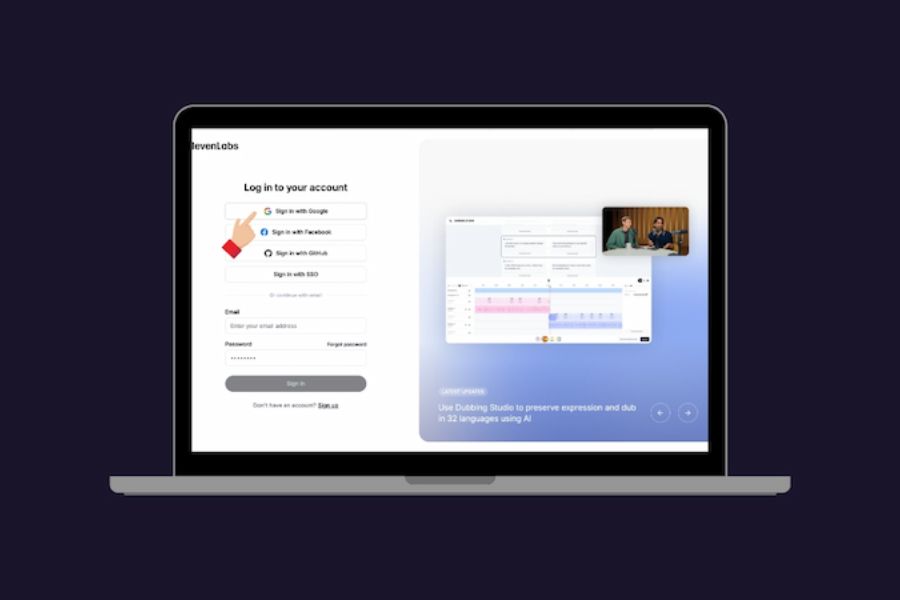
Step 3: Complete the information
Fill in the necessary information and select your intended use if required. Once completed, you can access the main interface to explore the voice creation tools.
Step 4: Check account limits
Before starting a project, check the character count, usage limits, and features included in your current account plan. The free plan may meet your testing needs, but larger projects or those requiring advanced features may require a paid plan.
4. How to use ElevenLabs AI to create natural-sounding voices.
Creating voiceovers from text is one of ElevenLabs' most popular uses. You don't need any recording experience to create audio files to add to videos, presentations, or social media content.
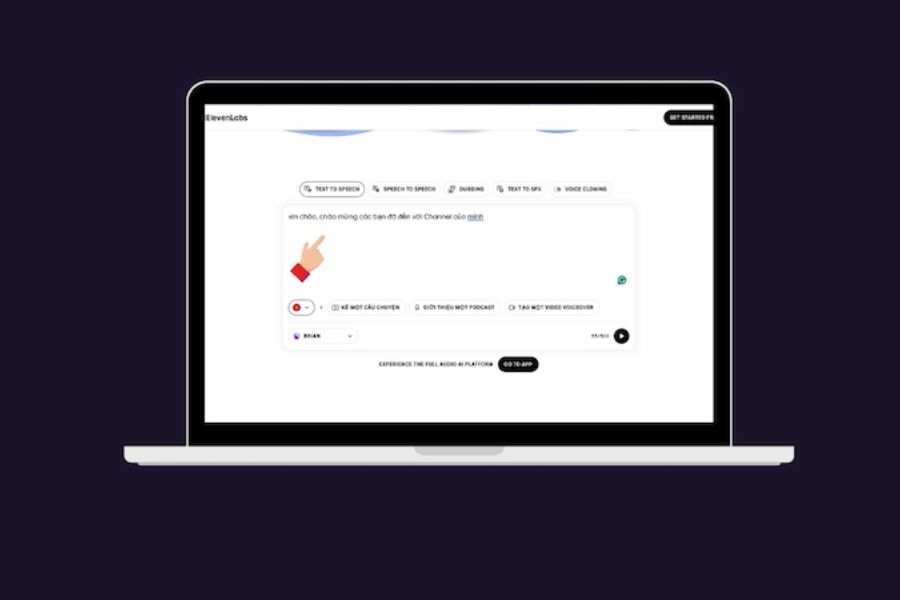
Step 1: Open the text-to-speech tool.
After logging in, find the Text to Speech section or the corresponding voice creation tool on the interface. The name and location may change when ElevenLabs updates its platform.
Step 2: Enter the content you want to read.
Copy the prepared text and paste it into the input box. To ensure the voiceover accurately conveys the intended meaning, carefully check spelling, punctuation, and proper noun spelling before creating the audio.
Content should be presented clearly, avoiding overly long sentences or the use of too many abbreviations that make it difficult for AI to pronounce accurately. If you need to read phone numbers, dates, or special symbols, consider writing them in a way that is easiest for the listener to understand.
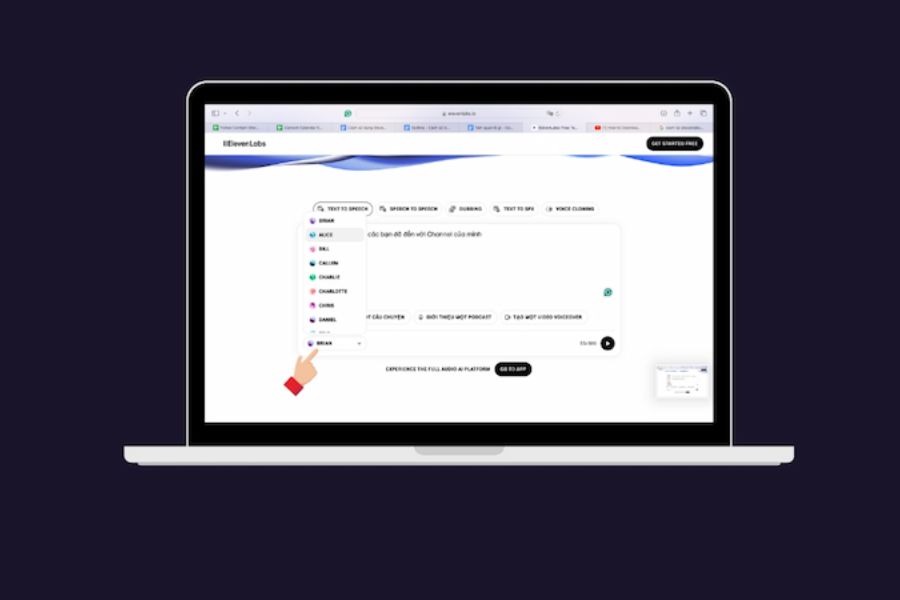
Step 3: Choose a suitable voice.
Explore the voice library and listen to sample the available options. Depending on the project, you can prioritize male or female voices, storytelling styles, or clear reading for instructional content.
-
For TikTok and YouTube short videos: prioritize clear voiceover, a moderate pace, and emphasis.
-
Podcast, storytelling: Choose an expressive voice with a natural rhythm.
-
Video tutorial: Use a calm, easy-to-listen-to voice and pronounce clearly.
-
Advertising content: Choose a style that aligns with the message and target audience.
Step 4: Adjust voice parameters
If the interface offers advanced options, you can adjust stability, expressiveness, or other parameters related to the reading style. Avoid setting extremes from the start, as the voice may become monotonous or overly expressive. Begin with the available settings and adjust them after listening to a test.
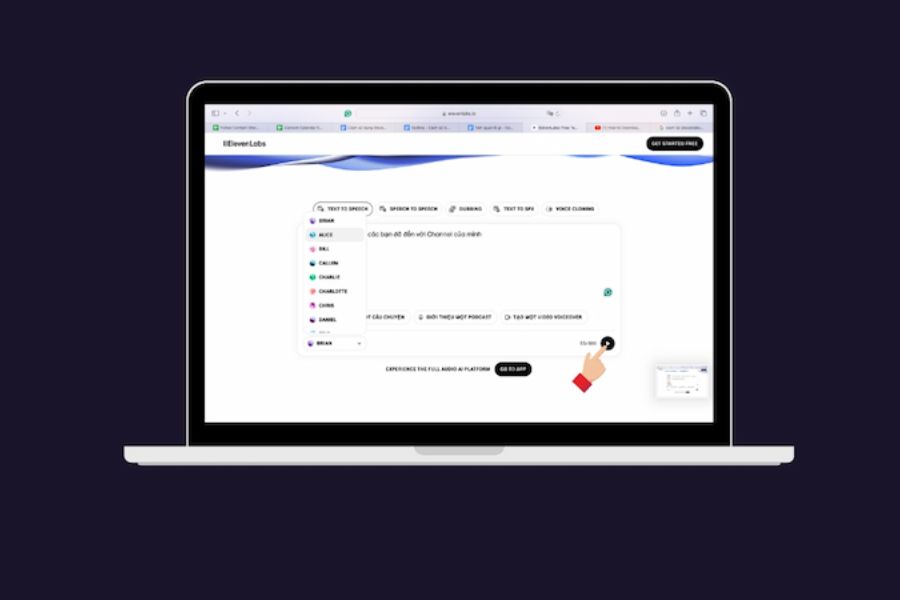
Step 5: Create and test the sound.
Press the speech creation button to have the system process the text. Once you have the result, listen to the entire thing or individual segments to check pronunciation, pauses, and naturalness. If you find that the sentence you're reading isn't quite right, you can adjust the text or parameters and recreate that segment.
Step 6: Download the audio file
Once you're satisfied with the result, use the download option on the interface to save the audio file in a supported format. Then, you can import the file into your video editing software, audio editing tool, or content creation application.
5. Tips to make ElevenLabs AI voiceovers sound more natural.
Voice quality depends not only on technology but also heavily on content writing and voice selection. Applying some of the tips below will help make your audio more pleasant to listen to and more suitable for its intended purpose.
-
Write in a conversational style: Prioritize clear, relatable sentences and avoid overly long paragraphs. A natural writing style helps to make your voice sound less stiff.
-
Use punctuation appropriately: Commas, periods, and question marks help to regulate the reading rhythm. For narrative content, you can divide sentences into sections to create suitable pauses.
-
Choose a voiceover that suits the content: Don't use the same voice for everything. A storytelling voice might not be appropriate for a technical tutorial video or serious advertising content.
-
Check the pronunciation of proper names: Foreign words, brand names, and technical terms sometimes need to be rewritten in a more pronounceable way. Listen to a preview before publishing.
-
Breaking down long texts into smaller segments: Processing content into sections makes it easier to control quality and correct errors without having to recreate the entire recording.
-
Maintain consistency in your voiceover: If producing multiple videos on the same topic, try to use the same voice and settings to create a unique style.
-
Listen before posting: Check the volume, speed, pronunciation errors, and any awkward pauses. If necessary, use audio editing software to perfect the recording.
6. Is ElevenLabs AI free?
ElevenLabs offers a free trial with a certain limit. This is a suitable way for beginners to experience voice-over capabilities before deciding to pay. However, the number of characters created, features used, and audio access rights may vary depending on the policy at the time. If you only need to create a few short voiceovers, you can start with the free plan and monitor your usage. For frequent video creators, podcast producers, or those working on commercial projects, exploring the paid plans will give you more control over limits and features.
-
The number of characters or audio output limit per month.
-
These features are unlocked in each package.
-
The right to use sound for commercial purposes.
-
Conditions relate to storage, custom voice, and data usage.
-
Renewal costs and the ability to meet long-term needs.
Please note that the ability to create audio for free does not mean that all uses are permitted. Read the applicable terms and conditions to avoid misuse of the license.
7. Things to note when using ElevenLabs AI
Despite its many benefits, ElevenLabs still needs to be used properly to ensure content quality and protect the rights of stakeholders. AI-generated voices sometimes mispronounce words, express inappropriate emotions, or mispronounce less common words. Therefore, you should treat the generated audio as a proofreading tool rather than assuming it's perfect from the start. Additionally, pay attention to privacy and voice usage rights. Do not upload private recordings or copy other people's voices without permission. For advertising, educational, or corporate communications content, check commercial exploitation rights and related terms and conditions before publishing.
Some important principles to remember:
-
Do not use cloned voices to impersonate someone or mislead listeners.
-
Check the content and pronunciation before posting it publicly.
-
Do not share sensitive data without fully understanding the data processing policy.
-
Check the licensing terms if you're using audio in a monetization project.
-
Consider disclosing the use of AI when necessary to ensure transparency.
8. Conclusion
ElevenLabs AI is a useful tool for those who want to create natural-sounding voices without live recording. With its text-to-speech capabilities, multiple reading styles, and support for various speech processing techniques, this platform can serve everything from short videos and podcasts to training content. For best results, start with a short text snippet, choose a suitable voice, listen to a preview, and make adjustments before exporting the final file. Understanding the features and limitations of your account will allow you to easily leverage ElevenLabs to save time and improve the quality of your audio content.














VIP Products


Best Selling Products
Adobe Photoshop Copyright - Full App
120 USD
Adobe Premiere Pro Account
99 USD
Upgrade Genuine Office 365
49 USD
Upgrade genuine Capture One account
120 USD
Freepik Premium Account
59 USD
Capcut Pro 1 Year
39 USD
Copyright Adobe Lightroom Account
59 USD
ChatGPT Plus Account (GPT-4)
16 USD
Genuine Cheap Canva Pro
39 USD
MidJourney Account
29 USD
Upgrade Duolingo Super
29 USD
Genuine Adobe Illustrator account
99 USD
Windows 10 & 11 Pro Key
36 USD
Plugin Retouch4me
69 USD
Autodesk All App Account Copyright
120 USD