Best Selling Products

ChatGPT Plus Account (GPT-4)
16 USD

Genuine Cheap Canva Pro
39 USD

Copyright Adobe Lightroom Account
59 USD

Upgrade Genuine Office 365
49 USD

Upgrade Duolingo Super
29 USD

Autodesk All App Account Copyright
120 USD

Plugin Retouch4me
69 USD

Adobe Photoshop Copyright - Full App
120 USD

Capcut Pro 1 Year
39 USD

Windows 10 & 11 Pro Key
36 USD

Adobe Premiere Pro Account
99 USD

MidJourney Account
29 USD

Genuine Adobe Illustrator account
99 USD

Upgrade genuine Capture One account
120 USD

Freepik Premium Account
59 USD
What is Google One? How is Google One different from Google Drive?
Nội dung
- 1. What is Google One?
- 2. How is Google One different from Google Drive?
- 3. What are the notable features of the Google One packages?
- 4. Key features of Google One
- 4.1 Sharing the Google One plan with family
- 4.2 Support from Google
- 4.3 Additional premium benefits are available depending on the package.
- 5. How to register for Google One and when to upgrade at Sadesign
- 6. Why should you upgrade to Google One at Sadesign?
- 7. Conclusion
During the use of a Google account, storage capacity is an issue many people only pay attention to when their Gmail inbox is full, Google Photos can''t back up photos, or Drive runs out of space for files. This is also when Google One becomes a popular choice. So what is Google One, is it a different version of Google Drive, and what are the differences between the two services? In reality, Google One and Google Drive are very closely related but are not two completely identical services.
1. What is Google One?
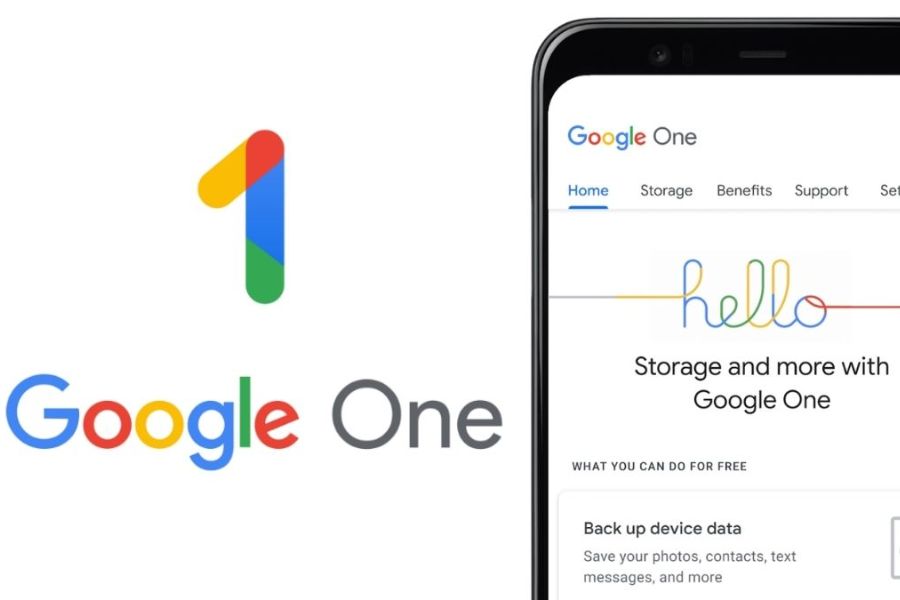
Google One is a Google subscription service that provides additional storage for your Google account and comes with various benefits depending on the plan. This storage is shared across services like Google Drive, Gmail, and Google Photos, so when your account storage is running low, upgrading to Google One can expand your space without creating a new account. It's important to note that Google One is not a standalone storage application that completely replaces Google Drive. You can still use Google Drive to upload files, create folders, share documents, and manage data as usual. Google One manages your storage plan and the extended benefits on your Google account.
-
A standard Google account provides 15GB of free storage to share across Drive, Gmail, and Google Photos.
-
When 15GB is no longer sufficient, users can upgrade to higher-capacity Google One plans.
-
Google One storage is shared across the Google ecosystem instead of being exclusive to Drive.
-
Some packages may also include additional benefits related to AI, photo editing, Google support, or other features, depending on the market and time.
-
Users can manage their data usage, subscription plans, and benefits directly within Google One.
Simply put, if Google Drive is where you work with files , then Google One is like an upgrade package for storage and Google account benefits . The two services complement each other rather than compete directly.
2. How is Google One different from Google Drive?
This is the point where many people get confused the most. When they hear about Google One, many think that Google has created a new service to replace Google Drive. However, this understanding is not entirely accurate. Google Drive is still a tool for storing and managing files, while Google One is a subscription service that expands storage capacity and offers additional benefits.
3. What are the notable features of the Google One packages?
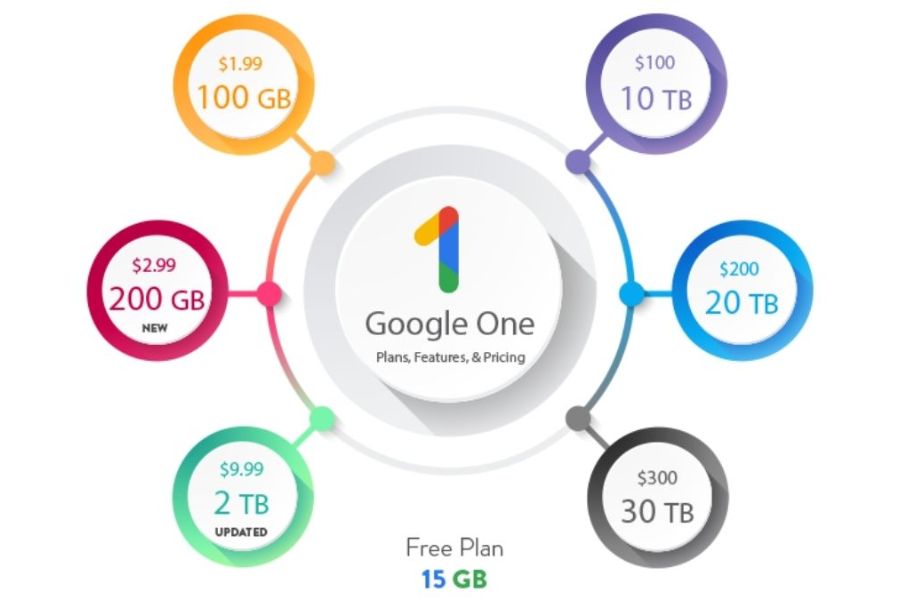
Google One offers various storage options to suit different needs. Prices, storage capacity, and benefits may vary by country, payment method, and time, so it's advisable to check the Google One website directly before subscribing, rather than relying solely on outdated pricing. Individual users can start with a lower-capacity plan and upgrade as their needs increase. Those who frequently save photos, videos, or work data may consider larger plans to avoid constantly deleting old data.
Some popular Google One storage options include:
-
The 100GB plan is suitable for those who want to significantly expand their storage space but don't have very high storage needs.
-
The 200GB package is suitable for accounts with many photos, videos, and documents that need to be stored long-term.
-
The 2TB package is suitable for users with large amounts of data or those who want to use additional premium benefits.
-
Higher capacity packages: for intensive storage needs, such as those who frequently work with video, images, or large amounts of data.
The important thing isn't just the GB number. Before buying, you should check the total storage you're using across Google Photos, Drive, and Gmail. If most of your storage comes from photos and videos, upgrading to Google One might make backups more convenient. Conversely, if your storage is mainly occupied by old files in Drive, cleaning up data before buying is also a way to save money.
Upgrade to Google One at a low price.
4. Key features of Google One
4.1 Sharing the Google One plan with family
One of the advantages of Google One is the ability to share the plan with family members according to Google's policy. This allows each person to use their own Google account while simultaneously benefiting from shared storage from the membership plan.
-
You don't need to share a Google account.
-
Each member retains their own private data.
-
Suitable for families with multiple members who need extra storage space.
-
Members can be managed through Google Family Groups.
-
This helps to utilize storage more efficiently instead of each person buying a separate package.
4.2 Support from Google
Some Google One plans offer access to Google's support team. This can be a useful benefit when users encounter service or account-related issues and need assistance.
Instead of having to search for information on help pages themselves, subscribers can use the member support channel as part of their plan. Support options and languages may vary by region.
4.3 Additional premium benefits are available depending on the package.
Google One is now more than just about storage capacity. Some premium plans may include additional features or benefits related to the Google ecosystem. In particular, Google One plans with integrated AI may offer access to advanced AI features depending on the time and market.
This means that choosing a plan shouldn't be based solely on the question "how many GB do I need?". If you frequently use Google tools for work, study, content creation, or image processing, you should review the full benefits of each plan before subscribing.
5. How to register for Google One and when to upgrade at Sadesign
If the 15GB of free storage is no longer enough, upgrading to Google One is quite simple. Users just need to log in with their existing Google account, choose a suitable plan, and complete the payment as instructed. After successful registration, the new storage will be applied to the account and shared across Google Drive, Gmail, and Google Photos.
The basic steps can be taken as follows:
-
Log in with the Google account that needs upgrading.
-
Visit the Google One page.
-
Check your current storage capacity and usage needs.
-
Choose the Google One plan that suits you best.
-
Review the price, payment schedule, and included benefits.
-
Choose a supported payment method.
-
Confirm your registration and check your remaining storage capacity after completion.
Upgrade to Google One at a low price.
6. Why should you upgrade to Google One at Sadesign?
If you're looking for support in upgrading your Google services, Sadesign is a good option to consider when you need advice on service packages and how to use them. Instead of researching too much information about different packages yourself, you can discuss your actual needs to choose the option that best suits your purpose.
Here are some points to consider when upgrading your services at Sadesign:
-
We provide assistance in choosing the right package to suit your needs.
-
The upgrade process is simple and easy to follow.
-
Support is available when users encounter difficulties while using the service.
-
Costs are clearly explained before making a choice.
-
Suitable for those unfamiliar with using paid Google services.
It's important to clearly identify which Google account needs an upgrade, how much data you're using, and what benefits you truly need . For those who only need to store a few documents, 15GB of free storage might be sufficient. But if you frequently back up photos and videos, receive many emails, or work with large amounts of data, Google One will provide a more convenient way to expand your storage space.
7. Conclusion
From the information above, it's clear that Google One and Google Drive are not entirely the same service . Google Drive focuses on storing, managing, and sharing files, while Google One is a subscription service that expands storage for your entire Google account along with many additional benefits depending on the plan. If you only have basic storage needs, 15GB of free storage might be sufficient. Conversely, as Google Photos, Gmail, and Drive accumulate more and more data, upgrading to Google One will give your account more space and reduce the constant "storage full" warnings. Before subscribing, check your actual needs and choose a suitable plan to ensure comfortable use while avoiding paying for unnecessary storage.





















VIP Products








Best Selling Products
ChatGPT Plus Account (GPT-4)
16 USD
Genuine Cheap Canva Pro
39 USD
Copyright Adobe Lightroom Account
59 USD
Upgrade Genuine Office 365
49 USD
Upgrade Duolingo Super
29 USD
Autodesk All App Account Copyright
120 USD
Plugin Retouch4me
69 USD
Adobe Photoshop Copyright - Full App
120 USD
Capcut Pro 1 Year
39 USD
Windows 10 & 11 Pro Key
36 USD
Adobe Premiere Pro Account
99 USD
MidJourney Account
29 USD
Genuine Adobe Illustrator account
99 USD
Upgrade genuine Capture One account
120 USD
Freepik Premium Account
59 USD