Best Selling Products

Autodesk All App Account Copyright
120 USD

Adobe Photoshop Copyright - Full App
120 USD

MidJourney Account
29 USD

Upgrade Genuine Office 365
49 USD

ChatGPT Plus Account (GPT-4)
16 USD

Genuine Cheap Canva Pro
39 USD

Plugin Retouch4me
69 USD

Genuine Adobe Illustrator account
99 USD

Adobe Premiere Pro Account
99 USD

Copyright Adobe Lightroom Account
59 USD

Windows 10 & 11 Pro Key
36 USD

Freepik Premium Account
59 USD

Upgrade Duolingo Super
29 USD

Upgrade genuine Capture One account
120 USD

Capcut Pro 1 Year
39 USD
What''s Special About ChatGPT Atlas? An Overview of AI Browsers for Mac
Nội dung
- 1. What is an atlas?
- 2. ChatGPT Atlas User Guide: Core Features
- 2.1 ChatGPT Assistant is always available to assist you.
- 2.2 Browser Memory
- 2.3 Atlas Browser Agent Mode
- 2.4 Direct Editing
- 3. How does Atlas process data and protect your privacy?
- 4. Who is ChatGPT Atlas for?
- 5. Conclusion: Is Atlas really worth experiencing?
For many years, the way people use browsers has remained virtually unchanged. We open tabs, type in search keywords, read information, copy the content elsewhere, and repeat this process dozens of times a day. The emergence of ChatGPT Atlas, a browser developed by OpenAI, is challenging this seemingly ingrained habit. By directly integrating artificial intelligence into every web browsing action, Atlas promises to transform the browser from a simple information display tool into a true assistant capable of remembering, thinking, and acting on behalf of the user.
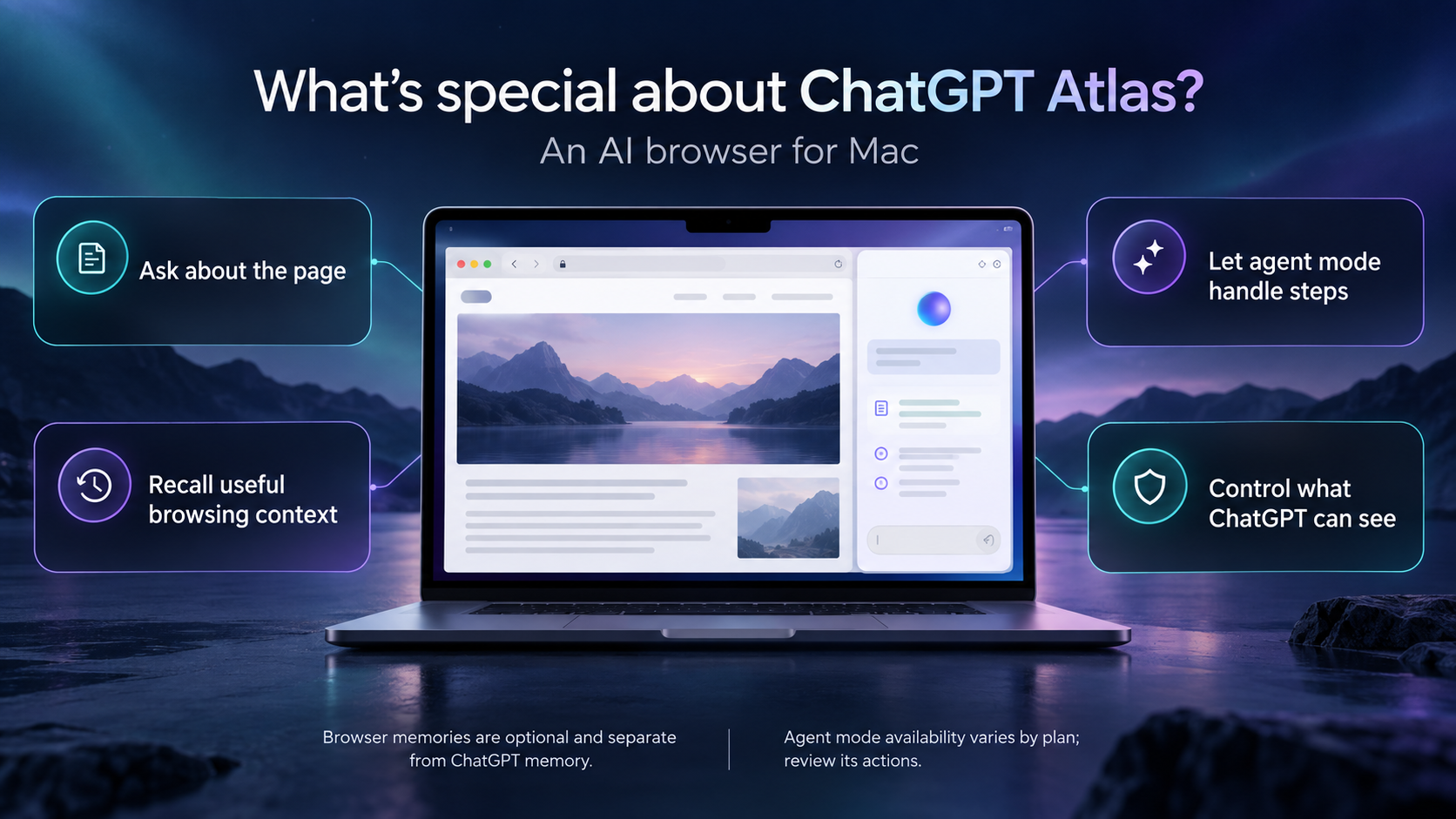
1. What is an atlas?

Atlas is a web browser with built-in ChatGPT, officially introduced by OpenAI as a strategic step to bring generative artificial intelligence to the heart of the daily web browsing experience. Unlike traditional browsers that only display content, Atlas is designed as a unified working layer where information, context, and actions are seamlessly connected within the same space.
Atlas's core objectives revolve around three main pillars. First is efficiency and personalization, demonstrated by its ability to remember browsing context to provide suggestions tailored to each user. Next is deep integration with artificial intelligence, allowing users to summarize web pages, ask questions about content they are viewing, or receive search assistance while browsing. Finally, there is task automation, enabling Atlas to perform repetitive tasks on behalf of the user, such as filling out forms, composing emails, or suggesting the next step in a workflow.
In terms of interface, Atlas retains familiar elements of a typical browser such as the address bar, tabs, bookmarks, and browsing history, making it easy for users to get used to. The biggest difference lies in Atlas dedicating a separate area for chat with ChatGPT, distinct from the website content but still allowing direct interaction with that content at any time.
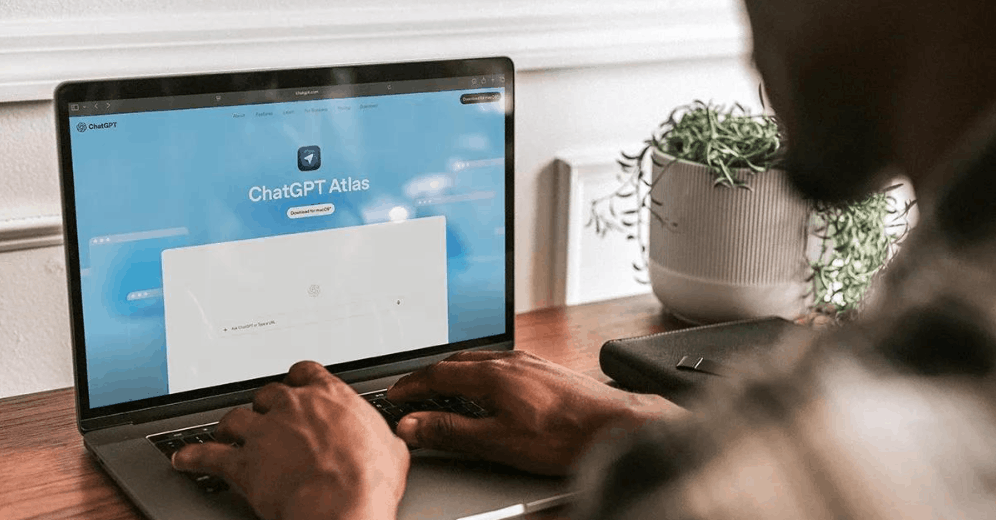
Currently, Atlas is only available on macOS, requiring a Mac equipped with Apple silicon chips and running macOS Monterey or later. OpenAI says versions for Windows, iPhone, and Android will be released in the near future, expanding the browser's accessibility to a wider range of users.
2. ChatGPT Atlas User Guide: Core Features
To understand why Atlas is considered a significant leap forward in the web browser field, it's necessary to delve into each specific feature that OpenAI has equipped this product with. Below are four of the most prominent features, which play a central role in the Atlas user experience.
2.1 ChatGPT Assistant is always available to assist you.
One of Atlas's most important features is the ChatGPT sidebar, which appears throughout the web browsing process. When searching or opening any website, users will see the "Ask ChatGPT" button in the upper right corner of the screen. Simply clicking this button will instantly open the sidebar containing the ChatGPT assistant, which will accompany the user on all open tabs.
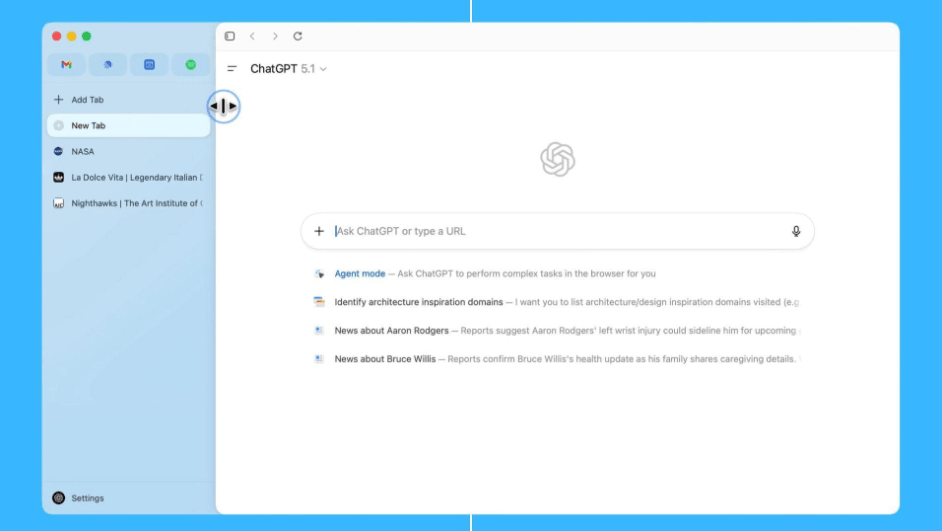
This sidebar isn't just a separate chat window. It can recognize the content of the webpage being viewed, allowing users to ask questions directly related to the article, request a quick summary of key points, compare information from multiple sources, or even suggest rewriting a section of text in their preferred style. All of these actions take place directly on the page, without switching between applications or copying content to another tool. This is what helps Atlas significantly shorten information processing time, especially useful for those who frequently read and synthesize large amounts of documents in their daily work.
2.2 Browser Memory
Browser memory is a feature that allows Atlas to remember users' search history and previous activities to improve the quality of responses and provide suggestions that are more relevant to their actual needs. For example, if you have previously searched for products related to an upcoming special occasion, Atlas can utilize that data to suggest suitable gift ideas without you having to repeat them from scratch.
It's worth noting that this memory doesn't store the entire content of the websites you've visited, but only records contextual information and key highlights that are valuable for personalizing your experience later. Users have complete control over this data. You can review everything Atlas has recorded, temporarily store it, or permanently delete specific items through your browser's settings. For those who want to browse without leaving any trace in their memory, Atlas also offers an incognito mode, which completely prevents information collection during that browsing session.
2.3 Atlas Browser Agent Mode
While the ChatGPT sidebar and browser memory help Atlas become smarter in providing information, the agent mode is a further step, transforming the browser into an assistant capable of acting on behalf of the user. In this mode, Atlas can independently perform real-world tasks such as online shopping, filling out and submitting forms, or conducting research, gathering information from various sources and synthesizing it into a final result.
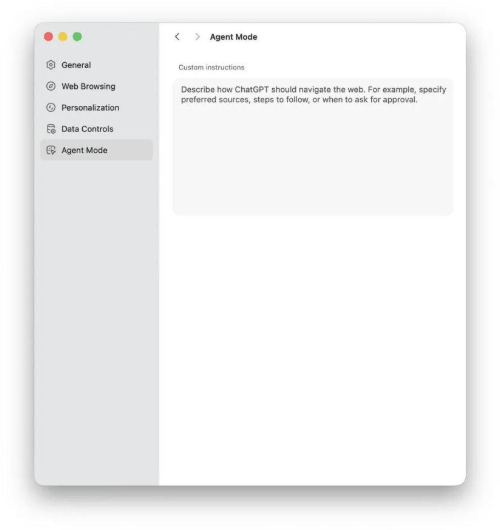
This is considered Atlas's most groundbreaking feature, as it not only provides information but also directly replaces some of the manual human effort. However, it should be noted that the agent mode is still in the testing phase and is only available to users who subscribe to paid plans such as Plus, Pro, or Business. Additionally, to ensure safety, when working on sensitive websites, Atlas will pause and require user confirmation before continuing the action, preventing the assistant from acting incorrectly or being exploited by hidden malicious instructions on the page.
2.4 Direct Editing
Last but not least, a useful feature is the ability to edit directly within the chat sidebar. Users simply highlight the desired text, whether it's content in an email, on a webpage, or in a document, and then ask ChatGPT to perform specific actions such as rewriting it in a different style, checking for grammar errors, shortening sentences, or expanding on the idea.
Thanks to this feature, users no longer have to copy text, paste it into another text editor, edit it, and then paste it back as in the traditional process. The entire operation is condensed into a few clicks, significantly saving time for tasks requiring frequent text editing, such as composing work emails, editing articles, or completing reports.
3. How does Atlas process data and protect your privacy?
When a browser has the ability to remember habits and directly interfere with users' online activities, security and privacy inevitably become top concerns. OpenAI has built several mechanisms to bring transparency and control to users over their personal data.
In principle, users' browsing data will not be used to train OpenAI models unless the user actively enables this option. Enabling data contribution to model training is done manually through the settings, specifically by going to data control and enabling the option to improve models for the community. In other words, the initial default always prioritizes protecting user privacy.
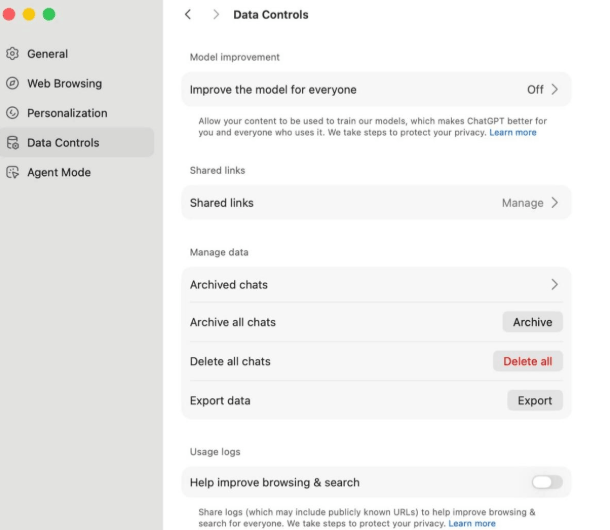
For contextual memory, Atlas only saves important information and highlights extracted from the browsing process, instead of copying the entire page content. Users have full control to review, temporarily store, or delete this data at any time, and can completely disable the memory feature if they wish.
Specifically for agent mode, the security mechanism is quite robust. When performing actions on websites that may contain sensitive information, the system will automatically pause and request user confirmation before continuing. In addition, users can also choose to run agent mode while logged out to limit access to important personal data.
However, it's important to acknowledge that even when users disable data contribution for model training, OpenAI may still collect certain information such as metadata, activity logs, or access paths for technical diagnostics, system security, or overall service quality improvement. This is something users should be aware of before committing to Atlas long-term, especially if their work involves highly confidential information.
4. Who is ChatGPT Atlas for?
Not everyone needs a browser with the deep AI integration of Atlas, but for certain user groups, it could be a game-changer in their daily work.
For those working in marketing, content creation, programming, or data analysis, Atlas offers clear value through its ability to summarize lengthy reports, quickly compose emails, manage parallel research flows, and organize various workflows within a single, unified space.
For students, Atlas can serve as a convenient online tutor, helping to explain difficult concepts, summarize academic articles, or assist in outlining essays while researching material in their browser.
For researchers, Atlas's ability to collect, compare, and verify data from multiple sources significantly saves time, while its assistant can also help review sources, summarize key findings, or even suggest appropriate citations.
Finally, users who are accustomed to multitasking, frequently switching between various tools and applications, will also find Atlas an efficient hub for note-taking, idea development, and automating repetitive tasks.
5. Conclusion: Is Atlas really worth experiencing?
Overall, ChatGPT Atlas represents an ambitious direction for OpenAI in its efforts to reshape how people interact with the internet. By integrating generative artificial intelligence directly into the browser core, rather than as a separate application, Atlas bridges the gap between finding information and acting upon that information.
Atlas's strengths are evident in its ability to quickly read and synthesize content, its intelligent memory that personalizes the experience over time, and its promising agent mode, even though it is still under development. At the same time, the data control and privacy mechanisms that OpenAI has built demonstrate a serious commitment to balancing user convenience and information security.
However, since Atlas is still relatively new and some features, such as agent mode, are still in the testing phase, users should carefully consider their actual needs before deciding to switch completely to this browser. If you frequently process large amounts of information, need a research assistant, or want to automate repetitive online tasks, Atlas is definitely worth trying. Conversely, if you prioritize stability and are not ready to change your familiar browsing habits, continuing to use traditional browsers combined with ChatGPT as a separate tool remains a reasonable option at the moment.





















VIP Products








Best Selling Products
Autodesk All App Account Copyright
120 USD
Adobe Photoshop Copyright - Full App
120 USD
MidJourney Account
29 USD
Upgrade Genuine Office 365
49 USD
ChatGPT Plus Account (GPT-4)
16 USD
Genuine Cheap Canva Pro
39 USD
Plugin Retouch4me
69 USD
Genuine Adobe Illustrator account
99 USD
Adobe Premiere Pro Account
99 USD
Copyright Adobe Lightroom Account
59 USD
Windows 10 & 11 Pro Key
36 USD
Freepik Premium Account
59 USD
Upgrade Duolingo Super
29 USD
Upgrade genuine Capture One account
120 USD
Capcut Pro 1 Year
39 USD