Best Selling Products

Upgrade Duolingo Super
29 USD

ChatGPT Plus Account (GPT-4)
16 USD

Adobe Premiere Pro Account
99 USD

Genuine Cheap Canva Pro
39 USD

Freepik Premium Account
59 USD

Copyright Adobe Lightroom Account
59 USD

MidJourney Account
29 USD

Windows 10 & 11 Pro Key
36 USD

Capcut Pro 1 Year
39 USD

Autodesk All App Account Copyright
120 USD

Plugin Retouch4me
69 USD

Upgrade Genuine Office 365
49 USD

Genuine Adobe Illustrator account
99 USD

Upgrade genuine Capture One account
120 USD

Adobe Photoshop Copyright - Full App
120 USD
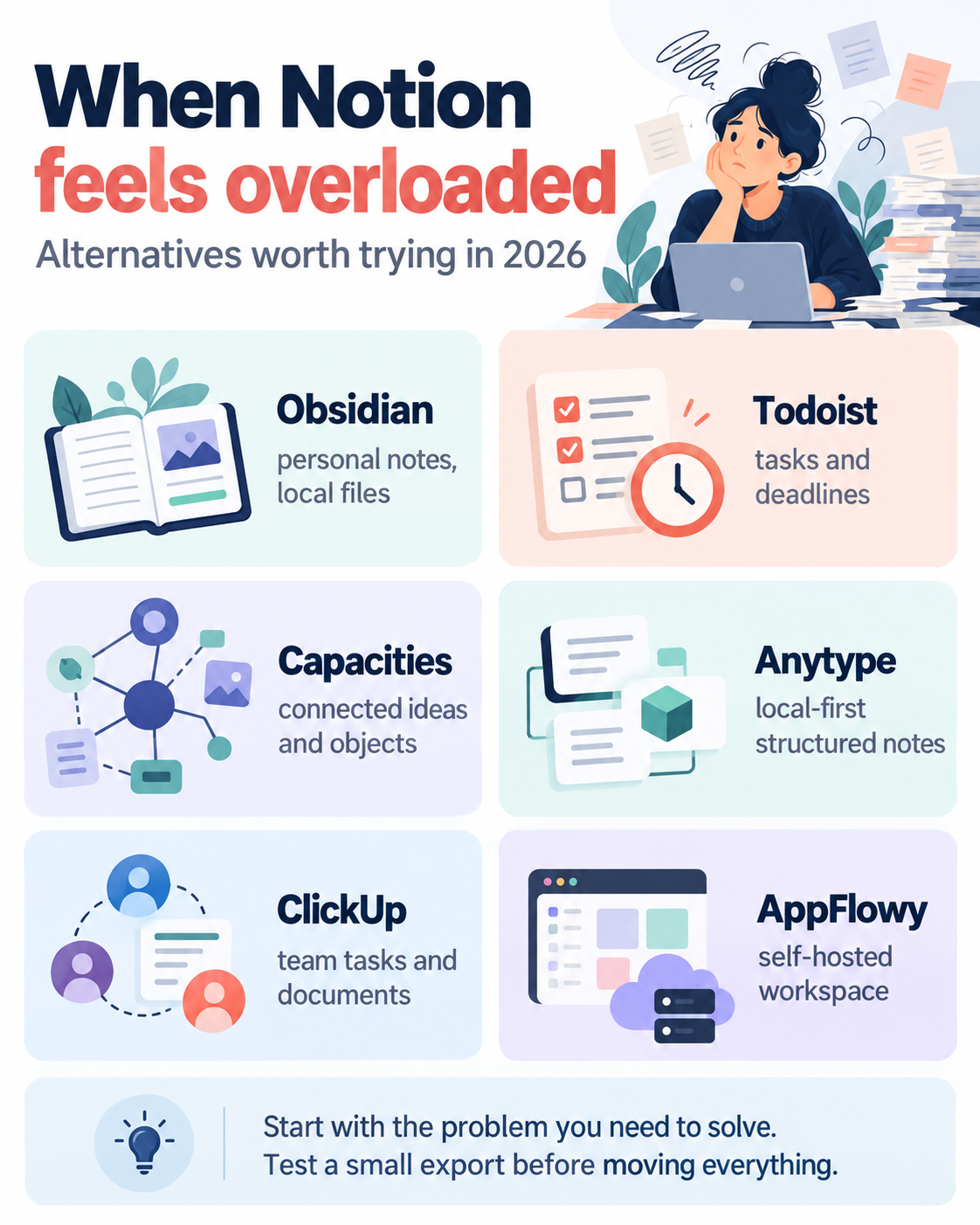
When Notion becomes overloaded: Worthwhile alternatives in 2026
Nội dung
- 1. Why do you need an alternative to Notion?
- 2. Craft vs. Notion: The ideal choice for creative individuals.
- 3. Confluence, a familiar document editing tool in the tech world.
- 4. Write, plan, and track your work all in one space with NotePlan.
- 5. Pagico - A tool for visual project management that doesn't require relearning from scratch.
- 6. ByDesign: A multi-functional workspace focused on maximum simplicity.
- 7. Elephas - An AI-powered knowledge base specifically for Mac.
- 8. MindNode Classic - A visual brainstorming tool for idea mapping.
- 9. Take notes and annotate documents specifically for study and research with MarginNote.
- 10. Frequently Asked Questions
Notion has long been considered one of the most versatile work platforms, allowing you to take notes, plan, collaborate, and organize all your data in a single space. Its near-limitless flexibility makes it a popular choice for both individuals and businesses. However, this very versatility can sometimes be a double-edged sword, leaving many users overwhelmed by the sheer number of customization options, slow processing speeds, or overly complex initial learning process. If you''re looking for a more streamlined tool, more focused on your specific needs rather than trying to do everything, this article will introduce you to some of the most noteworthy Notion alternatives currently available, from AI-powered note-taking applications to intuitive project management tools and specialized software for academic research.
1. Why do you need an alternative to Notion?
Before delving into specific applications, let's look back at why more and more users are seeking alternative tools to Notion.
One of the biggest limitations is its rather limited offline capabilities, especially with the desktop version. This is significantly inconvenient for those who frequently travel or work in locations with unstable internet connections. In addition, many users have reported minor glitches during use, even leading to the loss of important data – a risk no one wants to face when all work information is stored on a single platform.
Furthermore, Notion's data is primarily stored in the United States via Amazon Web Services infrastructure for non-enterprise packages, which makes many European organizations, which tend to prioritize local data storage, hesitant to choose this platform.
Notion's core strength lies in its deep customization capabilities, allowing users to tailor document structure to specific projects for maximum efficiency. However, this very complexity of customization becomes a major barrier for beginners, making the learning process much more time-consuming than expected. This is why exploring alternatives tailored to specific needs is more essential than ever.
2. Craft vs. Notion: The ideal choice for creative individuals.
Craft is the only app on this list that can work completely offline, supports real-time collaboration, and has a built-in AI assistant. Users can work with various block formats, insert images, videos, and files, and link documents together, from a single project to a comprehensive document connecting all ongoing work.
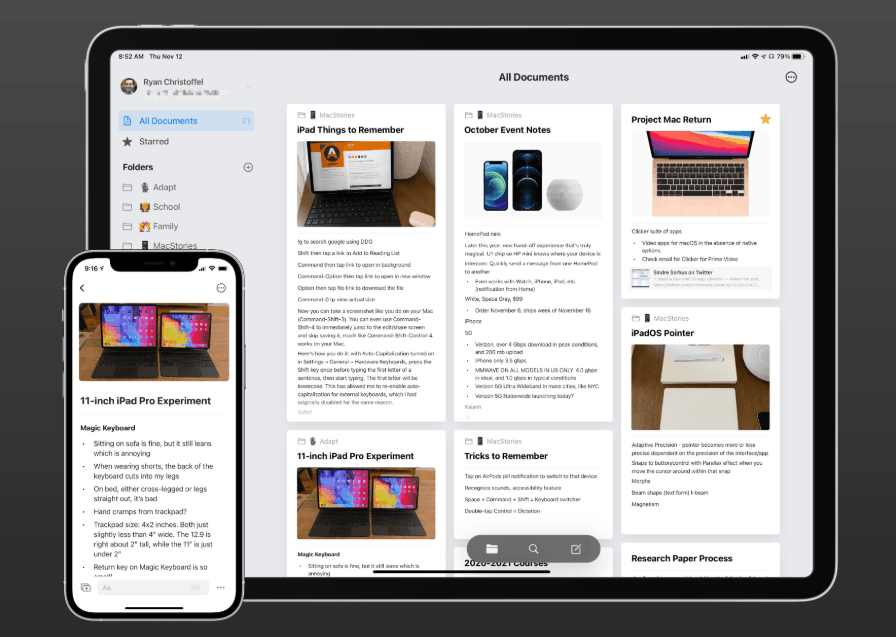
The built-in AI assistant helps you write faster, brainstorm ideas, summarize documents, rephrase sentences, create social media content, check for spelling errors, and even assist with translation. Collaboration is also quite smooth; you just need to create a shared workspace and invite others to join. A notable advantage is that Craft works well even without an internet connection, ensuring your creative flow isn't interrupted. Compared to Notion, Craft feels faster, more intuitive, and much easier to get started with.
On the plus side, Craft boasts a clean interface suitable for well-structured documents, real-time collaboration capabilities on the same document, and a powerful AI assistant for writing and editing. However, the application's limitations lie in its less flexibility compared to Notion when handling complex databases, and its collaboration features for large teams are still quite limited.
3. Confluence, a familiar document editing tool in the tech world.
Confluence is a web-based task management platform designed to support collaborative teams on critical projects. This Notion alternative allows users to securely and reliably share meeting notes and project progress updates.
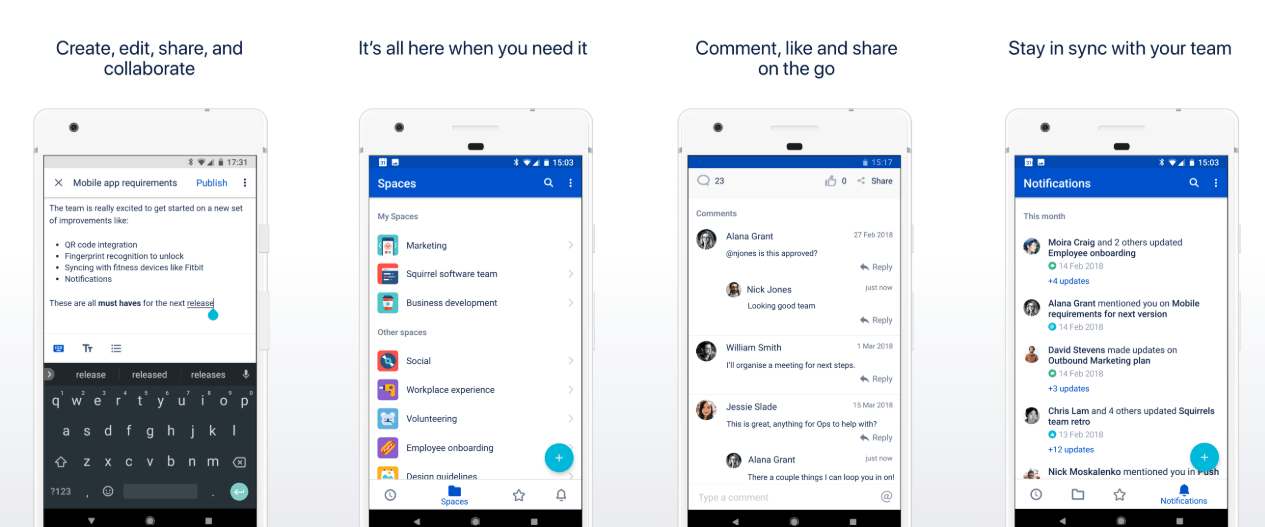
If your team is already familiar with tools like Jira, Jira Service Desk, or Bitbucket, Confluence will be a natural fit thanks to its tight integration within the Atlassian ecosystem. One notable drawback of Confluence is its lack of offline support, similar to Notion. However, if you start drafting a document and lose your internet connection midway, some elements such as document pages, access permissions, or static resources may be temporarily retained thanks to the browser's caching mechanism; however, this data will be lost if you clear the cache, use incognito mode, or update your browser.
On the plus side, Confluence integrates seamlessly with Jira and the entire Atlassian ecosystem, offering robust collaboration capabilities and a robust permission system, while also being reliable for storing structured documents for teams. Conversely, its drawbacks include a lack of support for offline workflows, and the application can be somewhat cumbersome for individual users or non-technical teams.
4. Write, plan, and track your work all in one space with NotePlan.
NotePlan is a calendar application focused on note-taking, task management, and scheduling, but built specifically for the Mac ecosystem. It's considered the most convenient combination for those who want to integrate note-taking and time management into one place.
NotePlan offers greater freedom in project organization. Through note creation, you can consolidate tasks and reminders, then attach them to specific projects. All notes are stored in Markdown format, making it easier to move text content between different applications, and allowing you to integrate NotePlan with many other tools that support this format.
Besides inserting links, you can also use hashtags and tag other users via the mention symbol. Another valuable advantage is that NotePlan supports extensions, scripts, and templates, helping to automate tasks, improve search capabilities, and customize workflows to your liking.
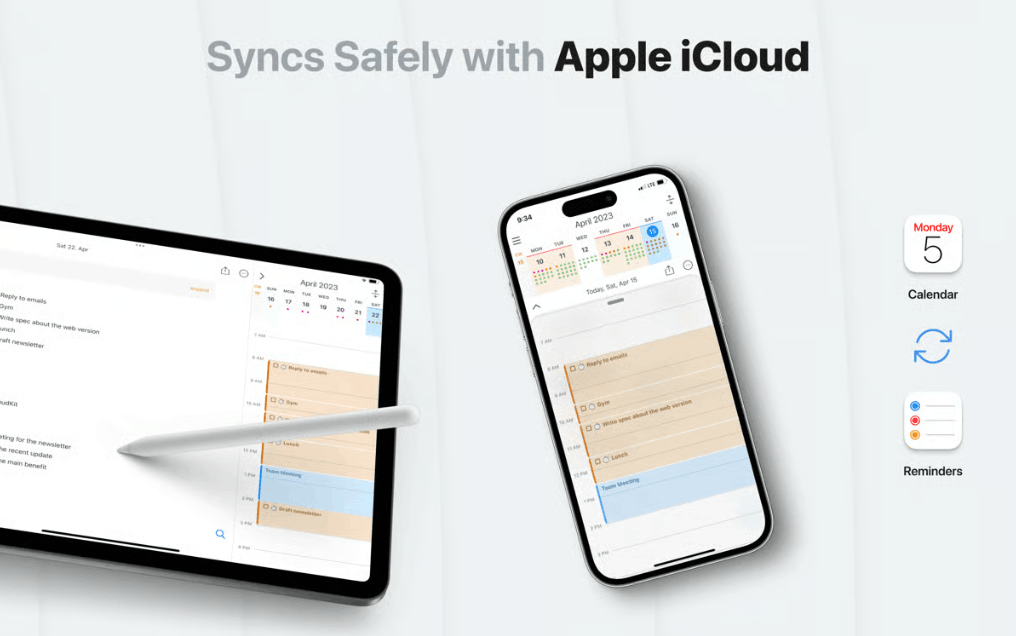
On the plus side, NotePlan combines notes, tasks, and schedules in a single platform, making it ideal for daily planning, using the Markdown format, and optimized specifically for Macs. On the downside, the application lacks team collaboration features and is not suitable for projects requiring complex databases.
5. Pagico - A tool for visual project management that doesn't require relearning from scratch.
Pagico is geared towards being a project and task management tool, bringing together all tasks, files, and to-do lists into a single, intuitive workspace. It's an ideal Notion alternative if you want to avoid database complexity and don't want to spend too much time on configuration, instead focusing on the work itself.
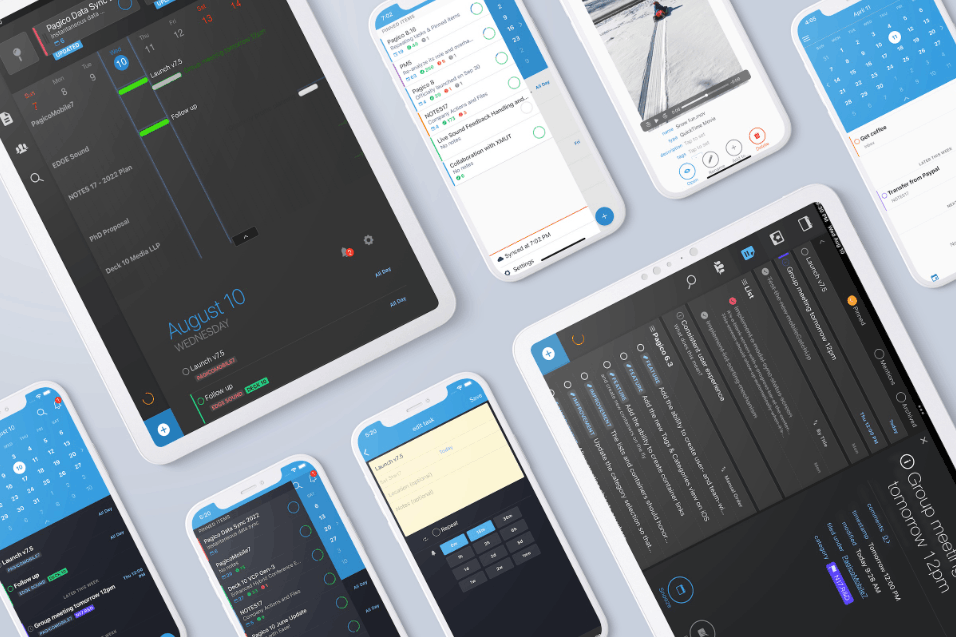
After creating a project, you can add tasks and notes along with contact information, tags, deadlines, and progress status. From there, you can view the entire project through the timeline interface to see what's due, what's behind schedule, and how the current workload is being allocated. Pagico is available on both desktop and mobile devices, making it convenient to track your work anytime, anywhere.
On the plus side, the timeline interface makes project planning easier, the application consolidates tasks, notes, and files in one place, and the pre-designed structure reduces the need for complex customization. On the downside, Pagico's interface is somewhat outdated compared to recently released tools, and the application is less flexible when needing to take freehand notes without a template.
6. ByDesign: A multi-functional workspace focused on maximum simplicity.
ByDesign is one of the notable Notion alternatives, offering significant simplification of project and task management through a single dashboard encompassing tasks, notes, schedules, goals, and routines.
Creating and organizing projects and tasks is made easy through the app's Folders and Pages tools. You can add tasks simply by typing simple phrases like "Creative meeting at 10 AM tomorrow." ByDesign's calendar integration is considered more robust than what Notion offers, and its drag-and-drop interface makes management much more convenient.
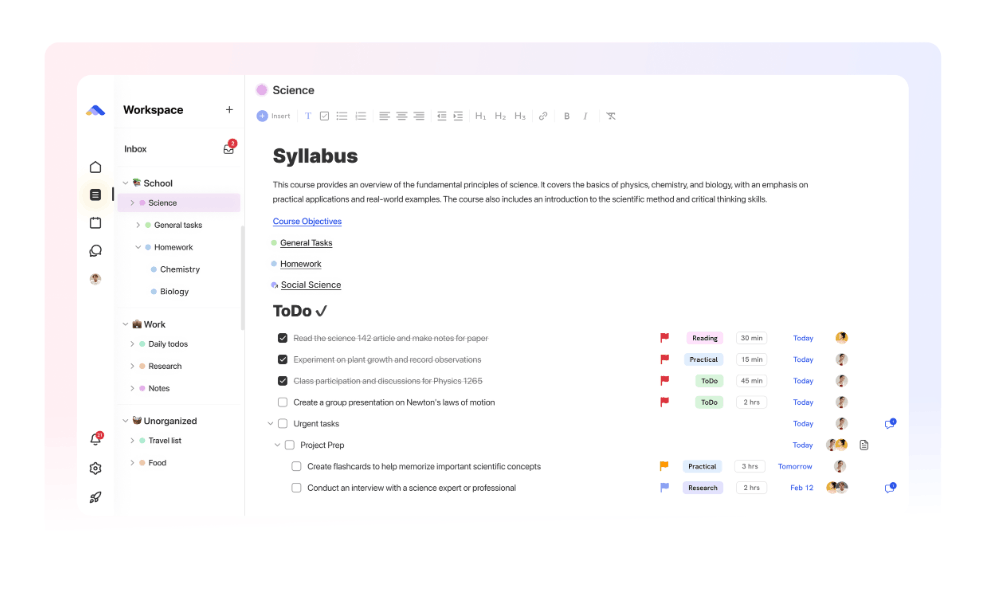
ByDesign is currently available on Mac, iOS, and web platforms. Its advantages include quick setup and uptime, integration of schedules, tasks, notes, goals, and habits into a single dashboard, and support for team collaboration via sharing links. However, its project management features are somewhat limited and not truly suitable for complex team workflows.
7. Elephas - An AI-powered knowledge base specifically for Mac.
Elephas isn't exactly a direct replacement for Notion's task management and to-do list features, but it's still worth mentioning for its unique strengths. If you're more interested in knowledge base building, this is the right choice. Essentially, the app allows you to create knowledge bases, often referred to as super-brains.
You can create multiple different projects and load related files into them, such as PDF documents, Word files, Markdown files, data exported from Notion, or Obsidian archives. The application then transforms all these documents into a searchable knowledge base. Elephas relies on your own files rather than information from the internet, and can operate offline unless you integrate additional online tools.
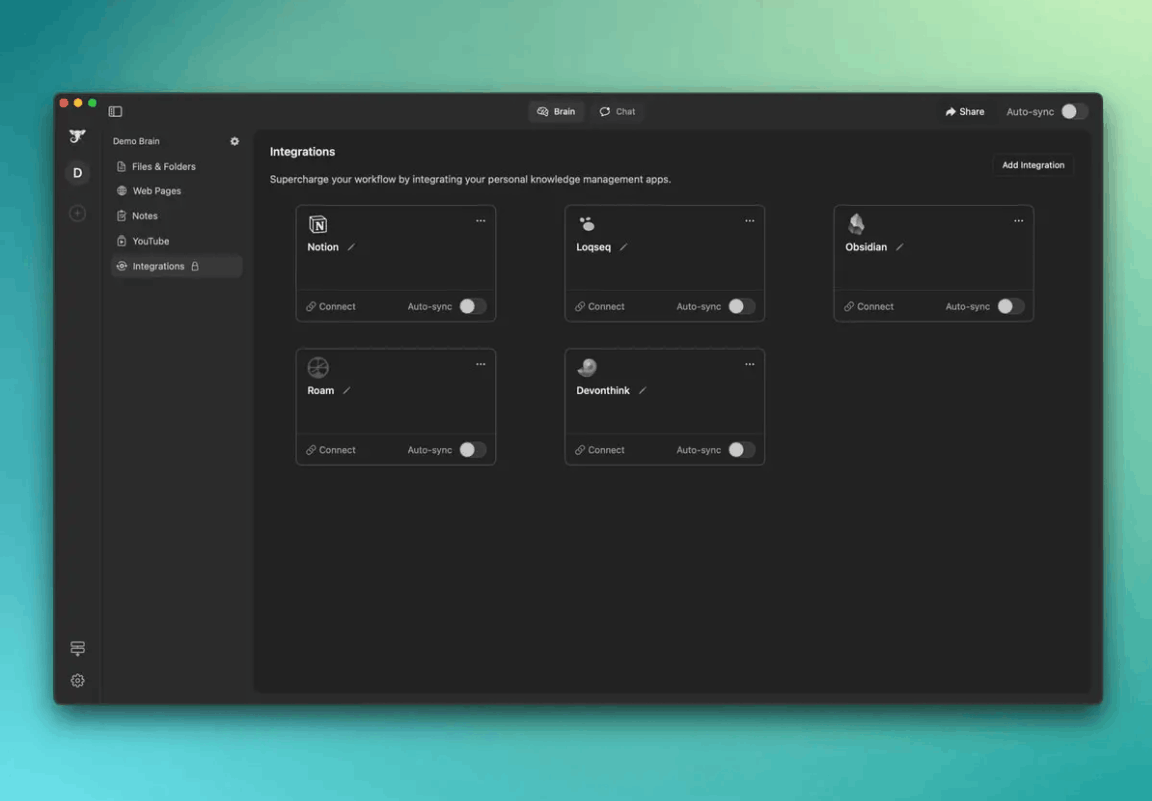
On the plus side, Elephas is well-suited for referencing documents or creating new content, boosting productivity with customizable templates, and offering the ability to directly query your actual documents. On the downside, the application isn't as comprehensive a workspace as Notion. It's also worth noting that Elephas requires the use of AI credit packages or a dedicated API access key to fully utilize its features.
8. MindNode Classic - A visual brainstorming tool for idea mapping.
MindNode Classic comes in handy when you need a place to organize your chaotic stream of creative thoughts. It can be seen as a precursor to Notion, but it's perfectly capable of replacing it if all you need is a place to organize your thoughts and visualize ideas.
MindNode Classic lets you pour your entire brainstorming experience onto a blank canvas with vivid visual support. This approach makes organizing your thoughts much easier than typing ideas in a traditional bulleted list. You can easily branch out an idea, then add notes, links, images, and files to organize your information systematically. All data is synced via iCloud across your Mac, iPhone, and iPad.
On the plus side, the visual framework makes brainstorming intuitive and accessible, making it ideal for the initial thinking and planning stages. On the downside, the application lacks team collaboration features and isn't really suitable for planning tightly structured projects.
9. Take notes and annotate documents specifically for study and research with MarginNote.
If you've ever used Notion to take notes while reading, MarginNote is a much more suitable alternative. The app is designed specifically for those who frequently study, research, or process large amounts of information from books and documents.
Instead of switching back and forth between PDF and Notion readers, MarginNote allows you to read and take notes simultaneously on the same document. The app offers various tools for this purpose; you can even add images, handwritten notes, and tags. The most valuable feature is its ability to link notes from multiple documents together, even using them to create flashcards and mind maps that can be exported for later use.
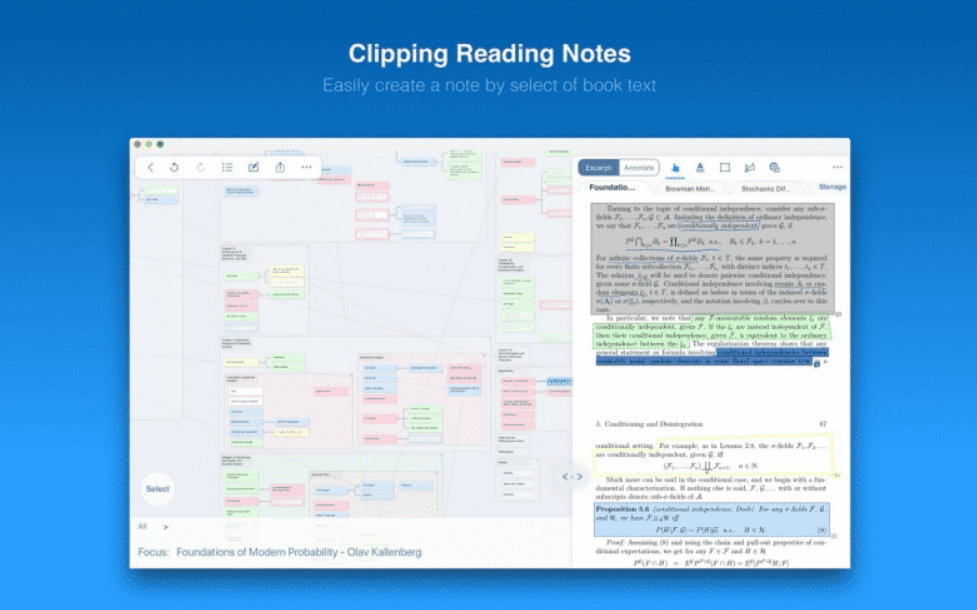
MarginNote supports both macOS and iOS operating systems. Its advantages include providing numerous tools for annotating and highlighting PDF documents, the ability to convert notes into flashcards and mind maps, and the ability to connect all notes to build a comprehensive knowledge base. Its disadvantages include being unsuitable for general note-taking or project planning, and its scope of use is quite limited outside of in-depth research-related tasks.
10. Frequently Asked Questions
What are the best free Notion alternatives for Mac?
Craft is considered a top choice thanks to its free starter package which includes one gigabyte of storage. If you need more space, you can upgrade through app distribution platforms, and you'll also have access to many other alternatives such as NotePlan, Pagico, ByDesign, Elephas, MindNode Classic, and MarginNote.
Can Notion alternatives be used offline?
Yes, applications like Craft, NotePlan, and Pagico all support offline work. Craft automatically syncs data as soon as you reconnect to the internet to ensure no information is lost, while NotePlan and Pagico are built with offline functionality in mind from the start, with the option to sync data via the cloud when needed.
Which Notion alternative is best suited for project management?
Pagico is the most suitable choice for project management needs thanks to its ability to easily set up projects, tasks, and dependencies, along with an intuitive interface that displays information in a timeline.
Is Craft really better than Notion?
Craft surpasses Notion in certain aspects, such as offline capabilities and a smooth writing experience. Conversely, Notion remains stronger when handling complex relational databases and building wikis. If your primary needs revolve around note-taking and document editing, Craft is a more worthwhile option.
Which Notion alternative is best suited for high school and college students?
MarginNote is the most suitable choice for this group thanks to its ability to read, annotate, and take notes all within the same working window, then automatically transform into mind maps and flashcards for review. If you only need to plan your daily studies, NotePlan is also a good option for organizing assignments, deadlines, and study notes.
Do Notion alternatives incorporate artificial intelligence?
Yes, both Craft and Elephas are equipped with artificial intelligence features. Craft has an AI assistant that helps with writing, summarizing, and rephrasing content. Elephas goes even further by building an entire AI-based knowledge base from your files, allowing you to query information directly from there.
Is it possible to import data from Notion to other applications?
Absolutely. You can export data from Notion in Markdown format, then import it directly into Craft or NotePlan without any significant problems.





















VIP Products








Best Selling Products
Upgrade Duolingo Super
29 USD
ChatGPT Plus Account (GPT-4)
16 USD
Adobe Premiere Pro Account
99 USD
Genuine Cheap Canva Pro
39 USD
Freepik Premium Account
59 USD
Copyright Adobe Lightroom Account
59 USD
MidJourney Account
29 USD
Windows 10 & 11 Pro Key
36 USD
Capcut Pro 1 Year
39 USD
Autodesk All App Account Copyright
120 USD
Plugin Retouch4me
69 USD
Upgrade Genuine Office 365
49 USD
Genuine Adobe Illustrator account
99 USD
Upgrade genuine Capture One account
120 USD
Adobe Photoshop Copyright - Full App
120 USD