Best Selling Products

Autodesk All App Account Copyright
120 USD

Capcut Pro 1 Year
39 USD

MidJourney Account
29 USD

Adobe Photoshop Copyright - Full App
120 USD

Upgrade Genuine Office 365
49 USD

Upgrade genuine Capture One account
120 USD

Genuine Cheap Canva Pro
39 USD

Plugin Retouch4me
69 USD

ChatGPT Plus Account (GPT-4)
16 USD

Copyright Adobe Lightroom Account
59 USD

Upgrade Duolingo Super
29 USD

Adobe Premiere Pro Account
99 USD

Genuine Adobe Illustrator account
99 USD

Windows 10 & 11 Pro Key
36 USD

Freepik Premium Account
59 USD
Zoom vs Google Meet vs Microsoft Teams Comparison: Which Online Meeting Platform Will Lead in 2025?
Nội dung
- 1. Introduction to Microsoft Teams, Google Meet, and Zoom
- 1.1. Microsoft Teams
- 1.2. Google Meet
- 1.3. Zoom
- 2.1. Comparing Collaboration Features
- 2.2. Comparison of noise cancellation features
- 2.3. Video Quality Comparison
- 2.4. Comparison of AI features
- 2.5. Comparing storage capacities
- 2.6. Comparing meeting time and number of attendees
- 2.7. Comparison of integration capabilities
- 3. Zoom vs Google Meet vs Microsoft Teams Review
- 3.1. Advantages and disadvantages of Microsoft Teams
- 3.2. Advantages and Disadvantages of Google Meet
- 3.3. Advantages and Disadvantages of Zoom
The three tech giants are fiercely competing for the top spot in the world of online work. Let's explore which is the best meeting platform for individuals and businesses in 2025.
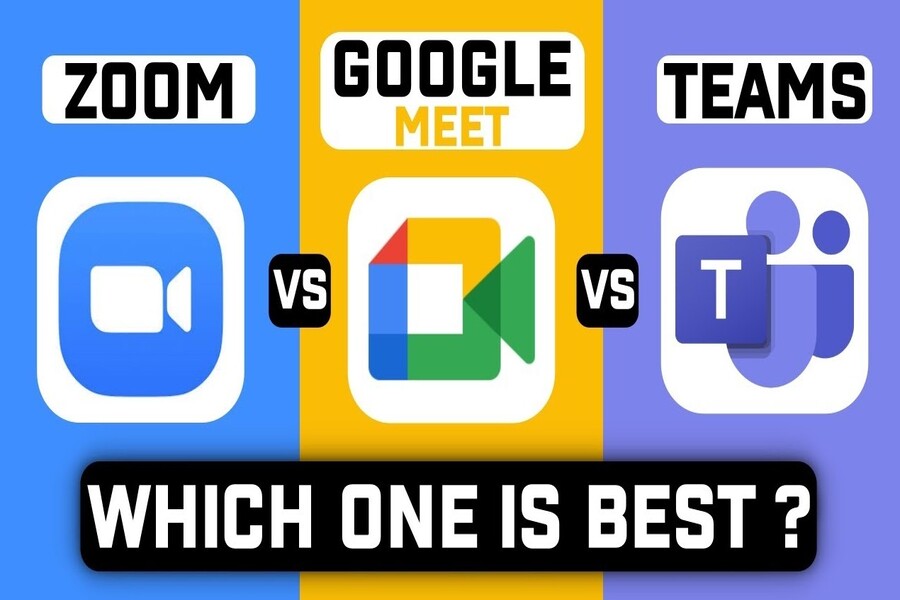
Among the plethora of online conferencing tools, Zoom, Google Meet, and Microsoft Teams are the three dominant names globally. All three offer basic features such as video conferencing, document sharing, chat, and meeting recording. However, each platform is designed with a different philosophy, targeting specific user groups: Zoom focuses on a user-friendly experience, Google Meet emphasizes minimalism and strong integration within the Google ecosystem, and Microsoft Teams prioritizes collaboration and security for businesses.
So, in 2025, which platform will be the most dominant? This article will provide an in-depth analysis and comprehensive comparison of Zoom, Google Meet, and Microsoft Teams to help you choose the most suitable tool for your personal or business needs.
1. Introduction to Microsoft Teams, Google Meet, and Zoom
1.1. Microsoft Teams
Microsoft Teams launched in 2017 as part of the Microsoft 365 suite. Unlike typical video conferencing applications, Teams is not just a meeting platform but also a comprehensive collaboration hub for businesses.
Teams allows users to chat, share documents, assign tasks, and work directly within applications like Word, Excel, PowerPoint, and OneNote without leaving the interface. Thanks to its deep integration with SharePoint, OneDrive, and Azure Active Directory, Microsoft Teams has become the top choice for large organizations requiring centralized management and robust security.
Teams' strength lies in its ability to unify productivity tools, creating a unified work environment for thousands of employees globally. Although initially perceived as complex, once users become familiar with it, Teams proves its superior power in maintaining sustainable and professional collaboration.

1.2. Google Meet
Google Meet is the successor to Google Hangouts, restructured and reintroduced by Google in 2017 as part of the Google Workspace ecosystem. Meet's philosophy is to simplify the online meeting experience: with just a Gmail account, you can join a meeting via a link without needing to install any additional software.
Leveraging Google's existing strengths, Meet works seamlessly in web browsers, supporting video recording, automatic subtitles, and direct document sharing from Google Drive. In recent years, Google has integrated AI technology into Meet, enabling automatic adjustments to lighting, noise reduction, and real-time subtitle translation.
Google Meet is best suited for schools, small businesses, and groups of individual users who are already familiar with Gmail, Google Calendar, and Google Docs.
1.3. Zoom
Founded by Eric Yuan in 2013, Zoom exploded in popularity during the COVID-19 pandemic and became a global icon of online meetings. Zoom was designed with the motto "simple, effective, and universal," meaning anyone, anywhere, can create and join a meeting in just seconds.
Zoom's appeal stems from its perfect user experience: a clear interface, fast operation, stable audio, and smooth image processing even with a weak connection. In addition, Zoom is constantly expanding with products like Zoom Phone, Zoom Rooms, and Zoom AI Companion, helping businesses unify communication on a single platform.
Zoom is currently available in over 190 countries, serving hundreds of millions of users daily. From education and healthcare to finance, Zoom has established a strong position in the global online communication sector.
2. Comparing the features of Zoom vs Google Meet vs Microsoft Teams
2.1. Comparing Collaboration Features
Collaboration is a key factor in determining the effectiveness of an online meeting platform.
Zoom focuses on the conferencing experience. Users can split into small rooms (Breakout Rooms), share screens, draw directly on the whiteboard, and send files via chat during meetings. However, Zoom still leans more towards a "meet - discuss - end" model rather than a long-term work ecosystem.
Google Meet is simpler. Collaboration features are primarily based on linking with Google Docs, Sheets, and Slides. When discussing and editing shared documents, users can directly open files from Google Drive within the same meeting.
Microsoft Teams is the leading platform in this area. All conversations, files, notes, and schedules are organized into “work channels.” Users can open documents, collaborate on editing in real time, assign tasks, comment, and save the entire history within the system. Teams is not just a meeting tool, but a comprehensive work environment.
When considering collaboration alone, Teams is the superior choice for businesses, while Zoom is suitable for conferences and training, and Google Meet is ideal for small groups and short-term projects.
2.2. Comparison of noise cancellation features
Noise reduction is a significant improvement, especially in a work-from-home environment.

Zoom uses a real-time noise cancellation algorithm that can eliminate keyboard sounds, fan noises, and knocking sounds without distorting speech. This technology is considered one of the best noise filtering systems on the market.
Google Meet also integrates noise cancellation based on Google AI's machine learning . The system automatically recognizes the frequency of human voices and eliminates other sounds, working effectively even when using the built-in microphone on a laptop.
Microsoft Teams offers three levels of noise cancellation: Automatic, Low, and High. In "High" mode, Teams can eliminate almost all background noise, making it suitable for large meeting rooms or noisy environments.
Overall, all three platforms perform well, but Teams allows users to control the level of noise filtering, while Zoom has the most natural-looking processing.
2.3. Video Quality Comparison
Video quality is a key factor for a professional meeting experience.
Zoom supports a maximum resolution of 1080p Full HD and offers flexible bitrate adjustment to ensure smooth video even with a weak network connection. Advanced compression technology helps Zoom maintain low latency without significantly compromising image quality.
Google Meet primarily operates on webRTC, supporting up to 720p; however, Google is testing a Full HD mode for business accounts. Meet prioritizes stability over high quality, so images are generally less choppy when bandwidth is low.
Microsoft Teams also supports 1080p and is rolling out 4K mode for some large organizations. However, Teams requires a powerful computer and a stable internet connection to achieve maximum performance.
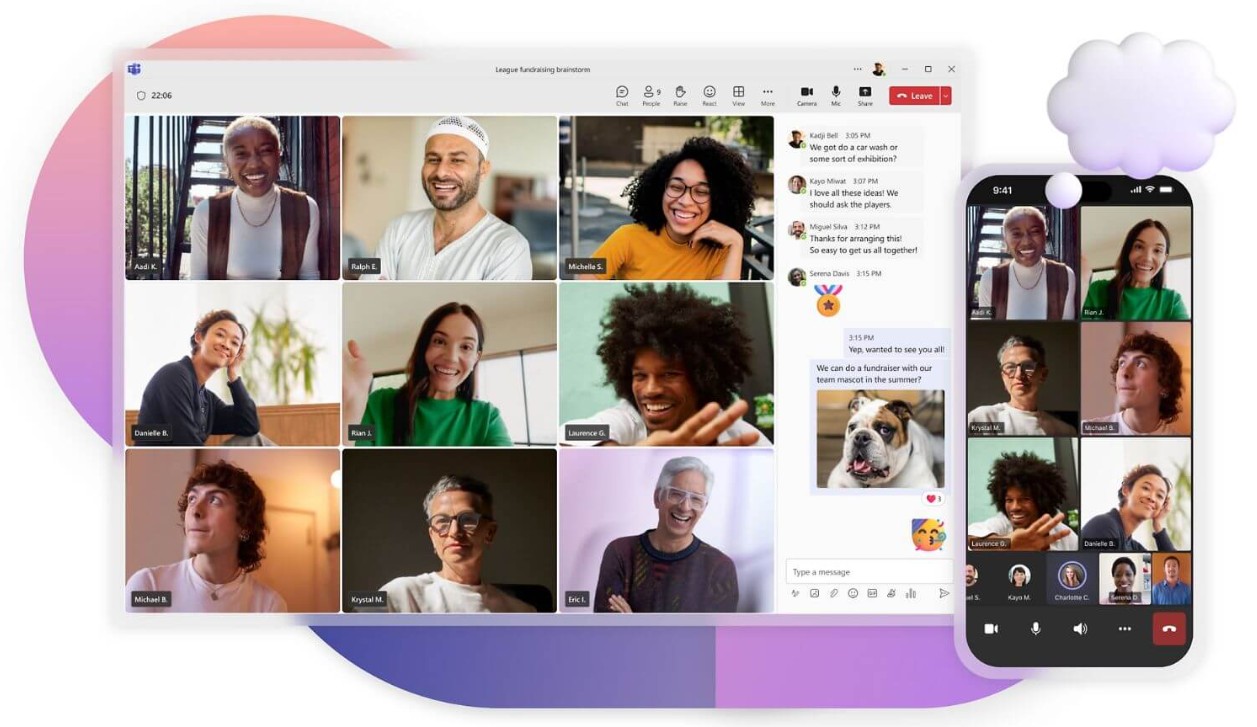
Overall, the results show that Zoom still leads in terms of stability and smoothness, especially in unstable network conditions.
2.4. Comparison of AI features
Artificial intelligence is currently the biggest competitive "weapon" among the three platforms.
Zoom AI Companion can automatically take notes, summarize meeting content, create to-do lists, and suggest responses. Users simply ask, “What did I miss?” and the AI will automatically summarize the missed parts. Zoom also supports real-time subtitle translation and analyzes participant engagement.
Google Meet AI is based on Google's Gemini system. Meet can automatically adjust lighting, color balance, generate subtitles, and translate live between languages. Google has also integrated AI into Gmail and Docs, helping users handle tasks simultaneously during meetings.
Microsoft Teams Copilot is currently the most powerful AI tool available. Copilot can understand context, extract data from emails, documents, and meetings to generate reports or suggest actions. After a meeting, Copilot automatically creates minutes, to-do lists, and sends them via Outlook.
In terms of application depth, Teams Copilot is the best, but in terms of user-friendliness and ease of use, Zoom AI Companion is a more effective choice for the average user.
2.5. Comparing storage capacities
In terms of meeting content storage capabilities, the three platforms differ significantly.
Zoom offers cloud storage options based on different plans. The Pro plan includes 1GB, while the Business and Enterprise plans can be expanded to several terabytes. Users can also download videos to their computers.
Google Meet uses shared storage space with Google Drive. With a Workspace Business account, the starting storage is 30GB and can be expanded depending on the plan. This is convenient for sharing and managing documents after meetings.
Microsoft Teams stores videos and documents via OneDrive and SharePoint, with a default storage capacity of 1TB per user in the Microsoft 365 Business plan. A centralized management system makes it easy to access, manage permissions, and back up data.
In terms of data management and security, Teams excels. However, when considering flexibility and user-friendliness, Zoom and Google Meet offer a more streamlined experience.

2.6. Comparing meeting time and number of attendees
Zoom allows up to 100 people in the free version (limited to 40 minutes) and 1000 people in the Enterprise version.
Google Meet offers unlimited time for 1:1 meetings and up to 100 people for group meetings, while the paid version can expand to 500 people.
Microsoft Teams supports 300 people in its standard version and can be scaled up to 10,000 people for large-scale conferences.
Clearly, Teams is suitable for large businesses, organizations, or high-scale events, while Zoom excels at medium and small-scale events due to its flexibility.
2.7. Comparison of integration capabilities
Integration capabilities determine the level of flexibility of the platform.
Zoom has over 1000 extended applications available through the Zoom App Marketplace, such as Slack, Trello, Salesforce, and Asana. Users can customize their workflows without leaving the meeting.
Google Meet integrates seamlessly with tools within Google Workspace, particularly Gmail, Calendar, Drive, and Docs. However, its ability to extend to applications outside the Google ecosystem is limited.
Microsoft Teams is the heart of Microsoft 365, supporting hundreds of integrated applications, including ERP, CRM, and Power BI software. This system is built to serve businesses with complex operational structures.
Overall, Teams has the most comprehensive ecosystem, while Zoom is more flexible and Google Meet is optimized for Google users.
3. Zoom vs Google Meet vs Microsoft Teams Review
3.1. Advantages and disadvantages of Microsoft Teams
Microsoft Teams excels in collaboration, security, and the integration of all office tools within a unified environment. It's an ideal choice for large organizations where data consistency and user permission control are top priorities.
However, Teams has a complex interface, requiring new users some time to get used to it. Additionally, the software consumes resources, slowing down even on low-spec computers.
In summary, Teams is a perfect choice for professional businesses, but not really suitable for individuals or small teams.
3.2. Advantages and Disadvantages of Google Meet
Google Meet is appealing due to its simplicity, accessibility, and fast setup speed. Gmail users can join meetings with just a link. The interface is clean, lightweight, and friendly to all devices.
However, Meet is limited in terms of advanced features. The system relies heavily on the Google Workspace infrastructure, and its ability to scale beyond the ecosystem is restricted.
Overall, Google Meet is the optimal choice for schools, freelancers, or small businesses.
3.3. Advantages and Disadvantages of Zoom
Zoom remains a symbol of stability and efficiency. Its user-friendly interface and excellent image and audio processing capabilities make it popular worldwide. Features like Breakout Rooms, Whiteboard, and Zoom AI Companion make it a powerful tool for training and conferencing.
Zoom's downside lies in its cost; premium packages are quite expensive. Additionally, despite significant improvements, Zoom still faces strong competition from rivals with larger ecosystems.
However, if the goal is a smooth, easy-to-use, and professional meeting platform, Zoom remains the top choice for individuals, teachers, and small and medium-sized businesses.
Zoom, Google Meet, and Microsoft Teams are all excellent platforms, but there's no "absolute winner." Each tool is designed to serve different needs: Zoom excels in meeting experience and stability, ideal for conferences and teaching. Google Meet is simple, fast, and integrates seamlessly with Gmail and Workspace, making it suitable for small teams or education. Microsoft Teams is the most comprehensive, offering a robust enterprise collaboration ecosystem, but requires more training and comes with a higher cost.





















VIP Products








Best Selling Products
Autodesk All App Account Copyright
120 USD
Capcut Pro 1 Year
39 USD
MidJourney Account
29 USD
Adobe Photoshop Copyright - Full App
120 USD
Upgrade Genuine Office 365
49 USD
Upgrade genuine Capture One account
120 USD
Genuine Cheap Canva Pro
39 USD
Plugin Retouch4me
69 USD
ChatGPT Plus Account (GPT-4)
16 USD
Copyright Adobe Lightroom Account
59 USD
Upgrade Duolingo Super
29 USD
Adobe Premiere Pro Account
99 USD
Genuine Adobe Illustrator account
99 USD
Windows 10 & 11 Pro Key
36 USD
Freepik Premium Account
59 USD